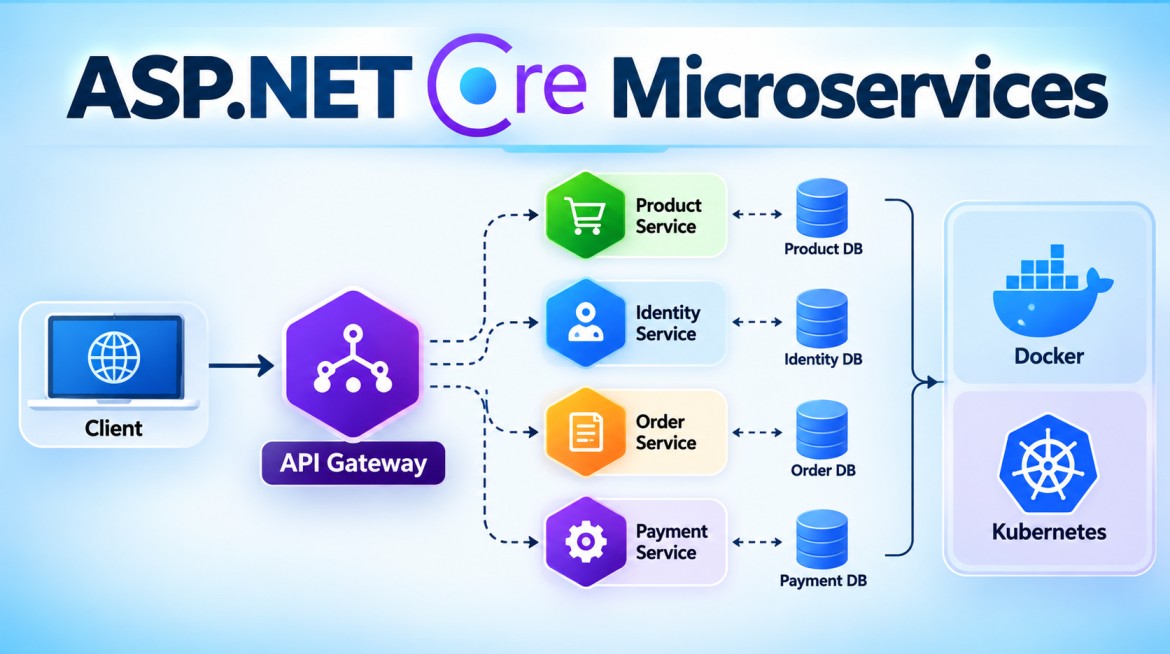


Yes. Azure supports service registry/service discovery, but the exact mechanism depends on where your ASP.NET Core microservices are hosted.
| Azure hosting | Service discovery / registry |
|---|---|
| Azure Container Apps | ✅ Built-in service discovery |
| Azure Kubernetes Service (AKS) | ✅ Kubernetes Services + DNS |
| Azure Service Fabric | ✅ Built-in service discovery |
| Azure App Service | ❌ No built-in service registry |
| Azure Functions | ❌ No platform-level service discovery |
Microsoft's current Azure architecture guidance confirms these differences. Microsoft Learn
Simplest Azure option: Azure Container Apps
For a .NET microservices application, Azure Container Apps is one of the simplest approaches because service discovery is built in. If OrderService and ProductService are deployed into the same Container Apps environment, Azure automatically handles DNS registration, routing, and load balancing. Microsoft Learn
For example:
Azure Container Apps Environment

┌───────────────────────┐
│ ProductService        │
│ Instance 1            │
│ Instance 2            │
│ Instance 3            │
└───────────▲───────────┘
            │
     Service Discovery
     + Load Balancing
            │
┌───────────┴───────────┐
│ OrderService          │
└───────────────────────┘
Your OrderService can call another container app using its app name, for example:
var response =
    await httpClient.GetAsync(
        "http://productservice/api/products");
You don't need to maintain:
ProductService → 10.0.0.10
ProductService → 10.0.0.11
ProductService → 10.0.0.12
Azure Container Apps handles the service location and routing. Microsoft Learn
If you're using Azure App Service
This distinction is important for your Web API:
Azure App Service
      ↓
No built-in service registry
Microsoft specifically documents App Service as not providing platform-level service discovery. Microsoft Learn
So if your architecture is:
API Gateway
    │
    ├── Product API → Azure App Service
    ├── Order API   → Azure App Service
    └── Payment API → Azure App Service
you normally use the stable App Service hostnames, an API gateway such as Azure API Management, configuration, or another discovery mechanism rather than building the simple in-memory registry from my previous example.
Interview key point
Does Azure provide Service Registry?
Answer: Azure doesn't have one universal standalone "Azure Service Registry" that every hosting model automatically uses. Instead, service discovery is provided by specific platforms. Azure Container Apps, AKS, and Service Fabric provide service-discovery mechanisms, while Azure App Service does not provide built-in service discovery. Microsoft Learn
For learning this topic with ASP.NET Core, a useful next example is deploying ProductService + OrderService to Azure Container Apps and showing exactly how OrderService discovers ProductService without hardcoding an IP address.
Azure Container Apps vs Azure App Service
Both can host an ASP.NET Core Web API, but they target somewhat different deployment models.
| Feature | Azure App Service | Azure Container Apps |
|---|---|---|
| Main purpose | Host web apps and APIs | Host containerized apps/microservices |
| Docker required? | ❌ No | ✅ Yes, workload is deployed as a container |
| Deploy normal .NET code | ✅ Very easy | Build container image first |
| Microservices | Possible | ✅ Designed for this use case |
| Service discovery | ❌ No built-in microservice service discovery | ✅ Built-in |
| Internal service-to-service calls | Possible, usually via stable endpoints/networking | ✅ Strong support |
| Automatic scaling | ✅ Yes | ✅ Yes |
| Scale to zero | Generally not the normal App Service model | ✅ Supported |
| Multiple revisions | Deployment slots are commonly used | ✅ Native revisions |
| Traffic splitting | Via deployment approaches such as slots | ✅ Native revision traffic splitting |
| Kubernetes knowledge | ❌ Not required | ❌ Not required |
| Kubernetes underneath | Not exposed as Kubernetes | Uses Kubernetes-based infrastructure managed by Azure |
| Best fit | Websites, APIs, traditional web applications | Microservices, APIs, workers, event-driven container workloads |
Simple way to understand it
Azure App Service is primarily:
Your ASP.NET Core Web API
          ↓
     Publish/Deploy
          ↓
┌─────────────────────┐
│ Azure App Service   │
│                     │
│ Runs your Web API   │
└─────────────────────┘
You can deploy your ASP.NET Core application directly without creating a Docker image.
For example:
Portfolio Web API
      ↓
Azure App Service
      ↓
https://myportfolio-api.azurewebsites.net
Azure Container Apps
Container Apps is more naturally suited to a containerized microservices architecture.
             Azure Container Apps Environment
                         │
          ┌──────────────┼──────────────┐
          ↓              ↓              ↓
   ProductService   OrderService   PaymentService
     Container        Container       Container
          │              │              │
          └──────────────┼──────────────┘
                         │
                 Service Discovery
You package each ASP.NET Core service into a container:
ASP.NET Core Web API
        ↓
    Docker Image
        ↓
Container Registry
        ↓
Azure Container Apps
Container Apps then provides capabilities useful for microservices, including internal service discovery, autoscaling, revisions, and traffic splitting.
Important difference for your Service Registry question
This is where Container Apps is particularly relevant.
Suppose you have:
OrderService
ProductService
PaymentService
With App Service, you typically configure stable URLs:
{
  "Services": {
    "ProductService": "https://product-api.azurewebsites.net",
    "PaymentService": "https://payment-api.azurewebsites.net"
  }
}
Then:
await httpClient.GetAsync(
    "https://product-api.azurewebsites.net/api/products");
You don't normally get a microservice registry where OrderService asks Azure, "Where is ProductService?"
With Azure Container Apps, services in the same Container Apps environment can communicate using built-in service discovery. This is much closer to the microservices concept we were discussing:
OrderService
      │
      │ ProductService
      ▼
Azure Container Apps
Service Discovery
      │
      ▼
ProductService
      │
      ├── Replica 1
      ├── Replica 2
      └── Replica 3
The platform handles routing to the application's replicas rather than your code maintaining individual instance IP addresses.
Which one should you learn?
For interview purposes, remember it this way:
App Service = easiest PaaS hosting for a normal web application/Web API.
Container Apps = container-based PaaS particularly well suited to microservices and event-driven applications.
For example:
Single ASP.NET Core MVC
        +
Single Web API
        ↓
Azure App Service
Whereas:
API Gateway
     │
     ├── Product Microservice
     ├── Order Microservice
     ├── Payment Microservice
     └── Notification Microservice
              ↓
      Azure Container Apps
That doesn't mean App Service cannot host microservices. It can. The difference is that Container Apps provides more microservice/container-oriented platform capabilities out of the box, including the service-discovery capability you originally asked about.