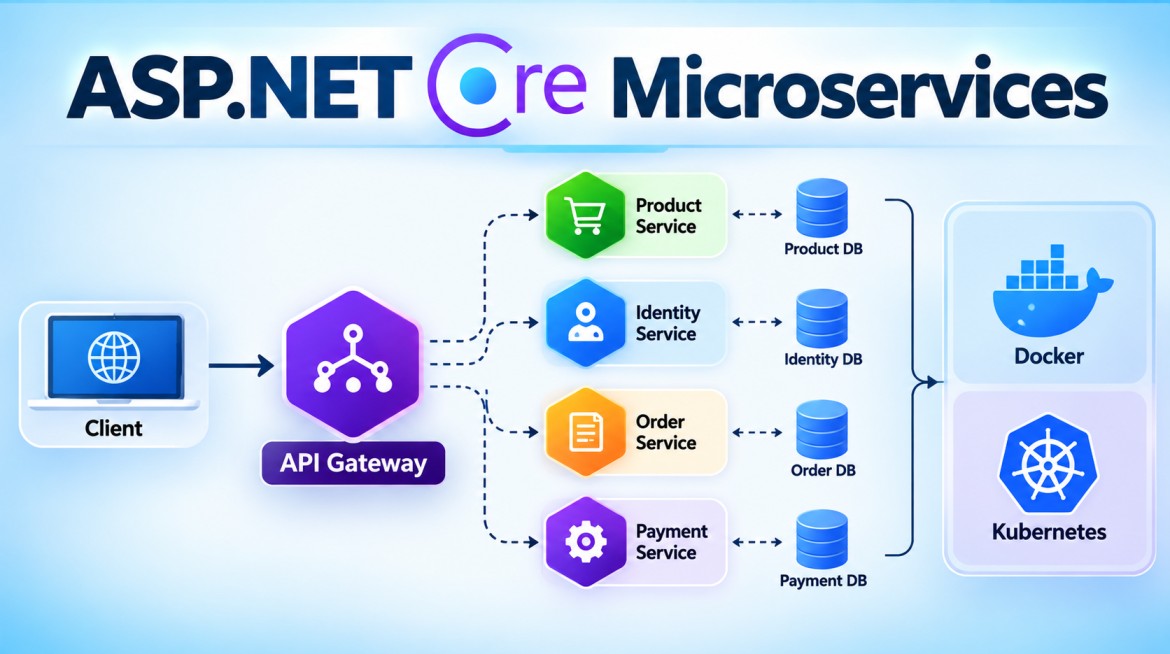


How Do You Call One ASP.NET Core Microservice from Another?
In ASP.NET Core, one microservice commonly calls another using HttpClient for synchronous HTTP/REST communication.
For production applications, IHttpClientFactory—usually via a typed client or named client—is preferred over repeatedly creating new HttpClient().
1. What Does It Mean?
Suppose we have two microservices:
Order Service
Product Service
When the Order Service needs product information, it can call the Product Service's REST API:
Order Service
     │
     │ HTTP GET /api/products/101
     ▼
Product Service
     │
     │ Product JSON
     ▼
Order Service
This is synchronous service-to-service communication because Order Service waits for Product Service's response.
2. Why Do We Need It?
Each microservice should focus on its own business capability and generally own its own data.
For example:
Product Service
    └── Product data

Order Service
    └── Order data
Order Service should generally not directly query Product Service's database.
Instead:
Order Service
      │
      │ REST API
      ▼
Product Service
      │
      ▼
Product Database
This preserves service boundaries and allows the Product Service to control its own data and business rules.
3. Purpose
Service-to-service API calls allow one microservice to:
- Retrieve information from another service
- Request another service to perform an operation
- Maintain clear service boundaries
- Avoid direct database sharing
- Keep services independently maintainable and deployable
4. Simple ASP.NET Core Example
Assume we have:
ProductService → https://localhost:7001
OrderService   → https://localhost:7002
Order Service needs product information from Product Service.
Step 1 — Product Microservice
Create a simple endpoint in ProductService:
[ApiController]
[Route("api/[controller]")]
public class ProductsController : ControllerBase
{
    [HttpGet("{id}")]
    public IActionResult GetProduct(int id)
    {
        var product = new
        {
            Id = id,
            Name = "Laptop",
            Price = 75000
        };

        return Ok(product);
    }
}
Calling:
GET https://localhost:7001/api/products/101returns:
{
  "id": 101,
  "name": "Laptop",
  "price": 75000
}
5. Create DTO in Order Service
The Order Service needs a model representing the response:
public class ProductDto
{
    public int Id { get; set; }

    public string Name { get; set; } = string.Empty;

    public decimal Price { get; set; }
}
6. Create Product API Client
In OrderService:
public class ProductApiClient
{
    private readonly HttpClient _httpClient;

    public ProductApiClient(HttpClient httpClient)
    {
        _httpClient = httpClient;
    }

    public async Task<ProductDto?> GetProductAsync(int id)
    {
        return await _httpClient
            .GetFromJsonAsync<ProductDto>($"api/products/{id}");
    }
}
Here, HttpClient is injected through Dependency Injection.
7. Register HttpClient
In Order Service's Program.cs:
builder.Services.AddHttpClient<ProductApiClient>(client =>
{
    client.BaseAddress =
        new Uri("https://localhost:7001/");
});
This is called a typed HttpClient.
ASP.NET Core creates and injects the configured HttpClient into:
ProductApiClientSo you don't manually create:
new HttpClient();for every request.
8. Call Product Service from Order Service
Now inject ProductApiClient into the Order controller:
[ApiController]
[Route("api/[controller]")]
public class OrdersController : ControllerBase
{
    private readonly ProductApiClient _productApiClient;

    public OrdersController(ProductApiClient productApiClient)
    {
        _productApiClient = productApiClient;
    }

    [HttpPost("{productId}")]
    public async Task<IActionResult> CreateOrder(int productId)
    {
        var product =
            await _productApiClient.GetProductAsync(productId);

        if (product == null)
        {
            return BadRequest("Product not found");
        }

        return Ok(new
        {
            Message = "Order created successfully",
            Product = product.Name,
            Price = product.Price
        });
    }
}
9. Complete Flow
When the client calls:
POST https://localhost:7002/api/orders/101the flow becomes:
Client
  │
  │ POST /api/orders/101
  ▼
Order Service
  │
  │ ProductApiClient
  │
  │ GET /api/products/101
  ▼
Product Service
  │
  │ Product Details
  ▼
Order Service
  │
  │ Create Order
  ▼
Client
The important point is:
Client
   ↓
Order Service
   ↓ HttpClient
Product Service
   ↓
Product DB
Order Service doesn't directly access Product Service's database.
10. Why Use IHttpClientFactory?
You might see code like:
var client = new HttpClient();Although this can work for simple cases, repeatedly creating and disposing HttpClient is not the recommended application pattern.
ASP.NET Core provides IHttpClientFactory.
When using:
builder.Services.AddHttpClient<ProductApiClient>();ASP.NET Core uses the HttpClientFactory infrastructure.
It provides:
- Centralized configuration
- Proper underlying handler management
- Logging integration
- DNS change handling
- Easier resilience configuration
- Named and typed clients
11. Don't Hard-Code the URL
For demonstration, we used:
new Uri("https://localhost:7001/")In a real application, avoid hard-coding service URLs.
appsettings.json
{
  "Services": {
    "ProductService": "https://localhost:7001/"
  }
}
Then:
builder.Services.AddHttpClient<ProductApiClient>((serviceProvider, client) =>
{
    var configuration =
        serviceProvider.GetRequiredService<IConfiguration>();

    client.BaseAddress = new Uri(
        configuration["Services:ProductService"]!);
});
Now different environments can provide different addresses:
Development
    ↓
https://localhost:7001

SIT
    ↓
https://sit-product-service/

UAT
    ↓
https://uat-product-service/

Production
    ↓
https://product-service/
12. What About Authentication?
If Product Service is protected, Order Service may also need to send authentication credentials.
For example:
Authorization: Bearer <access-token>or another service-to-service authentication mechanism.
Conceptually:
Order Service
     │
     │ Authorization
     │ Bearer Token
     ▼
Product Service
The exact mechanism depends on the environment—for example OAuth 2.0 client credentials, managed identities, API gateway policies, or platform-specific workload identity.
13. What If Product Service Is Down?
This is an important microservices problem.
Suppose:
Order Service
     │
     X
Product Service DOWN
The Order Service should not wait indefinitely.
Production systems commonly consider:
- Timeout
- Retry for suitable transient failures
- Circuit Breaker
- Fallback, where appropriate
- Logging
- Distributed tracing
Be careful with retries for operations such as:
POST /api/paymentsBlind retries could potentially execute an operation more than once unless the API is designed with idempotency.
14. Advantages
Clear Service Boundaries
Each microservice exposes its functionality through a contract.
Independent Databases
Order Service   → Order DB

Product Service → Product DB
One service doesn't need direct access to another service's tables.
Independent Deployment
Product Service can be deployed separately from Order Service, provided its API contract remains compatible.
Standard Communication
HTTP/REST works across different technologies.
For example:
.NET Service
     ↓ REST
Java Service
     ↓ REST
Node.js Service
15. Disadvantages
Network Latency
A local method call:
GetProduct();is much cheaper than a network call:
Order Service → Network → Product ServiceService Availability Dependency
If Product Service is unavailable, Order Service may not be able to complete operations that require it.
Cascading Failures
Avoid excessive chains such as:
A → B → C → D → EA slow downstream service can affect the entire chain.
More Operational Complexity
You need to consider:
- Service discovery
- Authentication
- Timeouts
- Retries
- Circuit breakers
- Logging
- Distributed tracing
16. REST vs Messaging
Calling another service with HttpClient is appropriate when an immediate response is required.
Order Service
      │
      │ Need answer now
      ▼
Product Service

        REST / HTTP
If the other service doesn't need to respond immediately, messaging may be more appropriate:
Order Service
      │
      │ OrderCreated
      ▼
Message Broker
      │
      ├── Notification Service
      └── Analytics Service

        Messaging
So:
Need immediate response → REST/gRPC
Can process asynchronously → Messaging
17. Key Points
- Microservices can call each other using REST APIs over HTTP/HTTPS.
- In ASP.NET Core, use
HttpClient. - Prefer configuring it through
IHttpClientFactory. - Typed clients are a clean approach for encapsulating calls to a particular service.
- Don't repeatedly create
new HttpClient()for application service calls. - Don't hard-code service URLs in production code.
- Avoid accessing another microservice's database directly.
- Configure timeouts and resilience policies for remote calls.
- Secure service-to-service communication appropriately.
- Avoid long chains of synchronous calls.
- Use messaging when an immediate response isn't required.
18. Interview Questions & Answers
Q1. How do you call one ASP.NET Core Microservice from another?
Answer:
For synchronous REST communication, we commonly use HttpClient configured through IHttpClientFactory. The calling microservice sends an HTTP request to the target microservice and processes its response.
Q2. Why use IHttpClientFactory?
Answer:
It provides centralized HttpClient configuration, manages underlying HTTP handlers correctly, supports logging and DNS changes, and integrates well with resilience mechanisms.
Q3. What is a typed HttpClient?
Answer:
A typed client is a class that encapsulates communication with a particular external service.
For example:
ProductApiClientcan contain all calls from Order Service to Product Service.
Q4. Should Order Service directly access Product Service's database?
Answer:
Generally, no. Product Service should own its data. Order Service should communicate through the Product Service's API or an appropriate messaging contract.
Q5. What if the called microservice is unavailable?
Answer:
The calling service should use appropriate resilience techniques such as timeouts, retries for transient failures, circuit breakers, and fallbacks where applicable, together with logging and monitoring.
Q6. Should service URLs be hard-coded?
Answer:
No. Service addresses should normally come from configuration, environment variables, service discovery, DNS, or the deployment platform.
Q7. When should messaging be used instead of HttpClient?
Answer:
Use messaging when the operation can be processed asynchronously and the caller doesn't require an immediate result.
Interview One-Line Answer
In ASP.NET Core, one microservice commonly calls another synchronously using
HttpClientconfigured throughIHttpClientFactory; for asynchronous communication, use a message broker such as RabbitMQ, Kafka, or Azure Service Bus.