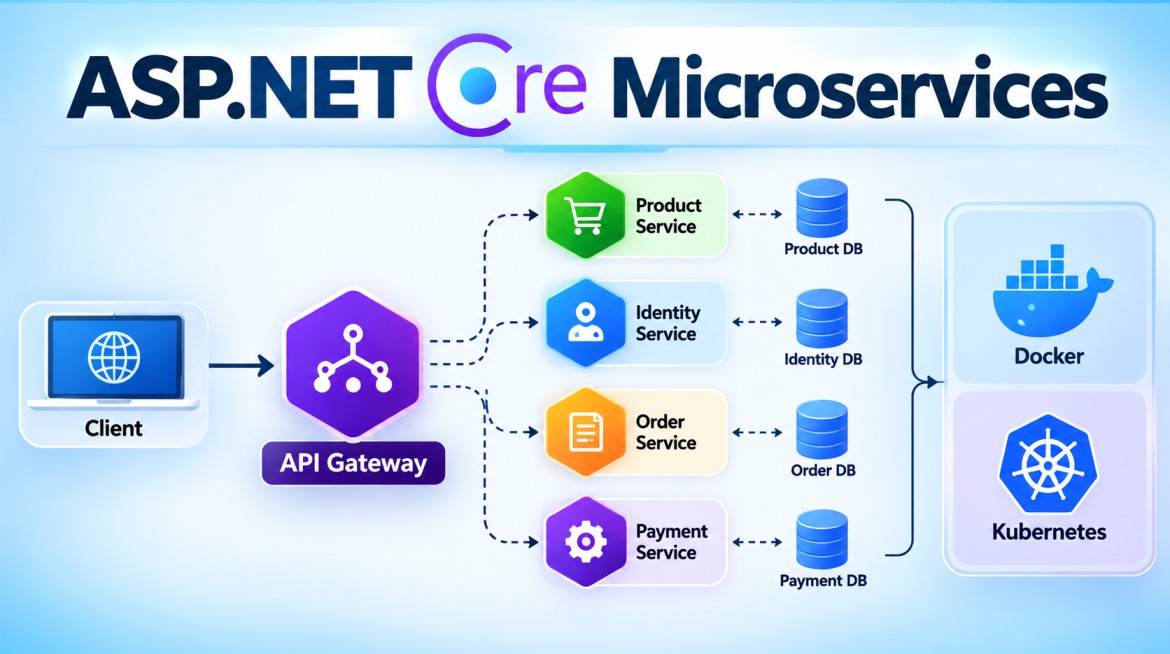


Event-Driven Architecture (EDA) in Microservices
1. What is Event-Driven Architecture?
Event-Driven Architecture (EDA) is an architectural style where different parts of a system communicate and react based on events.
An event represents something that has already happened in the system.
Examples:
OrderCreated
PaymentCompleted
PaymentFailed
InventoryReserved
OrderCancelled
CustomerRegistered
OrderShipped
For example, when an order is created:
Order Service
      │
      │ Publishes
      ▼
  OrderCreated
      │
      ▼
┌─────────────────────┐
│   Message Broker    │
│ Azure Service Bus   │
│ RabbitMQ / Kafka    │
└──────────┬──────────┘
           │
     ┌─────┼─────────────┐
     ▼     ▼             ▼
 Inventory  Notification  Analytics
 Service       Service      Service
The Order Service does not directly call all these services. It announces:
OrderCreated
Other services interested in that event react independently.
2. Simple Definition
Event-Driven Architecture is an architecture where services publish events when something happens, and other services subscribe to those events and perform their own actions.
The basic idea is:
Something happens
       ↓
Event is produced
       ↓
Event is published
       ↓
Interested services receive it
       ↓
Each service reacts independently
3. What is an Event?
An event is a record of a fact that has already occurred.
For example:
OrderCreatedmeans:
An order has already been created.
Similarly:
PaymentCompletedmeans:
The payment has already completed.
An event should normally be expressed in past tense because it describes something that happened.
Good examples:
CustomerRegistered
OrderCreated
PaymentCompleted
InventoryReserved
OrderShipped
Less appropriate event names:
CreateOrder
ProcessPayment
ReserveInventory
Those represent commands, not events.
4. Event vs Command
This is an important interview distinction.
Command
A command says:
Do something.
Examples:
ProcessPayment
ReserveInventory
SendEmail
CreateInvoice
Event
An event says:
Something happened.
Examples:
PaymentCompleted
InventoryReserved
EmailSent
InvoiceCreated| Command | Event |
|---|---|
| Requests an action | Announces a fact |
ProcessPayment |
PaymentCompleted |
CreateOrder |
OrderCreated |
CancelOrder |
OrderCancelled |
| Usually has an intended handler | Can have many subscribers |
| Can potentially be rejected | Represents something that occurred |
5. Why Do We Need Event-Driven Architecture?
Consider an e-commerce application.
When an order is created, we may need to:
1. Reserve inventory
2. Send confirmation email
3. Update analytics
4. Add loyalty points
5. Create audit record
6. Notify warehouse
Without EDA, the Order Service might directly call every service:
                 ┌──HTTP──> Inventory Service
                 │
                 ├──HTTP──> Email Service
Order Service ───┼──HTTP──> Analytics Service
                 │
                 ├──HTTP──> Loyalty Service
                 │
                 └──HTTP──> Warehouse Service
This creates considerable runtime coupling.
The Order Service needs knowledge of multiple downstream services and must deal with their failures, latency, retry behavior, and API contracts.
6. With Event-Driven Architecture
Instead, the Order Service publishes:
OrderCreatedArchitecture:
                       OrderCreated
                            │
                            ▼
                     ┌─────────────┐
                     │   Broker    │
                     └──────┬──────┘
                            │
           ┌────────────────┼─────────────────┐
           │                │                 │
           ▼                ▼                 ▼
      Inventory        Notification       Analytics
       Service            Service          Service
           │
           ├───────────────┐
           │               │
           ▼               ▼
       Loyalty          Warehouse
       Service           Service
The producer only needs to publish the event according to the agreed contract.
This provides loose coupling between services.
7. Purpose of Event-Driven Architecture
EDA is primarily used to build systems that are:
- Loosely coupled
- Scalable
- Responsive
- Asynchronous
- Extensible
- Resilient to temporary consumer failures
- Suitable for distributed systems
- Suitable for microservices
It is particularly useful when one business action should trigger multiple independent activities.
8. Main Components of EDA
A typical Event-Driven Architecture contains:
Event Producer
      ↓
    Event
      ↓
Event Broker
      ↓
Event Consumer
Let's examine them individually.
9. Event Producer
The Event Producer is the service where something happens.
Example:
Order ServiceAn order is successfully created.
The service publishes:
OrderCreatedExample event:
{
    "eventId": "e7c52e7b-6c90-4d7a",
    "eventType": "OrderCreated",
    "occurredAt": "2026-09-29T07:30:00Z",
    "orderId": 1001,
    "customerId": 501,
    "totalAmount": 2500
}
10. Event Broker
The event broker transports/distributes events between producers and consumers.
Common technologies include:
| Technology | Common use |
|---|---|
| Azure Service Bus | Managed enterprise messaging on Azure |
| RabbitMQ | Message queues and routing |
| Apache Kafka | High-throughput event streaming |
| AWS SNS/SQS | AWS messaging |
| Google Pub/Sub | Google Cloud event messaging |
For example:
Order Service
      ↓
OrderCreated
      ↓
Azure Service Bus
11. Event Consumer
A consumer subscribes to an event and reacts when it receives it.
For example:
OrderCreated
     │
     ├──> Inventory Service
     │       ↓
     │    Reserve stock
     │
     ├──> Notification Service
     │       ↓
     │    Send email
     │
     └──> Analytics Service
             ↓
          Record sale
Each consumer owns its business logic.
12. How Does Event-Driven Architecture Work?
Consider a customer placing an order.
Step 1 — Customer creates an order
Customer
   ↓
POST /api/orders
   ↓
Order Service
Step 2 — Order Service stores the order
Order Service
     ↓
Order Database

OrderId = 1001
Status = Created
Step 3 — Publish event
After the order is created:
OrderCreatedis published.
Step 4 — Broker distributes it
Order Service
      ↓
OrderCreated
      ↓
Message Broker
Step 5 — Subscribers receive it
Message Broker
      │
      ├──> Inventory Service
      ├──> Notification Service
      └──> Analytics Service
Step 6 — Consumers react
Inventory Service
      ↓
Reserve inventory

Notification Service
      ↓
Send confirmation

Analytics Service
      ↓
Record order statistics
These operations can happen independently.
13. Complete Example Flow
Imagine this business process:
Customer
   │
   ▼
Order Service
   │
   │ OrderCreated
   ▼
Message Broker
   │
   ▼
Inventory Service
   │
   │ InventoryReserved
   ▼
Message Broker
   │
   ▼
Payment Service
   │
   │ PaymentCompleted
   ▼
Message Broker
   │
   ├───────────────┐
   ▼               ▼
Shipping       Notification
Service           Service
   │
   │ OrderShipped
   ▼
Message Broker
Notice something important:
There is no single long synchronous HTTP chain such as:
Order
 ↓
Inventory
 ↓
Payment
 ↓
Shipping
 ↓
Notification
Instead, business events move the workflow forward.
14. Event-Driven Architecture vs Message-Based Communication
These terms are related but not identical.
Message-Based Communication
This is primarily a communication mechanism.
Producer
   ↓
Message
   ↓
Broker
   ↓
Consumer
Messages can be:
Commands
Events
Work items
Notifications
Event-Driven Architecture
EDA is an architectural style where events represent state changes/business facts and drive reactions throughout the system.
OrderCreated
      ↓
Consumers react
      ↓
New events
      ↓
Other consumers react
Therefore:
EDA commonly uses message-based communication, but not every message-based system is an Event-Driven Architecture.
15. Simple ASP.NET Core Example
Let's implement:
Order API
   ↓
OrderCreated
   ↓
Azure Service Bus
   ↓
Notification Service
Required NuGet Package
Install:
dotnet add package Azure.Messaging.ServiceBusPackage:
Azure.Messaging.ServiceBus16. Event Model
public class OrderCreatedEvent
{
    public Guid EventId { get; set; }

    public int OrderId { get; set; }

    public int CustomerId { get; set; }

    public decimal TotalAmount { get; set; }

    public DateTime OccurredAt { get; set; }
}
Notice the class name:
OrderCreatedEventrather than:
CreateOrderEventbecause the event represents something that already happened.
17. appsettings.json
{
  "AzureServiceBus": {
    "ConnectionString": "<your-service-bus-connection-string>",
    "TopicName": "orders"
  }
}
In production, avoid committing credentials into appsettings.json.
Common alternatives are:
Managed Identity
Azure Key Vault
Environment Variables
18. Event Publisher Interface
public interface IEventPublisher
{
    Task PublishAsync<T>(T eventData);
}
This keeps the business code independent from the specific publisher implementation.
19. Azure Service Bus Publisher
using Azure.Messaging.ServiceBus;
using System.Text.Json;

public class AzureServiceBusEventPublisher : IEventPublisher
{
    private readonly ServiceBusClient _client;
    private readonly IConfiguration _configuration;

    public AzureServiceBusEventPublisher(
        ServiceBusClient client,
        IConfiguration configuration)
    {
        _client = client;
        _configuration = configuration;
    }

    public async Task PublishAsync<T>(T eventData)
    {
        string topicName =
            _configuration["AzureServiceBus:TopicName"]!;

        ServiceBusSender sender =
            _client.CreateSender(topicName);

        string json =
            JsonSerializer.Serialize(eventData);

        var message =
            new ServiceBusMessage(json);

        message.Subject =
            typeof(T).Name;

        await sender.SendMessageAsync(message);
    }
}
20. Program.cs
using Azure.Messaging.ServiceBus;

var builder = WebApplication.CreateBuilder(args);

builder.Services.AddControllers();

string connectionString =
    builder.Configuration[
        "AzureServiceBus:ConnectionString"]!;

builder.Services.AddSingleton(
    new ServiceBusClient(connectionString));

builder.Services.AddScoped<
    IEventPublisher,
    AzureServiceBusEventPublisher>();

var app = builder.Build();

app.MapControllers();

app.Run();
ASP.NET Core DI will automatically inject:
IEventPublisherwhere required.
21. OrdersController
using Microsoft.AspNetCore.Mvc;

[ApiController]
[Route("api/[controller]")]
public class OrdersController : ControllerBase
{
    private readonly IEventPublisher _publisher;

    public OrdersController(
        IEventPublisher publisher)
    {
        _publisher = publisher;
    }

    [HttpPost]
    public async Task<IActionResult> CreateOrder()
    {
        // Normally save the order into database.

        int orderId = 1001;

        var orderCreatedEvent =
            new OrderCreatedEvent
            {
                EventId = Guid.NewGuid(),
                OrderId = orderId,
                CustomerId = 501,
                TotalAmount = 2500,
                OccurredAt = DateTime.UtcNow
            };

        await _publisher.PublishAsync(
            orderCreatedEvent);

        return Ok(new
        {
            OrderId = orderId,
            Message = "Order created"
        });
    }
}
Flow:
POST /api/orders
      ↓
OrdersController
      ↓
Create Order
      ↓
OrderCreatedEvent
      ↓
IEventPublisher
      ↓
Azure Service Bus
22. Consumer Microservice
Now suppose the Notification Service subscribes to the event.
It can run a BackgroundService.
using Azure.Messaging.ServiceBus;

public class OrderCreatedConsumer
    : BackgroundService
{
    private readonly ServiceBusClient _client;

    public OrderCreatedConsumer(
        ServiceBusClient client)
    {
        _client = client;
    }

    protected override async Task ExecuteAsync(
        CancellationToken stoppingToken)
    {
        ServiceBusProcessor processor =
            _client.CreateProcessor(
                "orders",
                "notification-service");

        processor.ProcessMessageAsync +=
            ProcessMessage;

        processor.ProcessErrorAsync +=
            ProcessError;

        await processor.StartProcessingAsync(
            stoppingToken);

        await Task.Delay(
            Timeout.Infinite,
            stoppingToken);
    }

    private async Task ProcessMessage(
        ProcessMessageEventArgs args)
    {
        string json =
            args.Message.Body.ToString();

        Console.WriteLine(
            $"Order event received: {json}");

        // Send confirmation email here.

        await args.CompleteMessageAsync(
            args.Message);
    }

    private Task ProcessError(
        ProcessErrorEventArgs args)
    {
        Console.WriteLine(
            args.Exception.Message);

        return Task.CompletedTask;
    }
}
Register:
builder.Services.AddHostedService<
    OrderCreatedConsumer>();
23. Why Use a Topic Here?
Suppose three services require OrderCreated:
Order Service
     ↓
OrderCreated
     ↓
orders topic
     │
     ├──> inventory-service subscription
     │
     ├──> notification-service subscription
     │
     └──> analytics-service subscription
Each subscription receives the event independently.
This is different from putting several competing consumers on one queue, where a given message would normally be processed by only one consumer instance from that queue.
24. Event Chaining
EDA becomes especially useful when one event causes another event.
Example:
OrderCreated
      ↓
Inventory Service
      ↓
InventoryReserved
      ↓
Payment Service
      ↓
PaymentCompleted
      ↓
Shipping Service
      ↓
OrderShipped
      ↓
Notification Service
This can implement complex distributed business workflows.
However, it introduces an important design question:
Who controls the overall workflow?
That leads to Saga patterns.
25. Event Choreography
In choreography, there is no central coordinator.
Services react to events.
Order Service
     │
     │ OrderCreated
     ▼
Inventory Service
     │
     │ InventoryReserved
     ▼
Payment Service
     │
     │ PaymentCompleted
     ▼
Shipping Service
Each service knows which events it consumes and what events it publishes.
Advantage
Low central coupling.
Disadvantage
Large workflows can become difficult to understand, debug, and govern.
26. Event Orchestration
With orchestration, a central workflow component coordinates the process.
             ┌─────────────────┐
             │ Saga            │
             │ Orchestrator    │
             └────────┬────────┘
                      │
          ┌───────────┼────────────┐
          ▼           ▼            ▼
      Inventory    Payment      Shipping
       Service     Service       Service
The orchestrator decides:
Reserve Inventory
       ↓
Process Payment
       ↓
Create Shipment
If something fails, it can initiate compensating actions.
27. Choreography vs Orchestration
| Choreography | Orchestration |
|---|---|
| Event-driven reactions | Central coordinator |
| No central workflow owner | Explicit workflow owner |
| Lower central coupling | More centralized control |
| Good for simpler event flows | Useful for complex workflows |
| Can become hard to trace | Workflow easier to visualize |
| Services react to events | Orchestrator directs steps |
Both approaches are used in real systems.
28. Eventual Consistency
EDA often uses eventual consistency.
Suppose:
12:00:00.000
Order created

12:00:00.100
OrderCreated published

12:00:00.300
Inventory updated

12:00:00.600
Analytics updated
For a short period:
Order DB       = Updated
Inventory DB   = Not yet updated
Analytics DB   = Not yet updated
Eventually:
Order DB       = Updated
Inventory DB   = Updated
Analytics DB   = Updated
This is normal in many asynchronous distributed systems.
29. Why Not Use Distributed Database Transactions?
Suppose:
Order Service     → Order DB
Inventory Service → Inventory DB
Payment Service   → Payment DB
Trying to maintain one ACID transaction across independent microservices creates substantial coupling and operational complexity.
Instead, microservice architectures commonly use:
Local transactions
        +
Events
        +
Eventual consistency
        +
Saga/compensation where necessary
30. Transactional Outbox Pattern
This is one of the most important production patterns related to EDA.
Consider:
await SaveOrder();

await PublishEvent();
Problem:
Save Order
   ↓
SUCCESS

Publish OrderCreated
   ↓
FAILURE
Now:
Database says:
Order exists

Broker says:
No OrderCreated event
Consumers never learn about the order.
Solution — Outbox
Store both the business change and the event record in the same local database transaction.
Order Service
      │
      ▼
┌────────────────────────┐
│ Database Transaction   │
│                        │
│ Insert Order           │
│ Insert Outbox Event    │
│                        │
│ COMMIT                 │
└───────────┬────────────┘
            │
            ▼
      Outbox Processor
            │
            ▼
       Message Broker
            │
            ▼
       OrderCreated
If the broker is temporarily unavailable, the event remains in the outbox and can be retried.
31. Idempotent Consumers
Another critical production requirement is idempotency.
A consumer may receive the same event more than once.
Example:
EventId = ABC123
OrderCreated
First delivery:
Consumer processes ABC123Because of an acknowledgement/network failure, the broker may redeliver:
ABC123The consumer should avoid unintended duplicate effects.
Conceptually:
if (await AlreadyProcessed(eventId))
{
    return;
}

await ProcessEvent();

await MarkAsProcessed(eventId);
This makes processing safer against duplicate delivery.
32. Retry and Dead-Letter Queue
Suppose Inventory Service receives:
OrderCreatedbut its database is temporarily unavailable.
OrderCreated
     ↓
Inventory Consumer
     ↓
Database error
     ↓
Retry
     ↓
Retry
     ↓
Retry
If the message repeatedly fails, it can eventually be moved to:
Dead-Letter QueueFlow:
Event
 ↓
Consumer
 ↓
Failure
 ↓
Retry policy
 ↓
Still failing
 ↓
DLQ
Operations teams can inspect problematic messages later.
33. Poison Message
A poison message is a message that repeatedly fails processing.
For example:
{
    "orderId": "INVALID",
    "amount": -5000
}
or a message that triggers a consumer bug.
Without appropriate retry limits, it could repeatedly fail forever.
A DLQ provides a place to isolate such messages.
34. Event Ordering
Suppose these events occur:
1. OrderCreated
2. OrderPaid
3. OrderCancelled
A distributed messaging system should not automatically be assumed to provide global ordering across all consumers.
Parallel consumers, retries and partitioning can affect processing order.
If business logic requires ordering, it needs to be designed explicitly using mechanisms supported by the chosen broker, such as partition keys or sessions.
35. Event Schema Versioning
Suppose version 1 is:
{
    "orderId": 1001,
    "amount": 2500
}
Later you change it to:
{
    "orderId": 1001,
    "customerId": 501,
    "currency": "INR",
    "amount": 2500
}
Old consumers may still exist.
Therefore, event contracts need careful evolution.
A useful principle is:
Prefer backward-compatible changes where possible.
For example, adding optional fields is generally safer than removing or renaming fields expected by existing consumers.
36. Correlation ID
Distributed event workflows can become difficult to trace.
Suppose:
OrderCreated
     ↓
InventoryReserved
     ↓
PaymentCompleted
     ↓
OrderShipped
A correlation ID can link the events:
CorrelationId = ORD-1001Example:
{
    "eventId": "EVENT-003",
    "correlationId": "ORD-1001",
    "eventType": "PaymentCompleted",
    "orderId": 1001
}
Logs can then be searched using:
ORD-1001to trace the distributed business transaction.
37. Event Metadata
A robust event envelope often contains metadata such as:
{
    "eventId": "2a27f45c",
    "eventType": "OrderCreated",
    "eventVersion": 1,
    "correlationId": "ORD-1001",
    "occurredAt": "2026-09-29T07:30:00Z",
    "source": "OrderService",

    "data": {
        "orderId": 1001,
        "customerId": 501,
        "totalAmount": 2500
    }
}
Important fields include:
EventId
EventType
EventVersion
OccurredAt
CorrelationId
Source
Payload/Data
38. Advantages of Event-Driven Architecture
1. Loose Coupling
Producer does not directly call every consumer.
Producer → Event → Broker → Consumers2. Scalability
Consumers can scale independently.
Events
  │
  ├──> Consumer Instance 1
  ├──> Consumer Instance 2
  ├──> Consumer Instance 3
  └──> Consumer Instance 4
3. Extensibility
Suppose initially:
OrderCreated
   ├──> Inventory
   └──> Notification
Later the company wants analytics.
Add:
OrderCreated
   ├──> Inventory
   ├──> Notification
   └──> Analytics
The Order Service may require no business-logic change for the new subscriber.
4. Fault Isolation
If Analytics Service is temporarily unavailable:
OrderCreated
     ↓
Broker
     ↓
Analytics unavailable
other subscribers can continue processing independently.
5. Better Traffic Handling
The broker can buffer bursts of events.
Large event burst
      ↓
Broker
      ↓
Consumers process
at sustainable rate
6. Natural Fit for Microservices
Each service can own:
Its database
Its business logic
Its event consumers
Its published events
which supports independent service boundaries.
39. Disadvantages
EDA is powerful, but it adds significant distributed-system complexity.
1. Eventual Consistency
Data may not update everywhere immediately.
2. Difficult Debugging
Instead of:
A → Byou may have:
A
 ↓ Event
B
 ↓ Event
C
 ↓ Event
D
3. Duplicate Events
Consumers often need idempotency.
4. Ordering Complexity
Events may be processed concurrently or retried.
5. Infrastructure
You need messaging infrastructure such as:
Azure Service Bus
RabbitMQ
Kafka
6. Schema Management
Events become contracts between independently deployed services.
7. Operational Complexity
Production systems need:
Monitoring
Tracing
Correlation IDs
Retry policies
DLQ monitoring
Alerting
Broker health monitoring
Consumer lag/backlog monitoring
40. When Should We Use EDA?
EDA is particularly useful for:
E-commerce workflows
Payment processing
Order processing
Notifications
Inventory updates
Audit processing
Analytics pipelines
IoT systems
Background processing
Integration between systems
Long-running business workflows
A strong use case is:
One business event needs several independent reactions.
For example:
CustomerRegistered
      │
      ├──> Send Welcome Email
      ├──> Create Loyalty Account
      ├──> Update Analytics
      └──> Start Onboarding
41. When Should We Avoid EDA?
EDA isn't necessary for every operation.
For a simple immediate query:
GET /api/products/101the caller wants the result now.
Using:
Client
 ↓
Product API
 ↓
Database
 ↓
Response
is usually much simpler than building an asynchronous event workflow.
Therefore, production microservices commonly use both:
Synchronous
REST / gRPC

        +

Asynchronous
Events / Messaging
42. EDA vs Traditional Request/Response
| Request/Response | Event-Driven |
|---|---|
| Caller requests something | Producer announces an event |
| Usually synchronous | Commonly asynchronous |
| Caller knows target | Producer need not know all consumers |
| Immediate response | Processing may happen later |
| More runtime coupling | Looser runtime coupling |
| Easier to trace | More distributed tracing complexity |
| Good for queries | Excellent for business events |
43. Production Architecture
A realistic architecture may look like:
                       Client
                         │
                         ▼
                   API Gateway
                         │
                         ▼
                  Order Service
                         │
                         ▼
                    Order DB
                         │
                    Outbox Event
                         │
                         ▼
                 Outbox Processor
                         │
                         ▼
               ┌─────────────────┐
               │ Message Broker  │
               └────────┬────────┘
                        │
          ┌─────────────┼─────────────┐
          ▼             ▼             ▼
      Inventory     Notification   Analytics
       Service        Service       Service
          │
          ▼
 InventoryReserved
          │
          ▼
     Message Broker
          │
          ▼
     Payment Service
For a reliable production design, important concepts include:
Event contracts
Transactional Outbox
Idempotency
Retry
Dead-Letter Queue
Correlation ID
Distributed tracing
Schema versioning
Monitoring
Saga
44. Key Points
For interviews, remember:
- EDA is an architectural style based on events.
- An event represents something that already happened.
- Events should normally use past-tense names such as
OrderCreated. - Producer publishes the event.
- Broker distributes/transports it.
- Consumers subscribe and react.
- Producers don't need direct knowledge of every consumer.
- EDA commonly provides loose coupling and asynchronous processing.
- Common technologies include Azure Service Bus, RabbitMQ and Kafka.
- EDA frequently results in eventual consistency.
- Consumers should be designed for idempotency where duplicate delivery is possible.
- Failed events require appropriate retry and DLQ handling.
- Transactional Outbox helps reliably coordinate database changes with event publishing.
- Saga patterns help manage distributed business transactions.
- Sagas can use choreography or orchestration.
- Event contracts require versioning/schema evolution.
- Correlation IDs and distributed tracing are important for observability.
- REST/gRPC and EDA are complementary.
45. Interview Questions and Answers
Q1. What is Event-Driven Architecture?
Answer:
Event-Driven Architecture is an architectural style where services communicate and react through events. A producer publishes an event when something happens, such as OrderCreated, and interested consumers independently process that event.
Q2. What is an event?
Answer:
An event represents a fact that has already happened in the system.
Examples:
OrderCreated
PaymentCompleted
CustomerRegistered
Q3. What are the main components of EDA?
Answer:
The main components are:
Event Producer
Event
Event Broker
Event Consumer
Q4. What is the difference between a command and an event?
Answer:
A command requests an action:
ProcessPaymentAn event announces a completed occurrence:
PaymentCompletedCommands express intent; events express facts.
Q5. What is the difference between EDA and message-based communication?
Answer:
Message-based communication is a mechanism for exchanging messages between systems.
EDA is an architectural style where events drive system behavior.
EDA commonly uses messaging infrastructure, but not every message-based application is event-driven.
Q6. Why is EDA useful in microservices?
Answer:
It reduces direct runtime coupling between services, supports asynchronous processing, allows consumers to scale independently, and makes it easier to add new reactions to existing business events.
Q7. What is eventual consistency?
Answer:
Eventual consistency means distributed services may not reflect a change simultaneously, but they become consistent as events are processed.
Q8. How do you prevent duplicate event processing?
Answer:
Design consumers to be idempotent. A common technique is to assign every event a unique EventId and record processed IDs so redelivered events don't produce duplicate business effects.
Q9. What happens when event processing repeatedly fails?
Answer:
Use controlled retry policies. After the configured delivery/retry limit, problematic messages can be moved to a Dead-Letter Queue for investigation.
Q10. What is the Transactional Outbox Pattern?
Answer:
The business data and an outbox event are stored in the same local database transaction. A background publisher then sends the outbox event to the message broker. This helps prevent database updates from succeeding while the corresponding event is lost.
Q11. What is Saga in EDA?
Answer:
A Saga manages a business transaction that spans multiple services using a sequence of local transactions and, when required, compensating actions.
For example:
Create Order
    ↓
Reserve Inventory
    ↓
Process Payment
    ↓
Create Shipment
If payment fails, a compensating action might release the reserved inventory.
Q12. What is choreography vs orchestration?
Answer:
In choreography, services react to each other's events without a central workflow controller.
In orchestration, a central orchestrator coordinates the workflow and tells participating services which steps to perform.
Q13. Does EDA replace REST APIs?
Answer:
No.
Use REST/gRPC when an immediate request/response is required.
Use events when processing can happen asynchronously or when multiple independent services need to react to the same business occurrence.
Most microservice architectures use both.
Interview-Friendly Final Answer
Event-Driven Architecture is an architectural style where services communicate and react through events. An event represents something that has already happened, such as
OrderCreatedorPaymentCompleted. A producer publishes the event to infrastructure such as Azure Service Bus, RabbitMQ, or Kafka, and interested consumers process it independently. This provides loose coupling, scalability, extensibility, and asynchronous processing. However, it introduces challenges including eventual consistency, duplicate processing, event ordering, schema evolution, tracing, retries, and dead-letter handling. In production, patterns such as Transactional Outbox, idempotent consumers, Saga, correlation IDs, and distributed tracing are commonly important for building reliable event-driven microservices.