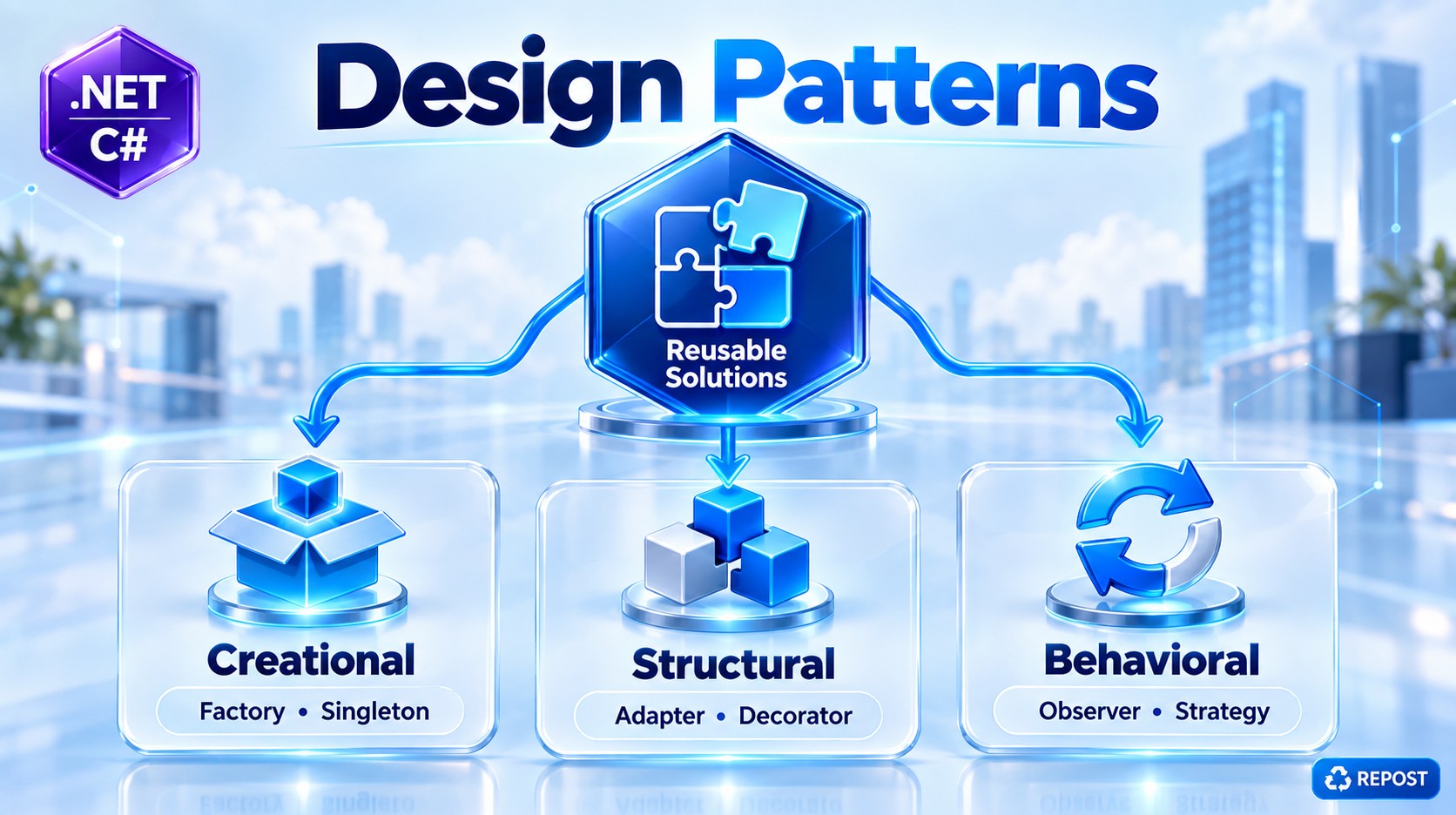


Factory Design Pattern in C#
1. What is the Factory Design Pattern?
The Factory Design Pattern is a Creational Design Pattern used to create objects without directly using new in the client code.
Simple definition
Factory Pattern creates the required object for us based on the input we provide.
Think of a vehicle factory.
You tell the factory:
“I need a Car.”
The factory creates a Car and gives it to you.
You don't need to know how the Car object is created.
Without Factory
IVehicle vehicle = new Car();The calling code directly knows about Car.
With Factory
IVehicle vehicle = VehicleFactory.CreateVehicle("car");Now the Factory decides which object should be created.
2. Why do we need Factory Pattern?
Imagine your application supports different vehicle types:
- Car
- Bike
- Bus
Without Factory, your code may contain object creation everywhere:
Car car = new Car();

Bike bike = new Bike();

Bus bus = new Bus();
And sometimes you may write:
if (type == "car")
{
    vehicle = new Car();
}
else if (type == "bike")
{
    vehicle = new Bike();
}
else if (type == "bus")
{
    vehicle = new Bus();
}
If this logic appears in many places, the application becomes difficult to maintain.
Factory Pattern moves the object creation responsibility into one place.
Client
   |
   | "car"
   ↓
VehicleFactory
   |
   | decides what to create
   ↓
  Car
So the client says what it needs, while the factory decides what object to create.
3. Simple Example
We will create three vehicle classes:
             IVehicle
                |
       ---------------------
       |         |         |
      Car       Bike      Bus
       \         |         /
        \        |        /
         VehicleFactory
               |
             Client
4. Full Example Program
Step 1 — Create an Interface
public interface IVehicle
{
    void Drive();
}
IVehicle defines what every vehicle must provide.
In this example, every vehicle should have:
Drive()Step 2 — Create Car
public class Car : IVehicle
{
    public void Drive()
    {
        Console.WriteLine("Driving a Car");
    }
}
Step 3 — Create Bike
public class Bike : IVehicle
{
    public void Drive()
    {
        Console.WriteLine("Riding a Bike");
    }
}
Step 4 — Create Bus
public class Bus : IVehicle
{
    public void Drive()
    {
        Console.WriteLine("Driving a Bus");
    }
}
All three classes implement the same interface:
IVehicle
   ↑
   |
-------------------
|        |        |
Car     Bike     Bus
5. Create the Factory
This is the important part of the pattern.
public static class VehicleFactory
{
    public static IVehicle CreateVehicle(string vehicleType)
    {
        switch (vehicleType.ToLower())
        {
            case "car":
                return new Car();

            case "bike":
                return new Bike();

            case "bus":
                return new Bus();

            default:
                throw new ArgumentException("Invalid vehicle type");
        }
    }
}
The factory receives the type:
"car"and returns:
new Car()Similarly:
Input       Factory creates
----------------------------
"car"   →   Car
"bike"  →   Bike
"bus"   →   Bus
6. Program.cs
Console.WriteLine("Enter vehicle type: car, bike or bus");

string vehicleType = Console.ReadLine()!;

IVehicle vehicle = VehicleFactory.CreateVehicle(vehicleType);

vehicle.Drive();
7. Complete Program
For testing, you can put everything together:
public interface IVehicle
{
    void Drive();
}


public class Car : IVehicle
{
    public void Drive()
    {
        Console.WriteLine("Driving a Car");
    }
}


public class Bike : IVehicle
{
    public void Drive()
    {
        Console.WriteLine("Riding a Bike");
    }
}


public class Bus : IVehicle
{
    public void Drive()
    {
        Console.WriteLine("Driving a Bus");
    }
}


public static class VehicleFactory
{
    public static IVehicle CreateVehicle(string vehicleType)
    {
        switch (vehicleType.ToLower())
        {
            case "car":
                return new Car();

            case "bike":
                return new Bike();

            case "bus":
                return new Bus();

            default:
                throw new ArgumentException("Invalid vehicle type");
        }
    }
}


public class Program
{
    public static void Main()
    {
        Console.WriteLine("Enter vehicle type: car, bike or bus");

        string vehicleType = Console.ReadLine()!;

        IVehicle vehicle =
            VehicleFactory.CreateVehicle(vehicleType);

        vehicle.Drive();
    }
}
Input
carOutput
Driving a CarIf the input is:
bikeOutput:
Riding a Bike8. How does it work?
Suppose the user enters:
carStep 1 — Program calls Factory
IVehicle vehicle =
    VehicleFactory.CreateVehicle("car");
Notice that the client does not write:
new Car();Step 2 — Factory checks the type
case "car":
    return new Car();
The Factory creates the object.
Step 3 — Factory returns the object
Even though the actual object is:
Carwe receive it using the interface:
IVehicle vehicleThis is possible because:
Car : IVehicleStep 4 — Call the method
vehicle.Drive();Since the actual object is Car, C# executes:
Car.Drive()Output:
Driving a Car9. Flow
User enters "car"
       |
       ↓
Program.cs
       |
       ↓
VehicleFactory.CreateVehicle("car")
       |
       ↓
Factory checks vehicle type
       |
       ↓
new Car()
       |
       ↓
Returns IVehicle
       |
       ↓
vehicle.Drive()
       |
       ↓
"Driving a Car"
The important idea is:
Client
  |
  | Request
  ↓
Factory
  |
  | Creates
  ↓
Concrete Object
10. What problem did Factory solve?
Without Factory:
if (vehicleType == "car")
{
    IVehicle vehicle = new Car();
}
else if (vehicleType == "bike")
{
    IVehicle vehicle = new Bike();
}
else if (vehicleType == "bus")
{
    IVehicle vehicle = new Bus();
}
The client is responsible for deciding which class to instantiate.
With Factory:
IVehicle vehicle =
    VehicleFactory.CreateVehicle(vehicleType);
The client doesn't care whether the Factory creates:
new Car()or:
new Bike()or:
new Bus()The creation logic is centralized inside the Factory.
11. Advantages
1. Centralized object creation
Object creation is kept in one place.
VehicleFactoryinstead of spreading:
new Car()
new Bike()
new Bus()
throughout the application.
2. Loose coupling
The client mainly works with:
IVehiclerather than depending directly on every concrete class.
3. Easier maintenance
If object creation becomes complicated, we mainly modify the Factory.
For example:
new Car(engine, logger, configuration);The client doesn't need to know those creation details.
4. Hides creation complexity
The client simply calls:
VehicleFactory.CreateVehicle("car");The Factory handles the creation process.
5. Common interface
Different objects can be handled through one interface:
IVehicle12. Real-world Web API Example
In a Web API application, imagine you support different notification methods:
Email
SMS
WhatsApp
You could have:
INotification notification =
    NotificationFactory.Create("email");

notification.Send();
Factory decides:
"email"     → EmailNotification
"sms"       → SmsNotification
"whatsapp"  → WhatsAppNotification
This is a more realistic use case because the API doesn't need to know the creation details of every notification implementation.
Key Points
- Factory Pattern is a Creational Design Pattern.
- Its main purpose is object creation.
- The client asks the Factory for an object.
- The Factory decides which concrete class to instantiate.
- It avoids putting
new ConcreteClass()throughout client code. - Usually, implementations share a common interface or base class.
- It helps reduce coupling between client code and concrete implementations.
- Object creation logic is centralized.
- It is useful when object type depends on input, configuration, business rules, or runtime conditions.
- A Factory is especially useful when object creation is complex or may change.
- In ASP.NET Core, Dependency Injection often handles many object-creation scenarios, but Factory Pattern is still useful when the implementation must be selected dynamically at runtime.
Interview definition
Factory Design Pattern is a creational pattern that centralizes object creation and returns the required implementation based on input or conditions, without making the client directly create the concrete object.
Sure. A slightly more realistic Factory example is a Payment Processing System where the application supports Credit Card, UPI, and Net Banking. It also shows constructor parameters, different implementations, and a factory returning the correct object.
Factory Pattern – Payment Example
Scenario
Imagine an e-commerce application. A customer can choose:
1 → Credit Card
2 → UPI
3 → Net Banking
We don't want the main application to contain:
new CreditCardPayment(...)
new UpiPayment(...)
new NetBankingPayment(...)
Instead:
Client
   ↓
PaymentFactory
   ↓
Chooses implementation
   ↓
IPayment
   ↓
CreditCard / UPI / NetBanking
1. Create the Interface
public interface IPayment
{
    void Pay(decimal amount);
}
Every payment method must implement Pay().
2. Credit Card Payment
public class CreditCardPayment : IPayment
{
    private readonly string _cardNumber;

    public CreditCardPayment(string cardNumber)
    {
        _cardNumber = cardNumber;
    }

    public void Pay(decimal amount)
    {
        Console.WriteLine($"Processing Credit Card payment...");
        Console.WriteLine($"Card: {_cardNumber}");
        Console.WriteLine($"Amount: ₹{amount}");
        Console.WriteLine("Credit Card payment successful.");
    }
}
Here object creation needs additional information:
new CreditCardPayment(cardNumber)3. UPI Payment
public class UpiPayment : IPayment
{
    private readonly string _upiId;

    public UpiPayment(string upiId)
    {
        _upiId = upiId;
    }

    public void Pay(decimal amount)
    {
        Console.WriteLine("Processing UPI payment...");
        Console.WriteLine($"UPI ID: {_upiId}");
        Console.WriteLine($"Amount: ₹{amount}");
        Console.WriteLine("UPI payment successful.");
    }
}
4. Net Banking Payment
public class NetBankingPayment : IPayment
{
    private readonly string _bankName;

    public NetBankingPayment(string bankName)
    {
        _bankName = bankName;
    }

    public void Pay(decimal amount)
    {
        Console.WriteLine("Processing Net Banking payment...");
        Console.WriteLine($"Bank: {_bankName}");
        Console.WriteLine($"Amount: ₹{amount}");
        Console.WriteLine("Net Banking payment successful.");
    }
}
5. Create Payment Request
Instead of passing many individual parameters to the Factory, we can create a request class.
public class PaymentRequest
{
    public string PaymentType { get; set; } = string.Empty;

    public string CardNumber { get; set; } = string.Empty;

    public string UpiId { get; set; } = string.Empty;

    public string BankName { get; set; } = string.Empty;
}
6. Create the Factory
This is the main part of the pattern.
public static class PaymentFactory
{
    public static IPayment CreatePayment(PaymentRequest request)
    {
        switch (request.PaymentType.ToLower())
        {
            case "creditcard":
                return new CreditCardPayment(
                    request.CardNumber);

            case "upi":
                return new UpiPayment(
                    request.UpiId);

            case "netbanking":
                return new NetBankingPayment(
                    request.BankName);

            default:
                throw new ArgumentException(
                    "Invalid payment type");
        }
    }
}
Notice that the new statements are now centralized inside the Factory.
7. Program.cs
Console.WriteLine("Select Payment Type:");
Console.WriteLine("1. Credit Card");
Console.WriteLine("2. UPI");
Console.WriteLine("3. Net Banking");

string? choice = Console.ReadLine();

PaymentRequest request = new PaymentRequest();

switch (choice)
{
    case "1":

        request.PaymentType = "creditcard";

        Console.Write("Enter Card Number: ");
        request.CardNumber = Console.ReadLine()!;

        break;

    case "2":

        request.PaymentType = "upi";

        Console.Write("Enter UPI ID: ");
        request.UpiId = Console.ReadLine()!;

        break;

    case "3":

        request.PaymentType = "netbanking";

        Console.Write("Enter Bank Name: ");
        request.BankName = Console.ReadLine()!;

        break;

    default:

        Console.WriteLine("Invalid option");
        return;
}

Console.Write("Enter Amount: ");

decimal amount = Convert.ToDecimal(
    Console.ReadLine());


// Factory creates the correct object
IPayment payment =
    PaymentFactory.CreatePayment(request);


// Client doesn't care about actual class
payment.Pay(amount);
How It Works
Suppose the customer selects:
2. UPIand enters:
UPI ID : syed@upi
Amount : 5000
The application prepares:
request.PaymentType = "upi";
request.UpiId = "syed@upi";
Then:
IPayment payment =
    PaymentFactory.CreatePayment(request);
The Factory checks:
case "upi":
    return new UpiPayment(request.UpiId);
So internally:
payment
   ↓
IPayment reference
   ↓
Actual Object = UpiPayment
Then the client simply calls:
payment.Pay(5000);Output:
Processing UPI payment...
UPI ID: syed@upi
Amount: ₹5000
UPI payment successful.
Why Factory Helps Here
Without Factory, the calling code needs to know how every payment object is created:
if (type == "creditcard")
{
    payment = new CreditCardPayment(cardNumber);
}
else if (type == "upi")
{
    payment = new UpiPayment(upiId);
}
else if (type == "netbanking")
{
    payment = new NetBankingPayment(bankName);
}
With Factory:
IPayment payment =
    PaymentFactory.CreatePayment(request);

payment.Pay(amount);
The client says:
Give me the appropriate payment processor.
The Factory decides:
Which concrete payment class should I create?
Complete Flow
Customer
   │
   │ Selects "UPI"
   ↓
Program.cs
   │
   │ PaymentRequest
   ↓
PaymentFactory
   │
   │ checks PaymentType
   ↓
new UpiPayment("syed@upi")
   │
   ↓
IPayment
   │
   │ Pay(5000)
   ↓
UpiPayment.Pay()
   │
   ↓
Payment Successful
Important Point
The biggest benefit is not simply avoiding the new keyword. Somewhere in the application, an object still has to be created.
The important point is:
The client does not need to know which concrete class to create or how to create it. That responsibility is moved to the Factory.
Key Points
IPaymentprovides a common contract.CreditCardPayment,UpiPayment, andNetBankingPaymentare concrete implementations.PaymentFactorycontains the object-selection and creation logic.- The client works mainly with
IPayment. - Different constructors can be handled by the Factory.
- Runtime input can determine which implementation is created.
- Creation logic is kept in one location.
- This reduces direct dependency between the client and concrete payment classes.
- In a production ASP.NET Core application, we would normally combine this idea with Dependency Injection rather than manually constructing all dependencies inside a static Factory.
Factory Pattern — More Complex C# Example
Let's use a realistic Notification System. This is more complex because each notification type has its own service dependency, and the factory decides which implementation to create.
Scenario
An application sends notifications through:
- SMS
The calling code should simply say:
INotification notification =
    factory.CreateNotification("email");

notification.Send("Welcome to our application");
It should not worry about how EmailNotification is constructed.
1. Overall Structure
                    INotification
                         │
          ┌──────────────┼──────────────┐
          │              │              │
 EmailNotification  SmsNotification  WhatsAppNotification
          │              │              │
      EmailService    SmsService    WhatsAppService
          ▲              ▲              ▲
          └──────────────┼──────────────┘
                         │
                NotificationFactory
                         │
                         ▲
                     Program
2. Notification Interface
public interface INotification
{
    void Send(string message);
}
Every notification must provide a Send() method.
3. Supporting Services
In a real application, notification classes may depend on external services.
Email Service
public class EmailService
{
    public void SendEmail(string email, string message)
    {
        Console.WriteLine($"Email sent to: {email}");
        Console.WriteLine($"Message: {message}");
    }
}
SMS Service
public class SmsService
{
    public void SendSms(string mobile, string message)
    {
        Console.WriteLine($"SMS sent to: {mobile}");
        Console.WriteLine($"Message: {message}");
    }
}
WhatsApp Service
public class WhatsAppService
{
    public void SendWhatsApp(string mobile, string message)
    {
        Console.WriteLine($"WhatsApp sent to: {mobile}");
        Console.WriteLine($"Message: {message}");
    }
}
4. Email Notification
public class EmailNotification : INotification
{
    private readonly EmailService _emailService;
    private readonly string _email;

    public EmailNotification(
        EmailService emailService,
        string email)
    {
        _emailService = emailService;
        _email = email;
    }

    public void Send(string message)
    {
        _emailService.SendEmail(_email, message);
    }
}
Notice that EmailNotification itself doesn't directly perform the email operation.
It uses:
EmailServiceThis is Dependency Injection through the constructor.
5. SMS Notification
public class SmsNotification : INotification
{
    private readonly SmsService _smsService;
    private readonly string _mobile;

    public SmsNotification(
        SmsService smsService,
        string mobile)
    {
        _smsService = smsService;
        _mobile = mobile;
    }

    public void Send(string message)
    {
        _smsService.SendSms(_mobile, message);
    }
}
6. WhatsApp Notification
public class WhatsAppNotification : INotification
{
    private readonly WhatsAppService _whatsAppService;
    private readonly string _mobile;

    public WhatsAppNotification(
        WhatsAppService whatsAppService,
        string mobile)
    {
        _whatsAppService = whatsAppService;
        _mobile = mobile;
    }

    public void Send(string message)
    {
        _whatsAppService.SendWhatsApp(
            _mobile,
            message);
    }
}
7. Notification Request
Now we create a request containing the information required by the Factory.
public class NotificationRequest
{
    public string Type { get; set; } = string.Empty;

    public string Email { get; set; } = string.Empty;

    public string Mobile { get; set; } = string.Empty;

    public string Message { get; set; } = string.Empty;
}
For example:
var request = new NotificationRequest
{
    Type = "email",
    Email = "syed@example.com",
    Message = "Your order has been placed."
};
8. Create Factory Interface
Instead of directly creating a static Factory, let's also create an interface.
public interface INotificationFactory
{
    INotification CreateNotification(
        NotificationRequest request);
}
Why?
Because later the Factory itself can be registered with ASP.NET Core Dependency Injection.
9. Create Notification Factory
Now comes the important part.
public class NotificationFactory : INotificationFactory
{
    private readonly EmailService _emailService;
    private readonly SmsService _smsService;
    private readonly WhatsAppService _whatsAppService;

    public NotificationFactory(
        EmailService emailService,
        SmsService smsService,
        WhatsAppService whatsAppService)
    {
        _emailService = emailService;
        _smsService = smsService;
        _whatsAppService = whatsAppService;
    }

    public INotification CreateNotification(
        NotificationRequest request)
    {
        switch (request.Type.ToLower())
        {
            case "email":

                return new EmailNotification(
                    _emailService,
                    request.Email);

            case "sms":

                return new SmsNotification(
                    _smsService,
                    request.Mobile);

            case "whatsapp":

                return new WhatsAppNotification(
                    _whatsAppService,
                    request.Mobile);

            default:

                throw new ArgumentException(
                    $"Unsupported notification type: {request.Type}");
        }
    }
}
Now our Factory itself has dependencies:
NotificationFactory
       │
       ├── EmailService
       ├── SmsService
       └── WhatsAppService
This is closer to how factories appear in real applications.
10. Register Services
If this were an ASP.NET Core application, we could register them in Program.cs:
builder.Services.AddScoped<EmailService>();

builder.Services.AddScoped<SmsService>();

builder.Services.AddScoped<WhatsAppService>();

builder.Services.AddScoped
    <INotificationFactory, NotificationFactory>();
ASP.NET Core's DI container will create:
NotificationFactory
        ↓
Inject EmailService
Inject SmsService
Inject WhatsAppService
11. Use Factory from Web API Controller
Now consider an API:
POST /api/notificationController:
[ApiController]
[Route("api/[controller]")]
public class NotificationController : ControllerBase
{
    private readonly INotificationFactory _factory;

    public NotificationController(
        INotificationFactory factory)
    {
        _factory = factory;
    }

    [HttpPost]
    public IActionResult Send(
        NotificationRequest request)
    {
        INotification notification =
            _factory.CreateNotification(request);

        notification.Send(request.Message);

        return Ok("Notification sent successfully");
    }
}
This is where the Factory Pattern becomes much more useful.
The controller doesn't contain:
new EmailNotification(...)or:
new SmsNotification(...)or:
new WhatsAppNotification(...)It only knows:
INotificationand:
INotificationFactory12. Example Request — Email
The client sends:
{
    "type": "email",
    "email": "syed@example.com",
    "message": "Your order has been placed successfully."
}
Controller receives the request:
_factory.CreateNotification(request);Factory sees:
Type = "email"So it creates:
new EmailNotification(
    _emailService,
    request.Email);
Then the controller calls:
notification.Send(request.Message);Output:
Email sent to: syed@example.com
Message: Your order has been placed successfully.
13. Example Request — SMS
Request:
{
    "type": "sms",
    "mobile": "9876543210",
    "message": "Your OTP is 123456."
}
Factory sees:
smsand returns:
new SmsNotification(
    _smsService,
    request.Mobile);
Then:
notification.Send(request.Message);Output:
SMS sent to: 9876543210
Message: Your OTP is 123456.
14. Complete Flow
For an email request:
POST /api/notification
        │
        │
        ▼
NotificationController
        │
        │ request.Type = "email"
        ▼
INotificationFactory
        │
        ▼
NotificationFactory
        │
        │ Select Email
        ▼
new EmailNotification(...)
        │
        │ Inject EmailService
        ▼
EmailNotification
        │
        │ Send()
        ▼
EmailService
        │
        ▼
Email Sent
The important separation is:
Controller
    │
    │ "Give me the correct notification"
    ▼
Factory
    │
    │ decides which class
    ▼
Concrete Notification
    │
    │ uses appropriate service
    ▼
External System
15. Why Not Put switch in Controller?
Technically, we could do this:
[HttpPost]
public IActionResult Send(NotificationRequest request)
{
    if (request.Type == "email")
    {
        var notification =
            new EmailNotification(...);
    }
    else if (request.Type == "sms")
    {
        var notification =
            new SmsNotification(...);
    }

    // ...
}
But now the controller has two responsibilities:
1. Handle HTTP request
2. Decide how notification objects are created
That's not desirable.
With Factory:
Controller
   ↓
Handles HTTP request

Factory
   ↓
Handles object selection/creation

Notification
   ↓
Handles notification operation
This gives better separation of concerns.
16. What Happens When We Add Push Notification?
Suppose later the requirement changes:
"We also need mobile Push Notifications."
Create:
public class PushNotification : INotification
{
    private readonly string _deviceId;

    public PushNotification(string deviceId)
    {
        _deviceId = deviceId;
    }

    public void Send(string message)
    {
        Console.WriteLine(
            $"Push notification sent to {_deviceId}");

        Console.WriteLine(message);
    }
}
Then add the relevant creation logic to the Factory.
The controller remains:
INotification notification =
    _factory.CreateNotification(request);

notification.Send(request.Message);
No change is required to the controller's basic workflow.
Factory + Dependency Injection
There are actually two different responsibilities here.
Dependency Injection
DI creates and supplies services such as:
EmailService
SmsService
WhatsAppService
NotificationFactory
Factory
Factory makes a runtime decision:
What notification does this request need?

email?
sms?
whatsapp?
So they can work together:
ASP.NET Core DI
       │
       ▼
NotificationFactory
       │
       │ Runtime decision
       ▼
Which implementation?
       │
  ┌────┼────────┐
  ↓    ↓        ↓
Email SMS   WhatsApp
This is a very common reason to introduce a Factory: the correct implementation cannot be known until runtime data arrives.
One Important Design Improvement
The example deliberately uses:
switch (request.Type.ToLower())because it makes the Factory concept easy to understand.
But as the number of implementations grows:
Email
SMS
WhatsApp
Push
Teams
Slack
Telegram
...
a large switch starts becoming difficult to maintain.
In a more advanced implementation, we can register multiple implementations with ASP.NET Core DI and let the Factory select an already-registered implementation, instead of manually doing:
new EmailNotification(...)That gives a cleaner architecture:
Controller
    ↓
Factory
    ↓
DI Container
    ↓
Select correct INotification
    ↓
Email / SMS / WhatsApp
Key Points
- Factory is a Creational Design Pattern.
- It centralizes object selection/creation.
- Client code depends mainly on interfaces, not concrete classes.
- Factory is especially useful when the implementation is selected at runtime.
- Different implementations can have different dependencies.
- Factory and Dependency Injection can work together.
- DI manages dependencies and object lifetimes.
- Factory handles the runtime decision of which implementation to use.
- It keeps object-selection logic out of controllers and business services.
- For a small number of implementations, a
switchFactory can be sufficient. - For a larger production system, DI-based Factory / strategy resolution is usually cleaner than continuously expanding a
switch.
Interview-level understanding: Factory is not simply about hiding the new keyword. Its real value is separating the decision and construction of concrete implementations from the code that uses those implementations.