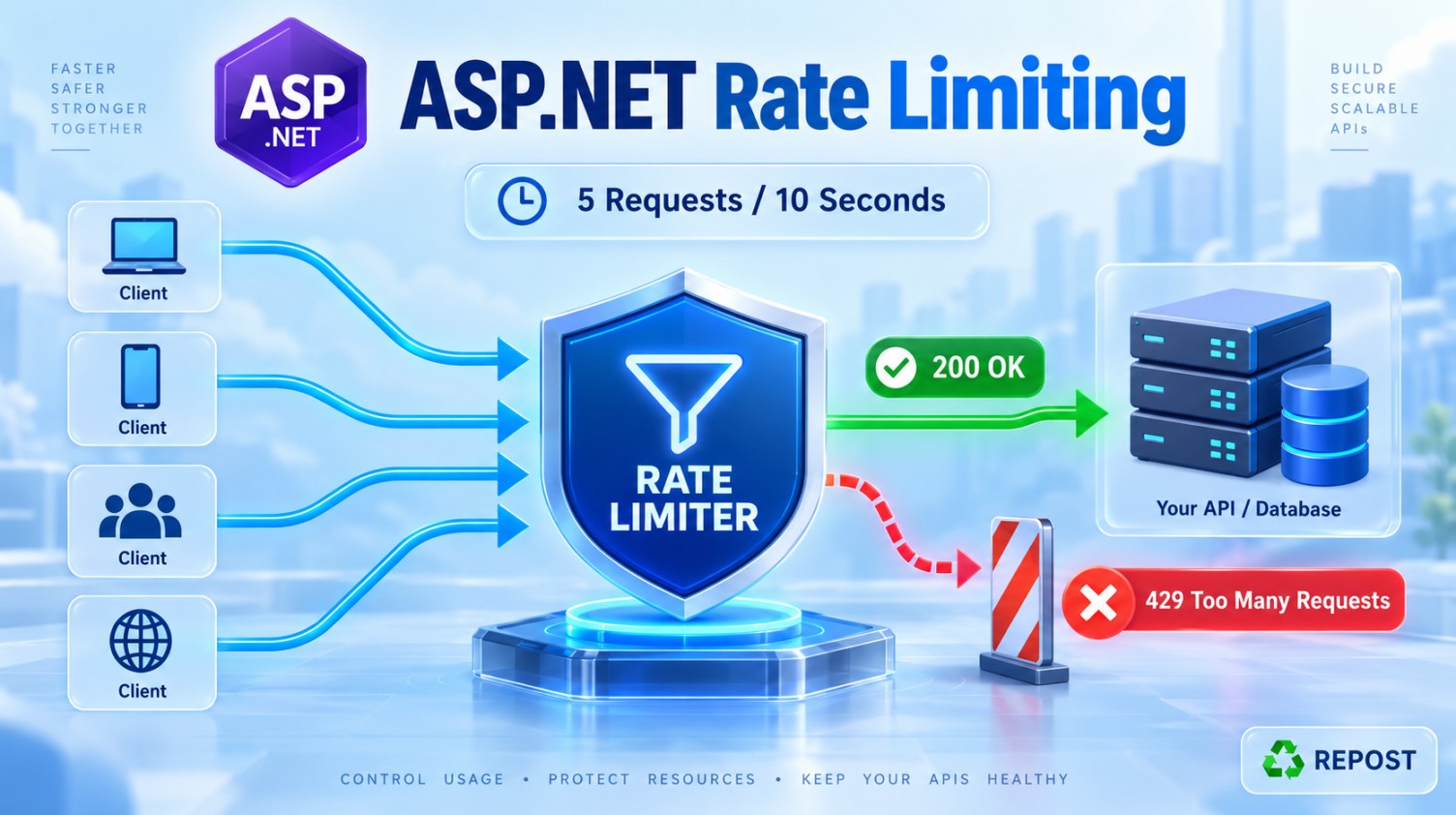


Rate Limiting in ASP.NET Core Web API
What is rate limiting?
Rate limiting controls how many requests a client can send to an API during a specified period.
Example:
Allow a maximum of 5 requests every 10 seconds.
If the client sends more than five requests within ten seconds, the API rejects the additional requests with:
HTTP 429 Too Many RequestsWhy do we need rate limiting?
Rate limiting helps to:
-
Protect the API from excessive traffic
-
Prevent API abuse
-
Reduce server and database load
-
Ensure fair usage among clients
-
Control costly operations
-
Improve application stability
-
Partially reduce denial-of-service attacks
Rate limiting helps with abusive traffic, but it is not complete DDoS protection. Production systems should also use services such as a WAF, CDN, Azure Front Door or Cloudflare.
Simple fixed-window example
This example allows:
5 requests every 10 secondsStep 1: Configure rate limiting in Program.cs
using Microsoft.AspNetCore.RateLimiting;
using System.Threading.RateLimiting;

var builder = WebApplication.CreateBuilder(args);

builder.Services.AddControllers();

builder.Services.AddRateLimiter(options =>
{
    // Response status when the limit is exceeded
    options.RejectionStatusCode =
        StatusCodes.Status429TooManyRequests;

    // Create a named rate-limiting policy
    options.AddFixedWindowLimiter(
        policyName: "FixedPolicy",
        configureOptions: limiterOptions =>
        {
            // Maximum requests allowed in one window
            limiterOptions.PermitLimit = 5;

            // Duration of one window
            limiterOptions.Window =
                TimeSpan.FromSeconds(10);

            // Do not wait when the limit is exceeded
            limiterOptions.QueueLimit = 0;

            limiterOptions.QueueProcessingOrder =
                QueueProcessingOrder.OldestFirst;

            // Automatically start a new window
            limiterOptions.AutoReplenishment = true;
        });
});

var app = builder.Build();

app.UseHttpsRedirection();

app.UseRateLimiter();

app.MapControllers();

app.Run();
Step 2: Apply the policy to a controller
using Microsoft.AspNetCore.Mvc;
using Microsoft.AspNetCore.RateLimiting;

namespace RateLimitDemo.Controllers;

[ApiController]
[Route("api/[controller]")]
[EnableRateLimiting("FixedPolicy")]
public class ProductsController : ControllerBase
{
    [HttpGet]
    public IActionResult GetProducts()
    {
        var products = new[]
        {
            "Laptop",
            "Mobile",
            "Keyboard"
        };

        return Ok(products);
    }
}
The rate-limiting policy now applies to every endpoint inside ProductsController.
How the example works
Call this endpoint repeatedly:
GET /api/productsWithin the same 10-second window:
| Request | Result |
|---|---|
| 1 | 200 OK |
| 2 | 200 OK |
| 3 | 200 OK |
| 4 | 200 OK |
| 5 | 200 OK |
| 6 | 429 Too Many Requests |
| 7 | 429 Too Many Requests |
After the 10-second window ends, the counter resets, and another five requests are allowed.
Code explanation
AddRateLimiter()
builder.Services.AddRateLimiter(options =>
{
    // Policies
});
Registers ASP.NET Core’s built-in rate-limiting services.
AddFixedWindowLimiter()
options.AddFixedWindowLimiter(
    policyName: "FixedPolicy",
    configureOptions: limiterOptions =>
    {
        // Settings
    });
Creates a named policy using the fixed-window algorithm.
The name "FixedPolicy" is later used to apply the policy to controllers or endpoints.
PermitLimit
limiterOptions.PermitLimit = 5;Specifies the maximum number of requests allowed in one window.
Here, only five requests are permitted.
Window
limiterOptions.Window = TimeSpan.FromSeconds(10);Defines the duration of one window.
Therefore:
5 requests / 10 secondsQueueLimit
limiterOptions.QueueLimit = 0;Specifies how many extra requests may wait in a queue.
Because it is 0, extra requests are rejected immediately with 429.
If it were:
limiterOptions.QueueLimit = 2;two additional requests could wait for permits. Queueing can increase response time, so 0 is often simpler for APIs.
QueueProcessingOrder
limiterOptions.QueueProcessingOrder =
    QueueProcessingOrder.OldestFirst;
When queueing is enabled, the oldest waiting request is processed first.
This setting has no practical effect when QueueLimit is 0.
AutoReplenishment
limiterOptions.AutoReplenishment = true;ASP.NET Core automatically renews the available request permits when a new window begins.
UseRateLimiter()
app.UseRateLimiter();Adds the rate-limiting middleware to the HTTP request pipeline.
Registering AddRateLimiter() alone is insufficient. The middleware must also be enabled.
EnableRateLimiting
[EnableRateLimiting("FixedPolicy")]Applies the named policy to a controller or action.
Apply rate limiting to only one action
Instead of placing the attribute on the controller, it can be placed on an individual action:
[ApiController]
[Route("api/[controller]")]
public class ProductsController : ControllerBase
{
    [HttpGet]
    [EnableRateLimiting("FixedPolicy")]
    public IActionResult GetProducts()
    {
        return Ok(new[] { "Laptop", "Mobile" });
    }

    [HttpGet("public")]
    public IActionResult GetPublicInformation()
    {
        return Ok("This endpoint is not rate limited.");
    }
}
Only GET /api/products is rate limited.
Apply rate limiting to all controllers
Remove [EnableRateLimiting] from the controller and change endpoint mapping:
app.MapControllers()
   .RequireRateLimiting("FixedPolicy");
Now the policy applies to all controller endpoints.
Customize the 429 response
A meaningful response helps API clients understand why their request failed.
builder.Services.AddRateLimiter(options =>
{
    options.RejectionStatusCode =
        StatusCodes.Status429TooManyRequests;

    options.OnRejected = async (context, cancellationToken) =>
    {
        context.HttpContext.Response.ContentType =
            "application/json";

        await context.HttpContext.Response.WriteAsJsonAsync(
            new
            {
                statusCode = 429,
                message = "Too many requests. Please try again later."
            },
            cancellationToken);
    };

    options.AddFixedWindowLimiter(
        policyName: "FixedPolicy",
        configureOptions: limiterOptions =>
        {
            limiterOptions.PermitLimit = 5;
            limiterOptions.Window =
                TimeSpan.FromSeconds(10);

            limiterOptions.QueueLimit = 0;
            limiterOptions.QueueProcessingOrder =
                QueueProcessingOrder.OldestFirst;
        });
});
Response after exceeding the limit:
{
  "statusCode": 429,
  "message": "Too many requests. Please try again later."
}
Disable rate limiting for an action
An endpoint can be excluded using [DisableRateLimiting]:
[HttpGet("health")]
[DisableRateLimiting]
public IActionResult Health()
{
    return Ok("API is healthy.");
}
This can be useful for selected health-check or internal endpoints, but exclusions should be chosen carefully.
Important limitation of the simple example
The named fixed-window policy shown above uses a shared limit for the protected endpoint. In most real applications, limits should be separated by:
-
User ID
-
Client IP address
-
API key
-
Subscription plan
Otherwise, one busy client could consume the request quota and affect other clients.
For example:
User A → 100 requests per minute
User B → Separate 100 requests per minute
User C → Separate 100 requests per minute
This is called partitioned rate limiting.
Rate-limiting algorithms
ASP.NET Core provides four main algorithms:
| Algorithm | Purpose |
|---|---|
| Fixed window | Allows a fixed number of requests during fixed time blocks |
| Sliding window | Provides smoother control by dividing the window into segments |
| Token bucket | Permits controlled traffic bursts while tokens are available |
| Concurrency | Limits requests executing at the same time |
For a basic Web API, fixed window is the easiest starting point.
Key points
-
Rate limiting controls incoming API traffic.
-
Rejected requests normally receive
429 Too Many Requests. -
Register services using
AddRateLimiter(). -
Enable middleware using
UseRateLimiter(). -
Create a policy such as
"FixedPolicy". -
Apply it with
[EnableRateLimiting]orRequireRateLimiting(). -
Use
[DisableRateLimiting]for carefully selected exceptions. -
Prefer per-user, per-IP or per-API-key limits in production.
-
Load-test the chosen limits before deploying.
-
Rate limiting supports security but does not replace proper DDoS protection.