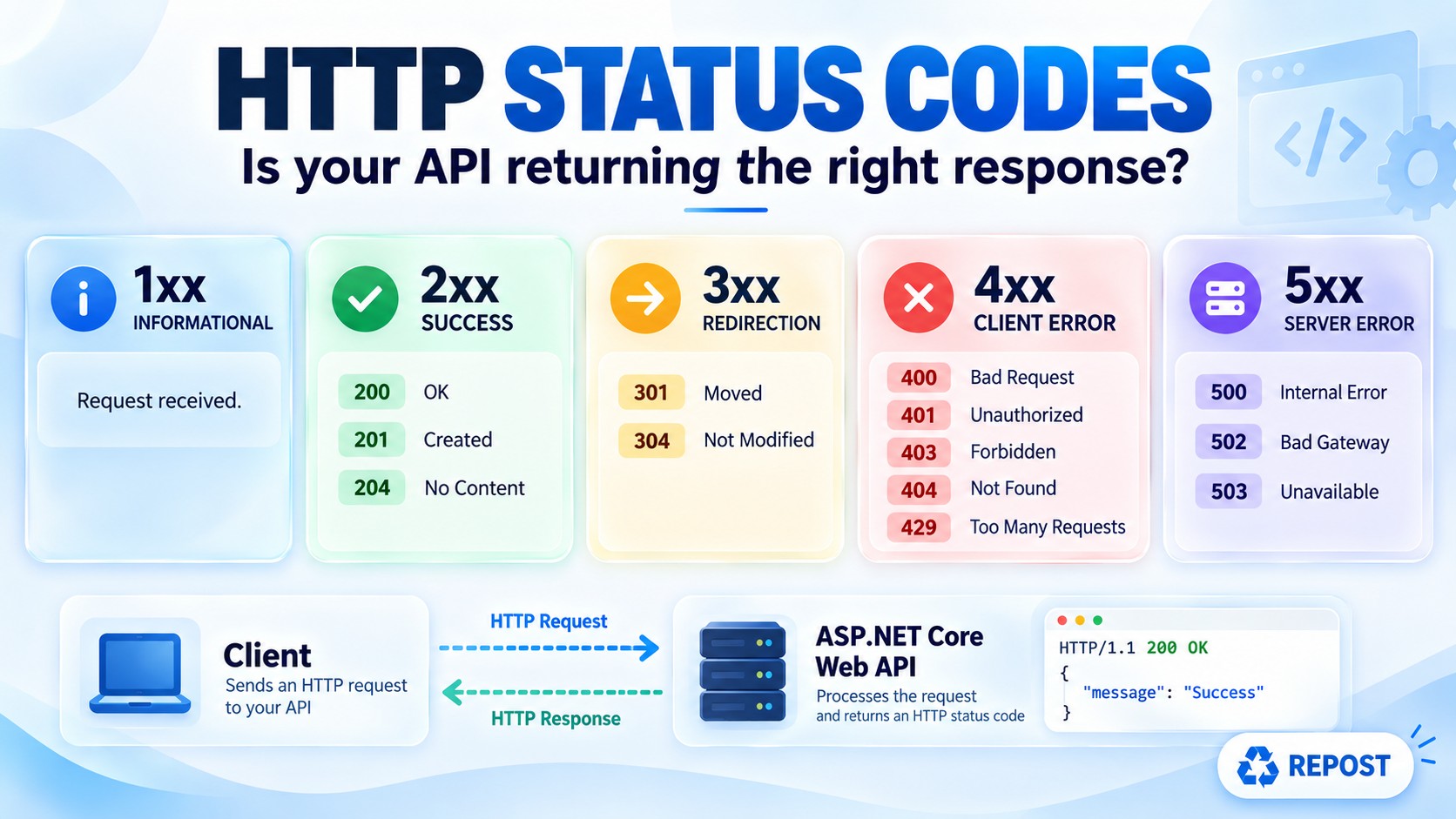


HTTP Status Codes Every ASP.NET Core Developer Should Know
HTTP Status Codes in ASP.NET Core Web API
What is an HTTP status code?
An HTTP status code is a three-digit number in the API response. It tells the client what happened to its request.
For example, a client sends:
GET /api/products/10The API might respond with:
-
200 OK — Product 10 was found.
-
404 Not Found — Product 10 does not exist.
-
500 Internal Server Error — The server encountered an unexpected error.
The status code gives the result at a glance. The response body can provide more detail.
Why do we need status codes?
Status codes help the browser, mobile app, or another API decide what to do next. A client can display validation errors for 400, ask the user to sign in for 401, stop or delay requests after 429, and handle a temporary server failure after 503.
They also make your API predictable. If every response says 200 OK, a client cannot reliably tell success from failure.
Five groups
| Group | Meaning | Simple way to remember |
|---|---|---|
| 1xx | Informational | “I received the request; communication continues.” |
| 2xx | Success | “The request succeeded.” |
| 3xx | Redirection | “Use another location or your cached copy.” |
| 4xx | Client error | “The request cannot be completed as sent.” |
| 5xx | Server error | “The server failed while handling the request.” |
A 4xx response does not always mean a programming bug in the client. For example, 409 Conflict can result from two valid users updating the same record. Likewise, a 5xx response can originate from a dependency such as another API.
1xx — Informational
These are interim responses. You rarely return them directly from an ASP.NET Core controller.
| Code | Name | What it means | Example |
|---|---|---|---|
| 100 | Continue | The client may continue sending the request body. | A client asks whether it should proceed with a large upload. |
| 101 | Switching Protocols | The connection switches protocols. | An HTTP connection upgrades to WebSocket. |
| 102 | Processing | Processing is still underway. | A long-running WebDAV operation has not finished. |
| 103 | Early Hints | The server sends preliminary headers before its final response. | Hints allow a browser to start loading a needed resource early. |
Key point: 102 Processing does not mean “your background job has been queued.” For an API that has accepted work but will complete it later, 202 Accepted is usually the relevant code. (MDN)
2xx — Success
| Code | Name | What it means | Web API scenario |
|---|---|---|---|
| 200 | OK | Request succeeded; usually includes a response body. | GET /api/products/10 returns product JSON. |
| 201 | Created | A new resource was created. | POST /api/products creates product 10. |
| 202 | Accepted | Request was accepted, but processing is not complete. | An export request starts a background job. |
| 204 | No Content | Request succeeded with no response body. | A successful DELETE, or an update that returns no data. |
| 205 | Reset Content | Request succeeded; the client should reset its current input view. | An uncommon form-based workflow. |
| 206 | Partial Content | Only a requested portion of a resource is returned. | A client downloads part of a large file using a range request. |
Important differences
-
200 vs 204: Both mean success. Choose
200when returning data; choose204when there is no response body. -
201 vs 202:
201means the resource has been created.202means the work has been accepted and may finish later. -
For
201,CreatedAtAction(...)is useful because it returns the created resource and aLocationheader pointing to it. (Microsoft Learn)
[HttpPost]
public IActionResult Create(Product product)
{
    product.Id = 10; // Example: normally assigned when saved

    return CreatedAtAction(
        nameof(GetById),
        new { id = product.Id },
        product);
}
3xx — Redirection and caching
| Code | Name | What it means | Example |
|---|---|---|---|
| 300 | Multiple Choices | More than one representation or destination is available. | The client must choose a representation. Rare in APIs. |
| 301 | Moved Permanently | The resource has a new permanent URL. | An old API URL redirects to a new URL. |
| 302 | Found | The resource is temporarily at another URL. | A temporary redirect. |
| 303 | See Other | Retrieve another URL, typically with GET. |
After a POST, direct the client to a result page. |
| 304 | Not Modified | The client's cached representation is still current. | A conditional GET uses an ETag. |
| 307 | Temporary Redirect | Temporarily redirect while preserving the HTTP method. | A POST stays a POST at the temporary destination. |
| 308 | Permanent Redirect | Permanently redirect while preserving the HTTP method. | A POST stays a POST at the permanent destination. |
Pay attention to 302 versus 307, and 301 versus 308 when redirecting a POST. 307 and 308 explicitly preserve the request method. Also, 304 is about caching: it tells the client to use its existing representation; it does not return the resource body again. (rfc-editor.org)
4xx — The request cannot be completed as sent
This is the largest section. The following are the most useful distinctions for ASP.NET Core interviews and day-to-day API development.
| Code | Name | Meaning and simple scenario |
|---|---|---|
| 400 | Bad Request | The request is invalid. Example: a required field is missing or a value fails input validation. |
| 401 | Unauthorized | Authentication is required or invalid. Example: no valid bearer token was supplied. |
| 403 | Forbidden | The client is identified but lacks permission. Example: a signed-in user calls an admin-only endpoint. |
| 404 | Not Found | The requested resource is not found. Example: product ID 999 does not exist. |
| 405 | Method Not Allowed | The URL exists, but that HTTP method is unsupported. Example: calling POST on a GET-only endpoint. |
| 406 | Not Acceptable | The API cannot provide a response representation acceptable under the request's Accept header. |
| 407 | Proxy Authentication Required | An intermediary proxy requires authentication. This is generally a proxy concern, not normal API login. |
| 408 | Request Timeout | The server did not receive the complete request in time. |
| 409 | Conflict | The request conflicts with the current state. Example: an update conflicts with a newer version of the record. |
| 410 | Gone | A resource has been intentionally removed and is no longer available. |
| 411 | Length Required | The server requires a Content-Length header for this request. |
| 412 | Precondition Failed | A request condition, such as If-Match, was not met. Example: the record changed since the client last read it. |
| 413 | Content Too Large | The request body is larger than the allowed limit. |
| 414 | URI Too Long | The request URI exceeds the allowed length. |
| 415 | Unsupported Media Type | The request body's Content-Type is unsupported. Example: sending XML to an endpoint that accepts JSON only. |
| 416 | Range Not Satisfiable | The requested byte range cannot be supplied. Example: asking for bytes beyond a file's end. |
| 417 | Expectation Failed | The server cannot meet an expectation in the request's Expect header. |
| 418 | I'm a Teapot | A humorous status code; do not use it for normal business errors. |
| 422 | Unprocessable Content | The request content is understood but cannot be processed as requested. Some APIs use it for semantic or business validation. |
| 423 | Locked | The resource is locked. Mainly associated with WebDAV. |
| 424 | Failed Dependency | The operation failed because another dependent operation failed. Mainly associated with WebDAV. |
| 425 | Too Early | The server is unwilling to process a request that could be replayed under the relevant protocol conditions. |
| 426 | Upgrade Required | The server requires the client to switch to another protocol. |
| 428 | Precondition Required | The server requires a conditional request, such as one using If-Match. |
| 429 | Too Many Requests | The client has exceeded a request rate limit. |
| 431 | Request Header Fields Too Large | The request headers are too large. |
| 451 | Unavailable For Legal Reasons | Access is denied because of a legal requirement. |
Four distinctions worth remembering
401 vs 403
-
401: “Who are you? Supply valid authentication.” -
403: “I know who you are, but you cannot do this.”
Despite its name, 401 Unauthorized refers to authentication. (rfc-editor.org)
400 vs 422
Suppose your API receives an order:
{ "quantity": -5 }A typical ASP.NET Core API can return 400 Bad Request for validation failure, especially when using [ApiController] and model validation. Some API designs choose 422 Unprocessable Content when they want to distinguish understood but semantically invalid content. The choice should be consistent across your API; ASP.NET Core does not automatically use 422 for every validation failure. (Microsoft Learn)
409 vs 412
-
409 Conflict: A general conflict with the resource's current state. -
412 Precondition Failed: A specific condition supplied by the client, commonlyIf-Match, failed.
406 vs 415
-
406: Problem with the response format requested throughAccept. -
415: Problem with the request body format declared throughContent-Type. (rfc-editor.org)
5xx — Server or upstream failure
| Code | Name | Meaning and simple scenario |
|---|---|---|
| 500 | Internal Server Error | An unexpected server error occurred. Example: an unhandled exception. |
| 501 | Not Implemented | The server does not support functionality needed to fulfil the request, typically an HTTP method. It is not a general “feature coming soon” response. |
| 502 | Bad Gateway | A gateway or proxy received an invalid response from an upstream server. |
| 503 | Service Unavailable | The service is temporarily unable to handle requests, such as during overload or maintenance. |
| 504 | Gateway Timeout | A gateway or proxy did not receive a timely response from an upstream server. |
| 505 | HTTP Version Not Supported | The server does not support the HTTP version used in the request. |
| 506 | Variant Also Negotiates | A server configuration error involving content negotiation. Rare. |
| 507 | Insufficient Storage | The server cannot store what is needed to complete the request. |
| 508 | Loop Detected | The server detected an infinite loop while processing the request. |
| 510 | Not Extended | Further request extensions are needed. Rare. |
| 511 | Network Authentication Required | The client must authenticate to gain network access, such as through a captive portal. This is not normal bearer-token authentication for your API. |
500 vs 502 vs 503 vs 504
Imagine this flow: Client → API Gateway → Products API.
-
500: Products API encounters an unexpected exception.
-
502: The gateway receives an invalid response from Products API.
-
503: A service is temporarily unable to handle the request.
-
504: The gateway waits for Products API and times out.
These codes describe different failures, which helps you decide where to investigate. (rfc-editor.org)
How to return common codes in an ASP.NET Core controller
[HttpGet("{id}")]
public IActionResult GetById(int id)
{
    var product = FindProduct(id);

    if (product is null)
        return NotFound();                    // 404

    return Ok(product);                       // 200
}

[HttpDelete("{id}")]
public IActionResult Delete(int id)
{
    // Delete the product...
    return NoContent();                       // 204
}| Status | Controller return example |
|---|---|
| 200 | return Ok(product); |
| 201 | return CreatedAtAction(nameof(GetById), new { id = product.Id }, product); |
| 202 | return Accepted(); |
| 204 | return NoContent(); |
| 400 | return BadRequest("Invalid input"); |
| 401 | return Unauthorized(); |
| 403 | return Forbid(); |
| 404 | return NotFound(); |
| 409 | return Conflict("The record has changed"); |
| 422 | return UnprocessableEntity("Cannot process the request"); |
| 429 | Commonly returned by rate-limiting middleware; can also be returned with StatusCode(429). |
| 500 | Usually handled by global exception handling middleware. |
| 503 | return StatusCode(503); when the service is temporarily unavailable. |
These are examples of controller results; authentication middleware, rate limiting, hosting infrastructure, and gateways can also produce status codes before your action runs. ASP.NET Core documents the controller action results and its automatic 400 behavior with [ApiController]. (Microsoft Learn)
Key points for quick revision
-
2xx = succeeded; 4xx = request cannot be completed as sent; 5xx = server-side failure.
-
Use 200 for success with data, 201 for a created resource, 202 for accepted work, and 204 for success without a body.
-
Use 401 for missing or invalid authentication; 403 for insufficient permission.
-
Use 404 when the requested resource does not exist; 405 when its HTTP method is unsupported.
-
406 checks
Accept; 415 checksContent-Type. -
409 is a conflict; 412 means a supplied precondition failed.
-
429 means the request rate limit was exceeded.
-
502 is a bad upstream response; 504 is an upstream timeout; 503 means temporary unavailability.
-
Do not return 200 with an error message for every failure. Give clients a meaningful status code and an appropriate error response.
-
Particularly 102, 205, 418, 501, and 511—need the qualifications above when discussed in an interview.