

How Does JWT Authentication Work in Microservices?
JWT authentication is commonly used in microservices to carry a signed set of identity/authorization claims from an identity provider to APIs.
The most important idea is:
The authentication server issues the token. Each microservice validates the token before accepting protected requests.
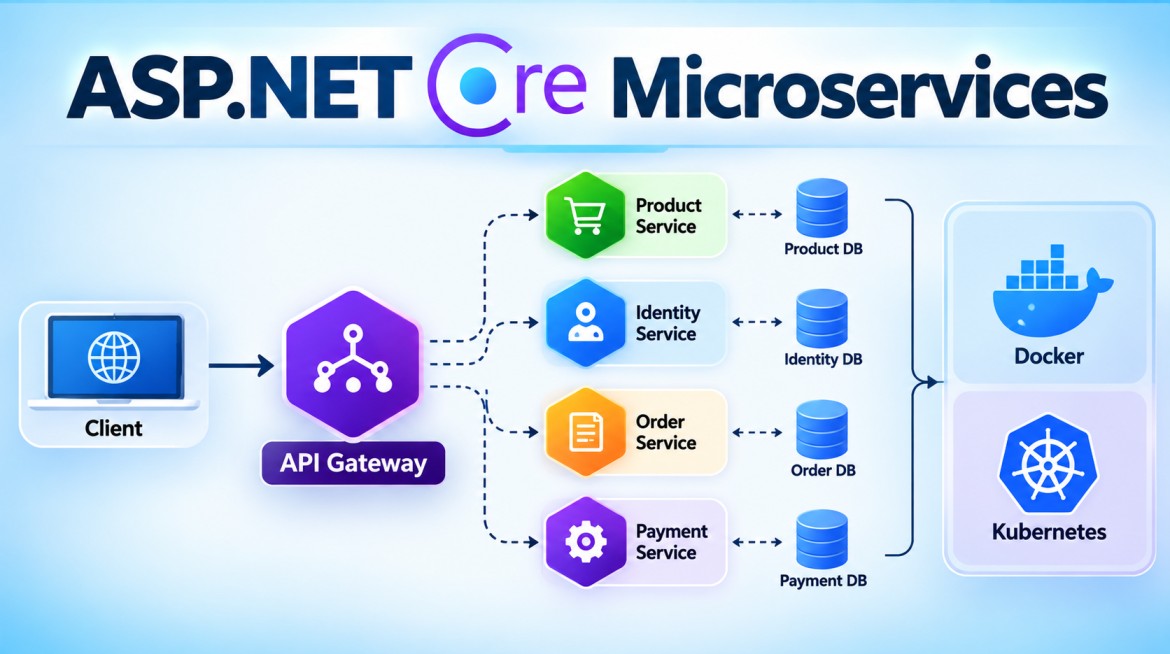
A typical architecture looks like this:
                         ┌─────────────────────┐
                         │ Identity Provider   │
                         │ / Auth Server       │
                         └──────────┬──────────┘
                                    │
                           Issues Access Token
                                    │
                                    v
┌──────────┐    Bearer JWT    ┌─────────────┐
│ Client   │ ───────────────> │ API Gateway │
└──────────┘                  └──────┬──────┘
                                    │
                    ┌───────────────┼───────────────┐
                    v               v               v
              ┌───────────┐   ┌───────────┐   ┌───────────┐
              │ Order API │   │Product API│   │Payment API│
              └───────────┘   └───────────┘   └───────────┘
                    │
                    │ Validate token
                    │ Authorize operation
                    v
              Controller
1. What Is JWT?
JWT stands for JSON Web Token.
It is a compact token format used to transfer claims between parties.
A JWT normally looks like:
xxxxx.yyyyy.zzzzzIt contains three sections:
Header.Payload.SignatureFor example:
eyJhbGciOiJSUzI1NiIs...
.
eyJzdWIiOiIxMjM0NSIs...
.
SflKxwRJSMeKKF2QT4fwp...
Conceptually:
┌──────────────────────────────┐
│ Header                       │
│ Algorithm / token metadata   │
├──────────────────────────────┤
│ Payload                      │
│ User/service claims          │
│ Roles                        │
│ Permissions                  │
│ Issuer                       │
│ Audience                     │
│ Expiration                   │
├──────────────────────────────┤
│ Signature                    │
│ Protects token integrity     │
└──────────────────────────────┘
2. JWT Is Signed, Not Normally Encrypted
This is extremely important.
Suppose the payload contains:
{
  "sub": "1001",
  "name": "Syed",
  "role": "Admin"
}
Anyone possessing the JWT can generally decode the header and payload.
Therefore, never put secrets such as these in a normal signed JWT:
Password
Credit card number
Database password
API key
Connection string
Sensitive private information
The signature prevents undetected modification; it does not hide the payload.
3. Why Do We Need JWT in Microservices?
Imagine an application containing:
Identity Service
Product Service
Order Service
Payment Service
Inventory Service
Notification Service
Without centralized authentication, you might end up implementing login independently:
Product Service  -> Validate username/password
Order Service    -> Validate username/password
Payment Service  -> Validate username/password
Inventory Service-> Validate username/password
That creates unnecessary duplication and security complexity.
Instead:
                  Login
                    |
                    v
             Identity Provider
                    |
                    | JWT
                    v
                  Client
                    |
                    +-----------> Product API
                    |
                    +-----------> Order API
                    |
                    +-----------> Payment API
Each API validates the access token.
4. Purpose of JWT Authentication
JWT-based access tokens help provide:
- centralized authentication
- distributed token validation
- stateless API authentication
- identity claims
- roles/permissions/scopes
- expiration
- issuer validation
- audience validation
- integrity protection
It is particularly useful when many APIs need to accept tokens issued by the same trusted authorization system.
5. Complete JWT Authentication Flow
Let's consider:
Angular Client
Identity Provider
API Gateway
Order Service
Payment Service
The overall flow is:
1. User authenticates
        ↓
2. Identity provider validates credentials
        ↓
3. Identity provider issues access token
        ↓
4. Client stores/handles token securely
        ↓
5. Client calls API Gateway
        ↓
6. Authorization: Bearer <token>
        ↓
7. Token is validated
        ↓
8. Request reaches Order Service
        ↓
9. Order Service validates/authorizes
        ↓
10. Controller executes
Let's examine this more closely.
6. Step 1 — User Authenticates
For conceptual purposes:
POST /login
Content-Type: application/json
{
"username": "syed",
"password": "password"
}Flow:
Client
   |
   | Credentials
   v
Identity Provider
In a real production architecture, prefer standardized OAuth 2.0 / OpenID Connect flows rather than inventing your own authentication protocol.
7. Step 2 — Identity Provider Validates the User
The identity system verifies the credentials using its configured identity store.
Conceptually:
Identity Provider
       |
       v
Identity Store
       |
       +---- User exists?
       |
       +---- Password/credential valid?
       |
       +---- Account allowed?
       |
       +---- MFA requirements satisfied?
If authentication succeeds, an access token can be issued.
8. Step 3 — Access Token Is Created
Example claims:
{
  "sub": "1001",
  "name": "Syed",
  "role": "Admin",
  "permission": [
    "orders.read",
    "orders.create"
  ],
  "iss": "https://identity.example.com",
  "aud": "order-api",
  "exp": 1790685000
}
Important claims include:
| Claim | Meaning |
|---|---|
sub |
Subject/user identifier |
iss |
Token issuer |
aud |
Intended audience |
exp |
Expiration |
nbf |
Not valid before |
iat |
Issued at |
role |
Role, depending on identity system |
scope / scp |
OAuth permissions/scopes |
| custom permission claims | Application permissions |
9. Step 4 — Identity Provider Signs the Token
There are two broad approaches.
Symmetric signing
Secret Key
   |
   +---- Sign JWT
   |
   +---- Validate JWT
Example algorithm:
HS256The same secret is involved in signing and validation.
For a larger microservices architecture, distributing the signing secret to every API can be undesirable because a service capable of validating with that secret may also possess enough key material to forge tokens.
10. Asymmetric Signing
A more common architecture with centralized identity providers uses asymmetric cryptography:
Identity Provider

Private Key
    |
    | Sign
    v
   JWT
    |
    v
Microservices

Public Key
    |
    | Verify
    v
Signature Valid
Examples include:
RS256
ES256
The identity provider protects the private key.
Microservices only need the corresponding public key to verify signatures.
This gives an important separation:
Identity Provider
     |
     | Private key
     |
     +---- Can issue valid tokens


Microservice
     |
     | Public key
     |
     +---- Can verify tokens
           but cannot sign valid tokens
11. Step 5 — Client Calls the API
The client sends the access token in the HTTP Authorization header:
GET /api/orders
Authorization: Bearer eyJhbGciOiJSUzI1NiIs...
Architecture:
Angular
   |
   | HTTPS
   |
   | Authorization:
   | Bearer <access_token>
   v
API Gateway
12. What Does the API Validate?
A secure API should not merely decode the token.
It validates important properties such as:
Signature
    +
Issuer
    +
Audience
    +
Expiration
    +
Not-before
    +
Required claims/scopes
Conceptually:
JWT received
    |
    v
Is signature valid?
    |
   Yes
    |
    v
Is issuer trusted?
    |
   Yes
    |
    v
Is audience correct?
    |
   Yes
    |
    v
Is token still valid?
    |
   Yes
    |
    v
Authentication succeeds
Then authorization occurs:
Authenticated
     |
     v
Does caller have
orders.read?
     |
   Yes
     |
     v
Execute endpoint
13. Authentication vs Authorization
This distinction is essential.
Authentication
Answers:
Who is calling?
Example:
sub = 1001
name = Syed
Authorization
Answers:
What is this caller allowed to do?
Example:
orders.read
orders.create
Therefore:
JWT Validation
      |
      v
Authentication
      |
      v
ClaimsPrincipal
      |
      v
Authorization Policy
      |
      v
Controller
14. ASP.NET Core Microservices Example
Let's build a simple architecture:
Client
   |
   | JWT
   v
OrderService
The API will validate a JWT issued by an external identity provider.
15. Project Creation
dotnet new webapi -n OrderService

cd OrderService
Add JWT Bearer authentication if required by the project setup:
dotnet add package Microsoft.AspNetCore.Authentication.JwtBearer16. appsettings.json
{
  "Authentication": {
    "Authority": "https://identity.example.com",
    "Audience": "order-api"
  },

  "Logging": {
    "LogLevel": {
      "Default": "Information",
      "Microsoft.AspNetCore": "Warning"
    }
  },

  "AllowedHosts": "*"
}
Authority represents the trusted token issuer/identity provider.
Audience identifies the API for which the token is intended.
17. Program.cs
using Microsoft.AspNetCore.Authentication.JwtBearer;

var builder = WebApplication.CreateBuilder(args);

builder.Services.AddControllers();


// ========================================
// JWT Authentication
// ========================================

builder.Services
    .AddAuthentication(JwtBearerDefaults.AuthenticationScheme)
    .AddJwtBearer(options =>
    {
        options.Authority =
            builder.Configuration["Authentication:Authority"];

        options.Audience =
            builder.Configuration["Authentication:Audience"];

        options.RequireHttpsMetadata = true;
    });


// ========================================
// Authorization
// ========================================

builder.Services.AddAuthorization(options =>
{
    options.AddPolicy("OrderRead", policy =>
    {
        policy.RequireAuthenticatedUser();

        policy.RequireClaim(
            "permission",
            "orders.read");
    });

    options.AddPolicy("OrderCreate", policy =>
    {
        policy.RequireAuthenticatedUser();

        policy.RequireClaim(
            "permission",
            "orders.create");
    });
});


var app = builder.Build();

app.UseHttpsRedirection();


// IMPORTANT ORDER

app.UseAuthentication();

app.UseAuthorization();


app.MapControllers();

app.Run();
18. Why AddAuthentication()?
This tells ASP.NET Core:
The application has an authentication system, and Bearer authentication is the default scheme.
builder.Services
    .AddAuthentication(
        JwtBearerDefaults.AuthenticationScheme);
The scheme is:
Bearerwhich corresponds to:
Authorization: Bearer <token>19. Why AddJwtBearer()?
This configures ASP.NET Core to process JWT bearer access tokens.
.AddJwtBearer(options =>
{
    options.Authority =
        builder.Configuration["Authentication:Authority"];

    options.Audience =
        builder.Configuration["Authentication:Audience"];
});
The middleware/handler can use the authority's metadata and signing keys to validate tokens.
Conceptually:
Identity Provider
      |
      | Metadata /
      | Public signing keys
      v
Order Service

Client
      |
      | JWT
      v
Order Service
      |
      | Validate signature
      | Validate issuer
      | Validate audience
      | Validate lifetime
      v
ClaimsPrincipal
20. Order Model
namespace OrderService.Models;

public class Order
{
    public int Id { get; set; }

    public string ProductName { get; set; } = string.Empty;

    public int Quantity { get; set; }
}
21. CreateOrderRequest
using System.ComponentModel.DataAnnotations;

namespace OrderService.Models;

public class CreateOrderRequest
{
    [Required]
    public string ProductName { get; set; } = string.Empty;

    [Range(1, 100)]
    public int Quantity { get; set; }
}
22. Full OrdersController
using Microsoft.AspNetCore.Authorization;
using Microsoft.AspNetCore.Mvc;
using OrderService.Models;

namespace OrderService.Controllers;

[ApiController]
[Route("api/[controller]")]
[Authorize]
public class OrdersController : ControllerBase
{
    private static readonly List<Order> Orders =
    [
        new Order
        {
            Id = 1,
            ProductName = "Laptop",
            Quantity = 1
        },

        new Order
        {
            Id = 2,
            ProductName = "Keyboard",
            Quantity = 2
        }
    ];


    // =========================================
    // Requires orders.read
    // =========================================

    [HttpGet]
    [Authorize(Policy = "OrderRead")]
    public IActionResult GetOrders()
    {
        return Ok(Orders);
    }


    // =========================================
    // Requires orders.read
    // =========================================

    [HttpGet("{id:int}")]
    [Authorize(Policy = "OrderRead")]
    public IActionResult GetOrder(int id)
    {
        var order =
            Orders.FirstOrDefault(x => x.Id == id);

        if (order == null)
            return NotFound();

        return Ok(order);
    }


    // =========================================
    // Requires orders.create
    // =========================================

    [HttpPost]
    [Authorize(Policy = "OrderCreate")]
    public IActionResult CreateOrder(
        CreateOrderRequest request)
    {
        var order = new Order
        {
            Id = Orders.Max(x => x.Id) + 1,

            ProductName =
                request.ProductName,

            Quantity =
                request.Quantity
        };

        Orders.Add(order);

        return CreatedAtAction(
            nameof(GetOrder),
            new { id = order.Id },
            order);
    }
}
23. What Happens When the Request Arrives?
Suppose:
GET /api/orders
Authorization: Bearer <JWT>
ASP.NET Core processes:
HTTP Request
     |
     v
Authentication Middleware
     |
     v
JWT Bearer Handler
     |
     +--> Extract token
     |
     +--> Validate signature
     |
     +--> Validate issuer
     |
     +--> Validate audience
     |
     +--> Validate lifetime
     |
     v
Create ClaimsPrincipal
     |
     v
Authorization Middleware
     |
     v
OrderRead Policy
     |
     | Requires:
     | permission = orders.read
     v
OrdersController
24. UseAuthentication() vs UseAuthorization()
These are not the same.
app.UseAuthentication();

app.UseAuthorization();
UseAuthentication()
Determines the caller's identity from the token.
Conceptually:
JWT
 |
 v
ClaimsPrincipal

Name
UserId
Roles
Claims
UseAuthorization()
Determines whether that authenticated caller may access the requested resource.
ClaimsPrincipal
      |
      v
Authorization Policy
      |
      +---- permission=orders.read?
      |
      v
Allow / Deny
Order matters:
app.UseAuthentication();
app.UseAuthorization();
25. 401 vs 403
This is a common interview question.
401 Unauthorized
Despite its name, it generally means authentication is missing or failed.
Examples:
No token
Invalid token
Expired token
Invalid signature
Wrong issuer
Wrong audience
Response:
401 Unauthorized403 Forbidden
Authentication succeeded, but authorization failed.
Example token:
{
  "sub": "1001",
  "permission": "products.read"
}
Endpoint requires:
orders.readResult:
403 ForbiddenRemember:
401 = Who are you? Authentication failed/missing

403 = I know who you are,
      but you cannot perform this operation.
26. JWT With API Gateway
Now introduce a gateway:
                    Identity Provider
                           |
                           | JWT
                           v
Client ----------------> Gateway
                           |
              +------------+------------+
              |            |            |
              v            v            v
          Product       Order        Payment
          Service       Service      Service
There are multiple architectural choices.
One common defense-in-depth approach is:
Gateway
   |
   | Validate token
   v
Order Service
   |
   | Validate token / enforce policy
   v
Controller
The gateway handles common external concerns while the service remains responsible for protecting its resources.
27. Why Validate Again in the Microservice?
Suppose an attacker or compromised workload finds:
http://order-service/api/ordersIf Order Service blindly assumes:
Anything reaching me already passed through the gateway.
then direct internal access may bypass security.
Instead:
Direct Request
     |
     v
Order Service
     |
     | JWT missing/invalid
     v
401
This is defense in depth.
Network policy should additionally make unintended direct access difficult.
28. Should Every Microservice Use the Same Audience?
Not necessarily.
You might have:
Product API
Audience = product-api

Order API
Audience = order-api

Payment API
Audience = payment-api
Then a token intended only for:
aud = order-apishould not automatically be accepted by Payment API.
This provides stronger separation between APIs.
29. JWT Between Microservices
This requires an important distinction.
Suppose:
Client
   |
   | User access token
   v
Order Service
   |
   | ???
   v
Payment Service
There are several patterns depending on what Payment Service needs to know.
30. Pattern 1 — Propagate the User Token
Conceptually:
User
 |
 | JWT
 v
Order Service
 |
 | Same user token
 v
Payment Service
This may be appropriate only when the downstream API is an intended audience for that token and the authorization model supports delegation.
Do not simply forward every bearer token everywhere.
Audience and delegation semantics matter.
31. Pattern 2 — Service-to-Service Token
Often Order Service should authenticate as Order Service.
Order Service
     |
     | Client Credentials /
     | Workload Identity
     v
Authorization Server
     |
     | Service Access Token
     v
Order Service
     |
     | Bearer token
     v
Payment Service
The token could conceptually contain:
{
  "sub": "order-service",
  "aud": "payment-api",
  "scope": "payment.process"
}
Payment Service can then establish:
Caller = Order Service
Permission = payment.process
32. User Token vs Service Token
This distinction is very important in interviews.
User access token
Represents:
UserExample:
{
  "sub": "user-1001",
  "scope": "orders.read"
}
Service token
Represents:
Microservice / workloadExample:
{
  "sub": "order-service",
  "scope": "payments.process"
}
Therefore:
User Authentication

User
 |
 v
Identity Provider
 |
 | User Access Token
 v
Order API


Service Authentication

Order API
 |
 v
Authorization Server
 |
 | Service Access Token
 v
Payment API
33. Client Credentials Flow
For machine-to-machine communication:
Order Service
      |
      | Authenticate workload
      v
Authorization Server
      |
      | Access Token
      v
Order Service
      |
      | Bearer <service-token>
      v
Payment Service
This is commonly called the OAuth 2.0 Client Credentials Grant.
No user is required for this flow.
34. Refresh Token
Access tokens should generally be relatively short-lived.
For example:
Access Token
Lifetime = relatively short

Refresh Token
Lifetime = longer
Flow:
Login
  |
  v
Access Token + Refresh Token
  |
  v
Client

After access token expires:

Client
  |
  | Refresh Token
  v
Authorization Server
  |
  v
New Access Token
35. Should Microservices Receive Refresh Tokens?
Usually:
No.
Refresh tokens are intended for the client/authorization relationship.
Typical flow:
Client
   |
   | Access Token
   v
Microservice
Not:
Client
   |
   | Refresh Token
   v
Order Service
The resource API should normally receive an access token, not the user's refresh token.
36. Token Expiration
A token includes:
expOnce expired:
Client
   |
   | Expired JWT
   v
Order Service
   |
   X
401 Unauthorized
The client then obtains a new access token through the appropriate OAuth/OIDC flow.
37. Token Revocation Challenge
JWT access tokens are often self-contained.
Once issued:
JWT
 |
 | valid signature
 | valid lifetime
 v
API
the API may not contact the identity provider on every request.
That provides scalability, but immediate revocation can be harder.
Common mitigations include:
Short-lived access tokens
Refresh-token revocation
Key rotation where appropriate
Token denylist for special cases
Reference/opaque tokens + introspection
Continuous access evaluation/platform features
There is a trade-off between completely stateless local validation and immediate centralized revocation.
38. Advantages
1. Stateless API authentication
The API can often validate the access token without maintaining a server-side session.
2. Scalable
Multiple instances can independently validate tokens.
             Load Balancer
                  |
        +---------+---------+
        |         |         |
        v         v         v
     API #1    API #2    API #3
3. Good fit for distributed APIs
Many services can trust the same issuer while enforcing different audiences/scopes.
4. Claims support
Tokens can carry claims such as:
Subject
Roles
Scopes
Permissions
Tenant
5. Standard ecosystem
JWT is widely supported across OAuth/OIDC identity platforms and application frameworks.
39. Disadvantages
1. Revocation is not automatically immediate
Self-contained access tokens may remain valid until expiration.
2. Token theft is dangerous
A bearer token effectively means:
Whoever possesses this valid token may use it within its permissions.
Therefore TLS and secure token handling are essential.
3. Payload is visible
Signed JWT payloads are not secret.
4. Tokens can become too large
Adding excessive claims increases request header size.
5. Configuration errors are dangerous
Examples:
Not validating issuer
Not validating audience
Accepting unexpected algorithms
Very long token lifetime
Weak signing keys
Incorrect key management
40. Important Security Practices
For production microservices:
- Use HTTPS.
- Prefer established OAuth 2.0 / OpenID Connect identity providers.
- Prefer asymmetric signing for distributed verification where appropriate.
- Validate the signature.
- Validate the issuer.
- Validate the audience.
- Validate the token lifetime.
- Enforce scopes/permissions/roles.
- Keep access tokens short-lived.
- Protect refresh tokens carefully.
- Never put passwords/secrets in JWT payloads.
- Don't log access or refresh tokens.
- Use separate API audiences when appropriate.
- Use service identities for machine-to-machine calls.
- Don't blindly propagate user tokens.
- Use authorization inside microservices.
- Protect signing private keys.
- Plan signing-key rotation.
- Combine JWT security with network controls.
- Treat the API Gateway as one security layer, not the only layer.
41. Common Mistake
A weak architecture:
Client
  |
  | JWT
  v
Gateway
  |
  | Gateway validates JWT
  v
Order Service
  |
  | Trust everything
  v
Payment Service
A stronger architecture:
Client
  |
  | JWT
  v
Gateway
  |
  | Authenticate
  v
Order Service
  |
  | Validate identity
  | Authorize operation
  v
Payment Service
  |
  | Authenticate calling identity
  | Authorize payment permission
  v
Database
42. Interview Questions and Answers
Q1. How does JWT authentication work in Microservices?
Answer:
A centralized identity provider authenticates the user and issues a signed access token. The client sends that token using the Authorization: Bearer header. Each protected microservice validates properties such as the token signature, issuer, audience and expiration. After authentication, the microservice performs authorization using claims, roles, scopes or policies before executing the endpoint.
Q2. Who creates the JWT?
Answer:
The trusted authorization server or identity provider should issue the token, for example Microsoft Entra ID, Keycloak, Auth0 or another OAuth/OIDC-compatible identity platform.
Q3. Does every Microservice need the JWT signing secret?
Answer:
Not when asymmetric signing is used. The identity provider signs with its private key, while APIs validate using public signing keys. This allows APIs to verify tokens without gaining the ability to issue valid tokens.
Q4. What should a Microservice validate?
Answer:
At minimum, according to the security design:
Signature
Issuer
Audience
Expiration/lifetime
Required claims/scopes/permissions
Q5. What is the difference between 401 and 403?
Answer:
401 Unauthorized generally means authentication is missing or unsuccessful.
403 Forbidden means the caller is authenticated but does not have sufficient authorization.
Q6. Should the API Gateway alone validate JWT?
Answer:
The gateway can authenticate external traffic centrally, but downstream microservices should still enforce their own authorization and should not blindly trust any request simply because it originated internally.
Q7. How does one Microservice authenticate another?
Answer:
Common approaches include OAuth Client Credentials, managed/workload identity and mTLS. The calling service obtains or presents a workload identity that the receiving service can authenticate and authorize.
Q8. Should we pass the user's JWT from one Microservice to another?
Answer:
Only when the architecture explicitly supports token delegation and the downstream service is an intended audience. Blindly forwarding bearer tokens across all services is not a good design.
Q9. Why are short-lived JWT access tokens recommended?
Answer:
Because if an access token is stolen, a shorter lifetime limits how long the stolen credential can normally be used.
Q10. Can JWT payload data be encrypted?
Answer:
Standard signed JWTs protect integrity, not confidentiality. Encryption is possible using JWE, but ordinary JWT access tokens should be treated as readable by their holder and should not contain secrets.
Q11. JWT vs OAuth — are they the same?
Answer:
No.
OAuth 2.0
   =
Authorization framework/protocol

JWT
   =
Token format
OAuth access tokens can be JWTs, but OAuth does not require every access token to use JWT format.
Interview Summary
A strong interview answer is:
In a microservices architecture, authentication is normally centralized using an OAuth 2.0/OpenID Connect identity provider. After authentication, the provider issues a signed access token, often a JWT. The client sends it as a Bearer token to the API Gateway or microservice. The receiving API validates the signature, issuer, audience and lifetime, creates the authenticated principal, and then performs authorization using scopes, permissions, roles or policies. For service-to-service communication, I prefer a dedicated workload identity or OAuth Client Credentials token rather than blindly forwarding user tokens. Access tokens should be short-lived, transmitted only over HTTPS, and services should enforce their own authorization rules.
The key flow to remember is:
User
 |
 | Login
 v
Identity Provider
 |
 | Signed JWT Access Token
 v
Client
 |
 | Authorization: Bearer JWT
 v
API Gateway
 |
 v
Microservice
 |
 +--> Validate Signature
 +--> Validate Issuer
 +--> Validate Audience
 +--> Validate Expiration
 |
 v
Authentication
 |
 v
ClaimsPrincipal
 |
 v
Authorization Policy
 |
 v
Controller
JWT proves authenticated claims when correctly validated; the microservice must still decide what that identity is authorized to do.