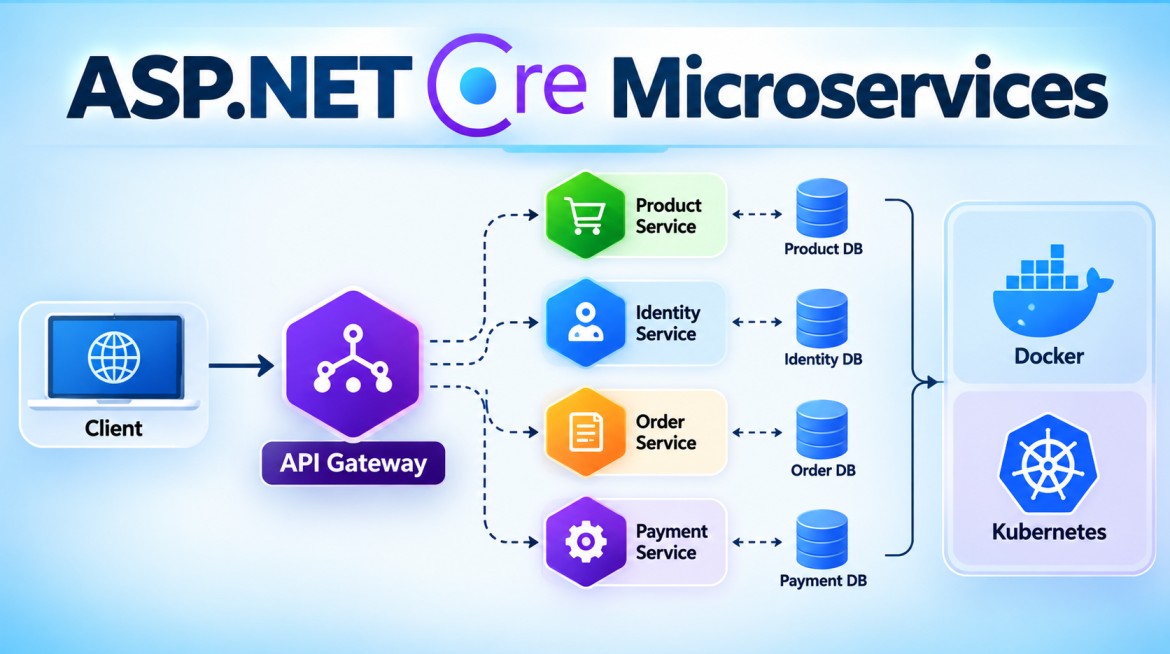


How Do You Manage Configuration Across Multiple Microservices?
In Microservices Architecture, each service requires configuration such as database connections, API URLs, message-broker settings, logging levels, authentication settings, feature flags, and secrets.
Configuration should be externalized from the application code and managed according to the deployment environment.
1. What is Configuration Management?
Configuration management means controlling settings that can change without changing the application's source code.
For example:
{
  "ConnectionStrings": {
    "DefaultConnection": "..."
  },
  "PaymentService": {
    "BaseUrl": "https://payment-api"
  },
  "Logging": {
    "LogLevel": {
      "Default": "Information"
    }
  }
}
Each microservice normally has its own configuration.
Product Service → Product configuration
Order Service   → Order configuration
Payment Service → Payment configuration
2. Why Do We Need It?
Suppose we have three environments:
Development
     ↓
UAT
     ↓
Production
The application code may be identical, but configuration will differ.
For example:
Development → Local SQL Server
UAT         → UAT SQL Server
Production  → Production SQL Server
We should not modify and rebuild the source code just to change a connection string.
3. ASP.NET Core Configuration
ASP.NET Core has a built-in configuration system.
A microservice can use:
appsettings.json
        ↓
appsettings.{Environment}.json
        ↓
User Secrets
        ↓
Environment Variables
        ↓
External Secret/Configuration Store
The exact precedence depends on how configuration providers are registered, but with the standard ASP.NET Core setup, later providers override earlier ones.
4. appsettings.json
Each microservice can have its own base configuration.
Product Service
{
  "ConnectionStrings": {
    "DefaultConnection": "ProductDB"
  },
  "ServiceSettings": {
    "ServiceName": "ProductService"
  }
}
Order Service
{
  "ConnectionStrings": {
    "DefaultConnection": "OrderDB"
  },
  "ProductService": {
    "BaseUrl": "https://product-service"
  }
}
This keeps service-specific settings with the appropriate service.
5. Environment-Specific Configuration
ASP.NET Core supports environment-specific configuration files.
appsettings.json

appsettings.Development.json

appsettings.UAT.json

appsettings.Production.json
For example:
appsettings.Development.json
{
  "ConnectionStrings": {
    "DefaultConnection": "Server=localhost;Database=OrderDB;"
  }
}
appsettings.Production.json
{
  "Logging": {
    "LogLevel": {
      "Default": "Warning"
    }
  }
}
ASP.NET Core determines the environment using:
ASPNETCORE_ENVIRONMENTFor example:
Development
UAT
Production
6. Environment Variables
Environment variables are very useful for deployed microservices.
For example:
ConnectionStrings__DefaultConnectionThe double underscore __ represents a nested configuration section.
Equivalent JSON:
{
  "ConnectionStrings": {
    "DefaultConnection": "..."
  }
}
Environment variables are especially useful with:
- Docker
- Kubernetes
- Azure App Service
- Azure Container Apps
- CI/CD pipelines
7. Secrets Should Be Managed Separately
Sensitive information should generally not be committed into appsettings.json.
Examples:
Database passwords
API keys
JWT signing secrets
Client secrets
Certificates
Message broker credentials
Avoid:
{
  "PaymentApiKey": "my-real-production-key"
}
especially if the file is committed to Git.
Instead, use a secret-management solution.
Examples include:
Local Development
      ↓
.NET User Secrets

Production
      ↓
Azure Key Vault
AWS Secrets Manager
Kubernetes Secrets
Other managed secret stores
8. .NET User Secrets for Development
For local ASP.NET Core development:
dotnet user-secrets initThen:
dotnet user-secrets set \
"ConnectionStrings:DefaultConnection" \
"Server=localhost;Database=OrderDB;..."
The secret is stored outside the project directory.
It is intended primarily for development, not production secret management.
9. Centralized Configuration
Imagine having:
50 Microservices
      ↓
Development
UAT
Production
Managing configuration separately can become difficult.
Larger systems may use a centralized configuration service/store.
             Central Configuration
                     |
          ┌──────────┼──────────┐
          ↓          ↓          ↓
       Product     Order      Payment
       Service     Service     Service
Depending on the platform, examples include:
- Azure App Configuration
- Kubernetes ConfigMaps
- AWS Systems Manager Parameter Store
- HashiCorp Consul
This can make shared operational configuration easier to manage.
However, centralized configuration should not mean every service blindly shares every setting.
10. Azure Example
For Azure-hosted microservices, a common arrangement is:
ASP.NET Core Microservices
           |
           ├──→ Azure App Configuration
           |
           └──→ Azure Key Vault
Azure App Configuration
Used for configuration such as:
Feature flags
Service settings
Operational settings
Shared configuration
Azure Key Vault
Used for sensitive information:
Passwords
API Keys
Client Secrets
Certificates
So a useful distinction is:
Normal Configuration
        ↓
Azure App Configuration

Secrets
        ↓
Azure Key Vault
11. Options Pattern in ASP.NET Core
Instead of reading configuration everywhere like this:
_configuration["PaymentService:BaseUrl"]ASP.NET Core applications commonly use the Options Pattern.
appsettings.json
{
  "PaymentService": {
    "BaseUrl": "https://payment-service",
    "TimeoutSeconds": 30
  }
}
Create a class:
public class PaymentServiceOptions
{
    public string BaseUrl { get; set; } = string.Empty;

    public int TimeoutSeconds { get; set; }
}
Register:
builder.Services.Configure<PaymentServiceOptions>(
    builder.Configuration.GetSection("PaymentService"));
Use:
public class PaymentClient
{
    private readonly PaymentServiceOptions _options;

    public PaymentClient(
        IOptions<PaymentServiceOptions> options)
    {
        _options = options.Value;
    }
}
This provides strongly typed configuration.
12. Configuration Flow
A production configuration flow might look like:
                   Microservice
                       |
          ┌────────────┼─────────────┐
          ↓            ↓             ↓
   appsettings     Environment    External
      files         Variables       Store
                                      |
                             ┌────────┴────────┐
                             ↓                 ↓
                      App Configuration    Key Vault
The final configuration is built from the registered providers according to their precedence.
13. What If the Same Setting Exists in Multiple Places?
This is an important ASP.NET Core interview question.
Suppose a connection string exists in:
appsettings.json
       +
appsettings.Production.json
       +
Environment Variable
With the standard configuration ordering, the value from the higher-precedence/later provider wins.
For example:
appsettings.json
       ↓ overridden by

appsettings.Production.json
       ↓ overridden by

Environment Variable
If you add external providers such as Azure Key Vault yourself, their exact priority depends on where you register them in the configuration pipeline.
So don't memorize:
"Key Vault always wins."
Instead remember:
Configuration provider order determines precedence; later providers override earlier providers for the same key.
14. Advantages
Proper configuration management provides:
- Environment separation
- No hard-coded configuration
- Better security
- Easier deployments
- Same application artifact across environments
- Centralized management where required
- Easier configuration updates
- Strongly typed configuration through Options
- Better CI/CD integration
15. Disadvantages / Challenges
Managing configuration across many microservices introduces challenges:
- Large number of settings.
- Configuration can become inconsistent.
- Central configuration can become a dependency.
- Secret rotation must be managed.
- Incorrect configuration can affect many services.
- Configuration changes require proper auditing and access control.
- Dynamic configuration changes must be handled carefully.
16. Key Points
- Never hard-code environment-specific configuration.
- Each microservice should own its service-specific configuration.
- Use
appsettings.jsonfor normal base configuration. - Use environment-specific files where appropriate.
- Use environment variables for deployment-specific overrides.
- Use .NET User Secrets only for local development secrets.
- Use a secure secret store such as Azure Key Vault for production secrets.
- Centralized configuration can help when managing many services.
- Use the Options Pattern for strongly typed configuration.
- Keep secrets out of source control.
- The same build/artifact should ideally move through environments.
- Later configuration providers override earlier providers when they provide the same key.
17. Interview Questions & Answers
Q1. How do you manage configuration across multiple microservices?
Each microservice should externalize its configuration using ASP.NET Core configuration providers such as appsettings files, environment variables and centralized configuration/secret stores.
Q2. Where should production secrets be stored?
In a secure secret-management system such as Azure Key Vault, AWS Secrets Manager, or an equivalent platform solution—not directly in source-controlled appsettings files.
Q3. What is the difference between Azure App Configuration and Azure Key Vault?
Azure App Configuration primarily manages application configuration and feature flags.
Azure Key Vault protects sensitive values such as passwords, API keys, certificates and secrets.
Q4. Should all microservices use one common appsettings.json?
Generally, no. Each service should own its service-specific configuration. Shared configuration can be centralized where there is a genuine common requirement.
Q5. What is the Options Pattern?
The Options Pattern maps configuration sections into strongly typed C# classes, typically consumed through IOptions<T>, IOptionsSnapshot<T>, or IOptionsMonitor<T>.
Q6. If a connection string exists in appsettings.json and an environment variable, which one is used?
With the standard ASP.NET Core configuration setup, the environment variable overrides the appsettings value for the same configuration key.
Q7. If the same setting exists in Azure Key Vault and appsettings.json, which wins?
It depends on the configuration-provider registration order. A provider added later generally overrides an earlier provider for the same key.
Interview One-Line Answer
Configuration in ASP.NET Core microservices should be externalized and environment-specific, using appsettings files and environment variables for normal settings, secure stores such as Key Vault for secrets, centralized configuration when needed, and the Options Pattern for strongly typed access.