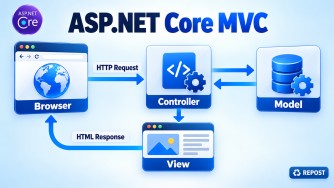


How Do Areas Organize a Large MVC Application?
Areas divide a large ASP.NET Core MVC application into smaller, independent functional sections.
Examples:
- Admin
- Customer
- Employee
- Support
Folder Structure
Areas
└── Admin
    ├── Controllers
    │   └── DashboardController.cs
    ├── Models
    └── Views
        └── Dashboard
            └── Index.cshtml
Controller
[Area("Admin")]
public class DashboardController : Controller
{
    public IActionResult Index()
    {
        return View();
    }
}
Area Route in Program.cs
app.MapControllerRoute(
    name: "areas",
    pattern: "{area:exists}/{controller=Dashboard}/{action=Index}/{id?}");

app.MapControllerRoute(
    name: "default",
    pattern: "{controller=Home}/{action=Index}/{id?}");
The Area route should be registered before the default route.
URL
/Admin/Dashboard/IndexLink to an Area
<a asp-area="Admin"
   asp-controller="Dashboard"
   asp-action="Index">
    Admin Dashboard
</a>
Key Points
- Areas group related controllers, views and models.
- They help organize large applications by feature or module.
- Apply
[Area("AreaName")]to Area controllers. - Create an Area route using
{area:exists}. - Register the Area route before the default route.
- Areas improve maintainability and team development.
- Authentication and authorization can be applied separately to each Area.