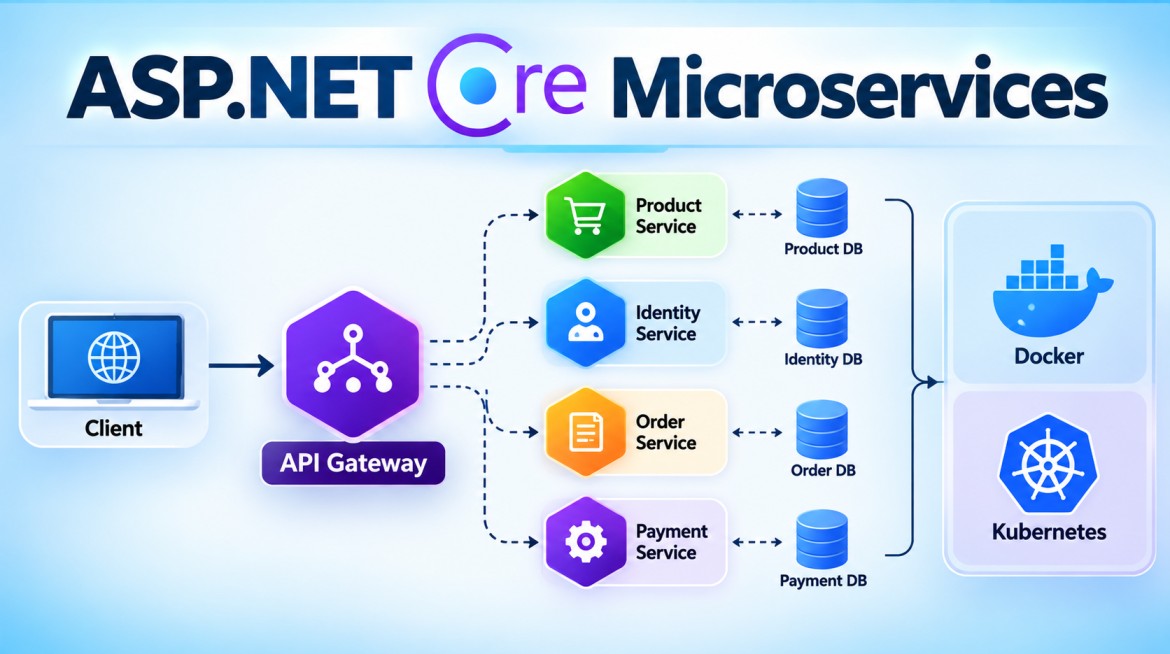


Publish/Subscribe (Pub/Sub) in Microservices
1. What is Publish/Subscribe?
Publish/Subscribe (Pub/Sub) is a messaging pattern where a publisher publishes a message/event to a topic, and multiple independent subscribers can receive and process that same event.
The publisher does not need to know who the subscribers are.
                     Publisher
                         │
                         │ OrderCreated
                         ▼
                  ┌─────────────┐
                  │    Topic    │
                  └──────┬──────┘
                         │
           ┌─────────────┼─────────────┐
           ▼             ▼             ▼
      Subscriber A  Subscriber B  Subscriber C
           │             │             │
           ▼             ▼             ▼
      Inventory      Notification    Analytics
       Service          Service        Service
The key idea is:
Publisher: “This happened.”
Subscribers: “I'm interested in that event, so I'll react.”
2. Simple Example
Suppose an Order Service creates an order.
It publishes:
OrderCreatedSeveral services are interested:
Inventory Service
Notification Service
Analytics Service
Loyalty Service
With Pub/Sub:
                         Order Service
                              │
                              │ Publish
                              ▼
                         OrderCreated
                              │
                              ▼
                         Orders Topic
                              │
              ┌───────────────┼───────────────┐
              ▼               ▼               ▼
          Inventory      Notification      Analytics
         Subscription    Subscription     Subscription
              │               │               │
              ▼               ▼               ▼
          Inventory      Notification      Analytics
           Service          Service          Service
One event is published, but multiple subscribers can independently receive it.
3. Why Do We Need Pub/Sub?
Without Pub/Sub, Order Service might directly call every interested service:
Order Service
     │
     ├──HTTP──> Inventory Service
     ├──HTTP──> Notification Service
     ├──HTTP──> Analytics Service
     └──HTTP──> Loyalty Service
Now Order Service knows about all those services.
If you later add:
Fraud Detection Serviceyou might have to modify Order Service:
Order Service
     ├──> Inventory
     ├──> Notification
     ├──> Analytics
     ├──> Loyalty
     └──> Fraud Detection      ← New dependency
This increases coupling.
4. With Publish/Subscribe
Order Service only publishes:
OrderCreatedIt doesn't need to know what happens afterward.
Order Service
     │
     │ OrderCreated
     ▼
   Topic
     │
     ├──> Inventory
     ├──> Notification
     ├──> Analytics
     ├──> Loyalty
     └──> Fraud Detection
If you add a new subscriber:
Warehouse Serviceyou can create another subscription:
OrderCreated
     │
     ▼
Orders Topic
     │
     ├──> Inventory
     ├──> Notification
     ├──> Analytics
     ├──> Loyalty
     ├──> Fraud Detection
     └──> Warehouse        ← New subscriber
The Order Service may require no change.
This is one of the major advantages of Pub/Sub.
5. Main Components
Pub/Sub normally contains four important concepts:
Publisher
    ↓
Event/Message
    ↓
Topic
    ↓
Subscriptions
    ↓
Subscribers
Publisher
The Publisher produces the message/event.
Example:
Order Servicepublishes:
OrderCreatedThe publisher should generally not depend on knowledge of every consumer.
Topic
The Topic is the logical destination where events are published.
Example:
orders-topicOrder Service
↓
orders-topicSubscription
A Subscription represents an independent interest in messages from the topic.
For example:
orders-topic

├── inventory-subscription
├── notification-subscription
└── analytics-subscription
Each subscription maintains its own processing state.
Subscriber
The Subscriber consumes messages from its subscription.
inventory-subscription
        ↓
Inventory Service
and:
notification-subscription
        ↓
Notification Service
6. How Pub/Sub Works
Consider:
OrderCreatedStep 1 — Order is created
Client
   ↓
Order Service
   ↓
Save Order
Step 2 — Event is generated
OrderCreatedExample:
{
  "eventId": "EVT-1001",
  "eventType": "OrderCreated",
  "orderId": 1001,
  "customerId": 501,
  "amount": 2500
}
Step 3 — Publisher publishes event
Order Service
     ↓
OrderCreated
     ↓
Orders Topic
Step 4 — Broker distributes it
                    Orders Topic
                         │
           ┌─────────────┼─────────────┐
           ▼             ▼             ▼
      Inventory      Notification   Analytics
     Subscription    Subscription  Subscription
Step 5 — Subscribers process independently
Inventory
   ↓
Reserve/adjust stock

Notification
   ↓
Send confirmation

Analytics
   ↓
Record sales data
7. Pub/Sub vs Queue
This is the most important comparison.
Queue
A queue is commonly used when one logical consumer should process the work.
                  ┌──> Worker 1
                  │
Payment Queue ────┼──> Worker 2
                  │
                  └──> Worker 3

One worker handles each message.
Example:
ProcessPayment
      ↓
Payment Queue
      ↓
One Payment Worker
Publish/Subscribe
Pub/Sub is used when multiple independent subscribers need the same event.
                  OrderCreated
                       │
                       ▼
                  Orders Topic
                       │
          ┌────────────┼────────────┐
          ▼            ▼            ▼
      Inventory    Notification  Analytics
All interested subscriptions can receive the event.
8. Queue vs Pub/Sub
| Queue | Publish/Subscribe |
|---|---|
| Point-to-point/work distribution | One-to-many event distribution |
| One logical consumer handles message | Multiple subscribers can receive event |
| Consumers compete | Subscribers are independent |
| Common for commands/jobs | Common for events |
ProcessPayment |
PaymentCompleted |
| Load distribution | Event fan-out |
Easy way to remember:
QUEUE
"Who will do this work?"

PUB/SUB
"Who wants to know this happened?"
9. Pub/Sub and Events
Pub/Sub is particularly well suited to events.
Examples:
OrderCreated
PaymentCompleted
CustomerRegistered
ProductUpdated
OrderCancelled
OrderShipped
Why?
Because an event says:
Something happened. Anyone interested may react.
For example:
PaymentCompleted
       │
       ▼
   Payments Topic
       │
       ├──> Order Service
       │       ↓
       │    Mark order paid
       │
       ├──> Notification Service
       │       ↓
       │    Send receipt
       │
       └──> Analytics Service
               ↓
            Record revenue
10. Pub/Sub and Event-Driven Architecture
Pub/Sub is one of the most common messaging patterns used to implement Event-Driven Architecture.
Business Action
      ↓
Event
      ↓
Publish
      ↓
Topic
      ↓
Subscribers
      ↓
Independent Reactions
Example:
CustomerRegistered
       ↓
Customer Topic
       │
       ├──> Welcome Email
       ├──> Loyalty Account
       ├──> CRM Integration
       └──> Analytics
11. What Happens if One Subscriber Is Down?
Suppose:
Inventory Service      → UP
Notification Service   → DOWN
Analytics Service      → UP
An OrderCreated event is published.
                    Orders Topic
                         │
          ┌──────────────┼──────────────┐
          ▼              ▼              ▼
      Inventory      Notification    Analytics
          │              │              │
          ▼              X              ▼
       Processed        DOWN          Processed
With a durable broker such as Azure Service Bus, the Notification subscription can retain the message according to its configuration.
Later:
Notification Service
        ↓
Starts again
        ↓
Notification Subscription
        ↓
OrderCreated
        ↓
Send Email
One subscriber's failure doesn't necessarily stop the others.
12. Multiple Instances of One Subscriber
Suppose Inventory Service receives a large volume of events.
You can run three instances:
Orders Topic
     ↓
Inventory Subscription
     │
     ├──> Inventory Instance 1
     ├──> Inventory Instance 2
     └──> Inventory Instance 3
The three instances compete within that subscription.
Meanwhile:
Orders Topic
     ↓
Notification Subscription
     │
     ├──> Notification Instance 1
     └──> Notification Instance 2
So Pub/Sub can combine:
One Topic
   ↓
Multiple Subscriptions
   ↓
Multiple Consumers per Subscription
This provides both fan-out and horizontal scalability.
13. Azure Service Bus Pub/Sub Example
Azure Service Bus implements Pub/Sub using:
Topic
   +
Subscriptions
For example:
Topic:
orders-topic

Subscriptions:
inventory
notification
analytics
Architecture:
                    orders-topic
                         │
           ┌─────────────┼─────────────┐
           ▼             ▼             ▼
       inventory    notification    analytics
           │             │             │
           ▼             ▼             ▼
      Inventory      Notification   Analytics
       Service          Service       Service
14. Required ASP.NET Core Package
For Azure Service Bus:
dotnet add package Azure.Messaging.ServiceBusNamespace:
using Azure.Messaging.ServiceBus;15. Event Model
public class OrderCreatedEvent
{
    public Guid EventId { get; set; }

    public int OrderId { get; set; }

    public int CustomerId { get; set; }

    public decimal Amount { get; set; }

    public DateTime OccurredAt { get; set; }
}
16. appsettings.json
For a simple example:
{
  "AzureServiceBus": {
    "ConnectionString": "<your-connection-string>",
    "TopicName": "orders-topic"
  }
}
For production, prefer secure authentication/configuration such as Managed Identity / Microsoft Entra ID or secure secret storage rather than committing connection strings to source control.
17. Publisher
using Azure.Messaging.ServiceBus;
using System.Text.Json;

public class OrderEventPublisher
{
    private readonly ServiceBusClient _client;

    public OrderEventPublisher(
        ServiceBusClient client)
    {
        _client = client;
    }

    public async Task PublishAsync(
        OrderCreatedEvent orderEvent)
    {
        ServiceBusSender sender =
            _client.CreateSender("orders-topic");

        string json =
            JsonSerializer.Serialize(orderEvent);

        var message =
            new ServiceBusMessage(json);

        message.Subject = "OrderCreated";
        message.MessageId =
            orderEvent.EventId.ToString();

        await sender.SendMessageAsync(message);
    }
}
Flow:
OrderEventPublisher
        ↓
OrderCreated
        ↓
orders-topic
18. Program.cs
using Azure.Messaging.ServiceBus;

var builder =
    WebApplication.CreateBuilder(args);

builder.Services.AddControllers();

string connectionString =
    builder.Configuration[
        "AzureServiceBus:ConnectionString"]!;

builder.Services.AddSingleton(
    new ServiceBusClient(connectionString));

builder.Services.AddScoped<
    OrderEventPublisher>();

var app = builder.Build();

app.MapControllers();

app.Run();
19. Publishing from Order Service
[ApiController]
[Route("api/orders")]
public class OrdersController : ControllerBase
{
    private readonly OrderEventPublisher _publisher;

    public OrdersController(
        OrderEventPublisher publisher)
    {
        _publisher = publisher;
    }

    [HttpPost]
    public async Task<IActionResult> CreateOrder()
    {
        // Normally save order into database.

        var orderEvent =
            new OrderCreatedEvent
            {
                EventId = Guid.NewGuid(),
                OrderId = 1001,
                CustomerId = 501,
                Amount = 2500,
                OccurredAt = DateTime.UtcNow
            };

        await _publisher.PublishAsync(orderEvent);

        return Ok(new
        {
            OrderId = 1001,
            Message = "Order created"
        });
    }
}
Now:
POST /api/orders
       ↓
Order Service
       ↓
Save Order
       ↓
OrderCreated
       ↓
orders-topic
20. Inventory Subscriber
Inventory Service consumes from:
Topic        = orders-topic
Subscription = inventory
using Azure.Messaging.ServiceBus;
public class InventoryConsumer : BackgroundService
{
private readonly ServiceBusClient _client;
public InventoryConsumer(
ServiceBusClient client)
{
_client = client;
}
protected override async Task ExecuteAsync(
CancellationToken stoppingToken)
{
ServiceBusProcessor processor =
_client.CreateProcessor(
"orders-topic",
"inventory");
processor.ProcessMessageAsync += async args =>
{
string message =
args.Message.Body.ToString();
Console.WriteLine(
$"Inventory received: {message}");
// Inventory business logic
await args.CompleteMessageAsync(
args.Message);
};
processor.ProcessErrorAsync += args =>
{
Console.WriteLine(
args.Exception.Message);
return Task.CompletedTask;
};
await processor.StartProcessingAsync(
stoppingToken);
await Task.Delay(
Timeout.Infinite,
stoppingToken);
}
}Register:
builder.Services.AddHostedService<
    InventoryConsumer>();
21. Notification Subscriber
Notification Service uses a different subscription:
ServiceBusProcessor processor =
    client.CreateProcessor(
        "orders-topic",
        "notification");
Analytics Service:
ServiceBusProcessor processor =
    client.CreateProcessor(
        "orders-topic",
        "analytics");
Therefore:
OrderCreated
      ↓
orders-topic
      │
      ├── inventory
      ├── notification
      └── analytics
Each service processes the event independently.
22. Subscription Filtering
Subscribers don't necessarily need every message from a topic.
Suppose:
orders-topic

OrderCreated
OrderCancelled
OrderShipped
Inventory may care about:
OrderCreated
OrderCancelled
Shipping may care about:
OrderShippedBroker-side subscription filtering can route relevant messages to the appropriate subscriptions.
Conceptually:
                         Orders Topic
                              │
                  ┌───────────┴───────────┐
                  ▼                       ▼
          Inventory Subscription    Shipping Subscription
                  │                       │
             OrderCreated             OrderShipped
             OrderCancelled
23. RabbitMQ Pub/Sub
RabbitMQ implements similar patterns differently.
Its basic model is:
Publisher
    ↓
Exchange
    ↓
Bindings
    ↓
Queues
    ↓
Consumers
For broadcast-style Pub/Sub, a fanout exchange can be used:
                    Publisher
                        │
                        ▼
                 Fanout Exchange
                        │
          ┌─────────────┼─────────────┐
          ▼             ▼             ▼
       Queue A        Queue B       Queue C
          │             │             │
          ▼             ▼             ▼
      Inventory     Notification   Analytics
Each service gets its own queue.
24. Kafka Pub/Sub
Kafka uses a different model:
Producer
    ↓
Topic
    ↓
Partitions
    ↓
Consumer Groups
Example:
                      orders Topic
                           │
              ┌────────────┼────────────┐
              ▼            ▼            ▼
        Inventory      Analytics    Notification
          Group          Group          Group
Different consumer groups can independently consume the same retained event stream.
Within one consumer group:
Inventory Group

Consumer 1
Consumer 2
Consumer 3
partitions are distributed across consumers for parallel processing.
25. Pub/Sub Across Technologies
| Technology | Pub/Sub Mechanism |
|---|---|
| Azure Service Bus | Topic + Subscriptions |
| RabbitMQ | Exchange + Queues + Bindings |
| Kafka | Topic + Consumer Groups |
| AWS | SNS + SQS commonly combined |
| Google Cloud | Pub/Sub Topics + Subscriptions |
The concepts are similar, but the exact delivery and retention semantics differ.
26. Advantages
Loose Coupling
Publisher doesn't need to know all subscribers.
Publisher → Topic → SubscribersMultiple Consumers
One event can trigger many independent actions.
Extensibility
A new subscriber can often be added without changing the publisher.
Independent Scaling
Each subscriber can scale separately.
Fault Isolation
One subscriber failing doesn't necessarily stop other subscribers.
Event-Driven Architecture
Pub/Sub is a natural fit for distributing domain/integration events.
27. Disadvantages
Pub/Sub also introduces complexity.
Eventual Consistency
Subscribers may process an event at different times.
Debugging
A single event can trigger many downstream actions:
OrderCreated
    ├──> Inventory
    ├──> Notification
    ├──> Analytics
    ├──> Loyalty
    └──> Fraud
Tracing the complete flow becomes harder.
Duplicate Processing
Depending on delivery semantics, consumers may receive/reprocess messages. Idempotency is important.
Ordering
Ordering guarantees depend on the broker and configuration.
Schema Evolution
Changing an event contract can affect many subscribers.
Operational Monitoring
You need to monitor:
Subscription backlog
Failed messages
DLQ
Consumer health
Processing latency
28. When Should We Use Pub/Sub?
Pub/Sub is particularly appropriate when:
One event should trigger multiple independent reactions.
Examples:
OrderCreated
PaymentCompleted
CustomerRegistered
ProductUpdated
OrderCancelled
For example:
CustomerRegistered
       │
       ▼
   Customer Topic
       │
       ├──> Send Welcome Email
       ├──> Create Loyalty Account
       ├──> Update Analytics
       └──> Sync CRM
29. When Should We Not Use Pub/Sub?
If exactly one logical service needs to perform a job, a queue may be simpler.
For example:
GenerateInvoice
      ↓
Invoice Queue
      ↓
Invoice Service
There is no need to broadcast GenerateInvoice to multiple unrelated services.
Likewise, if an immediate response is required:
GET /api/products/1001a synchronous REST/gRPC call is often more appropriate.
30. Real-World Architecture
A system can use REST + Queue + Pub/Sub together:
                         Client
                           │
                           │ REST
                           ▼
                      API Gateway
                           │
                           ▼
                      Order Service
                           │
                           │ OrderCreated
                           ▼
                       Orders Topic
                           │
              ┌────────────┼────────────┐
              ▼            ▼            ▼
          Inventory    Notification  Analytics
              │
              │ ProcessPayment
              ▼
         Payment Queue
              │
              ▼
         Payment Service
              │
              │ PaymentCompleted
              ▼
         Payments Topic
              │
         ┌────┴────────┐
         ▼             ▼
       Order      Notification
      Service        Service
Different communication styles solve different requirements.
31. Key Points
- Publish/Subscribe is a one-to-many messaging pattern.
- The Publisher produces an event/message.
- The Topic receives the published event.
- Subscriptions represent independent consumers/interests.
- Multiple subscribers can receive the same event.
- Publisher does not need to know every subscriber.
- Pub/Sub provides loose coupling.
- It is widely used in Event-Driven Architecture.
- Events such as
OrderCreatedare natural Pub/Sub messages. - Queue and Pub/Sub are different:
- Queue → competing consumers.
- Pub/Sub → independent subscribers.
- Azure Service Bus uses Topics + Subscriptions.
- RabbitMQ commonly uses Exchanges + Queues + Bindings.
- Kafka uses Topics + Partitions + Consumer Groups.
- Each subscriber can scale independently.
- Production systems need idempotency, retries, DLQ, tracing, monitoring, and schema management.
32. Interview Questions and Answers
Q1. What is Publish/Subscribe?
Answer:
Publish/Subscribe is a messaging pattern where a publisher sends an event to a topic without directly addressing individual consumers, and multiple independent subscribers can receive and process that event.
Q2. Why use Pub/Sub in microservices?
Answer:
Pub/Sub reduces direct coupling between services and allows multiple services to independently react to the same business event. It also supports asynchronous processing, independent scaling, and Event-Driven Architecture.
Q3. What is the difference between Queue and Pub/Sub?
Answer:
With a queue, multiple consumers normally compete and one consumer processes each message.
With Pub/Sub, multiple independent subscribers can receive the same published message.
Queue:
Message → One competing consumer

Pub/Sub:
Event → Subscriber A
      → Subscriber B
      → Subscriber C
Q4. Does the Publisher know the Subscribers?
Answer:
Ideally, no. The publisher knows the event contract and messaging destination, but it should not need to know which services subscribe or what they do with the event.
This reduces coupling.
Q5. What happens when a new subscriber is added?
Answer:
A new subscription/consumer can usually be added without changing the publisher.
For example:
Before:

OrderCreated
 ├──> Inventory
 └──> Notification

After:

OrderCreated
 ├──> Inventory
 ├──> Notification
 └──> Analytics
Q6. What happens if one subscriber fails?
Answer:
Other subscribers can normally continue processing independently. With durable subscriptions, the failed subscriber's messages can remain available for later processing according to broker configuration.
Q7. How does Azure Service Bus implement Pub/Sub?
Answer:
Azure Service Bus uses:
Topic
   ↓
Subscriptions
   ↓
Consumers
A publisher sends a message to the topic, and matching subscriptions independently receive the message.
Q8. How does RabbitMQ implement Pub/Sub?
Answer:
RabbitMQ commonly uses exchanges, bindings, and separate queues.
Publisher
   ↓
Exchange
   ├──> Queue A → Consumer A
   ├──> Queue B → Consumer B
   └──> Queue C → Consumer C
A fanout exchange is one straightforward broadcast mechanism.
Q9. How does Kafka implement Pub/Sub?
Answer:
Kafka uses topics, partitions, and consumer groups. Different consumer groups can independently consume the same event stream, while consumers within a group divide partition processing among themselves.
Q10. Give a real-time Pub/Sub example.
Answer:
When an order is created, Order Service publishes:
OrderCreatedMultiple services can subscribe:
OrderCreated
     ├──> Inventory Service
     ├──> Notification Service
     ├──> Analytics Service
     └──> Loyalty Service
Each service independently performs its own business operation.
Interview-Friendly Final Answer
Publish/Subscribe is a one-to-many messaging pattern where a publisher publishes an event to a topic, and multiple independent subscribers can receive and process that event. The publisher does not need to know which services are subscribed, which reduces coupling. For example, Order Service can publish
OrderCreated, while Inventory, Notification, Analytics, and Loyalty services independently subscribe and react to it. In Azure Service Bus, Pub/Sub is implemented using Topics and Subscriptions; RabbitMQ commonly uses Exchanges, Bindings, and Queues; Kafka uses Topics, Partitions, and Consumer Groups. Pub/Sub is therefore a fundamental pattern for Event-Driven Microservices.