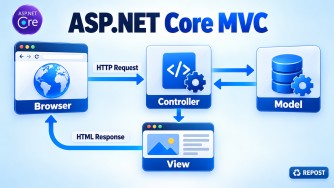


A stateless MVC application does not keep user-specific data in the memory or local disk of an individual application server.
Therefore, any request can be handled by any server.
                    ┌─ MVC Server 1 ─┐
Client → Load Balancer ├─ MVC Server 2 ─┼→ Shared services
                    └─ MVC Server 3 ─┘
Core design principles
1. Avoid in-memory Session
Avoid:
builder.Services.AddDistributedMemoryCache();
builder.Services.AddSession();
AddDistributedMemoryCache() runs inside each server even though it implements IDistributedCache. Its data is not shared between servers.
Prefer one of these approaches:
- Avoid Session entirely where possible.
- Store durable user data in a database.
- Use Redis or SQL Server distributed Session only when Session is genuinely necessary.
builder.Services.AddStackExchangeRedisCache(options =>
{
    options.Configuration =
        builder.Configuration.GetConnectionString("Redis");
});

builder.Services.AddSession();
Distributed Session supports scaling, although a truly stateless design avoids server-side Session.
2. Keep authentication portable
Do not maintain login state in one server’s memory.
For MVC cookie authentication, every server must share:
- Data Protection keys
- Application name
- Authentication scheme and cookie settings
Example using a shared Redis key store:
dotnet add package Microsoft.AspNetCore.DataProtection.StackExchangeRedis
dotnet add package StackExchange.Redis
var redis = ConnectionMultiplexer.Connect(
builder.Configuration.GetConnectionString("Redis")!);
builder.Services.AddDataProtection()
.SetApplicationName("MyMvcApplication")
.PersistKeysToStackExchangeRedis(
redis,
"DataProtection-Keys");Without shared Data Protection keys, a cookie created by Server A may not be readable by Server B.
3. Do not use local server files
Avoid saving uploads here:
await file.CopyToAsync(
    System.IO.File.Create($"uploads/{file.FileName}"));
The uploaded file would exist only on the server handling that request.
Use shared object storage instead:
- Azure Blob Storage
- Amazon S3
- Shared network storage
Store only the file URL and metadata in the database.
4. Use distributed caching
Avoid application-server memory for data that must be consistent across instances:
builder.Services.AddMemoryCache();Use Redis or another distributed cache:
builder.Services.AddStackExchangeRedisCache(options =>
{
    options.Configuration =
        builder.Configuration.GetConnectionString("Redis");
    options.InstanceName = "MyMvcApp:";
});
Usage:
public class CategoryService(IDistributedCache cache)
{
    public async Task<string?> GetCategoriesAsync()
    {
        return await cache.GetStringAsync("categories");
    }
}
IMemoryCache can still be used for small, disposable performance optimizations when every server is allowed to have different cached copies.
5. Store durable state in a shared database
All servers should access the same database or database cluster:
MVC Server 1 ─┐
MVC Server 2 ─┼→ Shared SQL database
MVC Server 3 ─┘
Store the following in the database:
- User and business data
- Orders and payment status
- Workflow progress
- Audit history
- Idempotency records
Use concurrency controls such as row versions when multiple servers may update the same record:
public class Product
{
    public int Id { get; set; }

    [Timestamp]
    public byte[] RowVersion { get; set; } = [];
}
6. Move background work outside MVC servers
Avoid starting critical background tasks directly from a controller:
_ = Task.Run(() => SendEmailAsync());The server could restart or be removed before the task finishes.
Send work to a shared durable queue:
MVC servers → Message queue → Background workersCommon choices include:
- Azure Service Bus
- RabbitMQ
- AWS SQS
- Hangfire using shared persistent storage
The worker should support retries and idempotent processing.
7. Externalize configuration and secrets
Every instance should receive consistent environment-specific configuration from:
- Environment variables
- Azure App Configuration
- Azure Key Vault
- AWS Secrets Manager
- Kubernetes Secrets
Do not depend on manually edited configuration files unique to one server.
8. Centralize logs and monitoring
Local log files become fragmented across servers. Send logs, metrics and traces to centralized systems such as:
- Application Insights
- OpenTelemetry collector
- Azure Monitor
- Elasticsearch
- Seq
Include a correlation or trace ID so one request can be followed across servers and services.
9. Use distributed coordination
In-memory locks protect only one server:
lock (_lock)
{
    // Protected only inside this application instance
}
For cross-server coordination, use:
- Database transactions and unique constraints
- Redis distributed locks when appropriate
- Distributed schedulers
- Idempotency keys
For example, prevent duplicate orders with a unique database constraint:
[Index(nameof(IdempotencyKey), IsUnique = true)]
public class Order
{
    public int Id { get; set; }
    public string IdempotencyKey { get; set; } = null!;
}
Typical architecture
                         ┌→ MVC instance 1 ─┐
Client → Load Balancer ──┼→ MVC instance 2 ─┼→ SQL database
                         └→ MVC instance 3 ─┘→ Redis
                                              Blob storage
                                              Message queue
                                              Centralized logging
No sticky session is required because any instance can process any request.
Interview answer
To design a stateless MVC application for horizontal scaling, application servers should not retain user or business state in local memory or local files. Store durable state in a shared database, files in object storage, cache data in Redis, and background work in durable queues. If cookie authentication is used, share Data Protection keys between instances. Centralize configuration, logging and monitoring. This allows the load balancer to route every request to any healthy instance without losing state.