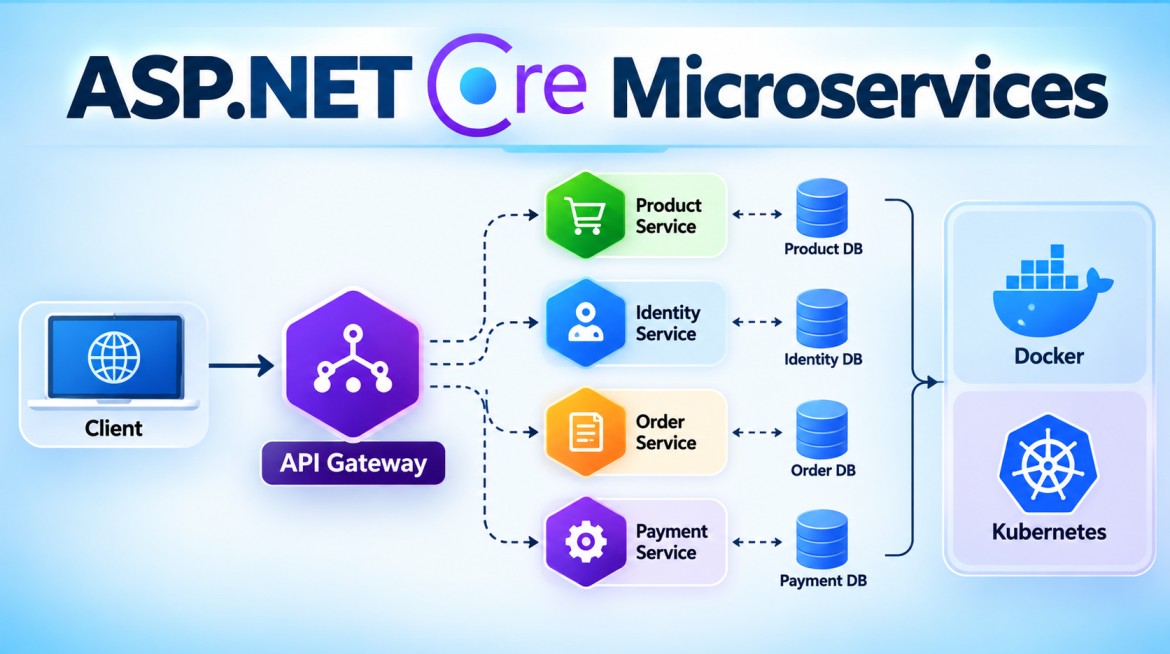


How Do You Structure an ASP.NET Core Microservice Project?
An ASP.NET Core microservice should be structured so that its API, business logic, domain rules, and infrastructure concerns are clearly separated.
There is no single mandatory structure. The right structure depends on the complexity of the individual microservice.
1. Basic Structure
For a small microservice, a simple structure is often enough:
ProductService
│
├── Controllers
│   └── ProductsController.cs
│
├── Models
│   └── Product.cs
│
├── DTOs
│   ├── ProductDto.cs
│   └── CreateProductDto.cs
│
├── Services
│   ├── IProductService.cs
│   └── ProductService.cs
│
├── Data
│   └── ProductDbContext.cs
│
├── Repositories
│   ├── IProductRepository.cs
│   └── ProductRepository.cs
│
├── Program.cs
├── appsettings.json
└── ProductService.csproj
This is perfectly reasonable for a small or straightforward CRUD-oriented microservice.
2. Why Do We Need a Proper Structure?
Without separation, everything can end up inside controllers:
[HttpPost]
public async Task<IActionResult> Create(...)
{
    // Validation

    // Business rules

    // Database operations

    // Logging

    // Calling another service

    // Sending message

    // Mapping response
}
As the service grows, this becomes difficult to:
- Maintain
- Test
- Modify
- Understand
- Reuse
A better flow is:
Controller
    ↓
Application / Service
    ↓
Domain
    ↓
Repository
    ↓
Database
Each part has a clear responsibility.
3. Production-Level Structure
For a complex business microservice, we can use Clean Architecture + DDD principles.
For example:
ProductService
│
├── ProductService.API
│
├── ProductService.Application
│
├── ProductService.Domain
│
└── ProductService.Infrastructure
Dependency direction:
             API
              |
              ↓
        Application
              |
              ↓
           Domain
              ↑
              |
      Infrastructure
More accurately, Infrastructure implements abstractions required by the inner layers and is wired by the application's composition root.
4. Domain Layer
The Domain contains the core business model and business rules.
ProductService.Domain
│
├── Entities
│   └── Product.cs
│
├── ValueObjects
│   └── Money.cs
│
├── Events
│   └── ProductCreatedEvent.cs
│
├── Exceptions
│   └── InvalidProductException.cs
│
└── Interfaces
    └── IProductRepository.cs
Example:
public class Product
{
    public int Id { get; private set; }

    public string Name { get; private set; }

    public decimal Price { get; private set; }

    public Product(string name, decimal price)
    {
        if (price <= 0)
            throw new ArgumentException(
                "Price must be greater than zero.");

        Name = name;
        Price = price;
    }
}
The important business rule:
Price must be greater than zerobelongs to the domain rather than being dependent on a controller.
5. Application Layer
The Application layer contains the use cases of the microservice.
ProductService.Application
│
├── DTOs
│   └── ProductDto.cs
│
├── Interfaces
│   └── IProductService.cs
│
├── Services
│   └── ProductService.cs
│
├── Commands
├── Queries
└── Validators
For example:
public interface IProductService
{
    Task<ProductDto?> GetByIdAsync(int id);

    Task<ProductDto> CreateAsync(
        CreateProductDto request);
}
Its responsibility is to coordinate application operations.
Request
   ↓
Application Service
   ↓
Domain Rules
   ↓
Repository
   ↓
Result
6. Infrastructure Layer
Infrastructure handles external technical concerns.
ProductService.Infrastructure
│
├── Data
│   └── ProductDbContext.cs
│
├── Repositories
│   └── ProductRepository.cs
│
├── Messaging
│   └── EventPublisher.cs
│
└── ExternalServices
    └── PricingApiClient.cs
Typical responsibilities include:
- EF Core
- SQL Server
- Repository implementations
- Redis
- Message brokers
- External API clients
- File/storage services
Example:
public class ProductRepository : IProductRepository
{
    private readonly ProductDbContext _context;

    public ProductRepository(ProductDbContext context)
    {
        _context = context;
    }

    public async Task<Product?> GetByIdAsync(int id)
    {
        return await _context.Products.FindAsync(id);
    }
}
The Domain/Application layers should not need to know that the implementation uses SQL Server or EF Core.
7. API Layer
The API project is the entry point of the microservice.
ProductService.API
│
├── Controllers
│   └── ProductsController.cs
│
├── Middleware
│   └── ExceptionMiddleware.cs
│
├── Filters
├── Extensions
├── Program.cs
└── appsettings.json
The controller should remain relatively thin.
[ApiController]
[Route("api/products")]
public class ProductsController : ControllerBase
{
    private readonly IProductService _productService;

    public ProductsController(
        IProductService productService)
    {
        _productService = productService;
    }

    [HttpGet("{id}")]
    public async Task<IActionResult> Get(int id)
    {
        var product =
            await _productService.GetByIdAsync(id);

        if (product == null)
            return NotFound();

        return Ok(product);
    }
}
The controller primarily handles:
HTTP Request
     ↓
Application Use Case
     ↓
HTTP Response
It should not contain large amounts of domain/business logic.
8. Project Dependencies
This is very important.
A typical dependency arrangement is:
ProductService.API
       |
       ├──────────────→ Application
       |
       └──────────────→ Infrastructure
                            |
                            ↓
                       Application
                            |
                            ↓
                          Domain
And:
Application → Domain

Infrastructure → Application / Domain

Domain → Nothing
The API may reference Infrastructure because Program.cs acts as the Composition Root, where infrastructure implementations are registered with Dependency Injection.
For example:
builder.Services.AddInfrastructure(
    builder.Configuration);
9. Database Ownership
Each microservice should have clear ownership of its data.
Product Service
      ↓
Product DB


Order Service
      ↓
Order DB


Payment Service
      ↓
Payment DB
Avoid this:
Product Service ─┐
Order Service   ─┼──→ Shared Tables
Payment Service ─┘
because it creates tight coupling.
A separate physical database server for every service is not mandatory; logical data ownership is the important principle.
10. Structure of Multiple Microservices
A larger solution might look like:
ECommerce
│
├── Services
│
│   ├── Product
│   │   ├── Product.API
│   │   ├── Product.Application
│   │   ├── Product.Domain
│   │   └── Product.Infrastructure
│   │
│   ├── Ordering
│   │   ├── Ordering.API
│   │   ├── Ordering.Application
│   │   ├── Ordering.Domain
│   │   └── Ordering.Infrastructure
│   │
│   └── Payment
│       ├── Payment.API
│       ├── Payment.Application
│       ├── Payment.Domain
│       └── Payment.Infrastructure
│
└── Gateway
Importantly, don't automatically create four projects for every tiny service.
A simple service might only need:
NotificationService
└── NotificationService.API
while a complex Ordering service may justify multiple architectural layers.
11. Cross-Cutting Concerns
A production microservice may also contain or integrate:
Microservice
│
├── Authentication / Authorization
├── Exception Handling
├── Logging
├── Health Checks
├── Validation
├── OpenTelemetry
├── API Versioning
├── Resilience
└── Messaging
These concerns should be implemented without mixing them unnecessarily into business logic.
12. Advantages
A good project structure provides:
- Clear separation of concerns
- Easier maintenance
- Better unit testing
- Easier replacement of infrastructure
- Clear business rules
- Reduced coupling
- Better team understanding
- Easier long-term evolution
13. Disadvantages / Challenges
Too much structure also has disadvantages:
- More projects and files
- More abstractions
- Higher learning curve
- Additional mapping between layers
- Can over-engineer simple CRUD services
For example, a tiny microservice doesn't automatically need:
API
Application
Domain
Infrastructure
CQRS
MediatR
Repository
UnitOfWork
Architecture should match the complexity of the service.
14. Key Points
- Structure a microservice around a business capability.
- Keep controllers thin.
- Keep business rules in the appropriate domain/application layer.
- Infrastructure handles databases and external technologies.
- Domain should not depend on Infrastructure.
- Each microservice should have clear data ownership.
- Microservices should remain independently deployable.
- Clean Architecture can work very well for complex ASP.NET Core microservices.
- One microservice does not necessarily mean one project.
- Don't over-engineer small services.
- Add layers and patterns when their complexity is justified.
15. Interview Questions & Answers
Q1. How do you structure an ASP.NET Core Microservice?
For a simple service, I may use Controllers, Services, Models/DTOs and Data folders. For a complex domain, I normally separate it into API, Application, Domain and Infrastructure layers.
Q2. What belongs in the Domain layer?
Core business concepts such as:
- Entities
- Value Objects
- Aggregates
- Domain Events
- Domain rules
Q3. What belongs in the Application layer?
Application use cases, DTOs, application services, commands, queries and abstractions required to execute business operations.
Q4. What belongs in Infrastructure?
Technical implementations such as:
- EF Core
- SQL Server
- Repositories
- Redis
- Message brokers
- External API clients
Q5. What belongs in the API project?
HTTP-related concerns such as controllers/endpoints, middleware, authentication configuration and application startup.
Q6. Should every microservice use Clean Architecture?
No. Clean Architecture is useful for complex services, but using many layers for a very small CRUD service can create unnecessary complexity.
Q7. Can one microservice contain multiple projects?
Yes. Microservice is a deployment/business boundary, not a Visual Studio project boundary.
For example:
Product Microservice

Product.API
Product.Application
Product.Domain
Product.Infrastructure

          ↓

One independently deployable service
Interview One-Line Answer
An ASP.NET Core microservice should be structured around a business capability, with clear separation between API, application logic, domain rules and infrastructure, while remaining independently deployable and owning its data.