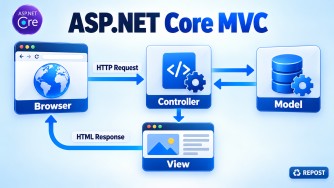


ViewData, ViewBag, and TempData transfer data from a controller to a view, but their lifetime and usage differ.
| Feature | ViewData |
ViewBag |
TempData |
|---|---|---|---|
| Type | Dictionary | Dynamic object | Dictionary |
| Syntax | ViewData["Message"] |
ViewBag.Message |
TempData["Message"] |
| Type casting | Usually required | Not required | Usually required |
| Lifetime | Current request only | Current request only | Survives the next request/redirect |
| Best use | Passing data to the current view | Conveniently passing data to the current view | Success/error messages after a redirect |
| Backed by | ViewDataDictionary |
Wrapper around ViewData |
TempData provider, usually cookies |
ViewData
Uses key-value pairs:
public IActionResult Index()
{
    ViewData["Title"] = "Employee List";
    ViewData["Count"] = 10;
    return View();
}
<h1>@ViewData["Title"]</h1>
<p>Count: @((int)ViewData["Count"])</p>ViewBag
Uses dynamic properties and is a convenient wrapper around ViewData:
public IActionResult Index()
{
    ViewBag.Title = "Employee List";
    ViewBag.Count = 10;
    return View();
}
<h1>@ViewBag.Title</h1>
<p>Count: @ViewBag.Count</p>ViewData and ViewBag share the same underlying storage:
ViewData["Message"] = "Welcome";<p>@ViewBag.Message</p>TempData
Preserves data for the next request, making it suitable for the Post-Redirect-Get pattern:
[HttpPost]
public IActionResult Create(Employee model)
{
    // Save employee

    TempData["SuccessMessage"] = "Employee created successfully.";
    return RedirectToAction("Index");
}
@if (TempData["SuccessMessage"] is string message)
{
<div class="alert alert-success">@message</div>
}By default, reading a TempData value marks it for deletion. To retain it:
string? message = TempData.Peek("SuccessMessage") as string;or:
string? message = TempData["SuccessMessage"] as string;
TempData.Keep("SuccessMessage");
Key points
- Use a strongly typed ViewModel for important page data.
- Use
ViewDataorViewBagfor small, temporary values such as titles. - Use
TempDatafor one-time messages after a redirect. TempDatais not intended for storing large or sensitive data.
Session vs Cookies vs Cache vs TempData
| Option | Stored where? | Lifetime | User-specific? | Best used for |
|---|---|---|---|---|
| Session | Server-side | Until timeout/browser session ends | Yes | Multi-step forms, shopping carts |
| Cookies | Browser | Until expiry or deletion | Yes | Preferences, authentication tokens |
| Cache | Server/distributed store | Until expiration or eviction | Usually no | Frequently reused data |
| TempData | Cookie or session provider | Until read, usually the next request | Yes | Messages after redirects |
1. Session
Use Session for temporary, user-specific data required across multiple requests.
Examples:
- Shopping-cart IDs
- Multi-step form progress
- Temporary workflow state
HttpContext.Session.SetString("CartId", "CART-1001");

string? cartId = HttpContext.Session.GetString("CartId");
Required configuration:
builder.Services.AddDistributedMemoryCache();
builder.Services.AddSession();

app.UseSession();
Avoid storing large objects, passwords or permanent business data in Session. In load-balanced environments, use distributed session storage such as Redis or SQL Server instead of relying on one server’s memory.
2. Cookies
Use Cookies when small user-specific information must remain in the browser, possibly across visits.
Examples:
- Language or theme preference
- Cookie consent
- “Remember me” authentication
- Small non-sensitive settings
Response.Cookies.Append("Theme", "Dark", new CookieOptions
{
    Expires = DateTimeOffset.UtcNow.AddDays(30),
    HttpOnly = true,
    Secure = true,
    SameSite = SameSiteMode.Lax
});

string? theme = Request.Cookies["Theme"];
Cookies are sent with applicable HTTP requests, so keep them small. Users can read or modify ordinary cookies. Never store passwords or sensitive data directly in them.
3. Cache
Use Cache to improve performance by avoiding repeated database queries, calculations or external API calls.
Examples:
- Product catalogue
- Lookup/master data
- Frequently accessed articles
- Expensive query results
builder.Services.AddMemoryCache();var categories = await cache.GetOrCreateAsync("categories", async entry =>
{
entry.AbsoluteExpirationRelativeToNow = TimeSpan.FromMinutes(10);
return await repository.GetCategoriesAsync();
});Common choices:
IMemoryCache: Suitable for a single server.IDistributedCache: Suitable for multiple servers; commonly backed by Redis or SQL Server.- Output Cache: Caches complete HTTP responses.
Cache is shared performance data, not the permanent source of truth. Code must still work when an entry expires or is evicted.
4. TempData
Use TempData for small, short-lived values needed after a redirect.
The most common scenario is a one-time success or error message:
[HttpPost]
public IActionResult Create(Employee model)
{
    // Save employee
    TempData["SuccessMessage"] = "Employee created successfully.";

    return RedirectToAction(nameof(Index));
}
@if (TempData["SuccessMessage"] is string message)
{
<div class="alert alert-success">@message</div>
}Reading TempData normally marks it for deletion. Use Peek() to read without deletion or Keep() to retain it for another request.
Simple decision guide
- Needed only after a redirect? →
TempData - User-specific and needed across several requests? →
Session - Small value that should persist in the browser? →
Cookie - Used to reduce repeated work and improve performance? →
Cache
For permanent or critical business information, use a database—not Session, Cookies, Cache or TempData.
TempData survives a redirect because ASP.NET Core stores its values outside the current HTTP request—by default, in an encrypted cookie.
Request flow
POST request
    ↓
TempData["Message"] = "Saved successfully"
    ↓
ASP.NET Core encrypts and writes TempData to a cookie
    ↓
RedirectToAction("Index")
    ↓
Browser sends a new GET request with that cookie
    ↓
ASP.NET Core loads TempData from the cookie
    ↓
The view reads the message
    ↓
The value is marked for deletion
Controller
[HttpPost]
public IActionResult Create(Employee model)
{
    // Save employee

    TempData["SuccessMessage"] = "Employee created successfully.";

    return RedirectToAction(nameof(Index));
}

[HttpGet]
public IActionResult Index()
{
    return View();
}
View
@if (TempData["SuccessMessage"] is string message)
{
    <div class="alert alert-success">
        @message
    </div>
}
A redirect creates a completely new request. Normal request-scoped data such as ViewData and ViewBag is lost, but the browser sends the TempData cookie with the redirected request.
Default provider: CookieTempDataProvider
ASP.NET Core MVC registers the cookie-based provider by default:
builder.Services.AddControllersWithViews();The TempData cookie is protected using ASP.NET Core Data Protection, so its contents are encrypted and protected against tampering.
Because cookies have size limits, use TempData only for small values such as success messages—not large objects or sensitive business data.
Reading and retaining values
Normal reading marks the value for deletion:
string? message = TempData["SuccessMessage"] as string;Read without marking it for deletion:
string? message = TempData.Peek("SuccessMessage") as string;Retain it after reading:
string? message = TempData["SuccessMessage"] as string;

TempData.Keep("SuccessMessage");
Session-based alternative
TempData can instead store its values in Session:
builder.Services.AddDistributedMemoryCache();
builder.Services.AddSession();

builder.Services
    .AddControllersWithViews()
.AddSessionStateTempDataProvider();app.UseSession();With this configuration, the browser keeps only the session identifier, while the TempData value is stored server-side.
In short: TempData survives a redirect because a provider persists it between the original request and the redirected request—using an encrypted cookie by default or Session when explicitly configured.