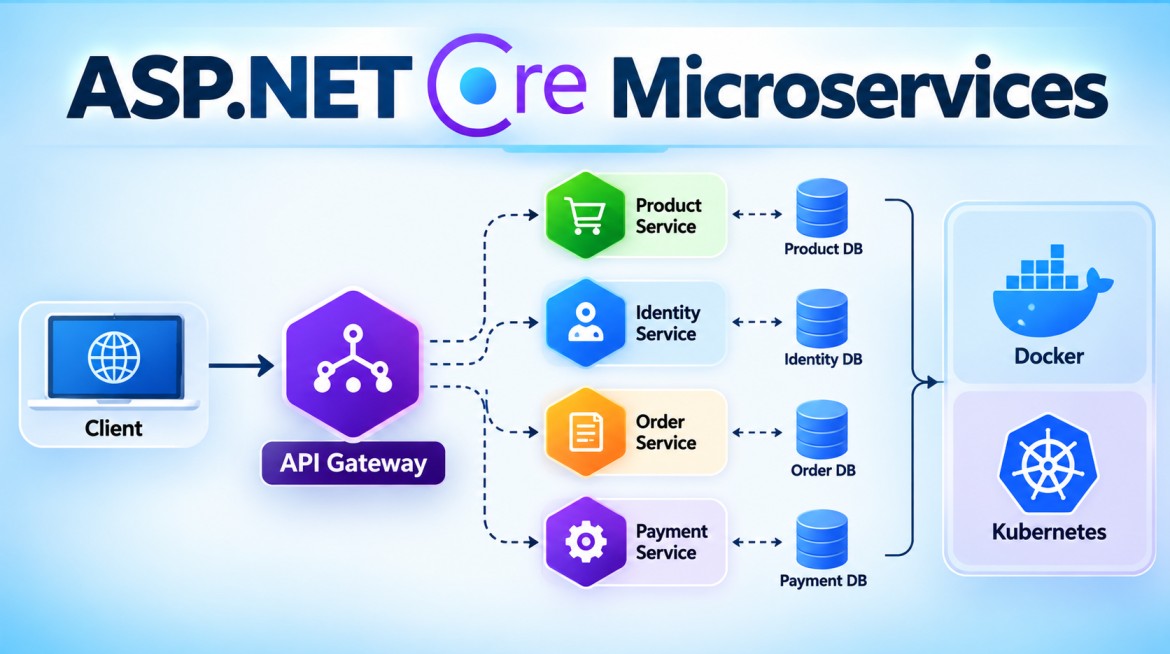


1. What is YARP?
What is YARP?
YARP stands for Yet Another Reverse Proxy.
It is a reverse proxy toolkit for .NET developed by Microsoft. It can be used to build a high-performance reverse proxy or a customized API Gateway in ASP.NET Core.
The basic architecture is:
Client
   │
   │ Request
   ▼
┌─────────────────────┐
│        YARP         │
│ Reverse Proxy /     │
│ API Gateway         │
└──────────┬──────────┘
           │
     ┌─────┼─────┐
     ▼     ▼     ▼
 Product  Order Payment
 Service Service Service
For example, the client calls:
https://localhost:7000/productsYARP can forward that request to:
https://localhost:7001/api/productsSo, similar to Ocelot, the client doesn't necessarily need to know the internal addresses of all Microservices.
Why do we need YARP?
Consider this Microservices architecture:
Angular / React / Mobile
          │
          ├── Product Service
          ├── Order Service
          ├── Payment Service
          └── Customer Service
The client would need to know several service endpoints.
With YARP:
Angular / React / Mobile
          │
          ▼
        YARP
          │
     ┌────┼────┬────────┐
     ▼    ▼    ▼        ▼
 Product Order Payment Customer
The client can communicate through a single gateway/proxy endpoint.
YARP can then determine where the request should be forwarded.
Purpose of YARP
YARP is primarily designed to provide reverse-proxy infrastructure that you can customize using ASP.NET Core.
Typical purposes include:
- Request routing
- Reverse proxying
- Load balancing
- Health checks
- Request/response transformation
- Authentication and authorization integration
- Session affinity
- Rate limiting integration
- Timeout and HTTP-client configuration
- Dynamic proxy configuration
- Custom proxy behavior through .NET code
A major characteristic of YARP is its extensibility.
It gives developers a proxy foundation and allows them to implement gateway-specific requirements using normal ASP.NET Core and .NET features.
Reverse Proxy vs API Gateway
This distinction is important.
A reverse proxy primarily receives a request and forwards it to an appropriate backend:
Client
   ↓
Reverse Proxy
   ↓
Backend
An API Gateway usually builds additional API-management behavior around that routing:
Client
   ↓
API Gateway
   │
   ├── Authentication
   ├── Authorization
   ├── Rate Limiting
   ├── Routing
   ├── Transformations
   ├── Observability
   └── Other policies
   ↓
Microservices
YARP is fundamentally a reverse proxy toolkit, but because it integrates deeply with ASP.NET Core, it can be used to build an API Gateway.
How do you implement YARP in ASP.NET Core?
Assume:
MicroservicesDemo
│
├── ApiGateway
├── ProductService
└── OrderService
Services:
YARP Gateway
https://localhost:7000

Product Service
https://localhost:7001

Order Service
https://localhost:7002
Step 1 — Create YARP Gateway
dotnet new web -n ApiGateway

cd ApiGateway
Step 2 — Install YARP NuGet Package
Install:
dotnet add package Yarp.ReverseProxyThe important package is:
Yarp.ReverseProxyUnlike Ocelot, you do not install an Ocelot package.
Step 3 — Configure appsettings.json
One of the convenient features of YARP is that proxy configuration can be stored in the normal ASP.NET Core configuration system.
Example:
{
  "ReverseProxy": {

    "Routes": {

      "product-route": {
        "ClusterId": "product-cluster",
        "Match": {
          "Path": "/gateway/products/{**catch-all}"
        }
      },

      "order-route": {
        "ClusterId": "order-cluster",
        "Match": {
          "Path": "/gateway/orders/{**catch-all}"
        }
      }

    },

    "Clusters": {

      "product-cluster": {
        "Destinations": {
          "product-api": {
            "Address": "https://localhost:7001/"
          }
        }
      },

      "order-cluster": {
        "Destinations": {
          "order-api": {
            "Address": "https://localhost:7002/"
          }
        }
      }

    }

  }
}
Notice two important concepts:
Routes
Clusters
What is a Route?
A Route determines which incoming requests should be matched.
For example:
"product-route": {
  "ClusterId": "product-cluster",
  "Match": {
    "Path": "/gateway/products/{**catch-all}"
  }
}
If the client calls:
/gateway/products/10YARP matches this route.
The route then says:
"ClusterId": "product-cluster"which means:
Forward the request using the destinations belonging to
product-cluster.
What is a Cluster?
A Cluster represents a logical group of backend destinations.
For example:
"product-cluster": {

  "Destinations": {

    "product-api": {
      "Address": "https://localhost:7001/"
    }

  }
}
Think of it as:
Route
  │
  ▼
Cluster
  │
  ├── Destination 1
  ├── Destination 2
  └── Destination 3
This becomes particularly important for load balancing.
YARP Request Flow
Client

GET /gateway/products/10
           │
           ▼
     ┌───────────┐
     │   YARP    │
     └─────┬─────┘
           │
           │ Match Route
           ▼
     product-route
           │
           │ ClusterId
           ▼
    product-cluster
           │
           │ Select destination
           ▼
 https://localhost:7001
           │
           ▼
    Product Service
This is one of the most important concepts to understand in YARP.
Step 4 — Configure Program.cs
The basic implementation is very small:
var builder = WebApplication.CreateBuilder(args);

builder.Services
    .AddReverseProxy()
    .LoadFromConfig(
        builder.Configuration.GetSection("ReverseProxy"));

var app = builder.Build();

app.MapReverseProxy();

app.Run();
Two important statements are involved.
Register YARP
builder.Services
    .AddReverseProxy()
    .LoadFromConfig(
        builder.Configuration.GetSection("ReverseProxy"));
This registers the reverse-proxy services and loads configuration from:
"ReverseProxy": {
}
Map the proxy endpoints
app.MapReverseProxy();This adds YARP's proxy endpoints to ASP.NET Core endpoint routing.
Path Transformation
Suppose the client calls:
/gateway/products/10but the Product Service expects:
/api/products/10You can configure a transformation.
For example:
"product-route": {

  "ClusterId": "product-cluster",

  "Match": {
    "Path": "/gateway/products/{**catch-all}"
  },

  "Transforms": [
    {
      "PathPattern": "/api/products/{**catch-all}"
    }
  ]
}
Now:
Client

/gateway/products/10

       ↓

YARP

       ↓

/api/products/10

       ↓

Product Service
Load Balancing in YARP
Suppose Product Service has three instances:
Product Service

Instance 1 → localhost:7001
Instance 2 → localhost:7002
Instance 3 → localhost:7003
Configure multiple destinations:
"product-cluster": {

  "LoadBalancingPolicy": "RoundRobin",

  "Destinations": {

    "product1": {
      "Address": "https://localhost:7001/"
    },

    "product2": {
      "Address": "https://localhost:7002/"
    },

    "product3": {
      "Address": "https://localhost:7003/"
    }

  }
}
Architecture:
                   ┌──► Product Instance 1
                   │
Client ──► YARP ───┼──► Product Instance 2
                   │
                   └──► Product Instance 3
YARP supports multiple load-balancing policies. The exact available policies should be checked against the YARP version you're using.
Health Checks
YARP supports health-check concepts for destinations.
This is particularly useful when there are multiple instances:
                  ┌── Instance 1 ✓
                  │
YARP ─────────────┼── Instance 2 ✗
                  │
                  └── Instance 3 ✓
The gateway should avoid sending traffic to an unhealthy destination when health checking is appropriately configured.
There are two important concepts:
Active health checks
YARP periodically checks the backend.
YARP
 │
 ├── check → Instance 1 ✓
 ├── check → Instance 2 ✗
 └── check → Instance 3 ✓
Passive health checks
YARP can use failures observed during normal proxy traffic to help determine destination health.
Authentication
Because YARP is integrated with ASP.NET Core, you can use standard ASP.NET Core authentication.
For example:
builder.Services
    .AddAuthentication()
    .AddJwtBearer();
Then authentication/authorization policies can be associated with the proxy endpoints/routes as appropriate.
Conceptually:
Client
  │
  │ JWT
  ▼
YARP
  │
  ├── Authentication
  │
  ├── Authorization
  │
  ▼
Product Service
This is one of YARP's strengths: you can compose it with the standard ASP.NET Core pipeline rather than expecting the proxy library to independently reimplement every security capability.
Rate Limiting
YARP can integrate with ASP.NET Core rate limiting.
Conceptually:
Client
   │
   ▼
ASP.NET Core Rate Limiter
   │
   ▼
YARP
   │
   ▼
Microservice
For example, you can configure ASP.NET Core rate-limiter policies and associate them with proxy routes/endpoints.
This illustrates an important architectural difference:
YARP frequently relies on the broader ASP.NET Core platform for gateway functionality rather than implementing every feature as a YARP-specific subsystem.
Request and Response Transformations
YARP has strong support for transformations.
You can transform:
Paths
Headers
Query strings
Request information
Response information
For example:
Client request

/gateway/products/10
       │
       ▼
YARP Transformation
       │
       ▼
/api/products/10
This is very useful when the public API contract differs from the internal Microservice API.
Dynamic Configuration
YARP can also be configured programmatically rather than only through JSON configuration.
That becomes useful when destinations are dynamic.
For example:
Service Registry / Database / Custom Source
                │
                ▼
          YARP Config
                │
                ▼
       Available Services
This extensibility is one reason YARP is attractive for sophisticated .NET gateway implementations.
Advantages of YARP
1. Microsoft-developed .NET project
YARP is built specifically around the .NET/ASP.NET Core ecosystem.
2. High performance
It is designed as a high-performance reverse proxy.
3. ASP.NET Core integration
You can naturally integrate:
Authentication
Authorization
Rate Limiting
Logging
Dependency Injection
Configuration
Middleware
OpenTelemetry
4. Highly customizable
Custom behavior can be implemented using normal C# and ASP.NET Core extension points.
5. Load balancing
Multiple destinations can belong to a cluster.
6. Health checks
YARP provides mechanisms for monitoring backend destination health.
7. Transformations
It has extensive request/response transformation capabilities.
8. Dynamic configuration
Proxy configuration does not have to be limited to a static JSON file.
Disadvantages of YARP
1. Lower-level than a traditional API Gateway
YARP is fundamentally a reverse proxy toolkit.
If you need a full API-management platform with a large set of ready-made administrative policies, developer portals, subscription management, analytics dashboards, etc., YARP alone is not that platform.
2. More custom development
Its flexibility can mean writing more application-specific code.
3. Requires ASP.NET Core knowledge
To take full advantage of YARP, you should understand:
Middleware
Endpoint routing
Dependency Injection
Authentication
Authorization
Configuration
Rate limiting
HTTP
4. You own the gateway application
Because you're building the gateway application yourself, your team owns its configuration, deployment, scaling, security, monitoring, and custom code.
Key Points about YARP
Remember these for interviews:
- YARP = Yet Another Reverse Proxy
- It is a reverse proxy toolkit for .NET.
- It can be used to build an API Gateway.
- Main NuGet package:
Yarp.ReverseProxy- Register it using:
builder.Services
    .AddReverseProxy()
    .LoadFromConfig(
builder.Configuration.GetSection("ReverseProxy"));- Map it using:
app.MapReverseProxy();- Route = determines which incoming request matches.
- Cluster = logical collection of backend destinations.
- Destination = actual backend service instance.
- It integrates closely with ASP.NET Core features.
2. Ocelot vs YARP — What is the Difference?
Both can sit between clients and Microservices:
                     ┌── Product Service
                     │
Client ──► Gateway ──┼── Order Service
                     │
                     └── Payment Service
However, their design philosophy is different.
A useful high-level distinction is:
Ocelot is oriented toward API Gateway functionality for .NET Microservices, while YARP is a lower-level, highly extensible reverse-proxy toolkit that can be used to build a custom API Gateway.
Ocelot vs YARP Architecture
Ocelot
Client
  │
  ▼
┌────────────────────┐
│      Ocelot        │
│    API Gateway     │
│                    │
│ Routing            │
│ Authentication     │
│ Rate Limiting      │
│ Load Balancing     │
│ Aggregation        │
│ Transformations    │
└─────────┬──────────┘
          │
          ▼
     Microservices
YARP
Client
  │
  ▼
┌─────────────────────────┐
│ ASP.NET Core Gateway    │
│                         │
│ Authentication          │
│ Authorization           │
│ Rate Limiting           │
│ Custom Middleware       │
│          │              │
│          ▼              │
│        YARP             │
│   Reverse Proxy         │
│ Routing / Clusters      │
│ Load Balancing          │
│ Transformations         │
└──────────┬──────────────┘
           │
           ▼
      Microservices
The second diagram demonstrates the important YARP philosophy:
Use YARP for proxying and compose it with ASP.NET Core for many gateway concerns.
Ocelot vs YARP Comparison
| Feature | Ocelot | YARP |
|---|---|---|
| Main concept | API Gateway | Reverse proxy toolkit |
| Platform | ASP.NET Core | ASP.NET Core |
| Configuration | Commonly ocelot.json |
Commonly appsettings.json |
| Main package | Ocelot |
Yarp.ReverseProxy |
| Routing | Yes | Yes |
| Load balancing | Yes | Yes |
| Authentication integration | Yes | ASP.NET Core integration |
| Authorization integration | Yes | ASP.NET Core integration |
| Rate limiting | Gateway capability/config varies by version | ASP.NET Core integration |
| Health checks | Supported/integrated depending on setup | Strong destination-health model |
| Transformations | Yes | Strong/extensible |
| Aggregation | Built-in gateway concept | Usually custom/composed |
| Dynamic configuration | Possible | Strong extensibility model |
| Custom C# behavior | Possible | Major design strength |
| ASP.NET Core middleware integration | Yes | Very strong |
| Abstraction level | Higher-level gateway | Lower-level proxy toolkit |
Configuration Difference
Ocelot
Ocelot commonly uses:
ocelot.jsonExample:
{
  "Routes": [
    {
      "UpstreamPathTemplate": "/gateway/products",
      "DownstreamPathTemplate": "/api/products",
      "DownstreamScheme": "https",
      "DownstreamHostAndPorts": [
        {
          "Host": "localhost",
          "Port": 7001
        }
      ]
    }
  ]
}
YARP
YARP commonly uses ASP.NET Core configuration:
{
  "ReverseProxy": {

    "Routes": {

      "product-route": {

        "ClusterId": "product-cluster",

        "Match": {
          "Path": "/gateway/products/{**catch-all}"
        }
      }
    },

    "Clusters": {

      "product-cluster": {

        "Destinations": {

          "product-api": {
            "Address": "https://localhost:7001/"
          }

        }
      }
    }
  }
}
The YARP mental model is:
Route
   │
   ▼
Cluster
   │
   ▼
Destination
Program.cs Difference
Ocelot
using Ocelot.DependencyInjection;
using Ocelot.Middleware;

var builder = WebApplication.CreateBuilder(args);

builder.Configuration
       .AddJsonFile("ocelot.json");

builder.Services
       .AddOcelot(builder.Configuration);

var app = builder.Build();

await app.UseOcelot();

app.Run();
YARP
var builder = WebApplication.CreateBuilder(args);

builder.Services
    .AddReverseProxy()
    .LoadFromConfig(
        builder.Configuration.GetSection("ReverseProxy"));

var app = builder.Build();

app.MapReverseProxy();

app.Run();
So remember:
Ocelot
    AddOcelot()
        +
    UseOcelot()


YARP
    AddReverseProxy()
        +
    MapReverseProxy()
Major Conceptual Difference
This is probably the most important part for an interview.
Ocelot approach
Ocelot gives you an API-Gateway-oriented abstraction:
Configure Gateway
      │
      ├── Routes
      ├── Authentication
      ├── Rate limiting
      ├── Load balancing
      ├── Aggregation
      └── Other gateway concerns
It is more gateway-focused.
YARP approach
YARP provides the proxy foundation:
ASP.NET Core
      │
      ├── Authentication
      ├── Authorization
      ├── Rate Limiting
      ├── Middleware
      ├── Logging
      └── Custom Code
              │
              ▼
             YARP
              │
              ├── Routes
              ├── Clusters
              ├── Destinations
              ├── Load balancing
              └── Transformations
It is more proxy-focused and extensible.
Example: Rate Limiting
This difference makes more sense with an example.
Ocelot approach
You generally think:
Ocelot Route
     │
     ├── Route configuration
     ├── Rate-limit configuration
     └── Downstream Service
YARP approach
You can think:
ASP.NET Core
     │
     ├── Rate Limiter
     │
     ▼
    YARP
     │
     ▼
Microservice
YARP deliberately works closely with the ASP.NET Core platform.
Example: Authentication
The same idea applies.
Client
  │
  │ JWT
  ▼
ASP.NET Core Authentication
  │
  ▼
ASP.NET Core Authorization
  │
  ▼
YARP
  │
  ▼
Microservice
This means you can use familiar ASP.NET Core security infrastructure around your proxy routes.
When is Ocelot suitable?
Ocelot can be suitable when you want an ASP.NET Core Microservices gateway with relatively straightforward, configuration-oriented gateway capabilities.
For example:
Angular
   │
   ▼
Ocelot
   │
   ├── Product Service
   ├── Order Service
   └── Payment Service
and you want common gateway behavior without building as much custom proxy infrastructure yourself.
When is YARP suitable?
YARP is suitable when you want a high-performance and highly customizable .NET reverse proxy/gateway.
For example, you may want:
Custom middleware
Custom routing logic
Dynamic configuration
Custom transformations
ASP.NET Core authentication
ASP.NET Core authorization
ASP.NET Core rate limiting
Detailed load-balancing behavior
Health checking
Custom destination selection
YARP gives you a strong foundation for building those capabilities.
Advantages of Ocelot over YARP
Depending on the application's requirements, Ocelot's gateway-oriented model can provide:
- More immediately recognizable API Gateway concepts.
- Configuration-driven setup for common Microservices scenarios.
- Built-in concepts such as request aggregation.
- A simpler mental model when you primarily need standard gateway behavior.
Advantages of YARP over Ocelot
Depending on the application's requirements, YARP provides:
- Deep ASP.NET Core integration.
- Strong extensibility.
- High-performance reverse proxying.
- Flexible route/cluster/destination model.
- Strong transformation capabilities.
- Health checking and destination management.
- Dynamic configuration possibilities.
- Easy composition with ASP.NET Core middleware and endpoint routing.
Key Points
Ocelot
Ocelot
  ↓
API Gateway oriented
  ↓
Upstream / Downstream routes
  ↓
Configuration-driven gateway features
YARP
YARP
  ↓
Reverse Proxy toolkit
  ↓
Route → Cluster → Destination
  ↓
Highly customizable with ASP.NET Core
Remember this simple distinction:
Ocelot gives you an API-Gateway-oriented framework, whereas YARP gives you a highly extensible reverse-proxy foundation from which you can build an API Gateway.
Interview Questions and Answers
Q1. What is YARP?
Answer:
YARP stands for Yet Another Reverse Proxy. It is a .NET reverse proxy toolkit developed by Microsoft that can be used to build high-performance reverse proxies and customized API Gateways using ASP.NET Core.
Q2. What is the main difference between Ocelot and YARP?
Answer:
Ocelot is more API-Gateway-oriented and provides gateway concepts through configuration. YARP is primarily a reverse-proxy toolkit with strong ASP.NET Core integration and extensibility, allowing developers to build customized gateway behavior.
Q3. What is a Route in YARP?
Answer:
A Route defines which incoming requests YARP should match and identifies the cluster that should process them.
Request
   ↓
Route
   ↓
Cluster
Q4. What is a Cluster?
Answer:
A Cluster is a logical group of backend destinations.
Product Cluster
       │
       ├── Product Instance 1
       ├── Product Instance 2
       └── Product Instance 3
Q5. What is a Destination?
Answer:
A Destination is an actual backend endpoint or service instance.
For example:
https://localhost:7001/Q6. How do you register YARP?
builder.Services
    .AddReverseProxy()
    .LoadFromConfig(
        builder.Configuration.GetSection("ReverseProxy"));
Then:
app.MapReverseProxy();Q7. Does YARP support load balancing?
Yes.
A cluster can contain multiple destinations, and YARP can select among them using configured load-balancing policies.
Q8. Can YARP handle authentication?
YARP integrates with ASP.NET Core authentication and authorization. You can secure proxy routes using the same security infrastructure used elsewhere in ASP.NET Core.
Q9. Can YARP implement rate limiting?
Yes. A YARP-based gateway can integrate with ASP.NET Core Rate Limiting, allowing rate-limiting policies to protect proxy routes.
Q10. Is YARP an API Gateway?
More precisely, YARP is a reverse proxy toolkit.
However, it provides the routing, forwarding, load balancing, transformations, health checking, and extensibility needed to build an API Gateway using ASP.NET Core.
Q11. Can YARP replace Ocelot?
For many architectures, either can be used to implement the gateway layer, but they are not identical products.
The choice depends on whether your architecture benefits more from Ocelot's gateway-oriented abstractions or YARP's lower-level ASP.NET Core extensibility.
Interview-ready final answer
Ocelot and YARP can both be used in front of ASP.NET Core Microservices. Ocelot is designed around API Gateway concepts and provides configuration-oriented features such as routing, authentication integration, load balancing, rate limiting and aggregation. YARP, or Yet Another Reverse Proxy, is Microsoft's high-performance reverse proxy toolkit. YARP uses Routes, Clusters and Destinations and integrates deeply with ASP.NET Core features such as authentication, authorization, rate limiting, middleware and dependency injection. Therefore, Ocelot is generally more gateway-oriented, while YARP provides a lower-level and highly extensible foundation for building a customized API Gateway.