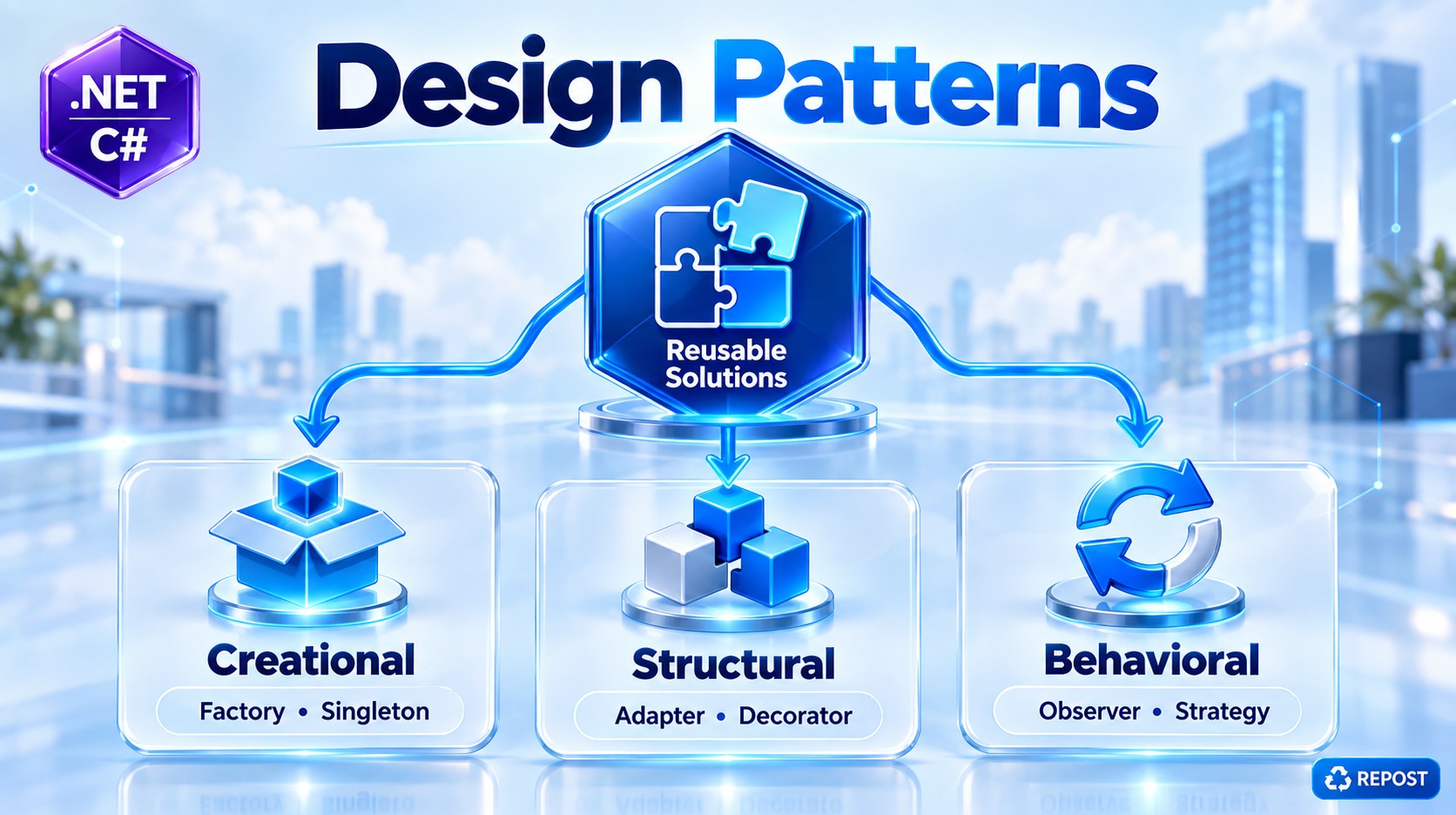


Abstract Factory Pattern in ASP.NET Core Web API with DI
We'll use the same Notification example, but implement it the way you would normally structure it in an ASP.NET Core Web API using Dependency Injection.
The example supports two notification families:
Email
 ├── EmailNotification
 └── EmailLogger

SMS
 ├── SmsNotification
 └── SmsLogger
ASP.NET Core DI will create and inject the required factories and services.
1. What is Abstract Factory Pattern?
Abstract Factory is a Creational Design Pattern used to create a family of related objects without the client directly creating their concrete classes.
Simple definition:
Abstract Factory creates a group of related objects through a common factory interface.
In our Web API:
Email Factory
    ├── Email Notification
    └── Email Logger

SMS Factory
    ├── SMS Notification
    └── SMS Logger
The controller doesn't need to write:
new EmailNotification();
new EmailLogger();
Instead, it works through abstractions and injected factories.
2. Why Do We Need It in Web API?
Without Abstract Factory, a controller might look like this:
[HttpPost]
public IActionResult Send(string type, string message)
{
    if (type == "email")
    {
        var notification = new EmailNotification();
        var logger = new EmailLogger();

        notification.Send(message);
        logger.Log("Email sent");
    }
    else if (type == "sms")
    {
        var notification = new SmsNotification();
        var logger = new SmsLogger();

        notification.Send(message);
        logger.Log("SMS sent");
    }

    return Ok();
}
It works, but the controller knows about all concrete implementations:
Controller
   │
   ├── EmailNotification
   ├── EmailLogger
   ├── SmsNotification
   └── SmsLogger
As the application grows, you might add:
WhatsAppNotification
WhatsAppLogger

PushNotification
PushLogger
The controller becomes responsible for too much object-creation logic.
With Abstract Factory:
Controller
    ↓
Factory Provider / Resolver
    ↓
INotificationFactory
    ↓
Concrete Factory
    ↓
Related Products
The controller deals mainly with abstractions.
3. What Does DI Do Here?
There are two different concepts working together.
Abstract Factory
Decides which family of related objects should be used.
Dependency Injection
Creates registered objects and supplies their dependencies automatically.
For example:
public EmailNotificationFactory(
    EmailNotification notification,
    EmailLogger logger)
{
    _notification = notification;
    _logger = logger;
}
You do not manually pass these objects.
ASP.NET Core DI sees the constructor and resolves them from the service container.
Conceptually:
ASP.NET Core DI Container
        ↓
EmailNotificationFactory
        ↓
needs EmailNotification + EmailLogger
        ↓
DI creates/resolves both
        ↓
injects them into constructor
4. Project Structure
A simple Web API structure:
AbstractFactoryWebApi
│
├── Controllers
│   └── NotificationController.cs
│
├── Interfaces
│   ├── INotification.cs
│   ├── INotificationLogger.cs
│   └── INotificationFactory.cs
│
├── Notifications
│   ├── EmailNotification.cs
│   └── SmsNotification.cs
│
├── Loggers
│   ├── EmailLogger.cs
│   └── SmsLogger.cs
│
├── Factories
│   ├── EmailNotificationFactory.cs
│   ├── SmsNotificationFactory.cs
│   └── NotificationFactoryProvider.cs
│
├── Models
│   └── NotificationRequest.cs
│
└── Program.cs
5. Step 1 — Create Notification Interface
public interface INotification
{
    void Send(string message);
}
This represents our first product type.
Concrete implementations will be:
EmailNotification
SmsNotification
6. Step 2 — Create Logger Interface
I'll name it INotificationLogger rather than ILogger because ASP.NET Core already has the commonly used ILogger<T> abstraction.
public interface INotificationLogger
{
    void Log(string message);
}
This is our second product type.
Concrete implementations:
EmailLogger
SmsLogger
Therefore, our Abstract Factory creates two related products:
INotification
INotificationLogger
7. Step 3 — Email Notification
public class EmailNotification : INotification
{
    public void Send(string message)
    {
        Console.WriteLine($"Email sent: {message}");
    }
}
8. Step 4 — Email Logger
public class EmailLogger : INotificationLogger
{
    public void Log(string message)
    {
        Console.WriteLine($"Email Log: {message}");
    }
}
These belong to the same Email family:
Email Family
    ├── EmailNotification
    └── EmailLogger
9. Step 5 — SMS Notification
public class SmsNotification : INotification
{
    public void Send(string message)
    {
        Console.WriteLine($"SMS sent: {message}");
    }
}
10. Step 6 — SMS Logger
public class SmsLogger : INotificationLogger
{
    public void Log(string message)
    {
        Console.WriteLine($"SMS Log: {message}");
    }
}
These belong to:
SMS Family
    ├── SmsNotification
    └── SmsLogger
11. Step 7 — Create Abstract Factory
Now comes the main part.
public interface INotificationFactory
{
    INotification CreateNotification();

    INotificationLogger CreateLogger();
}
This is our Abstract Factory.
It says:
Every notification factory must provide a notification and a matching logger.
But it doesn't know whether those objects are:
EmailNotification + EmailLoggeror:
SmsNotification + SmsLoggerThe concrete factory decides that.
12. Step 8 — Email Factory with DI
public class EmailNotificationFactory : INotificationFactory
{
    private readonly EmailNotification _notification;
    private readonly EmailLogger _logger;

    public EmailNotificationFactory(
        EmailNotification notification,
        EmailLogger logger)
    {
        _notification = notification;
        _logger = logger;
    }

    public INotification CreateNotification()
    {
        return _notification;
    }

    public INotificationLogger CreateLogger()
    {
        return _logger;
    }
}
Notice something important.
We are not doing this:
return new EmailNotification();Instead, the objects are constructor-injected:
public EmailNotificationFactory(
    EmailNotification notification,
    EmailLogger logger)
ASP.NET Core DI provides them.
So:
DI Container
     ↓
creates EmailNotification
     ↓
creates EmailLogger
     ↓
creates EmailNotificationFactory
     ↓
injects both
13. Step 9 — SMS Factory with DI
public class SmsNotificationFactory : INotificationFactory
{
    private readonly SmsNotification _notification;
    private readonly SmsLogger _logger;

    public SmsNotificationFactory(
        SmsNotification notification,
        SmsLogger logger)
    {
        _notification = notification;
        _logger = logger;
    }

    public INotification CreateNotification()
    {
        return _notification;
    }

    public INotificationLogger CreateLogger()
    {
        return _logger;
    }
}
Again, no manual new.
ASP.NET Core creates and injects:
SmsNotification
SmsLogger
14. We Now Have Two Concrete Factories
Our design currently looks like:
                INotificationFactory
                        ▲
                        │
          ┌─────────────┴─────────────┐
          │                           │
EmailNotificationFactory     SmsNotificationFactory
          │                           │
    ┌─────┴─────┐               ┌─────┴─────┐
    │           │               │           │
    ▼           ▼               ▼           ▼
 Email        Email            SMS         SMS
Notification Logger        Notification   Logger
But now we have another question.
How does the controller choose Email or SMS?
We need a small factory provider/resolver.
15. Step 10 — Notification Factory Provider
public class NotificationFactoryProvider
{
    private readonly EmailNotificationFactory _emailFactory;
    private readonly SmsNotificationFactory _smsFactory;

    public NotificationFactoryProvider(
        EmailNotificationFactory emailFactory,
        SmsNotificationFactory smsFactory)
    {
        _emailFactory = emailFactory;
        _smsFactory = smsFactory;
    }

    public INotificationFactory GetFactory(string type)
    {
        return type.ToLower() switch
        {
            "email" => _emailFactory,
            "sms" => _smsFactory,

            _ => throw new ArgumentException(
                "Invalid notification type")
        };
    }
}
ASP.NET Core DI will also inject:
EmailNotificationFactory
SmsNotificationFactory
into this provider.
The provider only decides:
"email"
    ↓
EmailNotificationFactory

"sms"
    ↓
SmsNotificationFactory
16. Step 11 — Request Model
public class NotificationRequest
{
    public string Type { get; set; } = string.Empty;

    public string Message { get; set; } = string.Empty;
}
Example API request:
{
  "type": "email",
  "message": "Your order has been confirmed."
}
17. Step 12 — Controller
using Microsoft.AspNetCore.Mvc;

[ApiController]
[Route("api/[controller]")]
public class NotificationController : ControllerBase
{
    private readonly NotificationFactoryProvider _factoryProvider;

    public NotificationController(
        NotificationFactoryProvider factoryProvider)
    {
        _factoryProvider = factoryProvider;
    }

    [HttpPost]
    public IActionResult Send(NotificationRequest request)
    {
        var factory =
            _factoryProvider.GetFactory(request.Type);

        var notification =
            factory.CreateNotification();

        var logger =
            factory.CreateLogger();

        notification.Send(request.Message);

        logger.Log(
            $"{request.Type} notification sent successfully.");

        return Ok(new
        {
            Message = "Notification sent successfully"
        });
    }
}
Notice that the controller doesn't create:
new EmailNotification();
new EmailLogger();
new SmsNotification();
new SmsLogger();
It asks the provider for the appropriate factory.
18. Step 13 — Register Everything in DI
Now we need to tell ASP.NET Core about our classes.
In Program.cs:
var builder = WebApplication.CreateBuilder(args);

builder.Services.AddControllers();


// Products
builder.Services.AddScoped<EmailNotification>();
builder.Services.AddScoped<EmailLogger>();

builder.Services.AddScoped<SmsNotification>();
builder.Services.AddScoped<SmsLogger>();


// Concrete Factories
builder.Services.AddScoped<EmailNotificationFactory>();
builder.Services.AddScoped<SmsNotificationFactory>();


// Factory Provider
builder.Services.AddScoped<NotificationFactoryProvider>();


var app = builder.Build();

app.MapControllers();

app.Run();
This step is mandatory for constructor injection of these types.
19. Full Program
INotification.cs
public interface INotification
{
    void Send(string message);
}
INotificationLogger.cs
public interface INotificationLogger
{
    void Log(string message);
}
INotificationFactory.cs
public interface INotificationFactory
{
    INotification CreateNotification();

    INotificationLogger CreateLogger();
}
EmailNotification.cs
public class EmailNotification : INotification
{
    public void Send(string message)
    {
        Console.WriteLine($"Email sent: {message}");
    }
}
EmailLogger.cs
public class EmailLogger : INotificationLogger
{
    public void Log(string message)
    {
        Console.WriteLine($"Email Log: {message}");
    }
}
SmsNotification.cs
public class SmsNotification : INotification
{
    public void Send(string message)
    {
        Console.WriteLine($"SMS sent: {message}");
    }
}
SmsLogger.cs
public class SmsLogger : INotificationLogger
{
    public void Log(string message)
    {
        Console.WriteLine($"SMS Log: {message}");
    }
}
EmailNotificationFactory.cs
public class EmailNotificationFactory : INotificationFactory
{
    private readonly EmailNotification _notification;
    private readonly EmailLogger _logger;

    public EmailNotificationFactory(
        EmailNotification notification,
        EmailLogger logger)
    {
        _notification = notification;
        _logger = logger;
    }

    public INotification CreateNotification()
    {
        return _notification;
    }

    public INotificationLogger CreateLogger()
    {
        return _logger;
    }
}
SmsNotificationFactory.cs
public class SmsNotificationFactory : INotificationFactory
{
    private readonly SmsNotification _notification;
    private readonly SmsLogger _logger;

    public SmsNotificationFactory(
        SmsNotification notification,
        SmsLogger logger)
    {
        _notification = notification;
        _logger = logger;
    }

    public INotification CreateNotification()
    {
        return _notification;
    }

    public INotificationLogger CreateLogger()
    {
        return _logger;
    }
}
NotificationFactoryProvider.cs
public class NotificationFactoryProvider
{
    private readonly EmailNotificationFactory _emailFactory;
    private readonly SmsNotificationFactory _smsFactory;

    public NotificationFactoryProvider(
        EmailNotificationFactory emailFactory,
        SmsNotificationFactory smsFactory)
    {
        _emailFactory = emailFactory;
        _smsFactory = smsFactory;
    }

    public INotificationFactory GetFactory(string type)
    {
        return type.ToLower() switch
        {
            "email" => _emailFactory,
            "sms" => _smsFactory,

            _ => throw new ArgumentException(
                "Invalid notification type")
        };
    }
}
NotificationRequest.cs
public class NotificationRequest
{
    public string Type { get; set; } = string.Empty;

    public string Message { get; set; } = string.Empty;
}
NotificationController.cs
using Microsoft.AspNetCore.Mvc;

[ApiController]
[Route("api/[controller]")]
public class NotificationController : ControllerBase
{
    private readonly NotificationFactoryProvider _factoryProvider;

    public NotificationController(
        NotificationFactoryProvider factoryProvider)
    {
        _factoryProvider = factoryProvider;
    }

    [HttpPost]
    public IActionResult Send(NotificationRequest request)
    {
        var factory =
            _factoryProvider.GetFactory(request.Type);

        var notification =
            factory.CreateNotification();

        var logger =
            factory.CreateLogger();

        notification.Send(request.Message);

        logger.Log(
            $"{request.Type} notification sent successfully.");

        return Ok(new
        {
            Message = "Notification sent successfully"
        });
    }
}
Program.cs
var builder = WebApplication.CreateBuilder(args);

builder.Services.AddControllers();


// Products
builder.Services.AddScoped<EmailNotification>();
builder.Services.AddScoped<EmailLogger>();

builder.Services.AddScoped<SmsNotification>();
builder.Services.AddScoped<SmsLogger>();


// Factories
builder.Services.AddScoped<EmailNotificationFactory>();
builder.Services.AddScoped<SmsNotificationFactory>();


// Factory Provider
builder.Services.AddScoped<NotificationFactoryProvider>();


var app = builder.Build();

app.MapControllers();

app.Run();
20. Test the API
Call:
POST /api/notification
Content-Type: application/json
Request:
{
  "type": "email",
  "message": "Your order has been confirmed."
}
Console:
Email sent: Your order has been confirmed.

Email Log: email notification sent successfully.
API response:
{
  "message": "Notification sent successfully"
}
21. What Exactly Happens When API Is Called?
This is the most important part to understand.
When the HTTP request arrives:
POST /api/notification
        ↓
NotificationController
ASP.NET Core needs to create:
NotificationControllerIt examines its constructor:
public NotificationController(
    NotificationFactoryProvider factoryProvider)
ASP.NET Core asks:
Do I know how to create
NotificationFactoryProvider?
Yes, because we registered:
builder.Services.AddScoped<NotificationFactoryProvider>();But that class itself has dependencies:
public NotificationFactoryProvider(
    EmailNotificationFactory emailFactory,
    SmsNotificationFactory smsFactory)
So DI resolves those.
22. DI Dependency Chain
For EmailNotificationFactory, DI sees:
public EmailNotificationFactory(
    EmailNotification notification,
    EmailLogger logger)
Therefore the complete chain is:
HTTP Request
     ↓
NotificationController
     │
     │ requires
     ↓
NotificationFactoryProvider
     │
     ├───────────────┐
     ↓               ↓
EmailFactory      SmsFactory
     │               │
 ┌───┴───┐       ┌───┴───┐
 ↓       ↓       ↓       ↓
Email   Email    SMS     SMS
Notif.  Logger   Notif.  Logger
ASP.NET Core DI constructs this object graph automatically.
You don't manually pass constructor parameters.
23. What Happens for an Email Request?
Request:
{
  "type": "email",
  "message": "Payment successful"
}
Controller executes:
var factory =
    _factoryProvider.GetFactory(request.Type);
Because:
request.Type = "email"the provider returns:
EmailNotificationFactoryThen:
var notification =
    factory.CreateNotification();
returns:
EmailNotificationAnd:
var logger =
    factory.CreateLogger();
returns:
EmailLoggerFinal execution:
Request
  │
  │ type = email
  ↓
NotificationController
  ↓
NotificationFactoryProvider
  ↓
EmailNotificationFactory
  │
  ├── CreateNotification()
  │          ↓
  │    EmailNotification
  │
  └── CreateLogger()
             ↓
        EmailLogger
24. What Happens for SMS?
Request:
{
  "type": "sms",
  "message": "OTP is 123456"
}
Flow:
Request
  │
  │ type = sms
  ↓
NotificationController
  ↓
NotificationFactoryProvider
  ↓
SmsNotificationFactory
  │
  ├── SmsNotification
  │
  └── SmsLogger
The controller code itself does not change.
That's one of the major benefits.
25. Why Are We Injecting Concrete Classes?
You may notice this:
public EmailNotificationFactory(
    EmailNotification notification,
    EmailLogger logger)
instead of:
public EmailNotificationFactory(
    INotification notification,
    INotificationLogger logger)
There is a reason.
If we registered:
builder.Services.AddScoped<INotification, EmailNotification>();
builder.Services.AddScoped<INotification, SmsNotification>();
then DI has multiple implementations of the same interface.
For this simple example, explicitly injecting:
EmailNotification
EmailLogger
makes the relationship very clear:
EmailFactory
    ↓
Email products
and:
SmsFactory
    ↓
SMS products
There are more advanced approaches using keyed services in modern .NET, but I would first understand the Abstract Factory pattern with this simpler implementation.
26. Why AddScoped?
We registered:
builder.Services.AddScoped<EmailNotification>();
builder.Services.AddScoped<EmailLogger>();

builder.Services.AddScoped<SmsNotification>();
builder.Services.AddScoped<SmsLogger>();
Scoped means:
One object instance is created per HTTP request/service scope.
For example:
HTTP Request 1
    ↓
EmailNotification Instance A

HTTP Request 2
    ↓
EmailNotification Instance B
For many Web API services, Scoped is a common choice, especially when request-scoped dependencies such as EF Core DbContext may be involved.
It is not a rule that every factory must be scoped; the appropriate lifetime depends on its dependencies and state.
27. Abstract Factory + DI Responsibilities
Don't confuse these two concepts.
| Abstract Factory | Dependency Injection |
|---|---|
| Design pattern | Dependency management mechanism |
| Creates/selects related product families | Resolves registered dependencies |
| Defines factory abstraction | Maintains service registrations |
| Controls product-family creation | Creates the object graph |
| Application design | Framework infrastructure |
In our example:
ASP.NET Core DI
      ↓
Creates factories and their dependencies

Abstract Factory
      ↓
Represents the related product family

Factory Provider
      ↓
Selects Email or SMS family
28. Factory Pattern vs Abstract Factory in Web API
This is important because your previous example was a Factory Pattern.
Factory Pattern
Your earlier design was roughly:
public INotification CreateNotification(
    NotificationRequest request)
{
    return request.Type.ToLower() switch
    {
        "email" => new EmailNotification(...),
        "sms" => new SmsNotification(...),
        _ => throw new Exception()
    };
}
It creates one product hierarchy:
INotification
      │
 ┌────┴─────┐
 ↓          ↓
Email      SMS
Abstract Factory
Now we have multiple related products:
                INotificationFactory
                         │
          ┌──────────────┴──────────────┐
          ↓                             ↓
     EmailFactory                   SmsFactory
          │                             │
     ┌────┴────┐                   ┌────┴────┐
     ↓         ↓                   ↓         ↓
   Email     Email                SMS       SMS
   Notif.    Logger              Notif.    Logger
That's the fundamental difference.
Factory
Factory
  ↓
One Product
Abstract Factory
Abstract Factory
       ↓
Family of Related Products
29. Advantages in Web API
1. Loose Coupling
The controller doesn't create concrete notification objects:
new EmailNotification();
new SmsNotification();
Object creation is separated from API logic.
2. Works Well with ASP.NET Core DI
Constructor injection handles dependencies automatically.
public EmailNotificationFactory(
    EmailNotification notification,
    EmailLogger logger)
No manual parameter passing is required.
3. Keeps Related Objects Together
Email:
EmailNotification
EmailLogger
SMS:
SmsNotification
SmsLogger
This prevents product families from being scattered throughout the application.
4. Cleaner Controllers
The controller concentrates on HTTP/application flow rather than object construction.
var factory =
    _factoryProvider.GetFactory(request.Type);
5. Easier Testing
Because responsibilities are separated, factories and controllers can be tested independently.
6. Easier to Add Product Families
For example:
WhatsAppNotification
WhatsAppLogger
WhatsAppNotificationFactory
The existing Email and SMS factories don't need to be rewritten.
30. Disadvantages
Abstract Factory is not something you should add to every Web API.
It introduces more:
Interfaces
Classes
Factories
DI registrations
Abstractions
For example, if your application has only:
EmailNotificationthen creating:
INotificationFactory
EmailNotificationFactory
NotificationFactoryProvider
would probably be unnecessary.
Use Abstract Factory when you genuinely have multiple related product families.
31. Real Production-Type Example
A stronger real-world Web API example would be payment providers.
Suppose your API supports:
Stripe
PayPal
Each provider needs:
Payment Processor
Refund Processor
Payment Validator
Then:
IPaymentFactory
      │
      ├── CreatePaymentProcessor()
      ├── CreateRefundProcessor()
      └── CreateValidator()
Stripe:
StripePaymentFactory
      │
      ├── StripePaymentProcessor
      ├── StripeRefundProcessor
      └── StripeValidator
PayPal:
PayPalPaymentFactory
      │
      ├── PayPalPaymentProcessor
      ├── PayPalRefundProcessor
      └── PayPalValidator
The controller can work with:
IPaymentFactoryinstead of containing Stripe- and PayPal-specific object creation everywhere.
That is a much stronger use case for Abstract Factory.
32. Important Interview Question
Who creates EmailNotificationFactory?
ASP.NET Core DI container.
Because we registered:
builder.Services.AddScoped<EmailNotificationFactory>();Who passes EmailNotification and EmailLogger to its constructor?
ASP.NET Core DI container.
Because they are registered:
builder.Services.AddScoped<EmailNotification>();
builder.Services.AddScoped<EmailLogger>();
So when DI encounters:
public EmailNotificationFactory(
    EmailNotification notification,
    EmailLogger logger)
you don't write:
new EmailNotificationFactory(
    new EmailNotification(),
    new EmailLogger());
ASP.NET Core resolves the dependency graph automatically.
33. Complete Flow
Client
  │
  │ POST /api/notification
  │ { type: "email" }
  ↓
NotificationController
  │
  │ injected by DI
  ↓
NotificationFactoryProvider
  │
  │ GetFactory("email")
  ↓
EmailNotificationFactory
  │
  ├──────────────┐
  ↓              ↓
EmailNotification   EmailLogger
  │              │
  ↓              ↓
Send()           Log()
For SMS:
Client
  ↓
NotificationController
  ↓
NotificationFactoryProvider
  ↓
SmsNotificationFactory
  │
  ├──────────────┐
  ↓              ↓
SmsNotification     SmsLogger
  ↓              ↓
Send()           Log()
Key Points
- Abstract Factory is a Creational Design Pattern.
- It is used to create families of related objects.
- In this example, the families are Email and SMS.
- Each family contains a Notification + Logger.
INotificationandINotificationLoggerare Abstract Products.EmailNotification,SmsNotification, etc. are Concrete Products.INotificationFactoryis the Abstract Factory.EmailNotificationFactoryandSmsNotificationFactoryare Concrete Factories.NotificationFactoryProviderselects the appropriate factory based on the request.- ASP.NET Core DI creates the factories and injects their dependencies automatically.
- You do not manually pass constructor dependencies when ASP.NET Core resolves a registered service.
AddScoped()creates/resolves services within the HTTP request scope.- DI and Abstract Factory are different concepts: DI constructs the object graph; Abstract Factory organizes creation/access to related product families.
- Factory Pattern generally focuses on one product hierarchy.
- Abstract Factory focuses on a family containing multiple related product types.
- Use Abstract Factory when your Web API needs interchangeable families of related services/objects.
- Don't use it for a simple single-service scenario where it only adds unnecessary abstraction.
Interview definition
Abstract Factory is a creational design pattern that provides an interface for creating families of related objects without requiring the client to directly depend on their concrete classes. In ASP.NET Core Web API, Dependency Injection can construct and inject the concrete factories and their dependencies, while the Abstract Factory organizes the related product families.