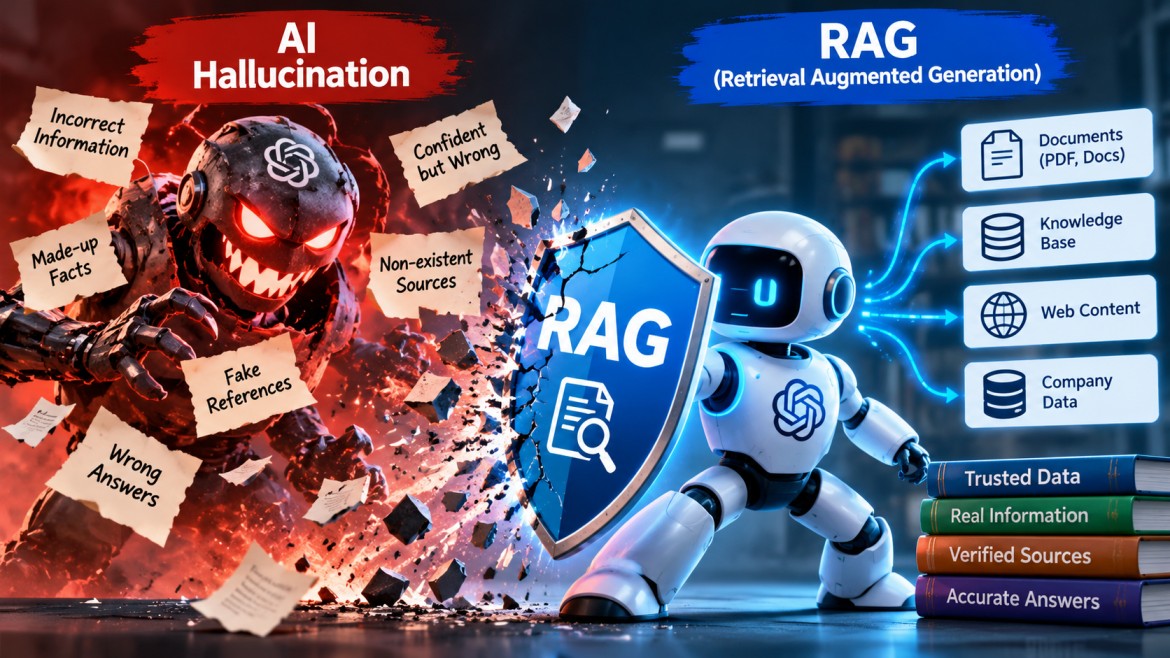


AI Hallucination vs RAG: How Retrieval-Augmented Generation Reduces Incorrect AI Answers
Introduction
Artificial Intelligence (AI) and Large Language Models (LLMs) have transformed how applications process information, answer questions, generate content, and automate business operations.
Modern AI models such as GPT can understand natural language, generate human-like responses, summarize documents, write code, and answer complex questions.
However, there is one significant challenge with Large Language Models: AI Hallucination.
An AI hallucination occurs when an AI model generates information that sounds convincing and accurate but is actually incorrect, misleading, fabricated, or unsupported by reliable evidence.
For example, imagine asking an AI application:
"Who developed the XYZ framework, and when was it released?"
If the model does not have reliable information, it might confidently generate a developer's name and a release date even though neither is correct.
This creates serious challenges when AI is used in enterprise applications, customer support systems, financial applications, healthcare information systems, and other business-critical environments.
This is where RAG (Retrieval-Augmented Generation) becomes important.
RAG is an architecture that combines information retrieval with Large Language Models. Instead of relying entirely on the knowledge learned during model training, a RAG application retrieves relevant information from trusted external sources and provides that information as context to the AI model before generating an answer.
In this article, we will explore AI hallucinations, how RAG works, how RAG reduces hallucinations, its architecture, real-world use cases, implementation approaches, limitations, and best practices.
1. What Is AI Hallucination?
AI Hallucination refers to a situation where an AI model generates incorrect, fabricated, or misleading information while presenting it as though it were factual.
Large Language Models generate responses by predicting the next tokens based on patterns learned during training and the context provided in the conversation.
They do not automatically verify every statement against a reliable database or authoritative source.
As a result, an AI model may generate an answer that is grammatically correct and logically structured but factually incorrect.
Example of AI Hallucination
Consider the following question:
User: Who created the Python programming language?
AI: Python was created by James Gosling in 1995.
This answer is incorrect.
The correct answer is:
Python was created by Guido van Rossum and was first released in 1991.
The AI generated a confident answer, but it provided incorrect information.
Common Types of AI Hallucinations
1. Factual Hallucination
The model generates incorrect facts, dates, names, statistics, or technical information.
Example:
-
Incorrect company founding dates.
-
Wrong programming language release versions.
-
Incorrect historical information.
2. Fabricated References
The model creates references, URLs, research papers, or documentation links that do not exist.
Example:
A user asks for official documentation about a particular API, and the AI generates a documentation URL that does not actually exist.
3. Contextual Hallucination
The model misunderstands the question or provided context and generates an answer that is unrelated or inconsistent with the available information.
4. Technical Hallucination
The model generates incorrect code, nonexistent methods, invalid configuration settings, or unsupported API parameters.
Example:
An AI assistant suggests a C# method that does not exist in the specified .NET version.
5. Mathematical Hallucination
The model provides incorrect calculations, numerical results, or statistical interpretations.
Why Does AI Hallucination Happen?
There are several reasons behind AI hallucinations.
| Reason | Explanation |
|---|---|
| Training data limitations | The model may not have encountered the required information during training. |
| Outdated knowledge | The model may generate answers based on older information. |
| Missing context | The question does not provide sufficient information. |
| Ambiguous questions | The model may interpret a question incorrectly. |
| Probabilistic generation | The model predicts likely text rather than independently verifying every fact. |
| Knowledge limitations | The model may not know specific company or private organizational information. |
| Overconfident generation | The model may generate an answer even when reliable information is unavailable. |
Important: AI hallucination does not necessarily mean that the AI model is malfunctioning. It is a known limitation of how generative AI systems work.
2. What Is RAG (Retrieval-Augmented Generation)?
RAG stands for Retrieval-Augmented Generation.
It is an AI architecture that combines two important capabilities:
-
Information Retrieval – Finding relevant information from external knowledge sources.
-
Generative AI – Using an LLM to understand the retrieved information and generate a natural-language response.
Traditional LLM applications often depend primarily on the model's pretrained knowledge and the conversation context.
RAG applications retrieve relevant information from external sources before generating an answer.
These external sources may include:
-
PDF documents.
-
Word documents.
-
Company knowledge bases.
-
SQL databases.
-
Internal documentation.
-
Website content.
-
Product manuals.
-
Technical documentation.
-
SharePoint documents.
-
Enterprise data repositories.
Simple Example
Imagine an organization has an internal employee handbook containing information about leave policies.
An employee asks:
"What is the maximum number of annual leave days I can take?"
A normal LLM may not know the organization's internal leave policy.
It might generate a generic answer based on common employment practices.
A RAG-based application works differently.
-
The user submits the question.
-
The application searches the employee handbook.
-
It retrieves the relevant leave policy.
-
The retrieved information is passed to the LLM.
-
The LLM generates an answer based on the retrieved policy.
As a result, the answer is grounded in the organization's actual documentation rather than generic information.
3. AI Hallucination vs RAG – Understanding the Difference
AI Hallucination and RAG are not two competing AI technologies.
AI Hallucination is a problem that can occur in generative AI systems, whereas RAG is an architecture that helps reduce this problem by providing relevant external information to the model.
Comparison
| Feature | Traditional LLM | RAG-Based LLM |
|---|---|---|
| Knowledge source | Primarily pretrained knowledge and conversation context | Pretrained knowledge plus retrieved external information |
| External data | Not automatically retrieved | Retrieved before generation |
| Private company data | Not automatically available | Can access authorized company knowledge sources |
| Updated information | Depends on model knowledge and other integrations | Can retrieve updated information from indexed sources |
| Answer generation | Based on available model context | Based on model context and retrieved evidence |
| Source references | Not necessarily available | Can provide references to retrieved documents |
| Hallucination risk | Can be significant | Can be reduced through reliable retrieval and grounding |
| Data customization | Often requires additional integration or fine-tuning | Supports external knowledge integration without retraining the model |
Key Difference
Traditional LLM:
Question → LLM → Answer
RAG-Based LLM:
Question → Retrieve Relevant Information → LLM → Grounded Answer
RAG provides the model with additional factual context before generating its response.
However, RAG does not guarantee that every generated answer will be correct. The quality of retrieval, source documents, prompt instructions, and model behavior still matters.
4. How RAG Reduces AI Hallucinations
The main objective of RAG is to provide the LLM with relevant information before it generates an answer.
Let's understand this with a practical example.
Scenario: Technical Support Assistant
Assume a company maintains technical documentation containing the following information:
"Employees can reset their passwords through the company self-service portal. Passwords must contain at least 12 characters."
An employee asks:
"What is the minimum password length?"
Without RAG:
The LLM may generate:
"Your password must contain at least 8 characters."
This answer could be based on generic password recommendations rather than the company's actual policy.
With RAG:
The application searches the company's documentation and retrieves:
"Passwords must contain at least 12 characters."
The retrieved content is supplied to the LLM as context.
The LLM generates:
"According to the company password policy, your password must contain at least 12 characters."
The answer is now grounded in the company's documentation.
How RAG Helps
-
Reduces dependence on pretrained knowledge alone.
-
Provides relevant information from trusted sources.
-
Helps answer questions about private organizational data.
-
Supports frequently updated knowledge bases.
-
Allows the application to provide document references.
-
Helps the model respond appropriately when relevant information is unavailable, provided the application is designed to handle that situation.
5. RAG Architecture – End-to-End Workflow
A typical RAG application consists of two major phases:
-
Data Ingestion and Indexing.
-
Query Processing and Answer Generation.
Phase 1: Data Ingestion and Indexing
Before users can ask questions, the application must prepare its knowledge sources.
Step 1: Data Collection
Collect information from different sources:
-
PDF files.
-
Word documents.
-
Websites.
-
SQL databases.
-
SharePoint.
-
Internal company documentation.
Step 2: Document Extraction
Extract readable text from the collected documents.
For example, a PDF document containing 100 pages can be converted into text for further processing.
Step 3: Text Chunking
Large documents are divided into smaller sections called chunks.
For example:
A 100-page document might be divided into hundreds of smaller text chunks.
Chunking helps retrieve relevant sections instead of passing an entire document to the LLM.
Step 4: Generate Embeddings
Each text chunk is converted into a numerical representation called an embedding.
An embedding represents the semantic meaning of text in a vector format.
Example:
"How can I reset my password?"
And:
"What is the procedure for changing my account password?"
These sentences use different words but have similar meanings.
Embedding models can represent their semantic similarity in vector space.
Step 5: Store Embeddings
The generated vectors and their associated text and metadata are stored in a vector database or another vector-search-capable storage system.
Examples:
-
Azure AI Search.
-
PostgreSQL with pgvector.
-
Pinecone.
-
Qdrant.
-
Weaviate.
-
Chroma.
The ingestion phase is complete once documents have been processed and indexed.
Phase 2: Query Processing and Answer Generation
When a user submits a question, the RAG application performs the following steps.
Step 1: User Query
The user submits a question:
"What is the company's password policy?"
Step 2: Query Embedding
The application converts the question into a vector using an embedding model.
Step 3: Similarity Search
The application searches the vector index to identify document chunks that are semantically related to the user's question.
Step 4: Retrieve Relevant Documents
The application retrieves the most relevant text chunks.
For example:
"Passwords must contain at least 12 characters."
Step 5: Build the Prompt
The application combines:
-
Original user question.
-
Retrieved document content.
-
System instructions.
-
Additional conversation context, when required.
This information is passed to the LLM.
Step 6: LLM Response Generation
The LLM analyzes the retrieved context and generates a natural-language response.
Step 7: Return the Answer
The application returns the answer to the user.
It can also provide references to the source documents used to generate the response.
Complete RAG Architecture
             DATA INGESTION
                    |
       +------------+-------------+
       |            |             |
     PDF Files   Documents     SQL / Web
       |            |             |
       +------------+-------------+
                    |
             Text Extraction
                    |
               Chunking
                    |
           Embedding Model
                    |
             Vector Storage
                    |
          +---------+----------+
          |                    |
          |    RAG INDEX       |
          |                    |
          +---------+----------+
                    |
                    |
             USER QUESTION
                    |
             Query Embedding
                    |
             Vector Search
                    |
          Retrieve Relevant Chunks
                    |
             Build Prompt
                    |
               LLM Model
                    |
             Generate Answer
                    |
            Answer + Sources
                    |
                  USER
This architecture separates document preparation from real-time question answering.
6. Important Components of a RAG Application
Understanding the individual components is important when designing a production-ready RAG system.
6.1 Large Language Model (LLM)
The LLM is responsible for understanding the question and generating the final response.
Examples:
-
GPT models.
-
Claude models.
-
Gemini models.
-
Llama models.
The LLM receives the retrieved information as context and generates a response.
6.2 Embedding Model
An embedding model converts text into numerical vectors that capture semantic information.
For example:
Input:
"Azure App Service"
Output:
A numerical vector containing values representing the semantic characteristics of the input text.
These vectors allow the application to search for content based on meaning rather than only exact keyword matching.
6.3 Vector Database
A vector database stores embeddings and supports similarity searches.
When a user asks a question, the application compares the query embedding with stored document embeddings to find relevant content.
Common similarity approaches include:
-
Cosine similarity.
-
Dot product.
-
Euclidean distance.
6.4 Retriever
The retriever identifies and returns relevant document chunks from the indexed knowledge base.
Retrieval quality has a direct impact on the final answer.
6.5 Prompt Template
A prompt template provides instructions to the LLM about how to use the retrieved information.
Example:
"You are an enterprise technical support assistant. Answer the user's question using only the provided context. If the answer is not available in the context, clearly state that the information could not be found. Do not invent facts."
6.6 RAG Orchestration Framework
An orchestration framework helps coordinate document processing, retrieval, prompt construction, and LLM interactions.
Examples:
-
LangChain.
-
Microsoft Semantic Kernel.
-
LlamaIndex.
These frameworks simplify the development of RAG-based applications.
7. Types of RAG
RAG implementations can be designed in different ways depending on the application's complexity.
7.1 Basic RAG (Naive RAG)
Basic RAG follows a straightforward workflow:
Question → Embedding → Retrieval → Prompt → LLM → Answer
It is suitable for simple document-based question-answering applications.
Example:
A chatbot that answers questions using PDF documents.
7.2 Advanced RAG
Advanced RAG introduces additional techniques to improve retrieval accuracy and answer quality.
Common techniques include:
-
Query rewriting.
-
Hybrid search.
-
Metadata filtering.
-
Reranking.
-
Contextual compression.
-
Query expansion.
-
Improved chunking strategies.
Example:
An enterprise chatbot that searches thousands of technical documents and retrieves the most relevant information.
7.3 Modular RAG
Modular RAG uses multiple independent components that can be combined and optimized for specific requirements.
It may include:
-
Multiple retrievers.
-
Query routing.
-
Reranking.
-
Multiple knowledge sources.
-
Iterative retrieval.
-
Specialized generation workflows.
This approach is useful for complex enterprise AI applications.
8. RAG vs Fine-Tuning
RAG and Fine-Tuning are two different approaches for improving AI applications.
They solve different problems and can also be used together.
| Feature | RAG | Fine-Tuning |
|---|---|---|
| Main purpose | Provide external knowledge to the LLM | Adapt model behavior and response patterns |
| Knowledge updates | Update the external index | May require another fine-tuning process |
| Training required | No model fine-tuning required | Requires a training process |
| Private documents | Can retrieve relevant document content | Knowledge is not reliably maintained as an updatable document repository |
| Cost | Retrieval and infrastructure costs | Training and model-related costs |
| Best use case | Knowledge-based question answering | Specialized behavior, style, and task adaptation |
When Should You Use RAG?
Use RAG when:
-
The application needs access to private documents.
-
Information changes frequently.
-
Users need answers based on company policies.
-
Source references are important.
-
The application must retrieve information from multiple data sources.
When Should You Use Fine-Tuning?
Use Fine-Tuning when:
-
The model needs to follow a specialized response style.
-
The model needs to learn a specific task format.
-
Domain-specific behavior needs improvement.
-
Consistent output structures are required.
Important: Fine-tuning is not a replacement for RAG when the primary requirement is retrieving frequently updated factual information.
9. Real-World Applications of RAG
RAG is particularly useful when AI applications need to work with external, private, or frequently changing information.
9.1 Enterprise Knowledge Assistant
Employees can ask questions about:
-
Company policies.
-
HR documentation.
-
Internal technical documentation.
-
Employee benefits.
-
Project information.
The application retrieves relevant information from the organization's knowledge base.
9.2 Customer Support Chatbot
A customer support application can retrieve information from:
-
Product manuals.
-
Frequently asked questions.
-
Troubleshooting documentation.
-
Product specifications.
-
Support knowledge bases.
This helps generate responses based on actual product documentation.
9.3 Technical Documentation Assistant
Developers can ask questions about:
-
API documentation.
-
Frameworks.
-
Application architecture.
-
Internal coding standards.
-
Deployment procedures.
The RAG application retrieves relevant technical documentation and generates an explanation.
9.4 Banking and Financial Applications
RAG can help users search through:
-
Banking policies.
-
Financial product documentation.
-
Loan documentation.
-
Internal compliance procedures.
Such systems require additional validation, authorization, and regulatory controls.
9.5 Healthcare Information Systems
RAG can retrieve relevant information from approved medical documentation, clinical guidelines, and institutional knowledge bases.
Healthcare applications require strict source validation, privacy protection, and qualified professional oversight.
10. Implementing RAG Using Microsoft Azure
Microsoft Azure provides several services that can be combined to build enterprise-grade RAG applications.
A typical Azure-based RAG architecture may use the following services.
| Azure Service | Purpose |
|---|---|
| Azure OpenAI | Generates responses using an LLM and can provide embedding models |
| Azure AI Search | Stores searchable content and supports vector and hybrid search |
| Azure Blob Storage | Stores PDF files, Word documents, and other source documents |
| Azure Functions | Performs background document processing |
| Azure App Service | Hosts the frontend or backend application |
| Azure Key Vault | Securely stores secrets and credentials |
| Azure Monitor | Monitors application performance and errors |
Azure RAG Architecture
                USER
                  |
            Web Application
                  |
          ASP.NET Core Web API
                  |
            RAG Orchestration
                  |
          +-------+--------+
          |                |
       Azure AI        Azure OpenAI
       Search           (LLM)
          |
     Vector / Hybrid
        Search
          |
     Retrieved Chunks
          |
          +-------> Prompt Construction
                            |
                       Azure OpenAI
                            |
                      Generated Answer
                            |
                      Response + Sources
                            |
                           USER


       DOCUMENT INGESTION PIPELINE

       PDF / Word / Documents
                  |
           Azure Blob Storage
                  |
          Azure Functions
                  |
        Text Extraction / Chunking
                  |
          Azure OpenAI Embeddings
                  |
           Azure AI Search Index
Step-by-Step Azure Implementation
Step 1: Upload Documents
Upload PDF and Word documents into Azure Blob Storage.
Step 2: Extract Document Content
Use Azure Functions or an appropriate document-processing service to extract text from the uploaded documents.
Step 3: Split Documents into Chunks
Divide the extracted content into smaller sections.
For example:
A document containing 10,000 words might be divided into smaller chunks containing approximately 500 words each.
The actual chunk size should be selected based on document structure, embedding limits, and retrieval quality.
Step 4: Generate Embeddings
Use an Azure OpenAI embedding deployment to convert the text chunks into vectors.
Step 5: Store Data in Azure AI Search
Create an index containing:
-
Document ID.
-
Chunk ID.
-
Document content.
-
Embedding vector.
-
Document name.
-
Metadata.
Step 6: Process User Questions
The ASP.NET Core Web API receives the user's question and generates its embedding.
Step 7: Retrieve Relevant Information
Azure AI Search performs vector search or hybrid search to retrieve relevant document chunks.
Step 8: Generate an Answer
The retrieved content is passed to the Azure OpenAI chat model along with the user's question and grounding instructions.
Step 9: Return the Response
The application returns the generated answer along with references to the source documents.
11. Implementing RAG Using .NET
Developers working with C# and ASP.NET Core can build RAG applications using Microsoft Semantic Kernel or direct SDK integrations.
A simplified .NET application workflow looks like this:
ASP.NET Core Web API
        |
        v
RAG Service
        |
        +-------------------+
        |                   |
        v                   v
Embedding Service     Azure AI Search
        |                   |
        v                   v
Query Embedding       Relevant Chunks
        |                   |
        +---------+---------+
                  |
                  v
            Prompt Builder
                  |
                  v
             Azure OpenAI
                  |
                  v
          Generated Response
                  |
                  v
             API Response
Example: RAG Service in C#
The following example illustrates the core RAG workflow. The actual Azure SDK integrations are represented by service abstractions.
public class RagService
{
    private readonly IEmbeddingService _embeddingService;
    private readonly IVectorSearchService _searchService;
    private readonly IChatService _chatService;

    public RagService(
        IEmbeddingService embeddingService,
        IVectorSearchService searchService,
        IChatService chatService)
    {
        _embeddingService = embeddingService;
        _searchService = searchService;
        _chatService = chatService;
    }

    public async Task<string> AskAsync(
        string question)
    {
        // 1. Generate query embedding
        var embedding =
            await _embeddingService.GenerateAsync(question);

        // 2. Retrieve relevant document chunks
        var documents =
            await _searchService.SearchAsync(embedding);

        if (documents.Count == 0)
        {
            return "No relevant information was found.";
        }

        // 3. Prepare retrieved context
        var context = string.Join(
            "\n\n",
            documents.Select(x => x.Content));

        // 4. Build grounded prompt
        var prompt = $"""
            Answer the question using only
            the provided context.

            If the answer is unavailable,
            say that you could not find
            sufficient information.

            Context:
            {context}

            Question:
            {question}
            """;

        // 5. Generate response
        return await _chatService.GenerateAsync(prompt);
    }
}
This example demonstrates the main orchestration logic.
In a production implementation, each service would contain the required Azure SDK integration, dependency injection configuration, error handling, cancellation support, telemetry, and security controls.
12. Can RAG Completely Eliminate AI Hallucinations?
No. RAG reduces the risk of AI hallucinations, but it does not completely eliminate them.
This is one of the most important concepts to understand when designing RAG applications.
Even when an application retrieves external information, incorrect answers can still occur.
Reasons Why RAG Applications Can Still Hallucinate
1. Incorrect Source Documents
If the knowledge base contains outdated or incorrect information, the LLM may generate an incorrect answer based on that content.
2. Poor Retrieval Results
The vector search engine may retrieve irrelevant document chunks.
If the retrieved content does not answer the question, the LLM may generate an unsupported response.
3. Poor Chunking Strategy
If documents are divided incorrectly, important information may be separated from its surrounding context.
This can reduce retrieval accuracy.
4. Incomplete Context
The retrieved document may contain only part of the required information.
The model may make assumptions to complete the answer.
5. Incorrect Prompt Instructions
If the prompt does not clearly instruct the model to use the retrieved context, it may rely on its pretrained knowledge.
6. Model Limitations
Even with relevant information, an LLM can misunderstand the context or incorrectly interpret the retrieved content.
How to Reduce Hallucinations Further
Implement the following practices:
-
Use trusted and regularly updated data sources.
-
Improve document chunking strategies.
-
Use hybrid search where appropriate.
-
Apply reranking to improve retrieval relevance.
-
Set minimum retrieval relevance thresholds.
-
Clearly instruct the model not to invent missing information.
-
Include document references in responses.
-
Validate important answers against source documents.
-
Monitor retrieval quality and answer accuracy.
-
Test the system using real-world questions.
For high-risk applications, additional human review and deterministic validation may be necessary.
13. Advanced Techniques to Improve RAG Accuracy
Basic vector search is not always sufficient for enterprise-level applications.
Several advanced techniques can improve retrieval and answer quality.
13.1 Hybrid Search
Hybrid search combines keyword search and vector search.
Keyword search identifies exact terms, while vector search identifies semantic similarities.
Example:
A user searches for:
"ASP.NET Core authentication configuration"
Keyword search can find documents containing the exact technical terms.
Vector search can also find documents discussing similar concepts such as JWT authentication and authorization configuration.
Combining these approaches can improve search results.
13.2 Reranking
Reranking evaluates the retrieved document chunks again to identify which ones are most relevant to the user's question.
The application first retrieves a larger set of results and then reorders or filters them based on relevance.
13.3 Metadata Filtering
Metadata filtering restricts searches based on document attributes.
For example:
-
Department = HR.
-
Document Type = Policy.
-
Year = 2026.
-
Category = Technical.
This helps retrieve more relevant information.
13.4 Query Rewriting
Sometimes users submit ambiguous or incomplete questions.
Query rewriting transforms the original question into a more search-friendly query.
Example:
Original question:
"What about the second option?"
Rewritten query:
"What are the details and requirements of the second deployment option discussed in the previous conversation?"
This can improve retrieval when sufficient conversation context is available.
13.5 Contextual Compression
Instead of sending large retrieved documents to the LLM, contextual compression extracts only the information relevant to the question.
This reduces unnecessary context and can improve the quality and efficiency of answer generation.
14. RAG Security Considerations
Building a RAG application involves more than retrieving documents and generating answers.
Security is especially important when dealing with private company information.
Important security considerations include:
Access Control
Users should retrieve only documents they are authorized to access.
Data Isolation
Different departments, customers, or tenants may require separate data access boundaries.
Prompt Injection
Retrieved documents may contain malicious instructions. Treat retrieved content as untrusted data, not as instructions that override the application's system prompt.
Sensitive Information Protection
Avoid exposing passwords, personal information, confidential records, or other sensitive content in generated responses.
Secure API Access
Protect backend APIs using appropriate authentication and authorization mechanisms.
Logging and Monitoring
Monitor retrieval activity, model requests, failures, and unexpected responses while avoiding unnecessary storage of sensitive information.
Document Validation
Validate uploaded files and restrict document types and sizes according to application requirements.
15. RAG Evaluation – How Do We Measure Accuracy?
A RAG application should be evaluated at both the retrieval stage and the generation stage.
A response may be poorly grounded because the retriever found the wrong documents, or because the LLM failed to use the correct retrieved context.
These two stages should be evaluated independently.
| Metric | Purpose |
|---|---|
| Context Precision | Measures how much of the retrieved context is relevant. |
| Context Recall | Measures whether the retrieved context contains the information required to answer the question. |
| Faithfulness | Measures whether the generated answer is supported by the retrieved context. |
| Answer Relevancy | Measures whether the answer addresses the user's question. |
| Retrieval Precision | Measures the proportion of retrieved results that are relevant. |
| Retrieval Recall | Measures how many relevant results were successfully retrieved. |
Popular evaluation approaches and frameworks include:
-
RAGAS.
-
DeepEval.
-
Custom evaluation datasets.
-
Human evaluation.
Example Evaluation Scenario
Suppose the expected answer is:
"Azure App Service supports automatic scaling through configured scaling rules."
The RAG system retrieves a document containing the same information and generates an answer based on it.
The evaluation process checks:
-
Was the correct document retrieved?
-
Does the generated answer match the retrieved context?
-
Does the answer address the question?
-
Are the source references valid?
Regular evaluation helps identify retrieval and generation problems before they affect production users.
16. RAG vs Traditional AI vs Search Engine
These technologies have different responsibilities.
| Feature | Traditional Search Engine | Traditional LLM | RAG Application |
|---|---|---|---|
| Search documents | Yes | Not inherently | Yes |
| Understand natural language | To varying degrees | Yes | Yes |
| Generate natural-language answers | Limited or integrated | Yes | Yes |
| Retrieve private documents | With access to indexed sources | Not automatically | Yes |
| Semantic search | Often supported | Not inherently | Commonly supported |
| Provide source references | Yes | Not necessarily | Can provide retrieved source references |
| Ground answers in external documents | Search results are presented | Not automatically | Yes, by design |
A traditional search engine primarily returns relevant documents or links.
An LLM generates natural-language responses.
A RAG application combines retrieval and generation to provide answers based on external information.
17. When Should You Use RAG?
RAG is a good architectural choice when an AI application needs to answer questions using external knowledge.
Consider RAG when:
-
Your application contains a large collection of PDF or Word documents.
-
You need an AI chatbot for internal company information.
-
Information changes frequently.
-
Users need answers based on private documentation.
-
Source references are required.
-
You need to search across multiple knowledge repositories.
-
You want to avoid retraining an LLM whenever business documents change.
However, RAG may not be necessary for every AI application.
For example, a simple AI application that generates generic text or performs basic language translation may not require a retrieval pipeline.
18. Future of RAG in Enterprise AI Applications
RAG is becoming an important architecture for enterprise AI applications because organizations need to combine the capabilities of generative AI with their own business data.
Modern RAG systems are evolving beyond simple document retrieval.
Some important developments include:
-
Multimodal RAG, which works with text, images, tables, and other data types.
-
Agentic RAG, where AI agents can plan and perform multiple retrieval operations.
-
Graph RAG, which uses relationships between entities to improve information retrieval.
-
Hybrid retrieval, which combines vector and keyword search.
-
Context-aware retrieval, which considers conversation history and user intent.
-
Improved evaluation and grounding techniques.
These developments help build more capable AI applications for enterprise knowledge management, technical support, customer service, and business automation.
Conclusion
AI hallucination is one of the major challenges associated with Large Language Models. An AI model can generate convincing responses that are incorrect or unsupported by reliable information.
Retrieval-Augmented Generation (RAG) addresses this challenge by retrieving relevant information from external knowledge sources and providing it to the LLM before generating a response.
Instead of depending entirely on pretrained knowledge, a RAG application can generate answers grounded in company documents, technical documentation, databases, and other trusted sources.
However, RAG is not a perfect solution. Its effectiveness depends on source quality, document processing, retrieval accuracy, prompt design, model behavior, and proper evaluation.
For organizations building enterprise AI applications, combining LLMs with RAG, access control, monitoring, and evaluation provides a practical foundation for developing more reliable and context-aware AI solutions.
The key takeaway: LLMs provide the intelligence to understand and generate answers, while RAG provides relevant external knowledge to help those answers stay grounded in facts.