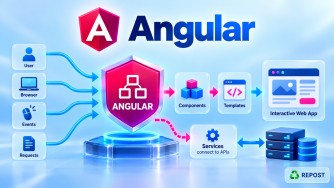


How Does Angular Communicate with ASP.NET Core Web API?
1. What is Angular–ASP.NET Core Web API Communication?
Angular is typically the frontend/client application, while ASP.NET Core Web API is the backend/server application.
Angular communicates with ASP.NET Core Web API by sending HTTP requests using Angular's HttpClient.
The API processes the request, optionally communicates with a database, and sends an HTTP response, usually containing JSON.
Angular
   |
   | HTTP Request
   | GET / POST / PUT / DELETE
   ↓
ASP.NET Core Web API
   |
   | Business Logic
   ↓
Database
   |
   ↓
ASP.NET Core Web API
   |
   | HTTP Response + JSON
   ↓
Angular
For example:
Angular
   |
   | GET https://localhost:7001/api/products
   ↓
ASP.NET Core Web API
   |
   | Returns JSON
   ↓
[
  { "id": 1, "name": "Laptop", "price": 75000 },
  { "id": 2, "name": "Mouse", "price": 1200 }
]
   |
   ↓
Angular displays products
2. Full Simple Sample Program
We'll create:
Angular Application
        ↓
ProductService
        ↓
HttpClient
        ↓
HTTP GET
        ↓
ASP.NET Core Web API
        ↓
ProductsController
        ↓
JSON Response
        ↓
Angular Component
        ↓
HTML
ASP.NET Core Web API
Program.cs
var builder = WebApplication.CreateBuilder(args);

builder.Services.AddControllers();

builder.Services.AddCors(options =>
{
    options.AddPolicy("AngularApp",
        policy =>
        {
            policy
                .WithOrigins("http://localhost:4200")
                .AllowAnyHeader()
                .AllowAnyMethod();
        });
});

var app = builder.Build();

app.UseHttpsRedirection();

app.UseCors("AngularApp");

app.MapControllers();

app.Run();
Models/Product.cs
namespace ProductApi.Models;

public class Product
{
    public int Id { get; set; }

    public string Name { get; set; } = string.Empty;

    public decimal Price { get; set; }
}
Controllers/ProductsController.cs
using Microsoft.AspNetCore.Mvc;
using ProductApi.Models;

namespace ProductApi.Controllers;

[ApiController]
[Route("api/[controller]")]
public class ProductsController : ControllerBase
{
    [HttpGet]
    public ActionResult<IEnumerable<Product>> GetProducts()
    {
        var products = new List<Product>
        {
            new Product
            {
                Id = 1,
                Name = "Laptop",
                Price = 75000
            },
            new Product
            {
                Id = 2,
                Name = "Mouse",
                Price = 1200
            },
            new Product
            {
                Id = 3,
                Name = "Keyboard",
                Price = 2500
            }
        };

        return Ok(products);
    }
}
The API endpoint is:
GET https://localhost:7001/api/productsIt returns:
[
  {
    "id": 1,
    "name": "Laptop",
    "price": 75000
  },
  {
    "id": 2,
    "name": "Mouse",
    "price": 1200
  },
  {
    "id": 3,
    "name": "Keyboard",
    "price": 2500
  }
]
3. Angular Application
For a modern standalone Angular application, configure HttpClient using provideHttpClient().
app.config.ts
import { ApplicationConfig } from '@angular/core';
import { provideHttpClient } from '@angular/common/http';

export const appConfig: ApplicationConfig = {
  providers: [
    provideHttpClient()
  ]
};
product.ts
Create an interface matching the JSON returned by the API.
export interface Product {
  id: number;
  name: string;
  price: number;
}
product.service.ts
import { inject, Injectable } from '@angular/core';
import { HttpClient } from '@angular/common/http';
import { Observable } from 'rxjs';
import { Product } from './product';

@Injectable({
  providedIn: 'root'
})
export class ProductService {

  private http = inject(HttpClient);

  private apiUrl = 'https://localhost:7001/api/products';

  getProducts(): Observable<Product[]> {

    return this.http.get<Product[]>(this.apiUrl);

  }
}
products.ts
import { Component, inject, OnInit } from '@angular/core';
import { ProductService } from './product.service';
import { Product } from './product';

@Component({
  selector: 'app-products',
  standalone: true,
  templateUrl: './products.html'
})
export class Products implements OnInit {

  private productService = inject(ProductService);

  products: Product[] = [];

  ngOnInit(): void {

    this.productService.getProducts()
      .subscribe({
        next: (data) => {
          this.products = data;
        },
        error: (error) => {
          console.error('Error loading products', error);
        }
      });

  }
}
products.html
<h2>Products</h2>

@for (product of products; track product.id) {

  <div>
    <h3>{{ product.name }}</h3>

    <p>
      Price: ₹{{ product.price }}
    </p>
  </div>

}
4. How Does the Program Work?
The important communication occurs here:
return this.http.get<Product[]>(this.apiUrl);HttpClient sends an HTTP GET request:
GET https://localhost:7001/api/productsASP.NET Core receives the request.
Because the URL is:
/api/productsASP.NET Core routing finds:
[Route("api/[controller]")]
public class ProductsController : ControllerBase
and then finds the GET action:
[HttpGet]
public ActionResult<IEnumerable<Product>> GetProducts()
The controller returns:
return Ok(products);ASP.NET Core serializes the C# objects into JSON.
List<Product>
      ↓
JSON serialization
      ↓
JSON
Angular receives that JSON through HttpClient.
this.productService.getProducts()
    .subscribe({
        next: (data) => {
            this.products = data;
        }
    });
The result is assigned to:
products: Product[] = [];Angular then renders it:
@for (product of products; track product.id) {
    <h3>{{ product.name }}</h3>
}
5. Complete Communication Flow
The complete request/response flow is:
User opens Products page
          ↓
Angular Products component
          ↓
ngOnInit()
          ↓
ProductService.getProducts()
          ↓
HttpClient.get()
          ↓
HTTP GET
          ↓
https://localhost:7001/api/products
          ↓
ASP.NET Core Middleware Pipeline
          ↓
Routing
          ↓
ProductsController
          ↓
GetProducts()
          ↓
return Ok(products)
          ↓
ASP.NET Core JSON Serialization
          ↓
HTTP 200 OK
          ↓
JSON Response
          ↓
Angular HttpClient
          ↓
Observable<Product[]>
          ↓
subscribe()
          ↓
products = data
          ↓
Angular template
          ↓
Products displayed
6. What is the Role of HttpClient?
HttpClient is Angular's standard service for communicating with HTTP servers such as ASP.NET Core Web APIs.
Import:
import { HttpClient } from '@angular/common/http';Register it in modern standalone Angular:
provideHttpClient()Then use it:
private http = inject(HttpClient);Common operations are:
this.http.get(...)
this.http.post(...)
this.http.put(...)
this.http.delete(...)
this.http.patch(...)
They correspond naturally to common REST API operations.
| Operation | Angular | ASP.NET Core |
|---|---|---|
| Read | http.get() |
[HttpGet] |
| Create | http.post() |
[HttpPost] |
| Update | http.put() |
[HttpPut] |
| Partial update | http.patch() |
[HttpPatch] |
| Delete | http.delete() |
[HttpDelete] |
7. POST Example
Suppose Angular wants to create a product.
ASP.NET Core
[HttpPost]
public ActionResult<Product> CreateProduct(Product product)
{
    product.Id = 100;

    return Ok(product);
}
Angular Service
addProduct(product: Product): Observable<Product> {

  return this.http.post<Product>(
    this.apiUrl,
    product
  );

}
Angular might send:
{
  "id": 0,
  "name": "Monitor",
  "price": 15000
}
The flow becomes:
Angular Product object
        ↓
HttpClient.post()
        ↓
HTTP POST
        ↓
JSON Request Body
        ↓
ASP.NET Core
        ↓
Model Binding
        ↓
Product C# object
        ↓
Controller
8. Why Do We Need CORS?
This is particularly important when Angular and ASP.NET Core run separately.
For example:
Angular:
http://localhost:4200

ASP.NET Core:
https://localhost:7001
These are different origins.
Therefore, the browser applies the Same-Origin Policy.
The API must explicitly permit the Angular origin when cross-origin requests are required.
ASP.NET Core configuration:
builder.Services.AddCors(options =>
{
    options.AddPolicy("AngularApp",
        policy =>
        {
            policy
                .WithOrigins("http://localhost:4200")
                .AllowAnyHeader()
                .AllowAnyMethod();
        });
});
Enable it:
app.UseCors("AngularApp");Conceptually:
Angular :4200
    |
    | HTTP Request
    ↓
Browser checks CORS
    |
    ↓
ASP.NET Core :7001
    |
    | Allows http://localhost:4200
    ↓
Request permitted
CORS is primarily a browser-enforced cross-origin mechanism; it is not a replacement for API authentication or authorization.
9. Where Does Observable Come In?
Angular HttpClient methods return RxJS Observables.
For example:
getProducts(): Observable<Product[]> {
  return this.http.get<Product[]>(this.apiUrl);
}
The component subscribes:
this.productService.getProducts()
  .subscribe(data => {
    this.products = data;
  });
Think of it as:
HTTP request
     ↓
Observable<Product[]>
     ↓
subscribe()
     ↓
HTTP response arrives
     ↓
Product[]
10. Real Application Architecture
In a production application, the architecture usually looks more like:
Browser
   |
   ↓
Angular
   |
   ↓
Angular Component
   |
   ↓
Angular Service
   |
   ↓
HttpClient
   |
   | HTTPS / JSON
   ↓
ASP.NET Core Web API
   |
   ↓
Controller
   |
   ↓
Application / Business Layer
   |
   ↓
Repository / EF Core
   |
   ↓
SQL Server
The response travels back:
SQL Server
    ↓
EF Core
    ↓
Application Layer
    ↓
Controller
    ↓
DTO
    ↓
JSON
    ↓
HTTPS
    ↓
Angular HttpClient
    ↓
Service
    ↓
Component
    ↓
HTML
This fits especially well when Angular replaces an MVC frontend: Angular should normally communicate with the backend through the Web API rather than directly accessing Infrastructure or SQL Server.
11. What About Authentication?
For authenticated APIs, Angular commonly sends a JWT access token in the HTTP header:
Authorization: Bearer <access-token>For example, an Angular interceptor can attach the token:
Angular
   ↓
HTTP Interceptor
   ↓
Add Authorization header
   ↓
ASP.NET Core API
   ↓
JWT Authentication
   ↓
Authorization
   ↓
Controller
ASP.NET Core validates the token before protected controller actions are executed.
So the broader architecture becomes:
Angular
   |
   | HTTPS
   | JSON
   | JWT
   ↓
ASP.NET Core Web API
   |
   ↓
Application Layer
   |
   ↓
Infrastructure / EF Core
   |
   ↓
SQL Server
12. Key Points
- Angular and ASP.NET Core normally communicate using HTTP/HTTPS.
- Angular uses
HttpClientto call APIs. - ASP.NET Core exposes endpoints through controllers or Minimal APIs.
- JSON is the most common request/response representation.
- Angular
HttpClientreturns RxJS Observables. - Use
provideHttpClient()in a modern standalone Angular application. GET,POST,PUT,PATCH, andDELETEcorrespond to common API operations.- Configure CORS when the Angular application and API are served from different origins and browser cross-origin access is required.
- Angular should never connect directly to SQL Server.
- Business rules and authorization must be enforced by the backend.
- JWT access tokens are commonly sent through the
Authorizationheader for authenticated API calls. - Angular services are commonly used to encapsulate API communication rather than putting every HTTP call directly in components.
13. Interview Questions and Answers
1. How does Angular communicate with ASP.NET Core Web API?
Angular normally communicates with ASP.NET Core Web API using HTTP/HTTPS requests through Angular's HttpClient. The API processes the request and typically returns JSON.
2. What is HttpClient?
HttpClient is Angular's built-in HTTP client used to make requests such as GET, POST, PUT, PATCH, and DELETE.
this.http.get<Product[]>(url);3. How do you configure HttpClient in standalone Angular?
Use:
provideHttpClient()Example:
providers: [
  provideHttpClient()
]
4. What data format is commonly used between Angular and ASP.NET Core?
JSON is most commonly used.
{
  "id": 1,
  "name": "Laptop"
}
5. Why is CORS required?
If Angular and ASP.NET Core are running on different origins, browser security rules restrict cross-origin requests unless the API permits the Angular origin through CORS.
6. Does Angular connect directly to SQL Server?
No.
The correct architecture is:
Angular
   ↓
Web API
   ↓
EF Core
   ↓
SQL Server
Direct database access from a browser application would expose database connectivity and bypass backend security and business rules.
7. What does Angular HttpClient.get() return?
It returns an RxJS Observable.
Observable<Product[]>8. Where should API calls be written in Angular?
Usually inside Angular services.
Component
   ↓
Service
   ↓
HttpClient
   ↓
Web API
This separates UI logic from API communication.
9. How does Angular send a JWT token to ASP.NET Core?
Usually through the HTTP Authorization header:
Authorization: Bearer <token>An Angular HTTP interceptor is commonly used to attach the token automatically.
10. What happens after ASP.NET Core returns a C# object?
ASP.NET Core serializes the object into JSON, sends it in the HTTP response, and Angular HttpClient receives and deserializes the JSON for use by the application.
Interview Answer in One Sentence
Angular communicates with ASP.NET Core Web API through HTTP/HTTPS using Angular
HttpClient; it sends requests such as GET, POST, PUT, and DELETE, and the ASP.NET Core API processes those requests and typically returns JSON responses that Angular consumes using RxJS Observables.