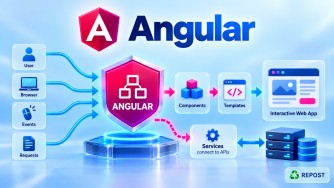


Angular Signals
Angular Signals are a reactive state-management mechanism built into Angular. A signal stores a value and automatically informs Angular when that value changes, allowing Angular to update code and templates that depend on it.
We’ll cover:
- What are Signals?
- Why were Signals introduced?
- What is
signal()?
1. What are Signals in Angular?
What is a Signal?
A Signal is a reactive wrapper around a value.
It:
- stores a value,
- allows you to read that value,
- allows you to change the value,
- tracks where the value is being used,
- notifies consumers when the value changes.
Simple syntax:
import { signal } from '@angular/core';

const count = signal(0);
Here:
count
  │
  ├── Signal
  │
  └── Current value = 0
To read the signal:
count()To change it:
count.set(10);or:
count.update(value => value + 1);The important idea is:
Normal variable
     ↓
value changes
     ↓
Angular does not get reactive dependency information
directly from that variable


Signal
     ↓
value changes
     ↓
Angular knows which consumers depend on it
     ↓
Dependent UI/reactive computations can update
Full Simple Sample Program
Suppose we create a simple counter.
counter.ts
import { Component, signal } from '@angular/core';

@Component({
  selector: 'app-counter',
  standalone: true,
  templateUrl: './counter.html'
})
export class Counter {

  count = signal(0);

  increment() {
    this.count.update(value => value + 1);
  }

  decrement() {
    this.count.update(value => value - 1);
  }

  reset() {
    this.count.set(0);
  }
}
counter.html
<h2>Counter</h2>

<p>Count: {{ count() }}</p>

<button (click)="increment()">Increment</button>

<button (click)="decrement()">Decrement</button>

<button (click)="reset()">Reset</button>
Program Explanation
Step 1: Import signal
import { Component, signal } from '@angular/core';signal() is provided directly by Angular.
Step 2: Create the Signal
count = signal(0);This creates a signal whose initial value is:
0Conceptually:
count
 ↓
Signal<number>
 ↓
0
TypeScript can infer the type as number.
You could also explicitly specify it:
count = signal<number>(0);Step 3: Read the Signal
Signals are read by calling them like a function.
this.count()In the template:
{{ count() }}Notice:
count()not:
countThis is one of the most important things to remember about signals.
Step 4: Change the Signal
We use:
this.count.update(value => value + 1);If the current value is:
0then:
0 + 1becomes:
1The signal changes:
count

0
↓
1
Angular knows that the template depends on count(), so the displayed value is updated.
Step 5: Set a Specific Value
For reset:
this.count.set(0);set() directly replaces the current value.
For example:
this.count.set(100);changes the signal to:
100Signal Flow
The basic flow is:
User clicks Increment
        ↓
increment()
        ↓
count.update(...)
        ↓
Signal value changes
        ↓
Angular knows the template reads count()
        ↓
Dependent view is updated
        ↓
New count displayed
For example:
Initial

count = 0
   ↓
UI displays
Count: 0


Click Increment
   ↓
count.update(value => value + 1)
   ↓
count = 1
   ↓
UI displays
Count: 1
2. Why were Signals introduced?
Before Signals, Angular applications commonly managed reactive state using several mechanisms, particularly:
- component properties
- RxJS Observables
SubjectBehaviorSubject- change detection mechanisms
RxJS remains extremely useful, especially for asynchronous event streams such as HTTP requests, WebSockets, and complex event composition.
But using RxJS for every piece of simple local state can introduce unnecessary complexity.
For example, imagine that we simply want to maintain a counter.
Using a BehaviorSubject, we might write:
count$ = new BehaviorSubject<number>(0);Update:
this.count$.next(10);Template:
{{ count$ | async }}For a simple state value, that can be more machinery than necessary.
With Signals:
count = signal(0);Read:
count()Update:
count.set(10);So Signals provide Angular with a simple, synchronous, fine-grained reactive state primitive.
Why Angular Needed Signals
One important motivation is fine-grained dependency tracking.
Suppose we have:
firstName = signal('Syed');
age = signal(48);
And the template contains:
<h2>{{ firstName() }}</h2>

<p>{{ age() }}</p>
Angular can track that one expression depends on:
firstNamewhile another depends on:
ageConceptually:
firstName Signal ─────→ firstName consumer

age Signal ───────────→ age consumer
This explicit dependency information helps Angular perform reactive updates efficiently.
Signals vs Normal Variables
Consider:
count = 0;This is just a normal JavaScript/TypeScript property.
Angular doesn't obtain a reactive dependency graph simply from reading that property.
With:
count = signal(0);Angular can track signal reads.
{{ count() }}creates a reactive dependency on count.
When count changes:
count.set(10);the dependent consumer can be notified.
Signals vs RxJS
Signals were not introduced to completely replace RxJS.
They solve overlapping but different problems.
| Signals | RxJS |
|---|---|
| Excellent for state | Excellent for async/event streams |
| Synchronous current value | Values can arrive over time |
| Simple API | Rich stream-processing API |
signal() |
Observable |
Read with signal() |
Usually subscribe / AsyncPipe |
set() / update() |
next() with Subjects |
computed() |
RxJS operators |
effect() |
subscriptions/operators depending on use case |
For example, HttpClient commonly returns:
Observable<Product[]>That is still perfectly appropriate.
You don't need to convert every Observable into a Signal.
3. What is signal()?
Definition
signal() is an Angular function used to create a writable signal.
Import:
import { signal } from '@angular/core';Syntax:
const mySignal = signal(initialValue);Example:
name = signal('Syed');Here:
name
 ↓
WritableSignal<string>
 ↓
"Syed"
Reading a Signal
Use:
this.name()Example:
console.log(this.name());Output:
SyedIn HTML:
<p>{{ name() }}</p>Updating a Signal
There are two main methods you'll use frequently:
set()
update()
set()
set() replaces the current value.
name = signal('Syed');

changeName() {
  this.name.set('Mohamed');
}
Before:
SyedAfter:
MohamedUse set() when you already know the new value.
update()
update() calculates the new value using the current value.
Example:
count = signal(10);

increment() {
  this.count.update(value => value + 1);
}
Flow:
Current value
10
 ↓
value => value + 1
 ↓
11
 ↓
Signal updated
Use update() when the new value depends on the existing value.
set() vs update()
set()
this.count.set(100);Means:
Make the value exactly 100.
update()
this.count.update(value => value + 1);Means:
Take the existing value and calculate a new value from it.
So:
set()
New value is already known

update()
New value depends on old value
Another Simple Example
profile.ts
import { Component, signal } from '@angular/core';

@Component({
  selector: 'app-profile',
  standalone: true,
  templateUrl: './profile.html'
})
export class Profile {

  name = signal('Syed');

  changeName() {
    this.name.set('Mohamed');
  }
}
profile.html
<h2>{{ name() }}</h2>

<button (click)="changeName()">
  Change Name
</button>
Initially:
SyedAfter clicking:
MohamedFlow:
name = signal('Syed')
        ↓
    name()
        ↓
Template displays "Syed"
        ↓
User clicks button
        ↓
name.set('Mohamed')
        ↓
Signal changes
        ↓
Dependent template updates
        ↓
Template displays "Mohamed"
Important Signal APIs
As you continue learning Signals, you'll commonly encounter:
signal()
computed()
effect()
Think of them initially as:
signal()
   ↓
Store reactive state

computed()
   ↓
Derive a value from other signals

effect()
   ↓
Run side-effecting code when signal dependencies change
For example:
firstName = signal('Syed');
lastName = signal('Mohamed');
Later, you can create a derived value using:
fullName = computed(
  () => `${this.firstName()} ${this.lastName()}`
);
We can cover computed() separately because it is an important Signals topic by itself.
Key Points
- Signals are Angular's reactive state primitive.
- A Signal stores a value and tracks its consumers.
- Create one using:
count = signal(0);- Read a Signal by calling it:
count()- Don't read it as:
countwhen you need its contained value.
- Replace its value using:
count.set(10);- Calculate a new value from the current value using:
count.update(value => value + 1);- Signals provide fine-grained reactive dependency tracking.
- Signals are particularly convenient for component/application state.
- Signals do not make RxJS obsolete.
- RxJS remains highly useful for asynchronous streams and complex event processing.
signal()creates a writable signal.
A useful interview memory shortcut is:
signal()   → State
computed() → Derived state
effect()   → Side effect
Interview Questions and Answers
1. What are Signals in Angular?
Answer:
Signals are Angular's reactive state primitive. A signal stores a value and tracks consumers that read it. When its value changes, dependent reactive consumers can be notified and updated.
2. Why were Signals introduced in Angular?
Answer:
Signals provide a simpler and more fine-grained reactive model for managing synchronous state. They allow Angular to explicitly track dependencies between state and its consumers.
3. What is signal()?
Answer:signal() is an Angular function that creates a writable signal.
count = signal(0);4. How do you read a Signal?
Answer:
Call the Signal like a function:
count()For example:
console.log(this.count());5. How do you change a Signal?
Answer:
Using set():
this.count.set(10);or update():
this.count.update(value => value + 1);6. What is the difference between set() and update()?
Answer:
set() directly assigns a new value:
count.set(10);update() calculates a new value from the current value:
count.update(value => value + 1);7. Are Angular Signals synchronous?
Answer:
Yes. Reading a signal using:
count()returns its current value synchronously.
8. Do Signals replace RxJS?
Answer:
No. Signals are especially useful for reactive state, while RxJS remains valuable for asynchronous streams, HTTP operations, WebSockets, event composition, and complex reactive workflows.
9. What type does signal() return?
For:
const count = signal(0);Angular creates a:
WritableSignal<number>because the value can be modified using set() and update().
10. What is the easiest way to remember Angular Signals?
Normal variable

count = 0
   ↓
Stores value


Signal

count = signal(0)
   ↓
Stores value
   +
Reactive dependency tracking
   +
Notifies dependent consumers when changed
In one interview sentence:
An Angular Signal is a reactive value container that lets Angular track where state is consumed and react efficiently when that state changes.