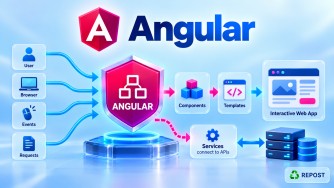


Angular Signals: RxJS Integration, Signal Inputs & Change Detection
These three topics are closely related to how modern Angular uses Signals.
Signals + RxJS
     ↓
Reactive application architecture

Signal-based inputs
     ↓
Reactive parent → child communication

Signals + Change Detection
     ↓
Angular knows which views depend on changed state
1. Can Signals and RxJS be used together?
What is it?
Yes. Signals and RxJS are designed to work together.
A common distinction is:
RxJS
 ↓
Asynchronous streams/events

Signals
 ↓
Application/UI state
Angular provides interoperability APIs such as:
toSignal()
toObservable()
Import them from:
import {
  toSignal,
  toObservable
} from '@angular/core/rxjs-interop';
Full Simple Program – Observable → Signal
Suppose our ASP.NET Core API returns products.
product.model.ts
export interface Product {
  id: number;
  name: string;
  price: number;
}
product.service.ts
import { Injectable } from '@angular/core';
import { HttpClient } from '@angular/common/http';
import { Observable } from 'rxjs';

import { Product } from './product.model';

@Injectable({
  providedIn: 'root'
})
export class ProductService {

  private apiUrl =
    'https://localhost:7001/api/products';

  constructor(private http: HttpClient) {}

  getProducts(): Observable<Product[]> {
    return this.http.get<Product[]>(this.apiUrl);
  }
}
product.ts
import {
  Component,
  computed,
  inject
} from '@angular/core';

import { toSignal } from '@angular/core/rxjs-interop';

import { ProductService } from './product.service';

@Component({
  selector: 'app-product',
  standalone: true,
  templateUrl: './product.html'
})
export class ProductComponent {

  private productService = inject(ProductService);

  products = toSignal(
    this.productService.getProducts(),
    {
      initialValue: []
    }
  );

  productCount = computed(
    () => this.products().length
  );
}
product.html
<h2>Products</h2>

<p>Total Products: {{ productCount() }}</p>

@for (product of products(); track product.id) {

  <div>
    {{ product.name }} -
    {{ product.price }}
  </div>

}
How does it work?
Our service returns:
Observable<Product[]>because HttpClient uses RxJS.
ASP.NET Core API
       ↓
HttpClient
       ↓
Observable<Product[]>
Then:
products = toSignal(
  this.productService.getProducts(),
  {
    initialValue: []
  }
);
converts the Observable's emissions into a Signal representation.
Observable<Product[]>
        ↓
    toSignal()
        ↓
Signal<Product[]>
        ↓
    products()
The template can therefore use:
{{ products() }}instead of subscribing manually.
What does initialValue do?
Before an HTTP response arrives, the Observable hasn't emitted a product list yet.
Therefore we provide:
{
  initialValue: []
}
Conceptually:
Component starts
     ↓
products() = []
     ↓
HTTP request running...
     ↓
API returns products
     ↓
Observable emits
     ↓
toSignal() updates Signal
     ↓
products() = returned products
Signal → Observable
You can also convert a Signal into an Observable.
For example:
searchText = signal('');Convert:
search$ = toObservable(this.searchText);Now you can use RxJS operators.
Full Example: Signal + RxJS Search
import {
  Component,
  signal
} from '@angular/core';

import {
  toObservable
} from '@angular/core/rxjs-interop';

import {
  debounceTime,
  distinctUntilChanged
} from 'rxjs';

@Component({
  selector: 'app-search',
  standalone: true,
  template: `
    <input
      #searchBox
      (input)="searchText.set(searchBox.value)"
    />
  `
})
export class SearchComponent {

  searchText = signal('');

  search$ = toObservable(this.searchText);

  constructor() {

    this.search$
      .pipe(
        debounceTime(500),
        distinctUntilChanged()
      )
      .subscribe(value => {

        console.log('Search:', value);

      });
  }
}
Flow:
User types
   ↓
Signal
searchText
   ↓
toObservable()
   ↓
Observable
   ↓
debounceTime(500)
   ↓
distinctUntilChanged()
   ↓
Search processing
This demonstrates why Signals and RxJS are complementary.
When to combine them
A common architecture is:
                ASP.NET Core API
                       ↓
                    HttpClient
                       ↓
                 Observable
                       ↓
                 RxJS operators
                       ↓
                   toSignal()
                       ↓
                    Signal
                       ↓
                   computed()
                       ↓
                 Angular UI
And in the other direction:
Signal
  ↓
toObservable()
  ↓
RxJS
  ↓
debounceTime()
switchMap()
catchError()
etc.
Key Points
- Signals and RxJS can absolutely be used together.
- RxJS is strong for asynchronous streams.
- Signals are strong for state.
toSignal()converts an Observable into Signal-style state.toObservable()exposes a Signal through an Observable.- You do not have to replace RxJS just because your application uses Signals.
2. What are Signal-Based Inputs?
What is it?
Signal-based inputs are the modern Signal-based way for a child component to receive values from its parent.
Traditionally Angular commonly used:
@Input()Modern Angular provides:
input()The received value is exposed as an InputSignal.
Before Signal Inputs – @Input()
Traditionally:
child.ts
import {
  Component,
  Input
} from '@angular/core';

@Component({
  selector: 'app-child',
  standalone: true,
  templateUrl: './child.html'
})
export class ChildComponent {

  @Input()
  name = '';
}
child.html
<h2>{{ name }}</h2>Parent:
<app-child
  [name]="userName">
</app-child>
Modern Signal-Based Input
Instead of:
@Input()
name = '';
you can use:
name = input('');Because it is a Signal, read it using:
name()Full Simple Program
child.ts
import {
  Component,
  computed,
  input
} from '@angular/core';

@Component({
  selector: 'app-child',
  standalone: true,
  templateUrl: './child.html'
})
export class ChildComponent {

  name = input('');

  greeting = computed(() =>
    `Welcome ${this.name()}`
  );
}
child.html
<h2>{{ greeting() }}</h2>

<p>
  Name received from parent:
  {{ name() }}
</p>
parent.ts
import {
  Component,
  signal
} from '@angular/core';

import {
  ChildComponent
} from './child';

@Component({
  selector: 'app-parent',
  standalone: true,
  imports: [ChildComponent],
  templateUrl: './parent.html'
})
export class ParentComponent {

  userName = signal('Syed');

  changeName() {
    this.userName.set('Mohamed');
  }
}
parent.html
<h1>Parent Component</h1>

<app-child
  [name]="userName()">
</app-child>

<button (click)="changeName()">
  Change Name
</button>
How does it work?
Parent contains:
userName = signal('Syed');Parent passes:
<app-child [name]="userName()">
</app-child>
Child receives:
name = input('');Flow:
Parent

userName()
   │
   │ property binding
   ↓
[name]
   │
   ↓
Child

name = input('')
   ↓
InputSignal
   ↓
name()
If parent changes:
this.userName.set('Mohamed');then the child receives the new input value.
Signal Inputs work naturally with computed()
This is a major benefit.
Because:
name = input('');is a Signal, we can derive values from it:
greeting = computed(() =>
  `Welcome ${this.name()}`
);
Flow:
Parent changes userName
        ↓
Child name() changes
        ↓
computed() dependency changes
        ↓
greeting recalculates
        ↓
Template updates
Required Signal Input
Sometimes the parent must provide the value.
Use:
product = input.required<Product>();Example:
import {
  Component,
  input
} from '@angular/core';

import { Product } from './product.model';

@Component({
  selector: 'app-product',
  standalone: true,
  template: `
    <h2>{{ product().name }}</h2>

    <p>{{ product().price }}</p>
  `
})
export class ProductComponent {

  product = input.required<Product>();

}
Parent:
<app-product
  [product]="selectedProduct">
</app-product>
This is especially useful for models such as your Product interface.
@Input() vs input()
| Traditional | Signal-based |
|---|---|
@Input() |
input() |
| Normal property | InputSignal |
Read name |
Read name() |
ngOnChanges often used to react |
Can compose with computed() / effect() |
| Decorator API | Function API |
For example:
@Input()
name = '';
versus:
name = input('');Read:
this.name()Important: Input Signals are Read-Only
Suppose:
name = input('');You shouldn't try:
this.name.set('Mohamed');An input represents a value controlled by the parent.
Think:
Parent
  ↓
owns value
  ↓
Child InputSignal
  ↓
read-only from child's perspective
3. How do Signals affect Angular Change Detection?
This is one of the most important reasons Signals matter architecturally.
Traditional simplified picture
Angular has historically used change detection to determine whether template-bound values need updating.
Conceptually:
Something happens
      ↓
Change detection
      ↓
Angular checks views/bindings
      ↓
DOM updated where necessary
Signals provide Angular with explicit reactive dependency information.
Signal-Based Dependency Tracking
Suppose:
count = signal(0);And your template reads:
<h2>{{ count() }}</h2>When Angular evaluates:
count()it can track that the template consumer depends on that Signal.
Conceptually:
count Signal
     │
     │ read by
     ↓
Component template
When:
this.count.set(10);Angular knows the Signal changed and can notify/mark the relevant consumer for updating.
Full Simple Program
import {
  ChangeDetectionStrategy,
  Component,
  signal
} from '@angular/core';

@Component({
  selector: 'app-counter',

  standalone: true,

  changeDetection:
    ChangeDetectionStrategy.OnPush,

  template: `
    <h2>Count: {{ count() }}</h2>

    <button (click)="increment()">
      Increment
    </button>
  `
})
export class CounterComponent {

  count = signal(0);

  increment() {
    this.count.update(
      value => value + 1
    );
  }
}
Explanation
Template reads:
{{ count() }}Angular establishes the dependency:
Counter template
      ↓
reads
      ↓
count Signal
When the user clicks:
increment()we execute:
this.count.update(
  value => value + 1
);
Now:
count

0
↓
1
Because the template consumed count(), Angular knows that this view needs to be refreshed.
Simplified flow:
User clicks Increment
        ↓
count.update(...)
        ↓
Signal changes
        ↓
Signal consumers are notified
        ↓
Relevant Angular view is marked
        ↓
Change detection processes the view
        ↓
DOM shows new value
Signals + OnPush
Signals work particularly well with:
ChangeDetectionStrategy.OnPushSuppose:
@Component({
  changeDetection:
    ChangeDetectionStrategy.OnPush
})
and template:
{{ count() }}When a Signal read by an OnPush template changes, Angular can mark that component's view for checking.
You don't generally need to manually call:
ChangeDetectorRef.markForCheck()just because that template-consumed Signal changed.
Fine-Grained Reactive Dependency Information
Consider:
firstName = signal('Syed');

lastName = signal('Mohamed');

age = signal(48);
And:
fullName = computed(() =>
  `${this.firstName()} ${this.lastName()}`
);
Angular's reactive graph conceptually looks like:
firstName ───┐
             │
             ▼
          computed
          fullName
             ▲
             │
lastName ────┘


age ─────────────→ other consumer
If:
this.firstName.set('Abdul');the reactive system knows that fullName depends on firstName.
It doesn't have to guess the dependency.
Important Clarification
Sometimes Signals are explained as:
"Angular only updates exactly one DOM element."
That's too simplistic.
Signals give Angular fine-grained reactive dependency tracking, but Angular still integrates those notifications with its view/change-detection system.
A more accurate interview statement is:
When an Angular template reads a Signal, Angular tracks that Signal as a dependency of the view. When the Signal changes, Angular marks the relevant view so it can be updated during change detection.
Signals and Zoneless Angular
Signals are also important for Angular's modern zoneless direction.
Historically, Angular applications commonly relied on Zone.js to notify Angular that asynchronous activity may require change detection.
Simplified:
Async event
   ↓
Zone.js notices
   ↓
Angular change detection
With explicit reactive mechanisms such as Signals, Angular has clearer notifications that application state changed.
Conceptually:
Signal changes
      ↓
Angular receives explicit notification
      ↓
Affected views can be scheduled
      ↓
Rendering/update
Signals are therefore an important part of Angular's more explicit reactive change-detection model.
Signals do NOT mean "no change detection"
This is an important interview point.
Don't say:
"Signals replace Angular change detection."
That's incorrect.
Signals work with Angular's change-detection/rendering system.
Think:
Signals
   ↓
Track dependencies
   +
Notify Angular about changes

Angular Change Detection
   ↓
Processes relevant views
   ↓
Updates DOM
Overall Comparison
| Concept | Purpose |
|---|---|
signal() |
Writable reactive state |
computed() |
Read-only derived state |
effect() |
Reactive side effect |
linkedSignal() |
Writable state linked to reactive state |
input() |
Signal-based component input |
input.required() |
Required signal input |
toSignal() |
Observable → Signal |
toObservable() |
Signal → Observable |
| RxJS | Async/event stream processing |
| OnPush + Signals | Efficient reactive component updates |
Key Points
Signals + RxJS
They can and often should work together.
Observable
    ↓
toSignal()
    ↓
Signal
and:
Signal
   ↓
toObservable()
   ↓
Observable
Use RxJS when you need rich asynchronous stream operations; use Signals when you need reactive state.
Signal-Based Inputs
Traditional:
@Input()
name = '';
Modern Signal-based:
name = input('');Read:
this.name()Required:
product = input.required<Product>();Signal inputs are read-only from the child's perspective.
Change Detection
When a template reads:
{{ count() }}Angular tracks the Signal dependency.
When:
count.set(10);or:
count.update(x => x + 1);changes that Signal, Angular can mark the relevant view for updating.
Signals work very naturally with:
ChangeDetectionStrategy.OnPushInterview Questions & Answers
1. Can Signals and RxJS be used together?
Answer: Yes. Signals are useful for reactive state, while RxJS is powerful for asynchronous streams. Angular provides toSignal() and toObservable() for interoperability.
2. What does toSignal() do?
It exposes an Observable's emitted values through a Signal.
products = toSignal(
  this.productService.getProducts(),
  { initialValue: [] }
);
3. What does toObservable() do?
It converts/exposes a Signal as an Observable so RxJS operators can be used.
search$ =
  toObservable(this.searchText);
4. What are signal-based inputs?
Signal-based inputs allow components to receive input values as Signals using:
name = input('');instead of the traditional:
@Input()
name = '';
5. How do you read a signal input?
Call it:
this.name()In the template:
{{ name() }}6. How do you create a required signal input?
Use:
product =
  input.required<Product>();
The parent must provide the input.
7. Can a child modify an InputSignal using set()?
No. Signal inputs are read-only from the receiving component's perspective.
name = input('');You can read:
this.name()but you cannot treat it like a WritableSignal and call:
this.name.set(...)8. How do Signals improve Angular change detection?
Signals give Angular explicit information about which reactive values a view consumes. When a consumed Signal changes, Angular can mark the relevant view for checking and update it during rendering/change detection.
9. Do Signals replace Angular change detection?
No.
Signals participate in Angular's change-detection system.
Signal changes
      ↓
Angular is notified
      ↓
Relevant view scheduled/marked
      ↓
Change detection/rendering
      ↓
DOM updated
10. Do Signals work with OnPush?
Yes. This is an important combination.
@Component({
  changeDetection:
    ChangeDetectionStrategy.OnPush
})
If the component template reads:
{{ count() }}and count changes, Angular tracks that dependency and marks the relevant OnPush view for checking.
11. Do Signals replace Zone.js?
Not by themselves. Signals provide explicit reactive notifications and are an important part of Angular's zoneless model, but saying "Signals replace Zone.js" is inaccurate.
Interview Memory Shortcut
RxJS
 ↓
Async streams
 ↓
toSignal()
 ↓
Signal state
 ↓
computed()
 ↓
Derived state
 ↓
Template
 ↓
Angular tracks Signal dependency
 ↓
Signal changes
 ↓
Relevant view marked
 ↓
Change detection / rendering
 ↓
DOM updated
And for component communication:
Traditional Angular

Parent
  ↓
@Input()
  ↓
Child property


Modern Signal API

Parent
  ↓
input()
  ↓
InputSignal
  ↓
computed() / effect()
  ↓
Child UI
The key interview point is: Signals don't replace RxJS or change detection. They give Angular a first-class reactive state model that integrates with both.