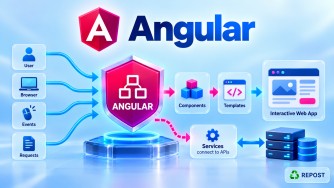


Angular State Management: Services, Signals & RxJS
These three concepts are closely connected:
Angular Service
      │
      ├── Signals → modern synchronous reactive state
      │
      └── RxJS    → Observable-based reactive state
A service provides the shared location, while Signals or RxJS provide the reactive mechanism for storing and notifying consumers about state changes.
1. How Do You Share State Using Angular Services?
What is Shared State?
When multiple components need the same data, we can move that data from an individual component into a service.
For example:
Header
Product List
Shopping Cart

     ↓

All need Cart information
Instead of maintaining separate copies:
Header        → cartCount
Cart          → cartCount
Checkout      → cartCount
we maintain one shared source:
              CartService
              Shared State
             /     |      \
            /      |       \
        Header    Cart    Checkout
Full Simple Program
cart.service.ts
import { Injectable } from '@angular/core';

@Injectable({
  providedIn: 'root'
})
export class CartService {

  cartCount = 0;

  addItem(): void {
    this.cartCount++;
  }

  removeItem(): void {
    if (this.cartCount > 0) {
      this.cartCount--;
    }
  }
}
header.ts
import { Component, inject } from '@angular/core';
import { CartService } from './cart.service';

@Component({
  selector: 'app-header',
  standalone: true,
  template: `
    <h2>
      Cart: {{ cartService.cartCount }}
    </h2>
  `
})
export class Header {

  cartService = inject(CartService);
}
product.ts
import { Component, inject } from '@angular/core';
import { CartService } from './cart.service';

@Component({
  selector: 'app-product',
  standalone: true,
  template: `
    <h2>Products</h2>

    <button (click)="addToCart()">
      Add to Cart
    </button>
  `
})
export class Product {

  private cartService = inject(CartService);

  addToCart(): void {
    this.cartService.addItem();
  }
}
app.ts
import { Component } from '@angular/core';
import { Header } from './header';
import { Product } from './product';

@Component({
  selector: 'app-root',
  standalone: true,
  imports: [
    Header,
    Product
  ],
  template: `
    <app-header />

    <app-product />
  `
})
export class App {
}
How Does It Work?
Because the service has:
providedIn: 'root'Angular normally creates one root-level instance:
              CartService
              cartCount
                  │
          ┌───────┴───────┐
          ↓               ↓
       Header           Product
          ↑               │
          │               │
          └──── Same ─────┘
              instance
Product calls:
this.cartService.addItem();which changes:
cartCount

0 → 1
Header accesses the same service instance.
Important limitation
Although the simple property demonstrates service sharing, for reactive shared state, Signals or RxJS are generally preferable.
That brings us to the next two approaches.
2. How Do You Manage State Using Signals?
What is Signal-Based State Management?
Angular Signals provide a reactive way of storing state.
A signal:
- Stores a value.
- Allows us to update the value.
- Notifies Angular consumers when the value changes.
For modern Angular, a service containing signals is a clean approach for many shared-state requirements.
Full Signal State Example
Let's create a shopping cart.
cart.service.ts
import {
  computed,
  Injectable,
  signal
} from '@angular/core';

@Injectable({
  providedIn: 'root'
})
export class CartService {

  private readonly _cartCount = signal(0);

  readonly cartCount =
    this._cartCount.asReadonly();

  readonly hasItems = computed(
    () => this._cartCount() > 0
  );

  addItem(): void {
    this._cartCount.update(
      count => count + 1
    );
  }

  removeItem(): void {
    this._cartCount.update(
      count => count > 0
        ? count - 1
        : 0
    );
  }

  clearCart(): void {
    this._cartCount.set(0);
  }
}
header.ts
import {
  Component,
  inject
} from '@angular/core';

import { CartService } from './cart.service';

@Component({
  selector: 'app-header',
  standalone: true,

  template: `
    <h2>
      Cart: {{ cartService.cartCount() }}
    </h2>

    @if (cartService.hasItems()) {
      <p>Items available in cart</p>
    }
  `
})
export class Header {

  readonly cartService =
    inject(CartService);
}
product.ts
import {
  Component,
  inject
} from '@angular/core';

import { CartService } from './cart.service';

@Component({
  selector: 'app-product',
  standalone: true,

  template: `
    <h2>Products</h2>

    <button (click)="addToCart()">
      Add
    </button>

    <button (click)="removeFromCart()">
      Remove
    </button>
  `
})
export class Product {

  private readonly cartService =
    inject(CartService);

  addToCart(): void {
    this.cartService.addItem();
  }

  removeFromCart(): void {
    this.cartService.removeItem();
  }
}
app.ts
import { Component } from '@angular/core';

import { Header } from './header';
import { Product } from './product';

@Component({
  selector: 'app-root',
  standalone: true,

  imports: [
    Header,
    Product
  ],

  template: `
    <app-header />

    <app-product />
  `
})
export class App {
}
Signal Flow
Initial state:
_cartCount
    ↓
    0
Product calls:
this.cartService.addItem();Service executes:
this._cartCount.update(
  count => count + 1
);
Now:
0
↓
1
Signal notifies its consumers:
Product
   │
   │ addItem()
   ▼
CartService
   │
   │ _cartCount
   │ 0 → 1
   ▼
Signal changed
   │
   ▼
Header
   │
   ▼
Cart: 1
Why Use a Private Writable Signal?
Notice:
private readonly _cartCount =
  signal(0);
The writable signal is private.
Then we expose:
readonly cartCount =
  this._cartCount.asReadonly();
Components can read:
cartService.cartCount()but cannot directly do:
cartService.cartCount.set(100);Instead, they must call:
cartService.addItem();This gives the service control over state changes.
This pattern is very useful:
Component
    │
    │ addItem()
    ▼
Service
    │
    ▼
Private writable state
    │
    ▼
Public readonly state
Using computed()
Suppose we want to know whether the cart has items.
Instead of maintaining another independent state variable:
hasItems = true;derive it:
readonly hasItems = computed(
  () => this._cartCount() > 0
);
Now:
cartCount = 0
     ↓
hasItems = false


cartCount = 3
     ↓
hasItems = true
This prevents duplicated state.
3. How Do You Manage State Using RxJS?
Before Signals, Angular applications commonly used RxJS extensively for shared reactive state, and RxJS remains important—especially for asynchronous streams and event composition.
A common pattern is:
Service
   ↓
BehaviorSubject
   ↓
Observable
   ↓
Components
Full RxJS State Example
cart.service.ts
import { Injectable } from '@angular/core';

import {
  BehaviorSubject,
  Observable
} from 'rxjs';

@Injectable({
  providedIn: 'root'
})
export class CartService {

  private readonly cartCountSubject =
    new BehaviorSubject<number>(0);

  readonly cartCount$: Observable<number> =
    this.cartCountSubject.asObservable();

  addItem(): void {

    const currentCount =
      this.cartCountSubject.value;

    this.cartCountSubject.next(
      currentCount + 1
    );
  }

  removeItem(): void {

    const currentCount =
      this.cartCountSubject.value;

    if (currentCount > 0) {

      this.cartCountSubject.next(
        currentCount - 1
      );

    }
  }

  clearCart(): void {
    this.cartCountSubject.next(0);
  }
}
header.ts
import {
  Component,
  inject
} from '@angular/core';

import { AsyncPipe } from '@angular/common';

import { CartService } from './cart.service';

@Component({
  selector: 'app-header',
  standalone: true,

  imports: [
    AsyncPipe
  ],

  template: `
    <h2>
      Cart:
      {{ cartService.cartCount$ | async }}
    </h2>
  `
})
export class Header {

  readonly cartService =
    inject(CartService);
}
product.ts
import {
  Component,
  inject
} from '@angular/core';

import { CartService } from './cart.service';

@Component({
  selector: 'app-product',
  standalone: true,

  template: `
    <h2>Products</h2>

    <button (click)="addToCart()">
      Add
    </button>

    <button (click)="removeFromCart()">
      Remove
    </button>
  `
})
export class Product {

  private readonly cartService =
    inject(CartService);

  addToCart(): void {
    this.cartService.addItem();
  }

  removeFromCart(): void {
    this.cartService.removeItem();
  }
}
app.ts
import { Component } from '@angular/core';

import { Header } from './header';
import { Product } from './product';

@Component({
  selector: 'app-root',
  standalone: true,

  imports: [
    Header,
    Product
  ],

  template: `
    <app-header />

    <app-product />
  `
})
export class App {
}
Understanding BehaviorSubject
We create:
private readonly cartCountSubject =
  new BehaviorSubject<number>(0);
0 is the initial state.
BehaviorSubject
      ↓
Initial value
      ↓
0
When an item is added:
this.cartCountSubject.next(
  currentCount + 1
);
.next() emits a new value.
0
↓
next(1)
↓
1
↓
Subscribers notified
Why Expose an Observable?
We keep this private:
private readonly cartCountSubject =
  new BehaviorSubject<number>(0);
and expose:
readonly cartCount$ =
  this.cartCountSubject.asObservable();
This prevents components from doing:
cartCountSubject.next(500);Components can observe:
cartCount$but state modifications remain controlled by:
CartServiceSo:
                 CartService
                     │
          ┌──────────┴──────────┐
          ↓                     ↓
Private BehaviorSubject    Public Observable
     Writable                 Read-only
          │                     │
          │                     ▼
          │                 Components
          │
addItem()/removeItem()
Why $ in cartCount$?
The $ is a common RxJS naming convention indicating:
cartCount$is an:
ObservableFor example:
products$
user$
cartItems$
loading$
The $ is a convention, not a TypeScript requirement.
Using AsyncPipe
The template uses:
{{ cartService.cartCount$ | async }}AsyncPipe subscribes to the Observable and provides the latest emitted value.
Conceptually:
BehaviorSubject
      ↓
cartCount$
      ↓
AsyncPipe
      ↓
Template
It also manages its subscription lifecycle automatically.
Signals vs RxJS for State Management
This is the important interview comparison.
| Signals | RxJS |
|---|---|
signal() |
BehaviorSubject |
Read using count() |
Observe via count$ |
set() |
next() |
update() |
next() with derived value |
computed() |
map(), combineLatest() |
| Synchronous state model | Stream/event model |
| Simple for UI state | Powerful for async streams |
| Built into Angular reactive primitives | RxJS library integrated heavily with Angular |
| No subscription for basic reads | Observable consumption involves subscription/AsyncPipe |
Signal Example
private count =
  signal(0);

count.update(
  value => value + 1
);
Flow:
Signal
  ↓
Current value
  ↓
Update
  ↓
UI reacts
RxJS Example
private countSubject =
  new BehaviorSubject(0);

countSubject.next(1);
Flow:
BehaviorSubject
      ↓
Emits value
      ↓
Observable
      ↓
Subscriber
      ↓
UI reacts
Which One Should You Use?
For modern Angular, Signals are often a natural choice for synchronous application/UI state.
Examples:
Current user state
Selected product
Cart count
Sidebar state
Loading flag
Theme
Filters
RxJS is especially useful when you're dealing with asynchronous streams and event composition.
Examples:
HTTP requests
Search input streams
WebSocket events
Route streams
Debouncing
Cancellation
Combining multiple async sources
For example:
searchText$
  .pipe(
    debounceTime(300),
    distinctUntilChanged(),
    switchMap(text =>
      this.productService.search(text)
    )
  );
RxJS is excellent here because the problem is fundamentally about an asynchronous stream.
Can Signals and RxJS Be Used Together?
Yes.
This is common in modern Angular.
For example:
ASP.NET Core API
       ↓
HttpClient
       ↓
Observable
       ↓
Service
       ↓
Signal State
       ↓
Components
You don't need to choose one technology for the entire application.
A practical architecture can use:
RxJS
  ↓
Async operations / event streams

Signals
  ↓
Application/UI state

Services
  ↓
State ownership and business operations
Very Important: Service Is Not an Alternative to Signals/RxJS
This is a common interview misunderstanding.
These are not three mutually exclusive choices:
Service
vs
Signals
vs
RxJS
Instead:
              Angular Service
                    │
            owns shared state
                    │
          ┌─────────┴─────────┐
          ↓                   ↓
       Signals              RxJS
   reactive state      reactive streams
For example:
@Injectable({
  providedIn: 'root'
})
export class CartStore {

  private readonly _items =
    signal<Product[]>([]);

}
Here:
CartStoreis an Angular service._itemsis a Signal.- The service provides the shared state.
Similarly:
@Injectable({
  providedIn: 'root'
})
export class CartStore {

  private readonly itemsSubject =
    new BehaviorSubject<Product[]>([]);

}
Here:
CartStoreis an Angular service.BehaviorSubjectis RxJS.- The service owns the shared state.
Simple Decision Guide
Do I need state only inside one component?
              │
             YES
              ↓
        Local Signal
        signal()


Do multiple components need the state?
              │
             YES
              ↓
      Shared Angular Service
              │
        ┌─────┴─────┐
        ↓           ↓
     Signals       RxJS


Is it mainly synchronous
application/UI state?
        ↓
     Signals


Is it mainly asynchronous
streams/events requiring operators?
        ↓
      RxJS
Key Points
- Angular services can provide a shared state owner for multiple components.
providedIn: 'root'normally gives a root-level singleton service.- Signals are well suited to reactive synchronous state.
- Use
signal()to create writable signal state. - Use
set()to replace a signal value. - Use
update()to calculate a new value from the current value. - Use
computed()for derived state. - Prefer exposing readonly signals when consumers shouldn't modify state directly.
- RxJS commonly uses
BehaviorSubjectfor simple shared state with an initial/current value. - Use
.next()to emit a new RxJS state value. - Expose
asObservable()instead of exposing the writable subject directly. AsyncPipeis convenient for consuming Observables in templates.- Signals and RxJS can coexist.
- Services, Signals, and RxJS are complementary rather than mutually exclusive.
Interview Questions & Answers
1. How do you share state between Angular components?
A common approach is to move the state into a root-provided Angular service and inject that service into the components that need it.
@Injectable({
  providedIn: 'root'
})
export class CartService {
}
2. How do you manage state using Signals?
Create state with signal(), modify it using set() or update(), and optionally expose it as readonly.
private count = signal(0);

count.update(x => x + 1);
3. How do you manage shared state with RxJS?
A common pattern uses a private BehaviorSubject and exposes it as an Observable.
private countSubject =
  new BehaviorSubject(0);

count$ =
  this.countSubject.asObservable();
Update it using:
this.countSubject.next(10);4. Why use BehaviorSubject for state?
Because it stores a current value, requires an initial value, and immediately provides the latest value to new subscribers.
5. Why make the Signal or BehaviorSubject private?
To prevent components from modifying shared state directly.
Component
    ↓
Service method
    ↓
State mutation
This provides controlled state changes.
6. Signals or RxJS—which should I use?
Signals are often simpler for synchronous UI/application state. RxJS is particularly useful for asynchronous streams, cancellation, debouncing, event composition, and complex stream transformations.
7. Can Signals and RxJS be used together?
Yes. A common Angular application uses RxJS for HTTP/event streams and Signals for application/UI state.
Interview Quick Answer
Shared Angular state is commonly placed in a root-provided service. In modern Angular, the service can use Signals (
signal,computed,set,update) for synchronous reactive state. RxJS can use a privateBehaviorSubjectexposed as an Observable, with.next()used to update the state. Signals are often simpler for UI state, while RxJS is especially powerful for asynchronous streams and event composition.