

1. What is change detection in Angular?
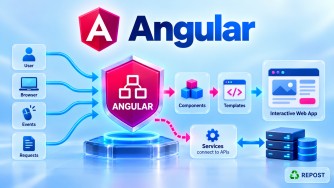
Change detection is Angular's mechanism for checking application data changes and updating the DOM. It keeps the UI synchronized with component state.
2. How does Angular change detection work?
Angular checks component bindings when change detection is triggered and updates the DOM when values change. Signals, events, and input changes can trigger checks.
State Change → Change Detection → Check Bindings → Update DOM3. What is ChangeDetectionStrategy.OnPush?
OnPush is a change detection strategy that allows Angular to skip checking a component subtree unless relevant changes or notifications occur. It improves performance by reducing unnecessary checks.
@Component({ changeDetection: ChangeDetectionStrategy.OnPush })
export class UserList {}
4. Default vs OnPush change detection — what is the difference?
|
Default |
OnPush |
|---|---|
|
Checks component during normal change detection traversal |
Skips subtree unless notified |
|
Less optimization required |
More efficient for suitable components |
|
Automatically checks more frequently |
Relies on inputs, events, signals, etc. |
|
Simple to use |
Requires careful state updates |
5. How do Signals interact with change detection?
Angular tracks Signals read in templates. When a signal changes, Angular marks the consuming component for checking, including components using OnPush.
count = signal(0);
increment() { this.count.update(x => x + 1); }
6. What is Zone.js?
Zone.js is a library historically used by Angular to detect asynchronous activities such as events, timers, and HTTP responses. It helps Angular trigger change detection automatically.
7. What is zoneless Angular?
Zoneless Angular performs change detection without depending on Zone.js. It uses explicit notifications such as Signals, template events, and markForCheck().
Key Point: Zoneless change detection became the default in Angular 21; Angular 20 supports it as a stable feature.
8. How do you improve Angular application performance?
Use OnPush, Signals, lazy loading, @defer, @for tracking, and virtual scrolling. Reduce unnecessary API calls, DOM updates, and large dependencies.
9. Why is lazy loading important?
Lazy loading loads components or feature routes only when needed, reducing the initial JavaScript bundle and improving startup performance.
{ path: 'admin', loadComponent: () => import('./admin/admin').then(m => m.Admin) }10. How does track improve @for performance?
The track expression provides a stable identity for each list item. Angular can reuse existing DOM elements instead of unnecessarily recreating them.
@for (user of users(); track user.id) {
  <p>{{ user.name }}</p>
}
11. What causes unnecessary component rendering?
Common causes include frequent change detection, unstable object references, expensive template functions, and missing list tracking. Poor state management can also cause excessive updates.
12. How do you optimize large lists?
Use virtual scrolling, pagination, infinite scrolling, @for with track, and OnPush. Render only required items and retrieve data in smaller batches.
@for (article of articles(); track article.id) {
  <app-article-card [article]="article" />
}
13. How do you reduce the Angular bundle size?
Use lazy loading, @defer, tree shaking, production builds, and smaller dependencies. Remove unused libraries and avoid importing large packages unnecessarily.
ng build --configuration productionImportant Interview Revision Points
|
Concept |
Key Point |
|---|---|
|
Change Detection |
Synchronizes component state with DOM |
|
Default Strategy |
Checks during normal change detection |
|
OnPush |
Skips unnecessary component checks |
|
Signals |
Notify Angular about state changes |
|
Zone.js |
Tracks asynchronous activity |
|
Zoneless |
Change detection without Zone.js |
|
Lazy Loading |
Loads features on demand |
|
|
Defers template dependencies |
|
|
Reuses DOM elements |
|
Virtual Scrolling |
Renders visible list items |
|
Pagination |
Loads data in smaller batches |
|
Tree Shaking |
Removes unused code |
|
Production Build |
Optimizes application bundles |
Interview priority: Focus particularly on questions 1, 2, 3, 4, 5, 7, 8, 9, 10, 12, and 13.
Key interview takeaway: For modern Angular applications, combine OnPush + Signals + Lazy Loading + @for track + Virtual Scrolling to improve change detection efficiency, rendering performance, and initial loading speed.