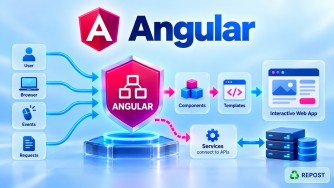


How Do Development and Production Configurations Differ in Angular?
1. What are Development and Production Configurations?
Angular applications usually require different settings depending on where the application runs.
- Development configuration is used while developers are building, testing, and debugging the application.
- Production configuration is used when the application is deployed to real users.
For example:
Development
Angular → https://localhost:7001/api

Production
Angular → https://api.jntech.in/api
The differences are not limited to API URLs. Angular's build configuration can also control optimization, source maps, output hashing, file replacements, budgets, and other build behavior.
2. Full Simple Example
Consider an Angular application communicating with an ASP.NET Core Web API.
Project Structure
src/
│
├── app/
│   └── services/
│       └── product.ts
│
├── environments/
│   ├── environment.ts
│   └── environment.production.ts
│
└── main.ts
environment.ts — Development
export const environment = {
  production: false,
  apiUrl: 'https://localhost:7001/api',
  enableLogging: true
};
environment.production.ts — Production
export const environment = {
  production: true,
  apiUrl: 'https://api.jntech.in/api',
  enableLogging: false
};
product.ts
import { inject, Injectable } from '@angular/core';
import { HttpClient } from '@angular/common/http';
import { Observable } from 'rxjs';

import { environment } from '../../environments/environment';

export interface Product {
  id: number;
  name: string;
  price: number;
}

@Injectable({
  providedIn: 'root'
})
export class ProductService {

  private http = inject(HttpClient);

  private apiUrl = `${environment.apiUrl}/products`;

  getProducts(): Observable<Product[]> {

    if (environment.enableLogging) {
      console.log('Calling:', this.apiUrl);
    }

    return this.http.get<Product[]>(this.apiUrl);
  }
}
The service always imports:
import { environment } from '../../environments/environment';It does not need to know whether the application is Development or Production.
3. Build Configuration in angular.json
A simplified example is:
{
  "projects": {
    "my-app": {
      "architect": {
        "build": {
          "configurations": {

            "development": {
              "optimization": false,
              "sourceMap": true
            },

            "production": {
              "optimization": true,
              "sourceMap": false,

              "fileReplacements": [
                {
                  "replace": "src/environments/environment.ts",
                  "with": "src/environments/environment.production.ts"
                }
              ],

              "outputHashing": "all"
            }

          }
        }
      }
    }
  }
}
This shows that there are two aspects to environment configuration:
Environment values
        +
Build behavior
For example:
Development
├── localhost API
├── logging enabled
├── source maps enabled
└── optimization reduced

Production
├── production API
├── logging disabled
├── source maps usually disabled
└── optimization enabled
4. Development Configuration
During development, you generally want the application to be easy to debug and rebuild quickly.
Run:
ng serve --configuration developmentDevelopment might use:
export const environment = {
  production: false,
  apiUrl: 'https://localhost:7001/api',
  enableLogging: true
};
Typical development characteristics:
| Setting | Development |
|---|---|
| API | Local/dev API |
| Optimization | Usually reduced |
| Source maps | Enabled |
| Debugging | Easy |
| Logging | Usually enabled |
| Build speed | Prioritized |
| Bundle size | Less important |
| Output hashing | Often unnecessary |
5. Production Configuration
Production configuration focuses on performance, deployment, caching, and smaller optimized output.
Build:
ng build --configuration productionProduction might use:
export const environment = {
  production: true,
  apiUrl: 'https://api.jntech.in/api',
  enableLogging: false
};
Typical production characteristics:
| Setting | Production |
|---|---|
| API | Production API |
| Optimization | Enabled |
| Source maps | Often disabled |
| Debugging | Limited |
| Logging | Reduced |
| Bundle size | Important |
| Output hashing | Commonly enabled |
| Performance | Prioritized |
6. What Does optimization Do?
Production commonly enables:
"optimization": trueOptimization instructs Angular's build tooling to optimize the generated application.
Conceptually:
Angular / TypeScript source
        ↓
Production Build
        ↓
Bundling
Optimization
Minification
Dead-code removal/tree shaking
        ↓
Optimized browser assets
The objective is to reduce what the browser has to download and execute.
7. What is sourceMap?
During development:
"sourceMap": trueSource maps make debugging easier by mapping generated JavaScript back to the original source.
For example, browser developer tools can show:
product.tsrather than making you debug only transformed/minified JavaScript.
For production, teams often configure:
"sourceMap": falseHowever, this is a deployment decision, not an absolute rule. Some teams generate production source maps for error-monitoring systems while preventing them from being publicly served.
8. What is outputHashing?
Production commonly uses:
"outputHashing": "all"Instead of producing only:
main.js
styles.css
Angular can produce filenames resembling:
main.ABC123.js
styles.XYZ456.css
When the application's content changes, the hash changes.
This helps with browser cache busting.
Old deployment
main.ABC123.js

New deployment
main.DEF456.js
The browser recognizes the new filename and downloads the new version.
9. File Replacement
Suppose the application code imports:
import { environment } from '../environments/environment';Development can use:
environment.tsProduction configuration can specify:
"fileReplacements": [
  {
    "replace": "src/environments/environment.ts",
    "with": "src/environments/environment.production.ts"
  }
]
Then:
ng build --configuration production

             ↓

environment.ts
             ↓
       replaced with
             ↓
environment.production.ts
Therefore:
environment.apiUrleffectively resolves to the production configuration included in that build.
10. Development vs Production Flow
Development
ng serve --configuration development
              ↓
     Development settings
              ↓
   environment.ts
              ↓
https://localhost:7001/api
              ↓
ASP.NET Core Development API
Production
ng build --configuration production
              ↓
      Production settings
              ↓
environment.production.ts
              ↓
https://api.jntech.in/api
              ↓
ASP.NET Core Production API
11. Important: Production Configuration Does Not Secure Secrets
Never assume this is safe:
export const environment = {
  production: true,
  jwtSecret: 'MySuperSecret',
  databasePassword: 'Password123'
};
Angular executes on the client/browser.
Therefore, values bundled into Angular should be treated as inspectable by users.
Use Angular configuration for non-secret settings such as:
apiUrl
applicationName
featureFlag
loggingEnabled
Keep secrets such as:
SQL Server passwords
JWT signing secrets
private API keys
client secrets
on the server, using mechanisms such as ASP.NET Core configuration, environment variables, or a secret store such as Azure Key Vault.
12. Key Points
- Development configuration prioritizes debugging and developer productivity.
- Production configuration prioritizes optimized deployment and runtime performance.
- Development commonly enables source maps and diagnostic logging.
- Production commonly enables optimization and output hashing.
- Development and production can use different API base URLs.
- Angular build configurations are defined in
angular.json. fileReplacementscan select different environment files.- Use:
ng serve --configuration developmentfor development.
Use:
ng build --configuration productionfor production builds.
- Never store secrets in Angular environment files because Angular code runs in the browser.
Interview Questions and Answers
1. How do development and production configurations differ in Angular?
Development configuration prioritizes debugging and fast development, while production configuration prioritizes optimization, smaller deployment assets, caching, and performance.
2. How do you run Angular using the development configuration?
ng serve --configuration developmentThis uses the settings defined for the development configuration.
3. How do you create a production build?
ng build --configuration productionAngular builds the application using the production configuration.
4. Why is optimization enabled in production?
Optimization reduces and optimizes generated browser assets, helping improve download size and application performance.
"optimization": true5. Why are source maps commonly enabled during development?
They allow browser developer tools to map generated JavaScript back to the original TypeScript, making debugging easier.
"sourceMap": true6. What is output hashing?
Output hashing adds a content-dependent hash to generated filenames.
main.ABC123.jsThis helps prevent browsers from using stale cached application files after a new deployment.
7. Can development and production use different API URLs?
Yes.
Development:
apiUrl: 'https://localhost:7001/api'Production:
apiUrl: 'https://api.jntech.in/api'8. Where are Angular build configurations defined?
They are configured in:
angular.jsonunder the project's build configurations.
9. What is the main interview difference?
A concise interview answer is:
Development configuration is optimized for debugging and developer productivity, typically using source maps, local/dev APIs, and diagnostic logging. Production configuration is optimized for deployment and performance, typically enabling build optimization and output hashing while using production endpoints.
10. Can secrets be stored in environment.production.ts?
No. Even production environment values can become part of the browser-delivered JavaScript bundle. Sensitive credentials and secrets must remain on the backend.