

Facade Design Pattern in C#
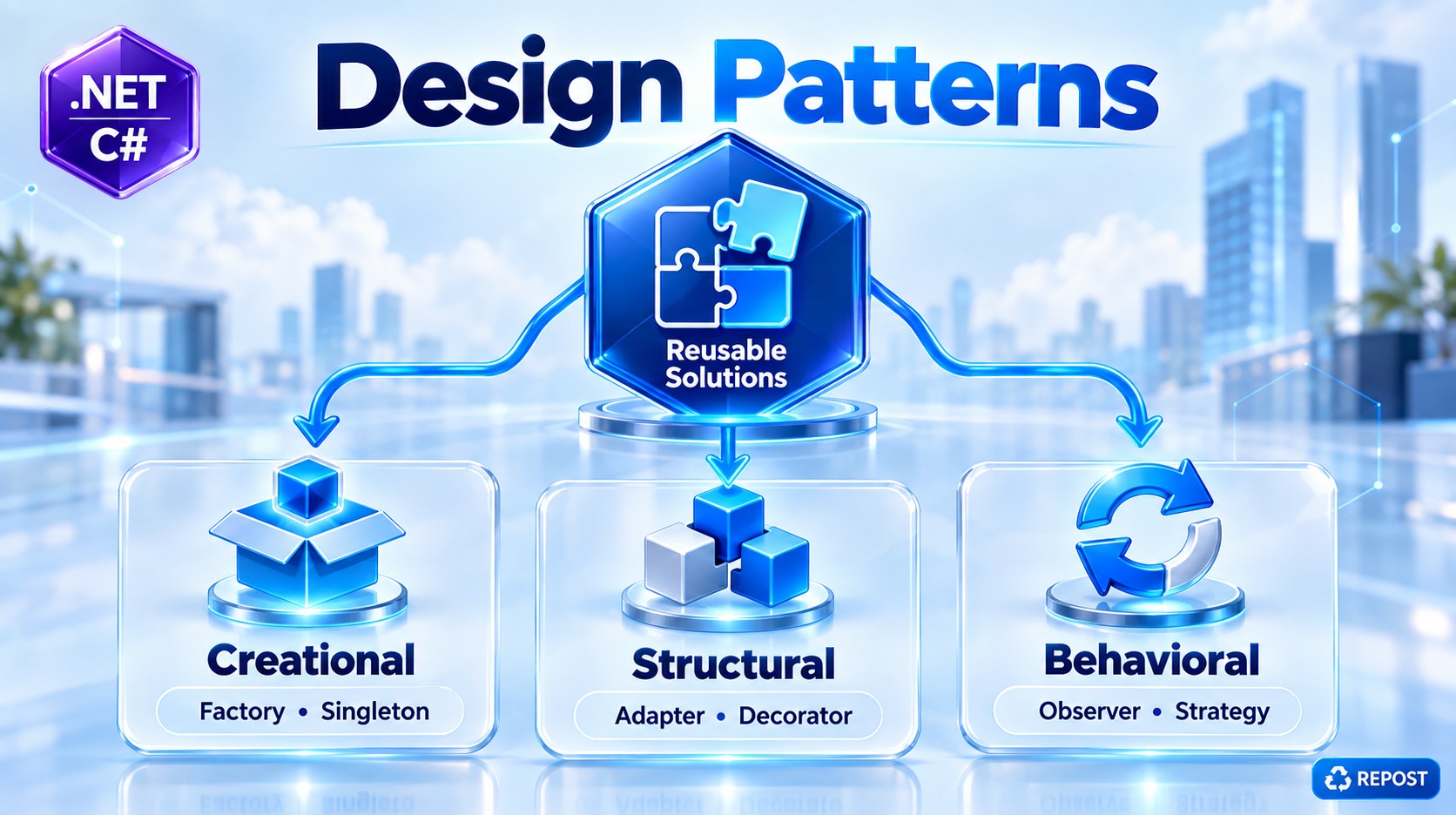
The Facade Pattern is one of the Structural Design Patterns from the Gang of Four (GoF).
The main idea is simple:
Facade provides one simple interface in front of multiple complex classes or subsystems.
Think of the facade as a single entry point to several operations that normally have to be called separately.
1. What is the Facade Pattern?
Suppose an application needs to perform an Order Placement operation.
To place an order, internally you may need to:
- Check inventory.
- Process payment.
- Create shipment.
- Send confirmation email.
Without Facade, the calling code has to know about all four services:
Client
  |
  +-- InventoryService
  |
  +-- PaymentService
  |
  +-- ShippingService
  |
  +-- EmailService
The client needs to understand:
- which services to call
- what order to call them
- what parameters they require
Facade introduces another class:
Client
   |
   v
OrderFacade
   |
   +----> InventoryService
   |
   +----> PaymentService
   |
   +----> ShippingService
   |
   +----> EmailService
Now the client simply says:
orderFacade.PlaceOrder();The Facade handles the complicated workflow internally.
2. Why Do We Need Facade?
Imagine this is the existing code:
var inventory = new InventoryService();
var payment = new PaymentService();
var shipping = new ShippingService();
var email = new EmailService();

inventory.CheckStock("Laptop");

payment.ProcessPayment(75000);

shipping.CreateShipment("Chennai");

email.SendConfirmation("customer@gmail.com");
This works.
But the client is responsible for coordinating everything.
If you have this code inside a controller:
public IActionResult PlaceOrder()
{
    var inventory = new InventoryService();
    var payment = new PaymentService();
    var shipping = new ShippingService();
    var email = new EmailService();

    inventory.CheckStock("Laptop");
    payment.ProcessPayment(75000);
    shipping.CreateShipment("Chennai");
    email.SendConfirmation("customer@gmail.com");

    return Ok();
}
the controller knows too much about the internal order-processing workflow.
Tomorrow, the business process might become:
Check Inventory
      ↓
Reserve Inventory
      ↓
Validate Customer
      ↓
Process Payment
      ↓
Create Shipment
      ↓
Update Order
      ↓
Send Email
Then every client that implements the workflow may need to change.
Facade solves this
Instead:
orderFacade.PlaceOrder();The controller only knows:
"I want to place an order."
It doesn't need to know how the order is processed internally.
3. Simple Example
Let's build a very simple Order Processing System.
We have four existing services:
InventoryService
PaymentService
ShippingService
EmailService
We'll create:
OrderFacadeto provide one simplified operation:
PlaceOrder()4. Full Simple Program
using System;

namespace FacadePattern
{
    // -------------------------------
    // Inventory Service
    // -------------------------------
    public class InventoryService
    {
        public bool CheckStock(string product)
        {
            Console.WriteLine($"Checking stock for {product}...");

            return true;
        }
    }


    // -------------------------------
    // Payment Service
    // -------------------------------
    public class PaymentService
    {
        public bool ProcessPayment(decimal amount)
        {
            Console.WriteLine($"Processing payment of ₹{amount}...");

            return true;
        }
    }


    // -------------------------------
    // Shipping Service
    // -------------------------------
    public class ShippingService
    {
        public void CreateShipment(string address)
        {
            Console.WriteLine($"Creating shipment to {address}...");
        }
    }


    // -------------------------------
    // Email Service
    // -------------------------------
    public class EmailService
    {
        public void SendConfirmation(string email)
        {
            Console.WriteLine($"Sending confirmation email to {email}...");
        }
    }


    // ==================================
    // FACADE
    // ==================================
    public class OrderFacade
    {
        private readonly InventoryService _inventoryService;
        private readonly PaymentService _paymentService;
        private readonly ShippingService _shippingService;
        private readonly EmailService _emailService;

        public OrderFacade()
        {
            _inventoryService = new InventoryService();
            _paymentService = new PaymentService();
            _shippingService = new ShippingService();
            _emailService = new EmailService();
        }

        public void PlaceOrder(
            string product,
            decimal amount,
            string address,
            string email)
        {
            Console.WriteLine("Order processing started...");
            Console.WriteLine();

            bool stockAvailable =
                _inventoryService.CheckStock(product);

            if (!stockAvailable)
            {
                Console.WriteLine("Product is out of stock.");
                return;
            }

            bool paymentSuccess =
                _paymentService.ProcessPayment(amount);

            if (!paymentSuccess)
            {
                Console.WriteLine("Payment failed.");
                return;
            }

            _shippingService.CreateShipment(address);

            _emailService.SendConfirmation(email);

            Console.WriteLine();
            Console.WriteLine("Order placed successfully.");
        }
    }


    // ==================================
    // CLIENT
    // ==================================
    public class Program
    {
        public static void Main()
        {
            OrderFacade orderFacade = new OrderFacade();

            orderFacade.PlaceOrder(
                "Laptop",
                75000,
                "Chennai",
                "customer@gmail.com"
            );
        }
    }
}
5. Output
Order processing started...

Checking stock for Laptop...
Processing payment of ₹75000...
Creating shipment to Chennai...
Sending confirmation email to customer@gmail.com...

Order placed successfully.
6. Understanding the Program
There are three important parts.
Part 1 — Subsystem Classes
These are the actual classes that perform the work.
InventoryService
public class InventoryService
{
    public bool CheckStock(string product)
    {
        Console.WriteLine($"Checking stock for {product}...");

        return true;
    }
}
Its responsibility is only inventory.
InventoryService
       ↓
Check product availability
PaymentService
public class PaymentService
{
    public bool ProcessPayment(decimal amount)
    {
        Console.WriteLine($"Processing payment of ₹{amount}...");

        return true;
    }
}
Its responsibility is payment processing.
PaymentService
      ↓
Process Payment
ShippingService
public class ShippingService
{
    public void CreateShipment(string address)
    {
        Console.WriteLine($"Creating shipment to {address}...");
    }
}
Responsible for shipment creation.
EmailService
public class EmailService
{
    public void SendConfirmation(string email)
    {
        Console.WriteLine($"Sending confirmation email to {email}...");
    }
}
Responsible for sending confirmation.
These classes are called the subsystem classes.
7. The Important Part — OrderFacade
public class OrderFacade
{
}
This class provides a simplified interface to the entire order-processing subsystem.
Internally it uses:
private readonly InventoryService _inventoryService;
private readonly PaymentService _paymentService;
private readonly ShippingService _shippingService;
private readonly EmailService _emailService;
The client doesn't need to interact with these services individually.
8. Facade Constructor
For this basic example:
public OrderFacade()
{
    _inventoryService = new InventoryService();
    _paymentService = new PaymentService();
    _shippingService = new ShippingService();
    _emailService = new EmailService();
}
The Facade creates and manages the subsystem objects.
For a real ASP.NET Core application, I would normally use Dependency Injection instead:
public OrderFacade(
    InventoryService inventoryService,
    PaymentService paymentService,
    ShippingService shippingService,
    EmailService emailService)
{
    _inventoryService = inventoryService;
    _paymentService = paymentService;
    _shippingService = shippingService;
    _emailService = emailService;
}
ASP.NET Core DI would supply those dependencies.
9. PlaceOrder() Is the Simplified Interface
This is the heart of the pattern:
public void PlaceOrder(
    string product,
    decimal amount,
    string address,
    string email)
The client sees only one meaningful business operation:
PlaceOrder()But internally:
PlaceOrder()
     |
     +--> CheckStock()
     |
     +--> ProcessPayment()
     |
     +--> CreateShipment()
     |
     +--> SendConfirmation()
That orchestration is hidden from the client.
10. Client Code
Without Facade:
var inventory = new InventoryService();
var payment = new PaymentService();
var shipping = new ShippingService();
var email = new EmailService();

inventory.CheckStock("Laptop");
payment.ProcessPayment(75000);
shipping.CreateShipment("Chennai");
email.SendConfirmation("customer@gmail.com");
The client knows the whole workflow.
With Facade:
OrderFacade orderFacade = new OrderFacade();

orderFacade.PlaceOrder(
    "Laptop",
    75000,
    "Chennai",
    "customer@gmail.com"
);
Much simpler.
11. Flow
                 CLIENT
                   |
                   |
                   v
             OrderFacade
                   |
         PlaceOrder(...)
                   |
       +-----------+-----------+
       |           |           |
       v           v           v
   Inventory    Payment     Shipping
    Service      Service      Service
       |                         |
       +------------+------------+
                    |
                    v
                EmailService
Another way to visualize the execution:
Program
   |
   v
OrderFacade.PlaceOrder()
   |
   +--> InventoryService.CheckStock()
   |
   +--> PaymentService.ProcessPayment()
   |
   +--> ShippingService.CreateShipment()
   |
   +--> EmailService.SendConfirmation()
   |
   v
Order Completed
12. What Exactly Is the Facade Hiding?
An important interview point:
Facade does not remove the subsystem classes.
They still exist:
InventoryService
PaymentService
ShippingService
EmailService
Facade simply provides an easier way to use them together.
So:
Complex subsystem
        ↓
     Facade
        ↓
Simple interface
        ↓
     Client
13. Real-World Analogy
Think about ordering food at a restaurant.
You tell the waiter:
"I want a chicken biryani."
You don't personally talk to:
Chef
Kitchen assistant
Cashier
Store room
Delivery staff
The waiter acts as a simple interface between you and the complicated restaurant operations.
Customer
    |
    v
  Waiter
    |
    +--> Kitchen
    +--> Billing
    +--> Inventory
    +--> Serving
The waiter is conceptually similar to a Facade.
14. Advantages
1. Simplifies Complex Systems
Instead of:
service1.Method();
service2.Method();
service3.Method();
service4.Method();
the client uses:
facade.DoSomething();2. Reduces Coupling
Without Facade:
Controller
   |
   +--> Inventory
   +--> Payment
   +--> Shipping
   +--> Email
With Facade:
Controller
     |
     v
OrderFacade
     |
     +--> Inventory
     +--> Payment
     +--> Shipping
     +--> Email
The controller has fewer direct dependencies.
3. Hides Implementation Complexity
Client knows:
PlaceOrder()Client doesn't need to know:
Check inventory
Reserve stock
Validate payment
Process payment
Generate shipment
Send notification
4. Easier Maintenance
Suppose tomorrow you add:
TaxServiceYou can change:
OrderFacaderather than changing every client that places orders.
5. Cleaner Controllers
This is especially useful in ASP.NET Core when a controller would otherwise become orchestration-heavy.
Instead of:
public async Task<IActionResult> PlaceOrder()
{
    await _inventory.Check();
    await _payment.Process();
    await _shipping.Create();
    await _email.Send();

    return Ok();
}
you can expose a higher-level operation:
public async Task<IActionResult> PlaceOrder()
{
    await _orderFacade.PlaceOrder();

    return Ok();
}
15. Disadvantages
Facade is useful, but don't create one unnecessarily.
Facade Can Become Too Large
A badly designed facade can eventually become:
OrderFacade
   |
   +-- PlaceOrder
   +-- CancelOrder
   +-- RefundOrder
   +-- TrackOrder
   +-- UpdateCustomer
   +-- GenerateInvoice
   +-- GenerateReport
   +-- UpdateInventory
   +-- SendNotifications
   ...
Then the Facade itself becomes a God Class.
Keep facade methods focused on meaningful high-level operations.
16. Where We Use Facade in Real Applications
Facade is useful when several components need to work together for one business operation.
For example:
E-commerce
OrderFacade
   |
   +--> InventoryService
   +--> PaymentService
   +--> ShippingService
   +--> NotificationService
Banking
FundTransferFacade
   |
   +--> AccountService
   +--> ValidationService
   +--> TransactionService
   +--> AuditService
   +--> NotificationService
File Processing
DocumentFacade
   |
   +--> ValidationService
   +--> ConversionService
   +--> StorageService
   +--> LoggingService
API Integration
CustomerFacade
   |
   +--> CustomerService
   +--> AddressService
   +--> CreditService
   +--> NotificationService
17. Facade vs Service
This distinction is useful in interviews.
A normal service usually performs a particular responsibility:
PaymentService
    ↓
Payment operations
A facade usually provides a higher-level interface over multiple components:
OrderFacade
    |
    +--> PaymentService
    +--> InventoryService
    +--> ShippingService
However, in modern application architecture, the class performing this role may not literally be named Facade.
You might see names such as:
OrderService
OrderProcessor
CheckoutService
PaymentCoordinator
OrderApplicationService
The design responsibility matters more than putting Facade in the class name.
18. Facade Pattern Structure
The generic pattern looks like:
              Client
                 |
                 v
              Facade
                 |
        +--------+--------+
        |        |        |
        v        v        v
    Service A Service B Service C
Or in C#:
public class Facade
{
    private readonly ServiceA _serviceA;
    private readonly ServiceB _serviceB;
    private readonly ServiceC _serviceC;

    public void Execute()
    {
        _serviceA.DoSomething();
        _serviceB.DoSomething();
        _serviceC.DoSomething();
    }
}
Client:
var facade = new Facade();

facade.Execute();
That is essentially the Facade Pattern.
Key Points for Interview
- Facade is a Structural Design Pattern.
- It is one of the GoF patterns.
- It provides a simple, unified interface to a complex subsystem.
- It hides the complexity of coordinating multiple classes.
- The client communicates primarily with the Facade instead of several subsystem classes.
- It reduces direct coupling between the client and subsystem.
- Existing subsystem classes do not need to be changed.
- Facade can coordinate several services as one high-level operation.
- Facade does not mean the underlying classes become inaccessible.
- In ASP.NET Core, dependencies should normally be provided through Dependency Injection rather than created with
new. - A facade should remain focused; otherwise it can grow into a God Class.
- In modern projects, a facade-like class may be named
OrderService,Processor,Coordinator, orApplicationServicerather thanFacade.
One-line interview answer
Facade Pattern provides a simplified, unified interface over multiple complex subsystem classes so that the client can perform a high-level operation without knowing the subsystem's internal workflow.
Facade Pattern is still used in modern ASP.NET Core applications even though ASP.NET Core has built-in Dependency Injection. They solve different problems.
DI vs Facade
| DI | Facade |
|---|---|
| Manages dependencies | Simplifies interactions |
| Creates/provides objects | Coordinates multiple services |
| Reduces object-creation coupling | Reduces workflow/subsystem complexity |
| Answers "How do I get this service?" | Answers "How do I perform this business operation?" |
Without Facade
DI can inject all required services directly into a controller:
public class OrderController : ControllerBase
{
    private readonly InventoryService _inventory;
    private readonly PaymentService _payment;
    private readonly ShippingService _shipping;
    private readonly EmailService _email;

    public OrderController(
        InventoryService inventory,
        PaymentService payment,
        ShippingService shipping,
        EmailService email)
    {
        _inventory = inventory;
        _payment = payment;
        _shipping = shipping;
        _email = email;
    }

    [HttpPost]
    public async Task<IActionResult> PlaceOrder()
    {
        await _inventory.CheckStock();
        await _payment.ProcessPayment();
        await _shipping.CreateShipment();
        await _email.SendConfirmation();

        return Ok();
    }
}
DI solved the object creation problem.
But the controller still knows the complete workflow:
Controller
   ├── InventoryService
   ├── PaymentService
   ├── ShippingService
   └── EmailService
It knows what must happen and in what order.
With Facade + DI
We can move that orchestration into a Facade:
public class OrderFacade
{
    private readonly InventoryService _inventory;
    private readonly PaymentService _payment;
    private readonly ShippingService _shipping;
    private readonly EmailService _email;

    public OrderFacade(
        InventoryService inventory,
        PaymentService payment,
        ShippingService shipping,
        EmailService email)
    {
        _inventory = inventory;
        _payment = payment;
        _shipping = shipping;
        _email = email;
    }

    public async Task PlaceOrder()
    {
        await _inventory.CheckStock();
        await _payment.ProcessPayment();
        await _shipping.CreateShipment();
        await _email.SendConfirmation();
    }
}
Register everything with DI:
builder.Services.AddScoped<InventoryService>();
builder.Services.AddScoped<PaymentService>();
builder.Services.AddScoped<ShippingService>();
builder.Services.AddScoped<EmailService>();

builder.Services.AddScoped<OrderFacade>();
Now the controller becomes:
public class OrderController : ControllerBase
{
    private readonly OrderFacade _orderFacade;

    public OrderController(OrderFacade orderFacade)
    {
        _orderFacade = orderFacade;
    }

    [HttpPost]
    public async Task<IActionResult> PlaceOrder()
    {
        await _orderFacade.PlaceOrder();

        return Ok();
    }
}
Architecture:
               ASP.NET Core DI
                     │
                     │ creates/injects
                     ▼
Controller ────> OrderFacade
                     │
             ┌───────┼─────────┐
             ▼       ▼         ▼
         Inventory Payment  Shipping
                              │
                              ▼
                            Email
Important industry point
Modern applications do use the Facade concept, but the class frequently isn't called SomethingFacade.
You are more likely to encounter names such as:
OrderService
CheckoutService
OrderProcessor
PaymentProcessor
OrderApplicationService
OrderCoordinator
For example, in a Clean Architecture application:
Controller
     ↓
Application Layer
     ↓
PlaceOrderHandler / OrderService
     ↓
 ┌────────────┬────────────┬────────────┐
Inventory   Payment     Repository   Notification
Architecturally, such an application service or coordinator may be performing a facade-like role, even though the team doesn't explicitly label it the GoF Facade Pattern.
The key distinction
DI
"Give OrderFacade the objects it needs."

Facade
"Hide the complicated order workflow from the Controller."
So DI does not replace Facade. In ASP.NET Core, they can work together.
For your Clean Architecture/Web API work, I wouldn't add a class named Facade merely to say the pattern is being used. Use it when you genuinely need to expose a simpler interface over several services or a complex subsystem.
The important point is: DI passes the service objects, not the model/data values.
In my previous example, I simplified PlaceOrder() too much. In a real application, the request/model values are passed from Controller → Facade → individual services.
Example
Suppose the API receives this model:
public class OrderRequest
{
    public int ProductId { get; set; }
    public int Quantity { get; set; }
    public decimal Amount { get; set; }
    public string Address { get; set; }
    public string Email { get; set; }
}
Controller
The values come from the HTTP request:
[ApiController]
[Route("api/[controller]")]
public class OrderController : ControllerBase
{
    private readonly OrderFacade _orderFacade;

    public OrderController(OrderFacade orderFacade)
    {
        _orderFacade = orderFacade;
    }

    [HttpPost]
    public async Task<IActionResult> PlaceOrder(OrderRequest request)
    {
        await _orderFacade.PlaceOrder(request);

        return Ok("Order placed successfully");
    }
}
For example, client sends:
{
  "productId": 101,
  "quantity": 2,
  "amount": 75000,
  "address": "Chennai",
  "email": "customer@gmail.com"
}
ASP.NET Core Model Binding creates:
request.ProductId = 101
request.Quantity  = 2
request.Amount    = 75000
request.Address   = "Chennai"
request.Email     = "customer@gmail.com"
Facade Receives the Model
public class OrderFacade
{
    private readonly InventoryService _inventory;
    private readonly PaymentService _payment;
    private readonly ShippingService _shipping;
    private readonly EmailService _email;

    public OrderFacade(
        InventoryService inventory,
        PaymentService payment,
        ShippingService shipping,
        EmailService email)
    {
        _inventory = inventory;
        _payment = payment;
        _shipping = shipping;
        _email = email;
    }

    public async Task PlaceOrder(OrderRequest request)
    {
        await _inventory.CheckStock(
            request.ProductId,
            request.Quantity);

        await _payment.ProcessPayment(
            request.Amount);

        await _shipping.CreateShipment(
            request.Address);

        await _email.SendConfirmation(
            request.Email);
    }
}
Here you can clearly see where the values come from.
OrderRequest
    │
    ▼
OrderFacade
    │
    ├── ProductId, Quantity ──> InventoryService
    │
    ├── Amount ───────────────> PaymentService
    │
    ├── Address ──────────────> ShippingService
    │
    └── Email ────────────────> EmailService
What is _inventory then?
This:
private readonly InventoryService _inventory;is not the inventory model/data.
It is an object/reference to the InventoryService.
ASP.NET Core DI creates that service and passes it into:
public OrderFacade(
    InventoryService inventory,
    PaymentService payment,
    ShippingService shipping,
    EmailService email)
Then:
_inventory = inventory;means:
Store the injected
InventoryServiceobject so thatOrderFacadecan use it later.
The actual business values are supplied when calling its method:
await _inventory.CheckStock(
    request.ProductId,
    request.Quantity);
For example:
public class InventoryService
{
    public async Task<bool> CheckStock(
        int productId,
        int quantity)
    {
        Console.WriteLine($"Product: {productId}");
        Console.WriteLine($"Quantity: {quantity}");

        return true;
    }
}
Complete Flow
POST /api/order
       │
       │ JSON
       ▼
ASP.NET Core Model Binding
       │
       ▼
OrderRequest
ProductId = 101
Quantity  = 2
Amount    = 75000
Address   = Chennai
Email     = customer@gmail.com
       │
       ▼
OrderController
       │
       │ request
       ▼
OrderFacade.PlaceOrder(request)
       │
       ├── CheckStock(101, 2)
       │
       ├── ProcessPayment(75000)
       │
       ├── CreateShipment("Chennai")
       │
       └── SendConfirmation("customer@gmail.com")
So remember these two separate flows
Objects/services come through DI:
DI Container
    ↓
InventoryService
PaymentService
ShippingService
EmailService
    ↓
OrderFacade Constructor
Business data comes through method parameters/models:
HTTP JSON
    ↓
OrderRequest
    ↓
Controller
    ↓
OrderFacade.PlaceOrder(request)
    ↓
Individual Services
That's the key distinction: DI injects dependencies; it doesn't normally inject the current request's model values.