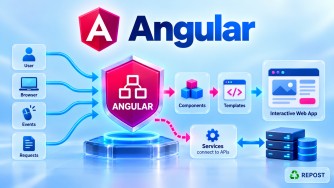


Handling 401, 403, 404, and 500 HTTP Errors in Angular
For these common HTTP errors, a good approach is to use a global HTTP interceptor for common behavior, while allowing components to handle errors that need page-specific behavior.
Full Simple Sample Program
This example handles all four status codes in one functional interceptor.
1. error.interceptor.ts
import {
  HttpErrorResponse,
  HttpInterceptorFn
} from '@angular/common/http';

import { inject } from '@angular/core';
import { Router } from '@angular/router';

import {
  catchError,
  throwError
} from 'rxjs';

export const errorInterceptor: HttpInterceptorFn =
  (req, next) => {

    const router = inject(Router);

    return next(req).pipe(

      catchError((error: HttpErrorResponse) => {

        let message = 'An unexpected error occurred.';

        switch (error.status) {

          case 401:
            message = 'Your session has expired. Please login again.';

            // Example:
            // localStorage.removeItem('access_token');

            router.navigate(['/login']);
            break;

          case 403:
            message = 'You do not have permission to access this resource.';

            router.navigate(['/unauthorized']);
            break;

          case 404:
            message = 'The requested resource was not found.';
            break;

          case 500:
            message = 'Server error. Please try again later.';

            router.navigate(['/server-error']);
            break;

          default:
            message = 'Something went wrong.';
        }

        console.error('HTTP Error:', {
          status: error.status,
          url: error.url,
          message: message
        });

        return throwError(
          () => new Error(message)
        );
      })
    );
  };
2. app.config.ts
Register the interceptor globally.
import {
  ApplicationConfig
} from '@angular/core';

import {
  provideHttpClient,
  withInterceptors
} from '@angular/common/http';

import {
  provideRouter
} from '@angular/router';

import { routes } from './app.routes';

import {
  errorInterceptor
} from './error.interceptor';

export const appConfig: ApplicationConfig = {

  providers: [

    provideRouter(routes),

    provideHttpClient(
      withInterceptors([
        errorInterceptor
      ])
    )

  ]

};
3. app.routes.ts
import { Routes } from '@angular/router';

import { Products } from './products';
import { Login } from './login';
import { Unauthorized } from './unauthorized';
import { ServerError } from './server-error';

export const routes: Routes = [

  {
    path: 'products',
    component: Products
  },

  {
    path: 'login',
    component: Login
  },

  {
    path: 'unauthorized',
    component: Unauthorized
  },

  {
    path: 'server-error',
    component: ServerError
  }

];
4. product.service.ts
import { inject, Injectable } from '@angular/core';
import { HttpClient } from '@angular/common/http';

@Injectable({
  providedIn: 'root'
})
export class ProductService {

  private http = inject(HttpClient);

  private apiUrl =
    'https://localhost:7001/api/products';

  getProducts() {

    return this.http.get(this.apiUrl);

  }

}
Notice that ProductService doesn't need to repeat the common error-handling logic.
1. How Do You Handle 401 Unauthorized?
What is 401?
401 Unauthorized generally means the request does not have valid authentication credentials.
Common reasons:
- JWT token missing
- JWT token expired
- JWT token invalid
- Authentication cookie expired/invalid
Example:
Angular
   ↓
GET /api/admin
Authorization: Bearer expired-token
   ↓
ASP.NET Core
   ↓
401 Unauthorized
Handling in Angular
A common place to handle 401 is the global HTTP interceptor.
if (error.status === 401) {

  // Clear invalid authentication state if appropriate
  // localStorage.removeItem('access_token');

  router.navigate(['/login']);

}
Flow
Angular
   ↓
API Request + JWT
   ↓
ASP.NET Core API
   ↓
JWT invalid/expired
   ↓
401
   ↓
Error Interceptor
   ↓
Clear invalid authentication state
   ↓
Login Page
What about Refresh Tokens?
If your application uses refresh tokens, you normally should not immediately redirect for every 401.
Instead:
401
 ↓
Try Refresh Token
 ↓
Was refresh successful?
    ↓              ↓
   YES             NO
    ↓              ↓
Get new JWT     Logout/Login
    ↓
Retry original request
That is a more advanced authentication-interceptor flow.
2. How Do You Handle 403 Forbidden?
What is 403?
403 Forbidden means the server understood the request but refuses access.
A typical scenario:
Logged-in User
Role = User

        ↓

GET /api/admin

        ↓

API requires Admin role

        ↓

403 Forbidden
The user may be authenticated, but doesn't have sufficient authorization.
Handling in Angular
if (error.status === 403) {

  router.navigate(['/unauthorized']);

}
For example:
case 403:

  message =
    'You do not have permission to access this resource.';

  router.navigate(['/unauthorized']);

  break;
Flow
User logged in
      ↓
JWT sent
      ↓
ASP.NET Core
      ↓
Authentication successful
      ↓
Authorization check
      ↓
User does not have required permission
      ↓
403 Forbidden
      ↓
Angular Interceptor
      ↓
Unauthorized / Access Denied Page
401 vs 403
This is a very common interview question.
| Status | Meaning | Typical Angular action |
|---|---|---|
401 |
Authentication missing/invalid | Login/authentication handling |
403 |
Access forbidden | Access-denied page |
Easy way to remember:
401
"Who are you?"
Authentication problem

403
"I know who you are,
but you cannot access this."
Authorization problem
For example:
No/expired JWT
     ↓
    401

Valid JWT
but wrong role
     ↓
    403
3. How Do You Handle 404 Not Found?
What is 404?
404 Not Found means the requested resource could not be found.
For example:
GET /api/products/100Suppose product 100 doesn't exist.
ASP.NET Core might return:
return NotFound();Angular receives:
404 Not FoundHandling in Angular
You can detect it globally:
case 404:

  message =
    'The requested resource was not found.';

  break;
But 404 is often better handled locally.
Why?
Because the component knows what wasn't found.
For example:
Product API
404 → Product not found

Article API
404 → Article not found

Customer API
404 → Customer not found
A generic interceptor doesn't know the business context.
Component Example
this.productService
  .getProduct(id)
  .subscribe({

    next: product => {

      this.product = product;

    },

    error: error => {

      if (error.status === 404) {

        this.errorMessage =
          'Product not found.';

      }

    }

  });
This is often better than globally displaying:
Resource not found.because:
Product not found.is more meaningful to the user.
Important distinction
There are also two different kinds of "not found" situations:
Angular Route Not Found

example:
/something-invalid

vs

API Resource Not Found

example:
/api/products/999
The first is handled by Angular Router.
The second is an HTTP 404 response.
4. How Do You Handle 500 Internal Server Error?
What is 500?
500 Internal Server Error means something unexpected failed on the server side.
For example:
Angular
   ↓
POST /api/products
   ↓
ASP.NET Core
   ↓
Unhandled Exception
   ↓
500 Internal Server Error
Possible server-side causes include:
- Unhandled exception
- Database failure
- Null reference
- Dependency failure
- Programming error
Angular Handling
The Angular application should generally show a safe, generic message.
case 500:

  message =
    'Server error. Please try again later.';

  router.navigate(['/server-error']);

  break;
Don't expose raw server details to the user.
For example, avoid displaying:
SqlException:
Login failed for user...

at Microsoft.Data.SqlClient...
Instead:
Something went wrong.
Please try again later.
Where Should the Real 500 Exception Be Handled?
This is important in an Angular + ASP.NET Core architecture.
Angular doesn't fix the server exception.
ASP.NET Core should:
Catch/log exception
       ↓
Generate safe error response
       ↓
Return appropriate HTTP status
       ↓
Angular displays user-friendly message
Architecture:
Angular
   ↓
HTTP Request
   ↓
ASP.NET Core Web API
   ↓
Global Exception Handler
   ↓
Serilog / Application Logging
   ↓
500 Response
   ↓
Angular Error Interceptor
   ↓
Friendly Error Page/Message
So the responsibilities are different:
ASP.NET Core
Exception handling
Logging
Correlation ID
Safe API response
Angular
Detect HTTP error
Display friendly message
Redirect if appropriate
Recommended Error-Handling Strategy
A useful division is:
| Status | Recommended handling |
|---|---|
400 |
Usually component/form |
401 |
Global interceptor |
403 |
Global interceptor |
404 |
Often component/page |
500 |
Global interceptor |
For example:
                  API Error
                     ↓
              Error Interceptor
                     ↓
        ┌────────────┼────────────┐
        ↓            ↓            ↓
       401          403          500
        ↓            ↓            ↓
      Login      Access Denied   Error Page


400 / 404
    ↓
Often propagate to component
    ↓
Context-specific message
One Important Improvement
Be careful with this:
return throwError(
  () => new Error(message)
);
It converts HttpErrorResponse into a normal JavaScript Error.
That means downstream code can no longer reliably do:
error.status === 404because the new Error doesn't contain the original HTTP status.
If components need the original status, prefer:
return throwError(() => error);So a more practical interceptor is:
catchError((error: HttpErrorResponse) => {

  switch (error.status) {

    case 401:
      router.navigate(['/login']);
      break;

    case 403:
      router.navigate(['/unauthorized']);
      break;

    case 500:
      router.navigate(['/server-error']);
      break;

  }

  return throwError(() => error);

})
Then a component can still do:
error: (error: HttpErrorResponse) => {

  if (error.status === 404) {

    this.errorMessage =
      'Product not found.';

  }

}
This is generally a cleaner design.
Key Points
- Use a global HTTP interceptor for common HTTP error behavior.
401is primarily an authentication problem.403is primarily an authorization problem.404means the requested resource wasn't found.500represents an internal server-side failure.401commonly triggers login, logout, or refresh-token logic.403commonly redirects to an Access Denied page.404is often better handled by the relevant component because it knows what resource wasn't found.500should expose only a safe message to the user.- Detailed
500exceptions should be logged on the ASP.NET Core side. - Server-side authorization must always be enforced by ASP.NET Core; Angular route guards/interceptors are not security boundaries.
- Preserve the original
HttpErrorResponseif downstream components need properties such asstatus.
Interview Questions and Answers
1. How do you handle 401 Unauthorized in Angular?
I normally handle 401 globally using an HTTP interceptor. Depending on the authentication design, I either attempt a token refresh or clear invalid authentication state and redirect the user to the login page.
if (error.status === 401) {
  router.navigate(['/login']);
}
2. How do you handle 403 Forbidden?
A 403 means the request is forbidden, typically because the authenticated user lacks the required permission or role. I normally redirect to an Access Denied page.
if (error.status === 403) {
  router.navigate(['/unauthorized']);
}
3. What is the difference between 401 and 403?
401 → Authentication problem
403 → Authorization/access problem
For example:
Expired JWT → 401

Valid JWT + insufficient role → 403
4. How do you handle 404 Not Found?
I usually handle API 404 errors in the relevant component or service because it can display a context-specific message.
if (error.status === 404) {
  this.errorMessage = 'Product not found.';
}
5. Should every 404 redirect to a Not Found page?
No. An API resource 404 may simply mean a particular product, article, or customer wasn't found. Redirecting every API 404 globally can produce poor UX.
6. How do you handle 500 Internal Server Error?
I normally detect it in a global HTTP interceptor and display or redirect to a generic error message/page.
if (error.status === 500) {
  router.navigate(['/server-error']);
}
The actual exception should be logged and investigated on the server.
7. Should Angular display the server exception for a 500?
No. The user should normally receive a safe message such as:
Something went wrong.
Please try again later.
Technical exception details should be handled through server-side logging.
8. Which errors should be global and which should be local?
A common approach is:
400 → Local/form validation
401 → Global
403 → Global
404 → Usually local
500 → Global
The exact choice depends on the application's UX and API contract.
Interview Quick Answer
How do you handle
401,403,404, and500errors in Angular?
I use a global HTTP interceptor for common errors. A 401 triggers authentication or token-refresh handling, a 403 typically redirects to an Access Denied page, and a 500 shows a safe server-error message. I often propagate 404 to the component so it can display a resource-specific message such as "Product not found."