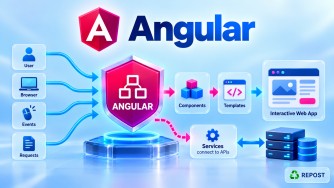


How Does an Angular Application Bootstrap?
1. What is Bootstrapping in Angular?
Bootstrapping is the process of starting an Angular application and creating its root component.
When a user opens an Angular application, Angular must know:
- Where application execution starts
- Which root component to create
- Which application-wide providers/configuration to use
- Where the root component should be rendered in the HTML page
In modern standalone Angular, the key statement is typically:
bootstrapApplication(App, appConfig);In simple terms:
Bootstrapping means starting Angular and loading the root component into the browser.
2. Why Do We Need Bootstrapping?
Suppose your application contains:
App
├── Header
├── Home
├── Articles
├── Contact
└── Footer
Angular needs to know which component starts this component tree.
Usually, that is the root component:
AppThe bootstrap process establishes:
Browser
   ↓
Angular starts
   ↓
Root component created
   ↓
Application component tree begins
Without bootstrapping, Angular would have components and services but no starting point for the application.
3. Modern Angular Bootstrap Flow
For a modern standalone application, remember this flow:
Browser requests application
          ↓
     index.html
          ↓
   <app-root>
          ↓
      main.ts
          ↓
bootstrapApplication()
          ↓
    app.config.ts
          ↓
   Root App component
          ↓
      app.html
          ↓
 Child / Routed Components
The three most important files are:
index.html
main.ts
app.ts
and commonly:
app.config.tsfor application-level providers.
4. Step 1 — Browser Loads index.html
The browser first receives the application's HTML document.
Example:
<!doctype html>
<html lang="en">

<head>
  <meta charset="utf-8">
  <title>MyApp</title>
  <base href="/">
</head>

<body>

  <app-root></app-root>

</body>

</html>
The important part is:
<app-root></app-root>At this stage, think of it as the host location for the Angular root component.
5. Step 2 — Angular Starts from main.ts
main.ts is the TypeScript entry point of the Angular application.
A modern standalone application commonly has:
import { bootstrapApplication } from '@angular/platform-browser';

import { App } from './app/app';
import { appConfig } from './app/app.config';

bootstrapApplication(App, appConfig)
  .catch(err => console.error(err));
The most important statement is:
bootstrapApplication(App, appConfig);This tells Angular:
Start the application using
Appas the root component and useappConfigfor application-level configuration/providers.
6. What is bootstrapApplication()?
bootstrapApplication() is Angular's standalone API for starting an application.
It is imported from:
import { bootstrapApplication }
  from '@angular/platform-browser';
Then:
bootstrapApplication(App, appConfig);The first argument:
Appis the root component.
The second argument:
appConfigcontains application configuration.
Conceptually:
bootstrapApplication
       |
       +---- App
       |      ↓
       |   Root Component
       |
       +---- appConfig
              ↓
        Application Providers
7. Step 3 — Angular Reads app.config.ts
A modern application may have:
import { ApplicationConfig } from '@angular/core';
import { provideRouter } from '@angular/router';
import { provideHttpClient } from '@angular/common/http';

import { routes } from './app.routes';

export const appConfig: ApplicationConfig = {

  providers: [

    provideRouter(routes),

    provideHttpClient()

  ]

};
This configures application-wide providers.
For example:
provideRouter(routes)enables routing.
And:
provideHttpClient()makes Angular's HTTP services available through dependency injection.
So:
app.config.ts
      |
      +---- Routing
      |
      +---- HTTP
      |
      +---- Interceptors
      |
      +---- Other app-level providers
Not every application must put every provider here, but it is the standard place for application-level configuration in standalone Angular.
8. Step 4 — Angular Creates the Root Component
Suppose app.ts contains:
import { Component } from '@angular/core';
import { RouterOutlet } from '@angular/router';

@Component({
  selector: 'app-root',
  imports: [RouterOutlet],
  templateUrl: './app.html',
  styleUrl: './app.css'
})
export class App {
}
The root component is:
Appbecause main.ts bootstraps it:
bootstrapApplication(App, appConfig);Its selector is:
selector: 'app-root'9. Step 5 — Angular Connects App to <app-root>
Remember index.html:
<body>

  <app-root></app-root>

</body>
And app.ts:
@Component({
  selector: 'app-root'
})
export class App {
}
Angular connects:
index.html

<app-root>
     ↓
Matches
     ↓
selector: 'app-root'
     ↓
App Component
Angular then renders the root component's view at that host location.
10. Step 6 — Angular Loads app.html
The root component contains:
templateUrl: './app.html'Therefore:
App
 ↓
@Component metadata
 ↓
templateUrl
 ↓
app.html
For example, app.html could contain:
<header>
  <h1>JN Tech</h1>
</header>

<router-outlet></router-outlet>

<footer>
  Copyright 2026
</footer>
Angular renders this as the root component's UI.
11. Step 7 — Child Components Are Created
Suppose app.html contains:
<app-header></app-header>

<app-home></app-home>

<app-footer></app-footer>
If those components are available to the root component's template, Angular creates them as child components.
Conceptually:
App
│
├── Header
├── Home
└── Footer
This creates the application's component tree.
The bootstrap process starts with one root component, and from there Angular builds the rest of the UI.
12. Step 8 — Router Can Load Routed Components
A real application may use:
<app-header></app-header>

<router-outlet></router-outlet>

<app-footer></app-footer>
Suppose app.routes.ts contains:
import { Routes } from '@angular/router';

import { Home } from './home/home';
import { Articles } from './articles/articles';

export const routes: Routes = [

  {
    path: '',
    component: Home
  },

  {
    path: 'articles',
    component: Articles
  }

];
And app.config.ts contains:
provideRouter(routes)If the browser URL is:
/articlesthe router finds:
{
  path: 'articles',
  component: Articles
}
and renders Articles into:
<router-outlet></router-outlet>Flow:
URL: /articles
       ↓
Angular Router
       ↓
app.routes.ts
       ↓
Articles
       ↓
<router-outlet>
Routing happens as part of the running application after Angular has been bootstrapped.
13. Complete Bootstrap Example
index.html
<!doctype html>

<html>

<head>
  <title>My Angular App</title>
  <base href="/">
</head>

<body>

  <app-root></app-root>

</body>

</html>
main.ts
import { bootstrapApplication }
  from '@angular/platform-browser';

import { App }
  from './app/app';

import { appConfig }
  from './app/app.config';

bootstrapApplication(App, appConfig)
  .catch(err => console.error(err));
app.config.ts
import { ApplicationConfig } from '@angular/core';

import { provideRouter } from '@angular/router';

import { provideHttpClient }
  from '@angular/common/http';

import { routes } from './app.routes';

export const appConfig: ApplicationConfig = {

  providers: [

    provideRouter(routes),

    provideHttpClient()

  ]

};
app.ts
import { Component } from '@angular/core';

import { RouterOutlet }
  from '@angular/router';

@Component({
  selector: 'app-root',
  imports: [RouterOutlet],
  templateUrl: './app.html',
  styleUrl: './app.css'
})
export class App {
}
app.html
<h1>My Angular Application</h1>

<router-outlet></router-outlet>
app.routes.ts
import { Routes } from '@angular/router';

import { Home } from './home/home';

export const routes: Routes = [

  {
    path: '',
    component: Home
  }

];
14. Complete Flow of the Above Program
This is the most important part for an interview.
Browser
   |
   v
index.html
   |
   | contains
   v
<app-root>
   |
   v
main.ts
   |
   | calls
   v
bootstrapApplication(App, appConfig)
   |
   +---------------------+
   |                     |
   v                     v
  App               appConfig
   |                     |
   |                     +-- provideRouter()
   |                     |
   |                     +-- provideHttpClient()
   |
   v
selector: app-root
   |
   v
<app-root>
   |
   v
app.html
   |
   v
<router-outlet>
   |
   v
Router
   |
   v
app.routes.ts
   |
   v
Home / Articles / etc.
15. What Happens with Dependency Injection During Bootstrap?
Angular also establishes the application's dependency-injection environment during startup.
Suppose app.config.ts contains:
providers: [
  provideRouter(routes),
  provideHttpClient()
]
Angular makes these capabilities available through its dependency-injection system.
Then a service can use HttpClient, for example:
import { HttpClient } from '@angular/common/http';
import { inject, Injectable } from '@angular/core';

@Injectable({
  providedIn: 'root'
})
export class ArticleService {

  private http = inject(HttpClient);

}
Conceptually:
Bootstrap
   ↓
Application Environment
   ↓
Providers configured
   ↓
Dependency Injection available
   ↓
Components / Services created
16. Angular + ASP.NET Core Bootstrap Flow
For your type of architecture, keep frontend bootstrapping and backend startup separate.
Browser
   ↓
Angular files loaded
   ↓
main.ts
   ↓
bootstrapApplication()
   ↓
App
   ↓
Angular Router
   ↓
Articles Component
   ↓
ArticleService
   ↓
HttpClient
   ↓
HTTPS
   ↓
ASP.NET Core Web API
   ↓
SQL Server
Angular does not bootstrap the ASP.NET Core application.
They are separate applications.
Angular
   ↓
Frontend application

ASP.NET Core Web API
   ↓
Backend application
They communicate through HTTP/HTTPS APIs.
17. How Was Angular Bootstrapped Before Standalone?
This is important for interviews and older enterprise applications.
Older NgModule-Based Angular
main.ts commonly contained:
import { platformBrowserDynamic }
  from '@angular/platform-browser-dynamic';

import { AppModule }
  from './app/app.module';

platformBrowserDynamic()
  .bootstrapModule(AppModule)
  .catch(err => console.error(err));
Notice:
bootstrapModule(AppModule)Angular first bootstrapped the root NgModule.
Then AppModule specified the root component:
@NgModule({

  declarations: [
    AppComponent
  ],

  imports: [
    BrowserModule
  ],

  bootstrap: [
    AppComponent
  ]

})
export class AppModule {
}
Flow:
Older Angular

main.ts
   ↓
platformBrowserDynamic()
   ↓
bootstrapModule(AppModule)
   ↓
AppModule
   ↓
bootstrap: [AppComponent]
   ↓
AppComponent
   ↓
<app-root>
18. Modern Standalone Bootstrapping
Modern Angular removes the requirement for the root AppModule.
bootstrapApplication(App, appConfig);Flow:
Modern Angular

main.ts
   ↓
bootstrapApplication()
   ↓
App
   ↓
<app-root>
Application providers can be configured through:
app.config.ts19. Older vs Modern Bootstrap
| Older NgModule Approach | Modern Standalone Approach |
|---|---|
bootstrapModule() |
bootstrapApplication() |
Starts AppModule |
Starts root component directly |
AppModule required |
Root AppModule not required |
bootstrap: [AppComponent] |
bootstrapApplication(App) |
| Providers/modules commonly configured through NgModules | Providers commonly configured with standalone provider APIs |
| Common in existing applications | Preferred approach for new Angular applications |
The main conceptual difference:
OLDER

main.ts
   ↓
AppModule
   ↓
AppComponent


MODERN

main.ts
   ↓
App
20. Does index.html Start Angular?
Not exactly.
index.html provides the browser document and the root host element:
<app-root></app-root>The Angular application is started by the JavaScript produced from the application's entry point, conceptually originating from:
main.tsTherefore:
index.html
    ↓
Hosts Angular UI


main.ts
    ↓
Starts Angular application
This distinction is useful in interviews.
21. Does app.ts Start Angular?
No.
app.ts defines the root component:
export class App {
}
But:
main.tsstarts the application by passing App to:
bootstrapApplication()Think:
app.ts
  ↓
"What is the root component?"


main.ts
  ↓
"Start the root component."
22. Does app.config.ts Start Angular?
No.
app.config.ts defines application configuration/providers.
For example:
provideRouter(routes)
provideHttpClient()
main.ts uses that configuration:
bootstrapApplication(App, appConfig);Therefore:
app.config.ts
      ↓
Provides configuration

main.ts
      ↓
Uses configuration and starts app
23. Advantages of Standalone Bootstrapping
Simpler Startup
Instead of:
main.ts
 ↓
AppModule
 ↓
AppComponent
we have:
main.ts
 ↓
App
Less NgModule Configuration
A root AppModule is no longer required.
Clear Application Configuration
Application-level providers can be centralized in:
app.config.tsStandalone Architecture
Works naturally with:
Standalone Components
Standalone Directives
Standalone Pipes
Provider functions
24. Key Points
For interviews, remember:
- Bootstrapping means starting the Angular application.
main.tsis the application entry point.- Modern Angular uses:
bootstrapApplication(App, appConfig);Appis the root component.app.config.tscommonly contains application-level providers.index.htmlcontains the root component host element:
<app-root></app-root>- The root component's selector matches that host:
selector: 'app-root'- Angular creates the root component and then builds the component tree.
- The router can subsequently render route components into
router-outlet. - Older Angular commonly used:
bootstrapModule(AppModule)- Modern standalone Angular uses:
bootstrapApplication(App)- Angular frontend startup and ASP.NET Core backend startup are separate processes.
25. Interview Questions and Answers
Q1. What is bootstrapping in Angular?
Answer:
Bootstrapping is the process of starting an Angular application and creating its root component.
Q2. What is the entry point of an Angular application?
Answer:
The main TypeScript entry point is:
main.tsIt contains the code that bootstraps the application.
Q3. How is a modern standalone Angular application bootstrapped?
Using:
bootstrapApplication(App, appConfig);where App is the root component and appConfig contains application-level configuration/providers.
Q4. What is bootstrapApplication()?
Answer:
bootstrapApplication() is the Angular API used to start a standalone Angular application using a standalone root component.
Q5. What is the role of app.config.ts during bootstrap?
Answer:
It commonly contains application-level providers such as:
provideRouter(routes)and:
provideHttpClient()These are supplied when the application is bootstrapped.
Q6. What is the role of <app-root>?
Answer:
It is the host element matching the root component's selector.
selector: 'app-root'matches:
<app-root></app-root>Angular renders the root component there.
Q7. What is the difference between main.ts and app.ts?
Answer:
main.ts starts the Angular application.
app.ts defines the root Angular component.
main.ts
   ↓
Starts

app.ts
   ↓
Defines root component
Q8. What is the difference between main.ts and app.config.ts?
Answer:
main.ts performs application startup.
app.config.ts defines application-level provider configuration used during startup.
Q9. How was Angular bootstrapped before standalone components?
Answer:
NgModule-based Angular applications commonly used:
platformBrowserDynamic()
  .bootstrapModule(AppModule);
AppModule then identified the root component through:
bootstrap: [AppComponent]Q10. What is the difference between bootstrapModule() and bootstrapApplication()?
Answer:
bootstrapModule()
      ↓
Bootstraps an NgModule-based application


bootstrapApplication()
      ↓
Bootstraps a standalone root component
bootstrapApplication() is the modern standalone approach.
Interview Summary
Angular bootstrapping is the process of starting the application and creating its root component. In a modern standalone Angular application,
main.tscallsbootstrapApplication(App, appConfig).Appis the root component, whileappConfigprovides application-level configuration such as routing and HTTP providers. Angular renders the root component at the host element inindex.html, such as<app-root>. Older NgModule-based Angular applications commonly bootstrapAppModuleusingbootstrapModule(AppModule), which then identifiesAppComponentas the root component.