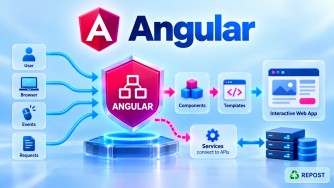


Below are interview quick-revision answers for an Angular + ASP.NET Core Web API architecture.
1. How would you migrate an existing ASP.NET Core MVC frontend to Angular while keeping the same Web API?
Keep the existing ASP.NET Core Web API, Application, Domain, Infrastructure, and database layers, and replace only the MVC presentation layer with Angular.
Before

Browser
   ↓
ASP.NET Core MVC
   ↓
Application
   ↓
Infrastructure
   ↓
SQL Server


After

Browser
   ↓
Angular
   ↓ HTTP/JSON
ASP.NET Core Web API
   ↓
Application
   ↓
Infrastructure
   ↓
SQL Server
Typical migration steps:
- Keep the existing Web API endpoints.
- Create the Angular application.
- Create TypeScript interfaces corresponding to API DTOs.
- Create Angular services using
HttpClient. - Convert MVC Razor pages into Angular components.
- Replace MVC routing with Angular routing.
- Implement JWT authentication, guards, and interceptors in Angular.
- Configure CORS in ASP.NET Core.
- Test Angular against the existing API.
- Remove the MVC frontend after all functionality has migrated.
For example:
@Injectable({
  providedIn: 'root'
})
export class ArticleService {

  private apiUrl = 'https://api.example.com/api/articles';

  constructor(private http: HttpClient) {}

  getArticles() {
    return this.http.get<Article[]>(this.apiUrl);
  }
}
Key interview point: Angular does not reference the ASP.NET Core projects directly. It communicates with the Web API using HTTP/HTTPS and JSON.
2. How would you replace an NgModule-based Angular application with standalone components?
Migrate incrementally rather than rewriting the whole application.
Before — NgModule
@NgModule({
  declarations: [
    AppComponent,
    HomeComponent,
    ProductComponent
  ],
  imports: [
    BrowserModule,
    HttpClientModule,
    RouterModule
  ],
  bootstrap: [AppComponent]
})
export class AppModule {}
Bootstrap:
platformBrowserDynamic()
  .bootstrapModule(AppModule);
After — Standalone
@Component({
  selector: 'app-root',
  standalone: true,
  imports: [RouterOutlet],
  template: `
    <router-outlet />
  `
})
export class App {}
Bootstrap directly:
bootstrapApplication(App, {
  providers: [
    provideRouter(routes),
    provideHttpClient()
  ]
});
A standalone component imports its own dependencies:
@Component({
  selector: 'app-products',
  standalone: true,
  imports: [
    CommonModule,
    ReactiveFormsModule
  ],
  templateUrl: './products.html'
})
export class Products {}
A practical migration sequence is:
NgModule application
       ↓
Convert leaf components
       ↓
Convert shared components
       ↓
Convert feature areas
       ↓
Move providers to application configuration
       ↓
Replace AppModule bootstrap
       ↓
Remove unnecessary NgModules
Key interview point: Standalone Angular removes the requirement to declare components in an NgModule. Components explicitly import their template dependencies.
3. How would you organize a large Angular application with Public and Admin sections?
Separate the application by features/business areas, rather than putting every component into one global components folder.
For example:
src/app
│
├── core
│   ├── auth
│   ├── guards
│   ├── interceptors
│   └── services
│
├── shared
│   ├── components
│   ├── directives
│   ├── pipes
│   └── models
│
├── public
│   ├── layout
│   ├── home
│   ├── articles
│   ├── portfolio
│   └── contact
│
├── admin
│   ├── layout
│   ├── dashboard
│   ├── articles
│   ├── categories
│   └── tags
│
├── app.routes.ts
├── app.config.ts
└── app.ts
Then lazy-load the major sections:
export const routes: Routes = [
  {
    path: '',
    loadChildren: () =>
      import('./public/public.routes')
        .then(m => m.PUBLIC_ROUTES)
  },
  {
    path: 'admin',
    canActivate: [authGuard],
    loadChildren: () =>
      import('./admin/admin.routes')
        .then(m => m.ADMIN_ROUTES)
  }
];
Admin routes:
export const ADMIN_ROUTES: Routes = [
  {
    path: 'dashboard',
    loadComponent: () =>
      import('./dashboard/dashboard')
        .then(m => m.Dashboard)
  },
  {
    path: 'articles',
    loadComponent: () =>
      import('./articles/articles')
        .then(m => m.Articles)
  }
];
The architecture becomes:
Angular
│
├── Public
│   ├── Home
│   ├── Articles
│   └── Contact
│
├── Admin
│   ├── Dashboard
│   ├── Articles
│   └── Categories
│
├── Core
│   ├── Authentication
│   ├── Guards
│   └── Interceptors
│
└── Shared
    ├── Components
    ├── Pipes
    └── Models
Key interview point: Use feature-based organization + lazy loading, with core for application-wide infrastructure and shared for reusable UI functionality.
4. How would you deploy Angular and ASP.NET Core independently?
Build and deploy them as two separate applications.
User Browser
     |
     | HTTPS
     ↓
Angular Application
https://www.example.com
     |
     | REST API / JSON
     ↓
ASP.NET Core Web API
https://api.example.com
     |
     ↓
SQL Server
Build Angular:
ng build --configuration productionDeploy the generated dist files to a static hosting platform or web server.
Publish ASP.NET Core independently:
dotnet publish -c ReleaseAngular production configuration points to the API:
export const environment = {
  production: true,
  apiUrl: 'https://api.example.com/api'
};
Service:
getArticles() {
  return this.http.get<Article[]>(
    `${environment.apiUrl}/articles`
  );
}
Because the origins differ:
https://www.example.com
https://api.example.com
configure CORS on the API:
builder.Services.AddCors(options =>
{
    options.AddPolicy("AngularClient", policy =>
    {
        policy
            .WithOrigins("https://www.example.com")
            .AllowAnyHeader()
            .AllowAnyMethod();
    });
});app.UseCors("AngularClient");Key interview point: Angular and ASP.NET Core have independent build/deployment pipelines. Angular only needs the API URL and API contract; it does not need the ASP.NET Core source code.
5. How would you troubleshoot a CORS issue between Angular and ASP.NET Core?
First determine whether the failure is actually CORS, rather than authentication, HTTPS, networking, or an API error.
A common scenario is:
Angular
http://localhost:4200

        ↓ request

ASP.NET Core
https://localhost:7001
These are different origins, so the browser applies CORS rules.
Step 1 — Check Browser DevTools
Open:
F12
→ Network
→ Failed request
Check:
Request URL
Request Method
Origin
Status Code
Response Headers
OPTIONS request
Also inspect the Console for a CORS error.
Step 2 — Verify ASP.NET Core CORS
builder.Services.AddCors(options =>
{
    options.AddPolicy("AngularClient", policy =>
    {
        policy
            .WithOrigins("http://localhost:4200")
            .AllowAnyHeader()
            .AllowAnyMethod();
    });
});
Then:
app.UseHttpsRedirection();

app.UseCors("AngularClient");

app.UseAuthentication();
app.UseAuthorization();

app.MapControllers();
Step 3 — Check the exact origin
These are different origins:
http://localhost:4200
https://localhost:4200
https://localhost:4201
https://www.example.com
https://example.com
The configured origin must match the frontend origin.
Step 4 — Check preflight requests
The browser may send:
OPTIONS /api/articlesbefore the actual request.
The API must allow the required:
Origin
HTTP method
Headers
Credentials
Step 5 — Check credentials
If cookie authentication is being used:
policy
    .WithOrigins("https://www.example.com")
    .AllowAnyHeader()
    .AllowAnyMethod()
    .AllowCredentials();
Do not combine:
.AllowAnyOrigin()
.AllowCredentials()
For cross-origin cookies, the cookie configuration itself also needs to support the cross-site scenario.
Step 6 — Compare browser vs Postman
If:
Postman       → Works
Angular       → Fails
CORS is a strong possibility because CORS is enforced by browsers, not by Postman in the same way.
However, still inspect the actual HTTP status and response rather than assuming every browser-only failure is CORS.
Interview summary
| Question | Short answer |
|---|---|
| MVC → Angular | Replace the presentation layer while retaining the Web API/backend |
| NgModule → Standalone | Convert components and providers incrementally, then remove unnecessary modules |
| Public + Admin | Feature-based structure with separate lazy-loaded route trees |
| Independent deployment | Deploy Angular and API separately and configure the API base URL |
| CORS troubleshooting | Check origin, policy, middleware, preflight, headers, credentials, and DevTools |
The central architecture to remember is:
Angular
   ↓
HTTP/HTTPS + JSON
   ↓
ASP.NET Core Web API
   ↓
Application
   ↓
Domain / Infrastructure
   ↓
SQL Server
This is especially important in Clean Architecture: Angular is an independent client. It communicates with the backend through the Web API contract rather than taking a project reference to Application, Infrastructure, or Domain.