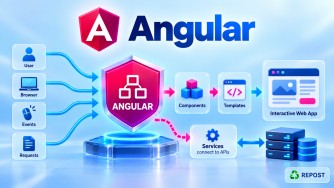


1. How does Angular communicate with ASP.NET Core Web API?
Angular communicates with ASP.NET Core Web API using HTTP requests through HttpClient. Data is typically exchanged in JSON format using REST endpoints.
Angular → HttpClient → ASP.NET Core Web API → SQL Server
Angular ← JSON Response ← Web API ← SQL Server
2. What is HttpClient?
HttpClient is an Angular service used to make GET, POST, PUT, PATCH, and DELETE requests. It returns RxJS Observables for handling asynchronous responses.
constructor(private http: HttpClient) {}3. How was HttpClientModule configured before standalone Angular?
In traditional NgModule-based Angular applications, HttpClientModule was imported into the AppModule to enable HTTP communication.
@NgModule({ imports: [BrowserModule, HttpClientModule] })
export class AppModule {}
Key Point: HttpClientModule is deprecated in modern Angular; use provideHttpClient().
4. How is provideHttpClient() configured in standalone Angular?
In standalone Angular, provideHttpClient() registers HTTP services globally through app.config.ts.
export const appConfig: ApplicationConfig = {
  providers: [provideHttpClient()]
};
5. How do you perform a GET request?
Use HttpClient.get() to retrieve data from an API. GET requests are commonly used to fetch articles, users, or products.
this.http.get<User[]>('/api/users')
  .subscribe(data => console.log(data));
6. How do you perform a POST request?
Use HttpClient.post() to send data and create a resource on the server.
this.http.post('/api/users', { name: 'John' })
  .subscribe(response => console.log(response));
7. How do you perform a PUT request?
Use HttpClient.put() to update or replace an existing resource on the server.
this.http.put('/api/users/1', { name: 'David' })
  .subscribe(response => console.log(response));
8. How do you perform a DELETE request?
Use HttpClient.delete() to delete a resource using its identifier.
this.http.delete('/api/users/1')
  .subscribe(() => console.log('Deleted'));
9. How do you send query-string parameters?
Use HttpParams or the params option to pass filtering, searching, sorting, or pagination values.
const params = { categoryId: '10', page: '1' };
this.http.get('/api/articles', { params }).subscribe();
10. How do you send HTTP headers?
Use HttpHeaders to send custom headers such as Authorization, API keys, or correlation IDs.
const headers = new HttpHeaders({ Authorization: `Bearer ${token}` });
this.http.get('/api/users', { headers }).subscribe();
11. How do you send JSON data from Angular to ASP.NET Core?
Angular automatically serializes a JavaScript object into JSON when passed to HttpClient.post() or put().
this.http.post('/api/users', { name: 'John', age: 30 }).subscribe();Key Point: Angular automatically sets Content-Type: application/json for JSON request bodies.
12. How does ASP.NET Core deserialize Angular JSON into a DTO?
ASP.NET Core uses model binding and JSON deserialization to convert the request body into a C# DTO, commonly using System.Text.Json.
public record UserDto(string Name, int Age);
[HttpPost] public IActionResult Create([FromBody] UserDto user) => Ok(user);
13. How do you upload files from Angular to ASP.NET Core?
Use FormData in Angular to send files as multipart/form-data. ASP.NET Core receives the uploaded file using IFormFile.
Angular:
const data = new FormData(); data.append('file', selectedFile);
this.http.post('/api/upload', data).subscribe();
ASP.NET Core:
[HttpPost("upload")]
public IActionResult Upload(IFormFile file) => Ok(file.FileName);
14. How do you download files from ASP.NET Core?
Angular uses responseType: 'blob' to receive binary files. ASP.NET Core returns files using FileResult.
Angular:
this.http.get('/api/files/report', { responseType: 'blob' })
  .subscribe(blob => console.log(blob));
ASP.NET Core:
return File(fileBytes, "application/pdf", "report.pdf");15. How do you handle HTTP errors?
Use RxJS catchError() to handle HTTP failures. HttpErrorResponse provides details such as status code and error message.
this.http.get('/api/users').pipe(
  catchError(error => { console.error(error.status); return EMPTY; })
).subscribe();
Key Point: Use an HTTP interceptor for centralized error handling.
16. How do you create a reusable API service?
Create an @Injectable() service to centralize API calls and reuse them across components. This separates HTTP logic from UI logic.
@Injectable({ providedIn: 'root' })
export class UserService {
  private http = inject(HttpClient);
  getUsers() { return this.http.get<User[]>('/api/users'); }
}
17. How do you configure the ASP.NET Core API base URL?
Store the API base URL in an environment configuration file rather than hardcoding it in every service.
export const environment = { apiUrl: 'https://localhost:7001/api' };Usage:
this.http.get(`${environment.apiUrl}/users`);18. How do you handle development and production API URLs?
Use separate environment.ts and environment.production.ts files with Angular CLI file replacements for different environments.
// Development
export const environment = { apiUrl: 'https://localhost:7001/api' };
// Production
export const environment = { apiUrl: 'https://api.example.com/api' };19. How do you call multiple Web APIs from Angular?
Use RxJS forkJoin() to execute independent HTTP requests concurrently and receive their results together.
forkJoin({
  users: this.http.get('/api/users'),
  roles: this.http.get('/api/roles')
}).subscribe(result => console.log(result));
Key Point: forkJoin() emits after all requests complete successfully.
20. Should Angular access SQL Server directly?
No. Angular should communicate with SQL Server through ASP.NET Core Web API, which handles business logic, authentication, authorization, and database access.
Angular Application
        |
        | HTTPS / JSON
        v
ASP.NET Core Web API
        |
        | EF Core / ADO.NET
        v
    SQL Server
Key Point: Never expose database connection strings or SQL Server credentials in Angular.
Important Interview Revision Points
|
Concept |
Key Point |
|---|---|
|
|
Communicates with REST APIs |
|
|
Registers HTTP services |
|
|
Retrieve data |
|
|
Create data |
|
|
Update or replace data |
|
|
Remove data |
|
|
Query-string parameters |
|
|
Authorization and custom headers |
|
|
File upload |
|
|
Binary file download |
|
|
HTTP error handling |
|
HTTP Interceptor |
Centralized request/response processing |
|
Environment Files |
Development/production API URLs |
|
|
Concurrent API requests |
|
DTO |
Request/response data contract |
|
CORS |
Controls cross-origin browser access |
|
SQL Server |
Access through Web API only |
Interview priority: Focus particularly on questions 1, 2, 4, 9, 10, 12, 13, 15, 16, 17, 18, 19, and 20.
For an Angular + ASP.NET Core Full Stack Developer interview, also prepare CORS configuration, JWT authentication, HTTP interceptors, and refresh token handling, as these are closely related integration topics.