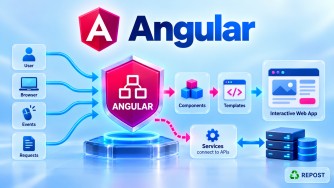


Important Files in Angular
In a modern Angular application, several files control application startup, UI, routing, dependency injection, configuration, TypeScript compilation, dependencies, styling, testing, and building.
If you create an application using:
ng new my-appyou will typically see a structure similar to:
my-app/
│
├── public/
│
├── src/
│   ├── app/
│   │   ├── app.ts
│   │   ├── app.html
│   │   ├── app.css
│   │   ├── app.config.ts
│   │   ├── app.routes.ts
│   │   └── app.spec.ts
│   │
│   ├── index.html
│   ├── main.ts
│   └── styles.css
│
├── angular.json
├── package.json
├── package-lock.json
├── tsconfig.json
├── tsconfig.app.json
└── tsconfig.spec.json
Exact filenames and generated files can vary depending on the Angular CLI version and the options used when creating the application.
1. main.ts
What is main.ts?
main.ts is the main entry point of an Angular application.
It is responsible for starting, or bootstrapping, Angular.
In a modern standalone application:
import { bootstrapApplication } from '@angular/platform-browser';
import { appConfig } from './app/app.config';
import { App } from './app/app';

bootstrapApplication(App, appConfig)
  .catch(err => console.error(err));
The important statement is:
bootstrapApplication(App, appConfig);It tells Angular:
Start the application using
Appas the root component and use the configuration defined inappConfig.
Flow
Browser loads application
        ↓
      main.ts
        ↓
bootstrapApplication()
        ↓
       App
        ↓
Angular application starts
Why do we need it?
Every application needs a starting point.
For Angular, main.ts performs that responsibility.
You normally don't put business logic such as:
Article logic
Login logic
API calls
Validation
Product calculations
inside main.ts.
Its primary responsibility is application startup.
Before Standalone Angular
Older NgModule-based Angular applications commonly used:
platformBrowserDynamic()
  .bootstrapModule(AppModule)
  .catch(err => console.error(err));
So:
Older Angular

main.ts
   ↓
AppModule
   ↓
AppComponent
Modern standalone Angular:
main.ts
   ↓
bootstrapApplication()
   ↓
App
Key Point
main.tsis the entry point that bootstraps the Angular application.
2. index.html
What is index.html?
index.html is the main HTML document initially loaded by the browser.
Example:
<!doctype html>
<html lang="en">

<head>
  <meta charset="utf-8">
  <title>MyApp</title>
  <base href="/">
  <meta name="viewport"
        content="width=device-width, initial-scale=1">
</head>

<body>

  <app-root></app-root>

</body>

</html>
The most important Angular-related element is:
<app-root></app-root>This is where Angular places the root component.
How does Angular know <app-root>?
Look at app.ts:
@Component({
  selector: 'app-root'
})
export class App {
}
The selector is:
selector: 'app-root'Therefore:
<app-root></app-root>matches the App component.
Flow
index.html
    ↓
<app-root>
    ↓
selector: 'app-root'
    ↓
App component
    ↓
app.html
What is <base href="/">?
Another important line is:
<base href="/">It specifies the base URL used by the application for resolving relative URLs and is important for Angular routing.
For an application hosted at the root:
https://example.com/you normally have:
<base href="/">What should go into index.html?
Normally:
- Metadata
- Root Angular element
- Global document-level configuration
- External resources when required
You generally do not build your Angular pages directly inside index.html.
For example, avoid treating this as your application UI:
<body>

  <h1>Home</h1>

  <div>Articles</div>

  <div>Admin</div>

</body>
That UI belongs in Angular components.
Key Point
index.htmlis the browser's host HTML document for the Angular application.
3. app.ts
What is app.ts?
app.ts commonly contains the application's root Angular component in current Angular CLI projects.
Example:
import { Component } from '@angular/core';
import { RouterOutlet } from '@angular/router';

@Component({
  selector: 'app-root',
  imports: [RouterOutlet],
  templateUrl: './app.html',
  styleUrl: './app.css'
})
export class App {
  title = 'My Application';
}
There are several important parts here.
@Component
@Component({
})
This tells Angular that the class is an Angular component.
selector
selector: 'app-root'This defines the component's HTML selector.
Therefore:
<app-root></app-root>can represent this component.
imports
imports: [RouterOutlet]For standalone components, dependencies used by the component's template can be imported directly into the component.
For example:
imports: [
  RouterOutlet
]
templateUrl
templateUrl: './app.html'This tells Angular where the component's HTML template is located.
app.ts
   ↓
app.html
styleUrl
styleUrl: './app.css'This associates the component with its stylesheet.
app.ts
   ├── app.html
   └── app.css
Component Class
export class App {
  title = 'My Application';
}
The class contains the component's TypeScript state and behavior.
The template can access:
titleusing:
<h1>{{ title }}</h1>Key Point
app.tsdefines the root Angular component and connects its TypeScript logic, HTML template, styles, and template dependencies.
4. app.html
What is app.html?
app.html is the HTML template associated with the root App component.
Example:
<header>
  <h1>My Website</h1>
</header>

<nav>
  <a routerLink="/">Home</a>
  <a routerLink="/articles">Articles</a>
  <a routerLink="/contact">Contact</a>
</nav>

<router-outlet></router-outlet>

<footer>
  Copyright 2026
</footer>
The most important element in a routed application is often:
<router-outlet></router-outlet>Angular Router displays the matching routed component at this location.
For example:
URL: /

Header
Navigation
-----------------
Home Component
-----------------
Footer
Navigate to:
/articlesand the outlet may contain:
Header
Navigation
-----------------
Articles Component
-----------------
Footer
The common shell can remain while the routed content changes.
app.ts and app.html Relationship
app.ts
   |
   | templateUrl
   ↓
app.html
For example:
export class App {
  title = 'JN Tech';
}
Then:
<h1>{{ title }}</h1>Angular renders:
JN TechKey Point
app.htmldefines the root component's UI template.
5. app.css
What is app.css?
app.css contains styles associated with the root component.
Example:
header {
    padding: 20px;
}

nav {
    padding: 10px;
}

footer {
    margin-top: 30px;
}
It is referenced from:
@Component({
  styleUrl: './app.css'
})
Conceptually:
app.ts
   ├── app.html    → UI
   └── app.css     → Component styles
6. app.routes.ts
What is app.routes.ts?
app.routes.ts defines the application's Angular routes.
It maps:
URL
 ↓
Component
Example:
import { Routes } from '@angular/router';
import { Home } from './home/home';
import { Articles } from './articles/articles';
import { Contact } from './contact/contact';

export const routes: Routes = [

  {
    path: '',
    component: Home
  },

  {
    path: 'articles',
    component: Articles
  },

  {
    path: 'contact',
    component: Contact
  }

];
The result is:
| URL | Component |
|---|---|
/ |
Home |
/articles |
Articles |
/contact |
Contact |
How is app.routes.ts connected?
The routes are usually registered through app.config.ts.
provideRouter(routes)Flow:
app.routes.ts
      ↓
    routes
      ↓
app.config.ts
      ↓
provideRouter(routes)
      ↓
Angular Router
Then the matching component is rendered through:
<router-outlet></router-outlet>So the complete flow is:
User enters /articles
        ↓
Angular Router
        ↓
app.routes.ts
        ↓
Find 'articles'
        ↓
Articles component
        ↓
<router-outlet>
Key Point
app.routes.tsdefines which Angular component should be used for each client-side route.
7. app.config.ts
What is app.config.ts?
app.config.ts is commonly used in standalone Angular applications to configure application-wide providers.
Example:
import { ApplicationConfig } from '@angular/core';
import { provideRouter } from '@angular/router';
import { provideHttpClient } from '@angular/common/http';

import { routes } from './app.routes';

export const appConfig: ApplicationConfig = {

  providers: [

    provideRouter(routes),

    provideHttpClient()

  ]

};
This configuration is passed during application startup:
bootstrapApplication(App, appConfig);What can be configured here?
Common examples include:
Routing
HTTP Client
HTTP Interceptors
Animations
Global providers
Application-level services/configuration
For example:
providers: [
  provideRouter(routes),
  provideHttpClient()
]
Flow
app.config.ts
      ↓
Application providers
      ↓
main.ts
      ↓
bootstrapApplication(App, appConfig)
      ↓
Angular application
Key Point
app.config.tscontains application-level provider configuration in a modern standalone Angular application.
8. Component Files
The files we have discussed for App are not unique to the root component.
A normal component can also have:
home/
├── home.ts
├── home.html
├── home.css
└── home.spec.ts
home.ts
Component logic:
import { Component } from '@angular/core';

@Component({
  selector: 'app-home',
  templateUrl: './home.html',
  styleUrl: './home.css'
})
export class Home {

  title = 'Home';

}
home.html
Component UI:
<h1>{{ title }}</h1>

<p>Welcome to the home page.</p>
home.css
Component styling:
h1 {
    font-size: 32px;
}
home.spec.ts
Unit tests for the component.
So:
home.ts
   ├── Logic
   ├── State
   └── Component configuration

home.html
   └── UI

home.css
   └── Styling

home.spec.ts
   └── Tests
This is one of the most important structures to understand in Angular.
9. Service Files
Services normally contain reusable functionality.
Example:
services/
└── article.service.ts
A simple service:
import { Injectable } from '@angular/core';

@Injectable({
  providedIn: 'root'
})
export class ArticleService {

  getTitle() {
    return 'Angular Basics';
  }

}
Real services frequently handle:
API communication
Authentication
Shared business/frontend logic
Application state
Utility functionality
For example:
article.service.ts
auth.service.ts
user.service.ts
Key Point
Components primarily handle UI concerns, while services are commonly used for reusable logic and API communication.
10. Model / Interface Files
Angular applications frequently use TypeScript interfaces to describe data structures.
Example:
models/
└── article.ts
export interface Article {
id: number;
title: string;
content: string;
}Now TypeScript understands the expected structure:
let article: Article;For an ASP.NET Core API, you may conceptually have:
ASP.NET Core DTO
       ↓
JSON
       ↓
Angular Interface
For example:
public class ArticleDto
{
    public int Id { get; set; }

    public string Title { get; set; }
}
JSON:
{
  "id": 1,
  "title": "Angular Basics"
}
Angular:
export interface Article {
  id: number;
  title: string;
}
Key Point
Interfaces provide TypeScript compile-time typing; they do not become runtime classes simply because an API response is typed as an interface.
11. styles.css
What is styles.css?
styles.css contains global styles for the entire application.
Example:
body {
    margin: 0;
    font-family: Arial, sans-serif;
}

a {
    text-decoration: none;
}
styles.css vs Component CSS
This distinction is important.
Global
src/styles.cssUsed for application-wide styles.
Component
home/home.cssUsed for styles associated with the Home component.
styles.css |
home.css |
|---|---|
| Global styles | Component styles |
| Application-wide | Associated with one component |
| Good for global typography/theme rules | Good for component-specific design |
Key Point
Use global styles for truly application-wide rules and component styles for component-specific presentation.
12. angular.json
What is angular.json?
angular.json is the Angular workspace configuration file.
Angular CLI reads this file when executing commands such as:
ng serve
ng build
ng test
It contains configuration related to:
Projects
Build
Development server
Assets
Styles
Scripts
Build configurations
A simplified idea:
{
  "projects": {
    "my-app": {
      "architect": {
        "build": {
        },
        "serve": {
        }
      }
    }
  }
}
You may also see global styles and assets configured as part of the build options.
Why is it important?
When you run:
ng buildAngular CLI needs to know how the project should be built.
That information comes partly from:
angular.jsonConceptually:
ng build
    ↓
Angular CLI
    ↓
angular.json
    ↓
Build configuration
    ↓
Application build
Key Point
angular.jsonconfigures Angular CLI workspace operations such as build, serve, test, assets, styles, and scripts.
13. package.json
What is package.json?
package.json is the npm project configuration file.
It contains:
- Project information
- npm scripts
- Dependencies
- Development dependencies
Simplified example:
{
  "scripts": {
    "start": "ng serve",
    "build": "ng build",
    "test": "ng test"
  },

  "dependencies": {
    "@angular/core": "...",
    "@angular/router": "...",
    "rxjs": "..."
  },

  "devDependencies": {
    "@angular/cli": "...",
    "typescript": "..."
  }
}
dependencies
Packages required by the application are listed here.
Example:
@angular/core
@angular/common
@angular/router
rxjs
devDependencies
Packages primarily required for development/build tooling are listed here.
Examples can include:
@angular/cli
TypeScript
Testing/build tools
Scripts
You may see:
"scripts": {
  "start": "ng serve",
  "build": "ng build"
}
Therefore:
npm startcan execute the configured:
ng serveand:
npm run buildcan execute:
ng buildKey Point
package.jsondefines the project's npm packages and scripts.
14. package-lock.json
What is it?
package-lock.json records the resolved npm dependency tree and exact package versions used by an installation.
Suppose package.json permits a compatible version range.
The lock file records the concrete resolved dependency versions.
This improves reproducibility between:
Developer A
Developer B
Build Server
CI/CD Pipeline
Should we modify it manually?
Normally:
No.
npm maintains it when dependencies are installed or updated.
It is normally committed to source control for an application.
Key Point
package.jsondeclares dependency requirements;package-lock.jsonlocks the resolved dependency tree for reproducible installations.
15. node_modules
What is node_modules?
node_modules contains npm packages installed for the project.
When you run:
npm installnpm reads:
package.json
package-lock.json
and installs packages into:
node_modules/Example:
node_modules/
│
├── @angular/
├── rxjs/
├── typescript/
└── ...
Do we commit node_modules to Git?
Normally:
No.
It is typically excluded using:
.gitignoreOther developers can restore dependencies using:
npm installor use:
npm cifor a clean lock-file-based installation, which is especially common in CI/CD.
Key Point
node_modulescontains installed dependencies and is generated from npm dependency metadata rather than being treated as application source code.
16. tsconfig.json
What is tsconfig.json?
tsconfig.json contains the base TypeScript compiler configuration for the project.
Angular uses TypeScript, so the compiler needs configuration describing how TypeScript should be compiled and checked.
Simplified example:
{
  "compilerOptions": {
    "strict": true,
    "target": "ES2022"
  }
}
It can control things such as:
- Type checking
- JavaScript target
- Module behavior
- Path-related compiler settings
- Strictness
Key Point
tsconfig.jsonprovides the base TypeScript compiler configuration.
17. tsconfig.app.json
tsconfig.app.json contains TypeScript configuration specifically for the application code.
It normally extends the main configuration.
Conceptually:
tsconfig.json
      ↓
Base TypeScript settings
      ↓
tsconfig.app.json
      ↓
Application-specific settings
This allows common TypeScript settings to be shared while different compilation targets can have additional configuration.
18. tsconfig.spec.json
This file contains TypeScript configuration related to test/spec files, when present for the project's testing setup.
Conceptually:
tsconfig.json
   |
   +---- tsconfig.app.json
   |          ↓
   |     Application
   |
   +---- tsconfig.spec.json
              ↓
             Tests
19. .gitignore
What is .gitignore?
.gitignore tells Git which files and directories should not be committed.
For example:
node_modules/
dist/
.angular/
These are generated or local artifacts that generally don't belong in source control.
Why?
You don't want to store large generated dependency folders such as:
node_modules/in Git.
Dependencies are restored from:
package.json
package-lock.json
Key Point
.gitignoreprevents generated, temporary, local, or otherwise unwanted files from being committed to Git.
20. public Folder
Modern Angular projects can use:
public/for static assets.
Example:
public/
│
├── images/
│   └── logo.png
│
├── documents/
│   └── resume.pdf
│
└── favicon.ico
These are static resources rather than Angular TypeScript source files.
Key Point
publicis used for static files that should be served/copied as part of the application build.
21. Environment Configuration
Angular applications often need different values depending on environment, for example:
Development API URL
Production API URL
Feature/configuration values
A project can be configured to use environment-specific files/build replacements where appropriate.
For example, you might maintain configuration representing:
Development
Production
and use build configuration to select the appropriate values.
However, there is one very important security rule:
Angular code executes on the client. Do not store actual secrets such as database passwords, private API keys, or server credentials in Angular source/environment files.
Anything delivered to the browser should be considered accessible to the user.
For sensitive configuration:
Angular
   ↓
ASP.NET Core Web API
   ↓
Server-side configuration / secret store
Secrets belong on the backend.
22. Build Output
When you execute:
ng buildAngular produces build output, commonly under:
dist/Conceptually:
Angular Source
     ↓
  ng build
     ↓
Compilation
Bundling
Optimization
     ↓
dist/
dist contains generated deployment artifacts.
You normally do not manually develop inside dist.
The source of truth remains your Angular source files.
23. How the Most Important Files Work Together
This is the most important part to understand.
Suppose the user opens:
https://example.com/articlesThe Angular application starts approximately like this:
                Browser
                   |
                   v
              index.html
                   |
              <app-root>
                   |
                   v
                main.ts
                   |
                   v
        bootstrapApplication()
                   |
           +-------+-------+
           |               |
           v               v
        app.ts       app.config.ts
           |               |
           |          provideRouter()
           |               |
           |          app.routes.ts
           |
           v
        app.html
           |
           v
    <router-outlet>
           |
           v
    Articles Component
For backend data, the flow can continue:
Articles Component
       |
       v
Article Service
       |
       v
HttpClient
       |
       | GET /api/articles
       v
ASP.NET Core Web API
       |
       v
SQL Server
This is the relationship you should clearly understand for Angular interviews.
24. Important Files — Quick Reference
| File | Main Purpose |
|---|---|
main.ts |
Starts Angular application |
index.html |
Main browser HTML document |
app.ts |
Root Angular component |
app.html |
Root component UI |
app.css |
Root component styles |
app.config.ts |
Application-level providers |
app.routes.ts |
Routing configuration |
*.service.ts |
Reusable/API logic |
Model/interface .ts |
Type definitions |
*.spec.ts |
Tests |
styles.css |
Global CSS |
angular.json |
Angular workspace/build configuration |
package.json |
npm dependencies and scripts |
package-lock.json |
Resolved dependency versions/tree |
tsconfig.json |
Base TypeScript configuration |
tsconfig.app.json |
Application TypeScript configuration |
tsconfig.spec.json |
Test TypeScript configuration |
.gitignore |
Git exclusions |
public/ |
Static files |
node_modules/ |
Installed npm packages |
dist/ |
Generated build output |
25. Older Angular vs Modern Angular Files
This is particularly important when you work with existing Angular projects.
Older NgModule-Based Application
You commonly see:
src/app/
│
├── app.component.ts
├── app.component.html
├── app.component.css
├── app.module.ts
└── app-routing.module.tsapp.module.ts:
@NgModule({
  declarations: [
    AppComponent
  ],
  imports: [
    BrowserModule
  ],
  bootstrap: [
    AppComponent
  ]
})
export class AppModule {
}
Modern Standalone Application
You can see:
src/app/
│
├── app.ts
├── app.html
├── app.css
├── app.config.ts
└── app.routes.ts
and:
bootstrapApplication(App, appConfig);Main Difference
| Older Angular | Modern Angular |
|---|---|
app.module.ts central |
app.module.ts not required |
app-routing.module.ts common |
app.routes.ts common |
| Components declared in NgModules | Standalone components import dependencies directly |
bootstrapModule() |
bootstrapApplication() |
| Module-centric configuration | Standalone providers/configuration |
You should understand both, because existing enterprise applications may still use NgModules.
26. Advantages of Angular's File Structure
Clear Separation
.ts      → Logic
.html    → UI
.css     → Styling
.spec.ts → Testing
Maintainability
Related functionality can be organized predictably.
Scalability
Large applications can be organized into:
core/
shared/
features/
layouts/
Team Development
Developers can work on different features without placing everything into one large file.
Configuration Separation
Angular keeps separate configuration for:
Angular CLI
npm
TypeScript
Application providers
Routing
27. Disadvantages / Considerations
Many Files
Angular applications can contain many files even for relatively simple functionality.
Beginners May Be Confused
Files such as:
angular.json
package.json
tsconfig.json
app.config.ts
app.routes.ts
have different responsibilities that initially appear similar.
Older vs Modern Angular Differences
Older tutorials may show:
app.module.ts
app.component.ts
while newer projects may show:
app.config.ts
app.ts
Understanding whether the project is NgModule-based or standalone-based is therefore important.
28. Key Points
For interviews, remember these especially well:
main.ts→ application entry point.index.html→ main HTML host document.app.ts→ root component.app.html→ root component template.app.config.ts→ application-level providers.app.routes.ts→ routing configuration.styles.css→ global styles.angular.json→ Angular CLI/workspace configuration.package.json→ npm dependencies and scripts.package-lock.json→ resolved dependency versions/tree.tsconfig.json→ TypeScript configuration.node_modules→ installed npm dependencies.public→ static resources.dist→ generated build output.- Modern Angular favors standalone APIs, while older applications commonly use NgModules.
The easiest way to remember the startup relationship is:
index.html
     ↓
 <app-root>
     ↑
   app.ts
     ↑
   main.ts
     |
     +------ app.config.ts
                 |
                 +------ app.routes.ts
29. Interview Questions and Answers
Q1. What is the entry point of an Angular application?
Answer:
main.ts is the main TypeScript entry point. In a modern standalone Angular application, it commonly starts the application using:
bootstrapApplication(App, appConfig);Q2. What is the purpose of index.html?
Answer:
index.html is the main HTML document loaded by the browser. It contains the root Angular host element, such as:
<app-root></app-root>Angular renders the root component there.
Q3. What is app.ts?
Answer:
app.ts commonly defines the root component of a modern Angular application. It contains the component metadata and TypeScript class and connects the component to its HTML template and styles.
Q4. What is app.config.ts?
Answer:
It contains application-level provider configuration in a standalone Angular application.
For example:
provideRouter(routes)and:
provideHttpClient()Q5. What is app.routes.ts?
Answer:
It defines client-side routes and maps URL paths to Angular components or lazy-loaded routes.
For example:
{
  path: 'articles',
  component: Articles
}
Q6. What is the difference between app.css and styles.css?
Answer:
app.css contains styles associated with the root component.
styles.css contains global styles for the entire application.
Q7. What is the difference between package.json and package-lock.json?
Answer:
package.json declares the application's dependencies and npm scripts.
package-lock.json records the concrete dependency tree resolved by npm so installations can be reproduced more consistently.
Q8. What is angular.json?
Answer:
angular.json is Angular's workspace configuration file. Angular CLI uses it for tasks such as:
Build
Serve
Test
Assets
Styles
Scripts
Build configurations
Q9. What is tsconfig.json?
Answer:
tsconfig.json contains the base TypeScript compiler configuration, including type-checking and compilation options.
Q10. What is node_modules?
Answer:
node_modules contains the npm packages installed for the project. It is generated using the project's npm dependency metadata and normally should not be committed to Git.
Q11. What is the public folder?
Answer:
The public folder contains static resources such as images, icons, and documents that need to be served/copied with the application.
Q12. What is the dist folder?
Answer:
dist contains the generated application output after running:
ng buildIt is build output, not the location where application source code should be developed.
Q13. Where should database connection strings and secrets be stored?
Answer:
Not in Angular.
Angular executes in the user's browser, so values delivered with the frontend must be considered visible to the user.
For an Angular + ASP.NET Core application:
Angular
   ↓
ASP.NET Core Web API
   ↓
Server-side Configuration
   ↓
Secret Store / Key Vault
Sensitive credentials belong on the server side.
Interview Summary
The most important Angular files are
main.ts, which starts the application;index.html, which hosts the Angular root element;app.ts, which defines the root component;app.config.ts, which configures application-level providers; andapp.routes.ts, which defines routing.angular.jsoncontrols Angular workspace/build configuration,package.jsonmanages npm dependencies and scripts, andtsconfig.jsoncontrols TypeScript compilation. Modern Angular favors standalone APIs, while older Angular applications commonly useAppModuleand other NgModules.