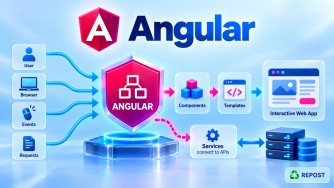


NgRx: Store, Action, Reducer, Selector, and Effect
These are the five most important NgRx concepts.
The easiest way to understand them is through one flow:
Angular Component
       │
       │ dispatch
       ▼
     Action
       │
       ├──────────────► Effect
       │                  │
       │                  ▼
       │             ASP.NET Core API
       │                  │
       │                  ▼
       │           Success/Failure Action
       │                  │
       ▼                  ▼
     Reducer ◄────────────┘
       │
       ▼
     Store
       │
       ▼
    Selector
       │
       ▼
Angular Component
Think of them as:
| Concept | Simple Meaning |
|---|---|
| Store | Where state is kept |
| Action | What happened |
| Reducer | How state changes |
| Selector | What state we need |
| Effect | Performs external/async work |
Full Simple Example
Let's create a Product State where Angular loads products from an ASP.NET Core Web API.
Install:
npm install @ngrx/store @ngrx/effects1. product.ts
export interface Product {
  id: number;
  name: string;
  price: number;
}
2. product.actions.ts
import {
  createAction,
  props
} from '@ngrx/store';

import { Product } from './product';

export const loadProducts =
  createAction(
    '[Products] Load Products'
  );

export const loadProductsSuccess =
  createAction(
    '[Products] Load Products Success',

    props<{
      products: Product[]
    }>()
  );

export const loadProductsFailure =
  createAction(
    '[Products] Load Products Failure',

    props<{
      error: string
    }>()
  );
3. product.reducer.ts
import {
  createReducer,
  on
} from '@ngrx/store';

import { Product } from './product';

import {
  loadProducts,
  loadProductsSuccess,
  loadProductsFailure
} from './product.actions';


export interface ProductState {

  products: Product[];

  loading: boolean;

  error: string | null;

}


export const initialState:
  ProductState = {

  products: [],

  loading: false,

  error: null

};


export const productReducer =
  createReducer(

    initialState,

    on(
      loadProducts,

      state => ({
        ...state,

        loading: true,

        error: null
      })
    ),

    on(
      loadProductsSuccess,

      (state, { products }) => ({
        ...state,

        products,

        loading: false
      })
    ),

    on(
      loadProductsFailure,

      (state, { error }) => ({
        ...state,

        loading: false,

        error
      })
    )

  );
4. product.selectors.ts
import {
  createFeatureSelector,
  createSelector
} from '@ngrx/store';

import {
  ProductState
} from './product.reducer';


export const selectProductState =
  createFeatureSelector<ProductState>(
    'products'
  );


export const selectProducts =
  createSelector(

    selectProductState,

    state => state.products

  );


export const selectLoading =
  createSelector(

    selectProductState,

    state => state.loading

  );


export const selectError =
  createSelector(

    selectProductState,

    state => state.error

  );
5. product.service.ts
import {
  inject,
  Injectable
} from '@angular/core';

import {
  HttpClient
} from '@angular/common/http';

import {
  Observable
} from 'rxjs';

import {
  Product
} from './product';


@Injectable({
  providedIn: 'root'
})
export class ProductService {

  private readonly http =
    inject(HttpClient);

  private readonly apiUrl =
    'https://localhost:7001/api/products';


  getProducts():
    Observable<Product[]> {

    return this.http.get<Product[]>(
      this.apiUrl
    );

  }

}
6. product.effects.ts
import {
  inject,
  Injectable
} from '@angular/core';

import {
  Actions,
  createEffect,
  ofType
} from '@ngrx/effects';

import {
  catchError,
  map,
  of,
  switchMap
} from 'rxjs';

import {
  ProductService
} from './product.service';

import {
  loadProducts,
  loadProductsSuccess,
  loadProductsFailure
} from './product.actions';


@Injectable()
export class ProductEffects {

  private readonly actions$ =
    inject(Actions);

  private readonly productService =
    inject(ProductService);


  loadProducts$ =
    createEffect(() =>

      this.actions$.pipe(

        ofType(loadProducts),

        switchMap(() =>

          this.productService
            .getProducts()
            .pipe(

              map(products =>
                loadProductsSuccess({
                  products
                })
              ),

              catchError(error =>
                of(
                  loadProductsFailure({
                    error:
                      error.message
                  })
                )
              )

            )

        )

      )

    );

}
7. app.config.ts
import {
  ApplicationConfig
} from '@angular/core';

import {
  provideHttpClient
} from '@angular/common/http';

import {
  provideStore
} from '@ngrx/store';

import {
  provideEffects
} from '@ngrx/effects';

import {
  productReducer
} from './product.reducer';

import {
  ProductEffects
} from './product.effects';


export const appConfig:
  ApplicationConfig = {

  providers: [

    provideHttpClient(),

    provideStore({
      products: productReducer
    }),

    provideEffects(
      ProductEffects
    )

  ]

};
8. product-list.ts
import {
  Component,
  inject
} from '@angular/core';

import {
  AsyncPipe
} from '@angular/common';

import {
  Store
} from '@ngrx/store';

import {
  loadProducts
} from './product.actions';

import {
  selectProducts,
  selectLoading,
  selectError
} from './product.selectors';


@Component({
  selector: 'app-product-list',
  standalone: true,

  imports: [
    AsyncPipe
  ],

  template: `

    <h2>Products</h2>

    <button (click)="load()">
      Load Products
    </button>


    @if (loading$ | async) {

      <p>Loading...</p>

    }


    @if (error$ | async; as error) {

      <p>
        {{ error }}
      </p>

    }


    @for (
      product of products$ | async;
      track product.id
    ) {

      <p>

        {{ product.name }}

        -

        {{ product.price }}

      </p>

    }

  `
})
export class ProductList {

  private readonly store =
    inject(Store);


  readonly products$ =
    this.store.select(
      selectProducts
    );


  readonly loading$ =
    this.store.select(
      selectLoading
    );


  readonly error$ =
    this.store.select(
      selectError
    );


  load(): void {

    this.store.dispatch(
      loadProducts()
    );

  }

}
Now let's understand each part.
1. What is Store?
Definition
The Store is the central container that holds the application's NgRx-managed state.
For our example:
Store
 │
 └── Products State
       │
       ├── products
       ├── loading
       └── error
The state might currently look like:
{
  products: [
    {
      id: 1,
      name: 'Laptop',
      price: 75000
    }
  ],

  loading: false,

  error: null
}
Think:
Store = Where is my application state stored?
Reading Store
Components normally read Store data through selectors:
this.store.select(
  selectProducts
);
Changing Store
Components should not directly do something like:
store.products.push(product);Instead:
Component
    ↓
Action
    ↓
Reducer
    ↓
Store
2. What is an Action?
Definition
An Action describes an event that happened in the application.
For example:
export const loadProducts =
  createAction(
    '[Products] Load Products'
  );
This means:
Something happened:
"Products should be loaded."
Think:
Action = What happened?
Dispatching an Action
Component:
this.store.dispatch(
  loadProducts()
);
Flow:
User clicks
Load Products

      ↓

Component

      ↓

dispatch()

      ↓

Load Products Action
Actions Can Carry Data
For example:
export const loadProductsSuccess =
  createAction(
    '[Products] Load Products Success',

    props<{
      products: Product[]
    }>()
  );
This action carries:
products[]Similarly:
loadProductsFailure({
  error: 'Server error'
});
carries error information.
3. What is a Reducer?
Definition
A Reducer is a pure function that determines how state changes in response to an Action.
Think:
Reducer = How should the state change?
Example
When loading starts:
on(
  loadProducts,

  state => ({
    ...state,

    loading: true,

    error: null
  })
)
Before:
loading = falseAction:
Load ProductsAfter reducer:
loading = trueSuccess Example
API returns products.
Effect dispatches:
Load Products SuccessReducer executes:
on(
  loadProductsSuccess,

  (state, { products }) => ({
    ...state,

    products,

    loading: false
  })
)
State changes from:
products = []
loading = true
to:
products = [Laptop, Mobile, Mouse]
loading = false
Why ...state?
{
  ...state,
  loading: true
}
creates a new state object while preserving properties we aren't changing.
NgRx state is generally updated immutably.
Avoid direct mutation such as:
state.loading = true;Prefer:
return {
  ...state,
  loading: true
};
4. What is a Selector?
Definition
A Selector is used to retrieve or derive specific data from the Store.
Think:
Selector = What state does my component need?
Example
Store contains:
Product State
│
├── products
├── loading
└── error
Product component may only need:
productsSo create:
export const selectProducts =
  createSelector(

    selectProductState,

    state => state.products

  );
Component uses:
this.store.select(
  selectProducts
);
Selector Flow
Store
 │
 │ Complete state
 ▼
Selector
 │
 │ Select products
 ▼
Product Component
Selectors can also derive values.
For example:
export const selectProductCount =
  createSelector(

    selectProducts,

    products => products.length

  );
Now:
Products
[Laptop, Mouse, Mobile]

       ↓

Selector

       ↓

Product Count = 3
5. What is an Effect?
Definition
An Effect handles side effects, especially asynchronous work such as:
HTTP API calls
Logging
Local storage
Navigation
WebSocket operations
The most common interview example is:
ASP.NET Core API callThink:
Effect = What external or asynchronous work needs to happen?
Why Shouldn't Reducer Call the API?
Reducer should be predictable and pure.
Don't do:
Reducer
   ↓
HttpClient
   ↓
API
Instead:
Action
   ↓
Effect
   ↓
API
and then:
API response
   ↓
Success Action
   ↓
Reducer
Effect Example Explained
Effect listens for:
loadProductsusing:
ofType(loadProducts)Then:
switchMap(() =>
  this.productService.getProducts()
)
calls:
ASP.NET Core Web APIIf successful:
map(products =>
  loadProductsSuccess({
    products
  })
)
If failed:
catchError(error =>
  of(
    loadProductsFailure({
      error: error.message
    })
  )
)
Complete Real-World Flow
This is the most important part to remember.
User clicks:
Load ProductsStep 1 — Component
this.store.dispatch(
  loadProducts()
);
Component
↓
ActionStep 2 — Action
[Products] Load Productsdescribes what happened.
Step 3 — Reducer
Reducer sees loadProducts:
loading = trueStep 4 — Effect
The Effect also listens for the action:
Load Products
     ↓
Effect
     ↓
ProductService
Step 5 — API
Angular
   ↓
HttpClient
   ↓
ASP.NET Core Web API
   ↓
SQL Server
API returns:
Laptop
Mobile
Mouse
Step 6 — Effect Dispatches Success
Load Products Successcontaining:
products[]Step 7 — Reducer Updates Store
products = API products
loading = false
Step 8 — Selector Reads Products
Store
  ↓
selectProducts
  ↓
Product Component
Step 9 — UI Updates
Laptop
Mobile
Mouse
Complete Flow Diagram
              USER
               │
               │ Click
               ▼
          COMPONENT
               │
               │ dispatch
               ▼
            ACTION
       "Load Products"
          /         \
         /           \
        ▼             ▼
    REDUCER         EFFECT
       │              │
loading=true          │
       │              ▼
       │       ProductService
       │              │
       │              ▼
       │        HttpClient
       │              │
       │              ▼
       │      ASP.NET Core API
       │              │
       │              ▼
       │          SQL Server
       │              │
       │              ▼
       │       Products returned
       │              │
       │              ▼
       │       Success Action
       │              │
       └──────┬───────┘
              ▼
           REDUCER
              │
              │
      products = result
      loading = false
              │
              ▼
            STORE
              │
              ▼
          SELECTOR
              │
              ▼
          COMPONENT
              │
              ▼
             UI
Easy Real-Life Analogy
Imagine a restaurant.
Action
Customer says:
"I want a chicken biryani."That's an Action.
Action = What happened?Effect
Kitchen performs external work:
Prepare biryaniThat's similar to an Effect.
Effect = Perform workReducer
Order status changes:
Preparing
   ↓
Ready
That's similar to a Reducer changing state.
Store
The restaurant's order system contains:
Order #101
Chicken Biryani
Status = Ready
That's the Store.
Selector
The display board asks:
Which orders are ready?That's like a Selector.
One-Line Memory Trick
Remember this for interviews:
ACTION
→ What happened?

REDUCER
→ How should state change?

STORE
→ Where is state stored?

SELECTOR
→ What state do I need?

EFFECT
→ What external/async work should happen?
Key Points
- Store holds the NgRx-managed application state.
- Action describes an event.
- Reducer calculates the new state.
- Selector reads or derives state.
- Effect handles side effects such as API calls.
- Components dispatch Actions.
- Components normally don't modify Store state directly.
- Reducers should be pure.
- Reducers should update state immutably.
- Selectors provide focused access to Store data.
- Effects commonly use RxJS operators.
- Effects can call Angular services and
HttpClient. - Effects usually dispatch success/failure Actions after API operations.
Interview Questions & Answers
1. What is Store?
The Store is the central container for NgRx-managed application state.
this.store.select(
  selectProducts
);
2. What is an Action?
An Action describes something that happened.
createAction(
  '[Products] Load Products'
);
Memory: Action = What happened?
3. What is a Reducer?
A Reducer is a pure function that calculates new state based on the current state and an Action.
on(
  loadProducts,
  state => ({
    ...state,
    loading: true
  })
)
Memory: Reducer = How does state change?
4. What is a Selector?
A Selector retrieves or derives specific data from the Store.
this.store.select(
  selectProducts
);
Memory: Selector = What state do I need?
5. What is an Effect?
An Effect handles side effects such as HTTP API calls.
Action
  ↓
Effect
  ↓
HttpClient
  ↓
ASP.NET Core API
Memory: Effect = Perform external/async work.
6. Can a Reducer call an API?
Normally no. Reducers should remain pure. API calls belong in Effects or another side-effect mechanism.
7. What happens after an API call succeeds?
Typically:
Effect
   ↓
Success Action
   ↓
Reducer
   ↓
Store
   ↓
Selector
   ↓
Component
Interview Quick Answer
In NgRx, the Store holds application state. An Action describes what happened. A Reducer determines how the state changes. A Selector reads or derives data from the Store. An Effect handles side effects such as calling an ASP.NET Core Web API. The typical flow is Component → Action → Effect/API → Success Action → Reducer → Store → Selector → Component.