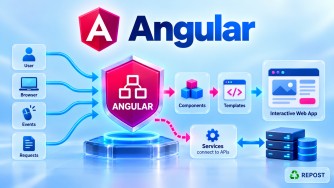


Angular Signals vs RxJS Observables
The simplest distinction is:
Signals are primarily for reactive state. Observables are primarily for asynchronous streams/events over time.
They are complementary, not competitors where one completely replaces the other.
Signals
   ↓
"What is the current value/state?"


Observables
   ↓
"What values/events are arriving over time?"
1. What is the difference between Signals and Observables?
Signals
A Signal is a reactive container that always has a current value.
count = signal(0);Read it synchronously:
this.count()Update it:
this.count.set(10);or:
this.count.update(x => x + 1);Think:
Signal
  ↓
Current State

count = 10
Observable
An Observable represents a stream of values/events over time.
products$ = this.http.get<Product[]>(
  '/api/products'
);
You normally consume it through:
products$.subscribe(...)or Angular's AsyncPipe.
An Observable can conceptually produce:
Observable

Time ──────────────────────────────→

       Value1    Value2    Value3
          ↓         ↓         ↓
        event     event     event
Full Simple Program
This example deliberately uses both because that is common in real Angular applications.
product.model.ts
export interface Product {
  id: number;
  name: string;
  price: number;
}
product.service.ts
import { Injectable } from '@angular/core';
import { HttpClient } from '@angular/common/http';
import { Observable } from 'rxjs';

import { Product } from './product.model';

@Injectable({
  providedIn: 'root'
})
export class ProductService {

  private apiUrl =
    'https://localhost:7001/api/products';

  constructor(private http: HttpClient) {}

  getProducts(): Observable<Product[]> {
    return this.http.get<Product[]>(this.apiUrl);
  }
}
product.ts
import {
  Component,
  computed,
  signal
} from '@angular/core';

import { ProductService } from './product.service';
import { Product } from './product.model';

@Component({
  selector: 'app-product',
  standalone: true,
  templateUrl: './product.html'
})
export class ProductComponent {

  products = signal<Product[]>([]);

  searchText = signal('');

  filteredProducts = computed(() => {

    const search =
      this.searchText().toLowerCase();

    return this.products().filter(product =>
      product.name.toLowerCase().includes(search)
    );

  });

  constructor(
    private productService: ProductService
  ) {}

  ngOnInit() {

    this.productService
      .getProducts()
      .subscribe(products => {

        this.products.set(products);

      });
  }

  search(value: string) {
    this.searchText.set(value);
  }
}
product.html
<h2>Products</h2>

<input
  type="text"
  placeholder="Search product"
  (input)="search($any($event.target).value)"
/>

@for (product of filteredProducts(); track product.id) {

  <div>
    {{ product.name }} -
    {{ product.price }}
  </div>

}
How this program works
Notice that we use an Observable for the HTTP operation:
getProducts(): Observable<Product[]> {
  return this.http.get<Product[]>(this.apiUrl);
}
Why?
Because HTTP is an asynchronous operation.
Angular
   ↓
HTTP Request
   ↓
Waiting...
   ↓
ASP.NET Core Web API
   ↓
HTTP Response
   ↓
Observable emits Product[]
Then:
.subscribe(products => {
  this.products.set(products);
});
takes the API result and stores it in:
products = signal<Product[]>([]);Now products represents our application's current product state.
So:
Observable
     ↓
handles asynchronous API operation
     ↓
Product[]
     ↓
Signal
     ↓
stores current UI state
Then:
filteredProducts = computed(...)derives UI state from the Signals.
The complete architecture is:
ASP.NET Core Web API
        ↓
    HttpClient
        ↓
Observable<Product[]>
        ↓
   subscribe()
        ↓
signal<Product[]>([])
        ↓
     computed()
        ↓
    Angular UI
This is one possible pattern; Angular also provides RxJS/Signal interop APIs such as toSignal() so you don't always need a manual subscription.
Signals vs Observables
| Feature | Signal | Observable |
|---|---|---|
| Main purpose | State | Async/event streams |
| Current value | Yes | Not necessarily |
| Read value | count() |
Subscribe/AsyncPipe |
| Update | set(), update() |
Depends on source; Subjects can emit |
| Synchronous read | Yes | Stream consumption model |
| Multiple values over time | State changes | Yes |
| Lazy | Computed signals are lazy | Usually lazy |
| Operators | Limited reactive APIs | Rich RxJS operators |
map() |
No RxJS map() |
Yes |
filter() |
No RxJS filter() |
Yes |
switchMap() |
No | Yes |
debounceTime() |
No | Yes |
catchError() |
No RxJS equivalent | Yes |
| Cancellation/composition | Not its purpose | Strong support |
| UI state | Excellent | Possible |
| HTTP | Can hold HTTP result | Natural fit with HttpClient |
| WebSocket/event stream | Not primary use | Excellent |
Important conceptual difference
Suppose:
count = signal(10);At any time:
this.count()gives:
10A Signal represents:
"What is count NOW?"An Observable is better understood as:
"What values/events are happening OVER TIME?"For example:
Search Observable

Time ───────────────────────────────→

"S"
      "Sy"
            "Sye"
                    "Syed"
You may want to process this using:
debounceTime()
distinctUntilChanged()
switchMap()
That's where RxJS is particularly powerful.
2. When should you use Signals?
Use Signals primarily when you're managing reactive application or UI state.
Example 1: Counter
count = signal(0);Perfect Signal use case.
Example 2: Logged-in user state
currentUser = signal<User | null>(null);You want to know:
Who is the current user?That's state.
Example 3: Product list
products = signal<Product[]>([]);The Signal represents the application's current product collection.
Example 4: Selected Product
selectedProduct =
  signal<Product | null>(null);
Again:
"What product is currently selected?"That's state.
Example 5: Loading state
isLoading = signal(false);You can then:
this.isLoading.set(true);and:
this.isLoading.set(false);Example 6: Search/filter state
searchText = signal('');Derived state:
filteredProducts = computed(() => {

  const search =
    this.searchText().toLowerCase();

  return this.products().filter(x =>
    x.name.toLowerCase().includes(search)
  );

});
This is an excellent Signal + computed() scenario.
Signals are especially good for
Component state
       ↓
Signals

Selected values
       ↓
Signals

UI flags
       ↓
Signals

Application state
       ↓
Signals

Derived state
       ↓
computed()

Writable dependent state
       ↓
linkedSignal()
Examples:
isLoading = signal(false);

selectedId = signal<number | null>(null);

products = signal<Product[]>([]);

currentUser = signal<User | null>(null);

searchText = signal('');

total = computed(...);
3. When should you use RxJS?
Use RxJS when you're dealing with asynchronous streams, event streams, cancellation, timing, or complex stream composition.
Example 1: HTTP requests
Angular HttpClient returns Observables:
getProducts(): Observable<Product[]> {

  return this.http.get<Product[]>(
    '/api/products'
  );

}
RxJS is a natural fit because HTTP is asynchronous.
Example 2: Search with debounce
Suppose the user types:
S
Sy
Sye
Syed
You don't want four API requests immediately.
RxJS provides:
search$
  .pipe(
    debounceTime(500),
    distinctUntilChanged(),
    switchMap(text =>
      this.productService.search(text)
    )
  )
  .subscribe(...);
Flow:
User types:

S ── Sy ── Sye ── Syed
                  ↓
             wait 500 ms
                  ↓
              switchMap
                  ↓
             HTTP Request
This is an area where RxJS is much more expressive than using Signals alone.
Example 3: Cancel previous HTTP requests
Imagine product search.
User searches:
LaptopRequest starts.
Before it finishes, the user searches:
Laptop DellWith:
switchMap()RxJS can unsubscribe from the previous inner request and switch to the latest one.
"Laptop"
    ↓
Request 1
    ↓
   X cancelled/unsubscribed

"Laptop Dell"
    ↓
Request 2
    ↓
latest result
Example 4: Multiple API requests
Suppose you need:
Products API
Categories API
Users API
RxJS provides:
forkJoin({
  products: this.productService.getProducts(),
  categories: this.categoryService.getCategories(),
  users: this.userService.getUsers()
})
.subscribe(result => {

  console.log(result.products);
  console.log(result.categories);
  console.log(result.users);

});
That's stream composition.
Example 5: WebSocket
Imagine:
Server
  ↓
Message 1
  ↓
Message 2
  ↓
Message 3
  ↓
Message 4
This is naturally modeled as a stream:
Time ───────────────────────────→

Msg1   Msg2      Msg3      Msg4
RxJS is an excellent fit.
Example 6: Complex event processing
RxJS provides many operators:
map()
filter()
tap()
catchError()
switchMap()
mergeMap()
concatMap()
exhaustMap()
debounceTime()
distinctUntilChanged()
retry()
combineLatest()
forkJoin()
This is one of RxJS's biggest strengths.
Signals intentionally don't try to duplicate the entire RxJS operator ecosystem.
Signal and RxJS Together
This is the most important point.
Don't think:
Signals
   VS
RxJS

Choose only one
Instead think:
Signals
   +
RxJS
For many Angular applications:
          Backend / Events
                 ↓
               RxJS
                 ↓
      asynchronous operations
                 ↓
              Signals
                 ↓
          application state
                 ↓
             computed()
                 ↓
                 UI
Another Practical Example
For your Angular frontend calling an ASP.NET Core Web API, you might have:
Service
getProducts(): Observable<Product[]> {
  return this.http.get<Product[]>(
    `${this.apiUrl}/products`
  );
}
The service deals naturally with the HTTP Observable.
Then your component/store may maintain:
products = signal<Product[]>([]);

selectedProduct =
  signal<Product | null>(null);

searchText = signal('');

isLoading = signal(false);
And:
filteredProducts = computed(() => {

  return this.products().filter(product =>
    product.name.includes(this.searchText())
  );

});
This gives a clean separation:
ProductService
     ↓
Observable
     ↓
Async/API work

Component / Store
     ↓
Signals
     ↓
Current application state

computed()
     ↓
Derived state

Template
     ↓
UI
What about toSignal()?
Angular provides interoperability between RxJS and Signals.
For example:
products$ =
  this.productService.getProducts();
You can convert an Observable into a Signal:
products = toSignal(
  this.productService.getProducts(),
  {
    initialValue: []
  }
);
Import:
import { toSignal } from '@angular/core/rxjs-interop';Now:
products()gives the latest value exposed through the Signal.
Conceptually:
HttpClient
    ↓
Observable<Product[]>
    ↓
toSignal()
    ↓
Signal<Product[]>
    ↓
Template
This is useful when the source is RxJS but you want Signal-style consumption in the component/template.
When should I use which?
A practical decision guide:
Do I need to store current state?
        │
        └── YES → Signal


Do I need a value calculated from state?
        │
        └── YES → computed()


Do I need writable state linked to another state?
        │
        └── YES → linkedSignal()


Do I have an async/event stream?
        │
        └── YES → RxJS Observable


Do I need debounce/throttle?
        │
        └── YES → RxJS


Do I need switchMap/mergeMap/concatMap?
        │
        └── YES → RxJS


Do I need complex async composition?
        │
        └── YES → RxJS


Do I have an Observable but want Signal-style
state consumption?
        │
        └── Consider toSignal()
Key Points
Signals
Use Signals for state:
products = signal<Product[]>([]);

selectedProduct =
  signal<Product | null>(null);

isLoading = signal(false);
Signals:
- have a current value,
- can be read synchronously,
- work naturally with Angular reactive state,
- support
set()andupdate()for writable signals, - work with
computed()for derived state.
RxJS
Use RxJS for streams and complex asynchronous operations.
Especially when you need:
HTTP streams
WebSockets
debounce
throttle
retry
cancellation/switching
combining streams
complex event processing
Use them together
A common architecture is:
ASP.NET Core API
       ↓
Angular HttpClient
       ↓
Observable
       ↓
RxJS operators
       ↓
Signal
       ↓
computed()
       ↓
Angular Template
Interview Questions and Answers
1. What is the main difference between Signals and Observables?
Answer: Signals primarily represent reactive state with a current value, while Observables represent streams of values/events over time.
2. Do Signals replace RxJS?
Answer: No. Signals simplify reactive state management, while RxJS remains powerful for asynchronous streams and complex event processing.
3. When should you use Signals?
Use Signals for application/UI state such as:
isLoading = signal(false);

selectedProduct =
  signal<Product | null>(null);

products = signal<Product[]>([]);
4. When should you use RxJS?
Use RxJS when dealing with asynchronous/event streams or when you need operators such as:
switchMap()
mergeMap()
debounceTime()
retry()
catchError()
combineLatest()
forkJoin()
5. Can Signals and Observables be used together?
Yes, and this is common.
Observable
    ↓
Async data
    ↓
Signal
    ↓
Current state
    ↓
UI
6. Does a Signal always have a current value?
Yes. For example:
count = signal(10);You can synchronously retrieve:
count()and get 10.
An Observable does not inherently provide synchronous access to a current value.
7. Which should I use for HttpClient?
HttpClient returns Observables, so RxJS is the natural mechanism for processing the HTTP operation.
this.http.get<Product[]>(url);You can then keep it as an Observable or convert/store the resulting data as Signal-based state.
8. What is toSignal()?
toSignal() bridges RxJS and Signals by exposing an Observable's latest emitted value as a Signal.
products = toSignal(
  this.productService.getProducts(),
  { initialValue: [] }
);
9. Signals or BehaviorSubject for application state?
Both can represent reactive state. For Signal-oriented Angular code, Signals provide a simpler synchronous API:
currentUser = signal<User | null>(null);A BehaviorSubject is useful when the state needs to participate extensively in an RxJS pipeline or be exposed as an Observable stream.
10. Give a real-world example of using both Signals and RxJS.
Answer: In a product search page:
Search input
     ↓
RxJS
     ↓
debounceTime()
     ↓
distinctUntilChanged()
     ↓
switchMap()
     ↓
ASP.NET Core Web API
     ↓
Product[]
     ↓
Signal
     ↓
Current Product State
     ↓
Angular UI
This is a strong interview answer because it captures the division of responsibilities:
Use Signals for state and derived state; use RxJS for asynchronous streams and complex event composition. Use both when the application needs both concerns.