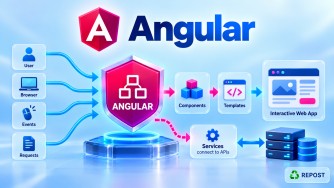


What is Unnecessary Component Rendering?
In Angular, unnecessary component rendering/checking happens when Angular checks a component or evaluates its template even though nothing relevant to the displayed UI has changed.
More precisely, Angular often performs change-detection checks, not necessarily a full DOM re-render.
For example:
Application event occurs
        ↓
Change detection runs
        ↓
Component checked
        ↓
Template bindings evaluated
        ↓
Nothing changed
        ↓
No DOM update required
The check itself still consumes CPU time.
Full Simple Sample Program
The following example demonstrates a common problem: calling methods directly from a template.
app.ts
import { Component } from '@angular/core';

@Component({
  selector: 'app-root',
  standalone: true,
  templateUrl: './app.html'
})
export class App {

  name = 'Syed';
  count = 0;

  increment(): void {
    this.count++;
  }

  getFullName(): string {
    console.log('getFullName() executed');

    return `${this.name} Mohamed`;
  }
}
app.html
<h2>{{ getFullName() }}</h2>

<p>Count: {{ count }}</p>

<button (click)="increment()">
  Increment
</button>
What Is the Problem?
The template contains:
{{ getFullName() }}When Angular checks this view, it has to execute:
getFullName()Even though name did not change.
When the user clicks:
<button (click)="increment()">only:
countchanges.
But during the view check Angular can evaluate:
{{ getFullName() }}
{{ count }}
again.
So you may see:
getFullName() executed
getFullName() executed
getFullName() executed
...
This becomes a performance problem if the method performs expensive work.
Common Causes of Unnecessary Component Checking/Rendering
1. Default Change Detection Across Large Component Trees
Consider:
              App
               │
     ┌─────────┼──────────┐
     ↓         ↓          ↓
   Header   Products    Footer
               │
          ┌────┼────┐
          ↓    ↓    ↓
          P1   P2   P3
With the default change-detection strategy, Angular performs normal eager checking of views when change detection runs.
Suppose something changes in Header.
A broader set of views may still be checked:
Header changes
      ↓
Change Detection
      ↓
App       ✓
Header    ✓
Products  ✓
P1        ✓
P2        ✓
P3        ✓
Footer    ✓
This does not mean Angular rewrites all their DOM.
It means their views/bindings can be checked.
Improvement
Where appropriate, use:
changeDetection: ChangeDetectionStrategy.OnPushOnPush allows Angular to skip component subtrees that don't need checking.
2. Calling Methods Directly from Templates
For example:
<p>{{ calculateTotal() }}</p>with:
calculateTotal(): number {
  return this.products
    .reduce((total, product) => total + product.price, 0);
}
Every time the view is checked, Angular can execute:
calculateTotal()If there are thousands of products, this can become expensive.
Better with Signals
products = signal<Product[]>([]);

total = computed(() =>
  this.products()
    .reduce((sum, product) => sum + product.price, 0)
);
Template:
<p>{{ total() }}</p>computed() recalculates when its Signal dependencies change rather than performing the expensive calculation every time the template is checked.
3. Creating Objects or Arrays in Template Expressions
Avoid patterns such as:
<app-product [config]="{ showPrice: true }" />A new object can be created during template evaluation.
Conceptually:
Check 1
   ↓
Object A

Check 2
   ↓
Object B

Check 3
   ↓
Object C
Even though:
{ showPrice: true }contains the same logical data, its object reference can be different.
This can be especially problematic when passed to OnPush child components.
Better
Create the object once:
config = {
  showPrice: true
};
Then:
<app-product [config]="config" />4. Recreating Objects Unnecessarily
Suppose:
getUser(): User {
  return {
    id: 1,
    name: 'Syed'
  };
}
Template:
<app-user [user]="getUser()" />Every call can create:
Object A
Object B
Object C
Object D
Although the data is logically identical:
id = 1
name = Syed
the references differ.
For an OnPush child, this can look like a changed input.
Better
Store stable state:
user: User = {
  id: 1,
  name: 'Syed'
};
Then:
<app-user [user]="user" />5. Poor List Tracking
Suppose:
@for (product of products; track $index) {
  <app-product [product]="product" />
}
For a dynamic list where items are inserted, removed, or reordered, tracking by position may cause unnecessary list reconciliation.
Prefer a stable identifier:
@for (product of products; track product.id) {
  <app-product [product]="product" />
}
Now Angular knows:
ID 101 → same product
ID 102 → same product
ID 103 → same product
This helps Angular preserve existing rendered views/DOM efficiently.
6. Impure Pipes
A pure pipe is generally executed when its relevant input value/reference changes.
An impure pipe:
@Pipe({
  name: 'filter',
  standalone: true,
  pure: false
})
can execute frequently during change detection.
If it performs expensive operations such as:
Filter
Sort
Map
Complex calculations
performance can suffer.
Use impure pipes only when genuinely necessary.
7. Expensive Getters in Templates
Consider:
get total(): number {

  return this.products
    .reduce((sum, product) => sum + product.price, 0);
}
Template:
<p>{{ total }}</p>Although this looks like a property, total is a getter.
When Angular evaluates it:
this.totalthe calculation executes again.
For expensive derived state, a computed() Signal can be more appropriate:
total = computed(() =>
  this.products()
    .reduce((sum, product) => sum + product.price, 0)
);
8. Frequent Events
Some browser events can occur very frequently:
mousemove
scroll
resize
input
keyup
For example:
<div (mousemove)="onMouseMove($event)">mousemove can fire many times per second.
Frequent events can lead to frequent Angular work.
Depending on the use case, techniques such as:
debounce
throttle
Signals
RxJS
careful event handling
can reduce unnecessary work.
9. Too Many Observable Emissions
Suppose an Observable emits:
1
2
3
4
5
6
7
8
9
...
very rapidly.
If every emission affects the UI, Angular may need to refresh the view frequently.
Operators can help when appropriate:
debounceTime(300)distinctUntilChanged()auditTime(...)throttleTime(...)For example:
search$
  .pipe(
    debounceTime(300),
    distinctUntilChanged()
  )
reduces unnecessary search processing and UI/API activity.
10. Updating Signals Unnecessarily
Signals are efficient, but you can still create unnecessary work.
For example, repeatedly creating a new object:
this.user.set({
  id: 1,
  name: 'Syed'
});
even when the logical state hasn't changed can cause consumers to be notified because the new object has a different reference.
Old Object
    ↓
{ id: 1, name: Syed }

New Object
    ↓
{ id: 1, name: Syed }

Different references
Don't update reactive state when there is no meaningful state change.
11. Large Lists
Rendering:
10,000 productsmeans potentially thousands of rendered views and DOM elements.
Even efficient change detection can't make huge DOM trees free.
Use:
- Pagination
- Virtual scrolling
- Server-side filtering
- Server-side pagination
- Stable
trackkeys
Instead of:
API
 ↓
10,000 records
 ↓
Angular
 ↓
10,000 DOM elements
prefer something like:
API
 ↓
20 records
 ↓
Angular
 ↓
20 rendered rows
when the UI supports pagination.
12. Repeated API Calls
Suppose several components request the same data:
Component A → GET /products
Component B → GET /products
Component C → GET /products
Each response may update state and trigger additional rendering work.
Where appropriate, use:
- Shared state/services
- Caching
- Signals
- RxJS sharing/caching patterns
- Server caching
The exact strategy depends on how fresh the data must be.
How to Reduce Unnecessary Rendering
A practical combination is:
OnPush
   +
Signals
   +
computed()
   +
Stable @for track
   +
Lazy loading
   +
@defer
   +
Efficient RxJS
   +
Pagination / Virtual scrolling
Example of an Optimized Component
import {
  ChangeDetectionStrategy,
  Component,
  computed,
  signal
} from '@angular/core';

interface Product {
  id: number;
  name: string;
  price: number;
}

@Component({
  selector: 'app-products',
  standalone: true,
  template: `
    <h2>Total: {{ total() }}</h2>

    @for (product of products(); track product.id) {
      <p>
        {{ product.name }} - {{ product.price }}
      </p>
    }
  `,
  changeDetection: ChangeDetectionStrategy.OnPush
})
export class Products {

  products = signal<Product[]>([
    { id: 1, name: 'Laptop', price: 50000 },
    { id: 2, name: 'Mouse', price: 1000 }
  ]);

  total = computed(() =>
    this.products()
      .reduce((sum, product) => sum + product.price, 0)
  );
}
Here we have:
OnPush
   ↓
Can skip unnecessary subtree checking

Signals
   ↓
Reactive state notifications

computed()
   ↓
Efficient derived state

track product.id
   ↓
Efficient list reconciliation
Key Points
- Change-detection checking and DOM rendering are not the same thing.
- Angular may check a component even when no DOM update is eventually necessary.
- Default change detection can cause broad component-tree checking.
OnPushcan skip unaffected component subtrees.- Avoid expensive methods and getters directly in templates.
- Avoid unnecessarily creating new objects/arrays during template evaluation.
- Use stable
trackkeys for dynamic@forcollections. - Avoid expensive impure pipes.
- Control high-frequency events and Observable emissions.
- Don't render huge datasets when pagination or virtualization is appropriate.
- Signals and
computed()can provide efficient reactive state and derived values. - Measure with profiling tools before optimizing blindly.
Interview Questions and Answers
1. What causes unnecessary component rendering in Angular?
Common causes include broad default change-detection checks, expensive template methods/getters, unstable object references, poor list tracking, impure pipes, frequent events or Observable emissions, and rendering very large collections.
2. Does Angular re-render the whole DOM whenever change detection runs?
No. Angular checks template bindings and performs DOM updates only where necessary.
3. How does OnPush help?
changeDetection: ChangeDetectionStrategy.OnPushIt allows Angular to skip component subtrees that don't need checking, reducing unnecessary change-detection work.
4. Why should we avoid methods in templates?
A method such as:
{{ calculateTotal() }}can execute whenever Angular checks that view. If the method performs expensive calculations, repeated execution can hurt performance.
5. How does computed() help?
total = computed(() =>
  this.products().reduce((sum, p) => sum + p.price, 0)
);
computed() tracks its Signal dependencies and recalculates when those dependencies change rather than recalculating on every template check.
6. How does track reduce unnecessary DOM work?
@for (product of products(); track product.id)A stable key lets Angular identify retained, added, removed, and moved items and reuse existing rendered views where possible.
7. Can Signals cause unnecessary updates?
Yes. If you repeatedly set new object/array references even when the logical state hasn't changed, consumers can be notified unnecessarily.
8. What is a good interview approach for preventing unnecessary rendering?
Use
OnPushwhere appropriate, Signals andcomputed()for reactive state, stabletrackkeys for lists, avoid expensive template functions and impure pipes, control frequent events/Observable emissions, and paginate or virtualize large datasets.