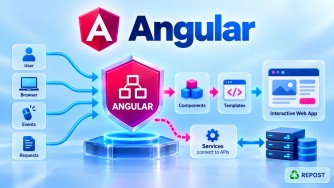


What is a Template in Angular?
1. What is a Template?
An Angular template is the HTML that defines the user interface (UI) of an Angular component.
A component generally contains:
Component
│
├── TypeScript → Data / Logic
├── Template   → UI / HTML
└── CSS        → Styling
For example:
home.ts
import { Component } from '@angular/core';

@Component({
  selector: 'app-home',
  templateUrl: './home.html',
  styleUrl: './home.css'
})
export class Home {
  title = 'Welcome to Angular';
}
home.html — Template
<h1>{{ title }}</h1>

<p>This is my home page.</p>
Here:
home.ts
   ↓
title = 'Welcome to Angular'
   ↓
Angular Template
   ↓
{{ title }}
   ↓
Browser
   ↓
Welcome to Angular
So, in simple terms:
A template defines what a component displays and how users interact with that component.
2. Why Do We Need Templates?
The TypeScript component contains data and behavior.
For example:
export class Home {
  title = 'Angular';
  isLoggedIn = true;
}
But TypeScript alone does not define how this information should appear on the screen.
The template defines the UI:
<h1>{{ title }}</h1>

<button>Login</button>
Therefore:
Component Class
      ↓
Data + Behavior

Template
      ↓
UI + User Interaction
Angular connects these two.
3. Purpose of a Template
The main purpose of an Angular template is to:
- Display component data
- Define HTML structure
- Handle user interaction
- Bind HTML elements to component properties
- Call component methods
- Conditionally display content
- Repeat content
- Use child components
- Use directives and pipes
For example:
<h1>{{ title }}</h1>

<button (click)="save()">
  Save
</button>
The template is connected to the component:
Template
   ↕
Component
4. HTML vs Angular Template
An Angular template looks like normal HTML, but it can contain Angular template syntax.
Normal HTML:
<h1>Welcome</h1>

<button>Save</button>
Angular template:
<h1>{{ title }}</h1>

<button (click)="save()">
  Save
</button>
Angular adds features such as:
Interpolation
Property Binding
Event Binding
Two-Way Binding
Control Flow
Directives
Pipes
Component selectors
Therefore:
Angular Template = HTML + Angular template syntax
5. Types of Templates
Angular components can define their templates mainly in two ways.
1. External Template
The HTML is stored in a separate file.
@Component({
  selector: 'app-home',
  templateUrl: './home.html'
})
export class Home {
}
Then:
home.ts
   ↓
templateUrl
   ↓
home.html
Example home.html:
<h1>{{ title }}</h1>
<p>Welcome to my website.</p>
This is generally preferable when the template contains more than a very small amount of markup.
2. Inline Template
The HTML can be written directly inside the component metadata.
@Component({
  selector: 'app-home',
  template: `
    <h1>{{ title }}</h1>
    <p>Welcome to my website.</p>
  `
})
export class Home {
  title = 'Angular';
}
Notice:
template:instead of:
templateUrl:Difference
| External Template | Inline Template |
|---|---|
Uses templateUrl |
Uses template |
| HTML in separate file | HTML inside TypeScript |
| Better for larger templates | Useful for very small templates |
| Easier HTML maintenance | Fewer files |
For most application pages and substantial components, external templates are usually easier to maintain.
6. Interpolation in Templates
Interpolation displays component data.
Syntax:
{{ expression }}Example:
Component
export class Home {
  title = 'Angular Tutorial';
}
Template
<h1>{{ title }}</h1>Output:
Angular TutorialFlow:
Component

title = 'Angular Tutorial'
       ↓
Template

{{ title }}
       ↓
Browser

Angular Tutorial
Interpolation is primarily used for displaying values as text.
7. Property Binding
A template can bind a component value to an HTML element's property.
Syntax:
[property]="expression"Example:
Component
export class Home {
  imageUrl = 'images/angular.png';
}
Template
<img [src]="imageUrl">Here:
imageUrl
   ↓
[src]
   ↓
Image src property
Another example:
export class Home {
  isDisabled = true;
}
<button [disabled]="isDisabled">
Save
</button>If:
isDisabled = true;the button is disabled.
8. Event Binding
Templates can respond to user events.
Syntax:
(event)="method()"Example:
Component
export class Home {

  showMessage() {
    alert('Welcome to Angular');
  }

}
Template
<button (click)="showMessage()">
  Click Me
</button>
Flow:
User clicks button
       ↓
(click)
       ↓
showMessage()
       ↓
Component method executes
Common events include:
(click)
(change)
(input)
(keyup)
(submit)
9. Two-Way Binding
Two-way binding allows data to flow:
Component → Template
     AND
Template → Component
Common syntax:
[(ngModel)]Example:
export class Home {
  name = '';
}
Template:
<input [(ngModel)]="name">

<p>Hello {{ name }}</p>
If the user enters:
Syedthe component's name changes, and the displayed value also updates.
Conceptually:
Component
name
  ↑ ↓
[(ngModel)]
  ↑ ↓
Input
ngModel requires the appropriate forms dependency, commonly FormsModule.
10. Control Flow in Templates
Templates frequently need to display content conditionally or repeatedly.
Modern Angular provides built-in control-flow syntax such as:
@if
@for
@switch
@if
Suppose:
export class Home {
  isLoggedIn = true;
}
Template:
@if (isLoggedIn) {
  <p>Welcome back!</p>
}
The paragraph appears only when the condition is true.
@if / @else
@if (isLoggedIn) {

  <p>Welcome User</p>

} @else {

  <p>Please Login</p>

}
@for
Suppose:
export class Home {
  articles = [
    { id: 1, title: 'Angular' },
    { id: 2, title: 'ASP.NET Core' }
  ];
}
Template:
@for (article of articles; track article.id) {

  <p>{{ article.title }}</p>

}
Output:
Angular
ASP.NET Core
11. How Was It Before Modern Control Flow?
Older Angular applications commonly use structural directives such as:
*ngIf
*ngFor
ngSwitch
For example:
<div *ngIf="isLoggedIn">
  Welcome User
</div>
and:
<div *ngFor="let article of articles">
  {{ article.title }}
</div>
Modern Angular can use:
@if (isLoggedIn) {
  <p>Welcome User</p>
}
and:
@for (article of articles; track article.id) {
  <p>{{ article.title }}</p>
}
Comparison
| Earlier/Common Existing Code | Modern Built-in Control Flow |
|---|---|
*ngIf |
@if |
*ngFor |
@for |
ngSwitch |
@switch |
You should recognize both because existing enterprise applications may still use the directive-based syntax.
12. Pipes in Templates
Pipes transform values for display.
For example:
export class Home {
  title = 'angular tutorial';
}
Template:
<h1>{{ title | uppercase }}</h1>Output:
ANGULAR TUTORIALAnother example:
<p>{{ price | currency }}</p>Conceptually:
Original Value
      ↓
     Pipe
      ↓
Display Value
Pipes generally transform the presentation of a value rather than modifying the original component property.
13. Calling Component Methods from a Template
A template can invoke component methods in response to events.
Component:
export class Home {

  save() {
    console.log('Saved');
  }

}
Template:
<button (click)="save()">
  Save
</button>
This connects:
HTML Button
    ↓
(click)
    ↓
save()
    ↓
TypeScript Component
14. Using Child Components in Templates
Templates can contain other Angular components.
Suppose we have:
@Component({
  selector: 'app-header'
})
export class Header {
}
Another component's template can use:
<app-header></app-header>For example:
<app-header></app-header>

<main>
  <router-outlet></router-outlet>
</main>

<app-footer></app-footer>
This creates a component tree:
App
│
├── Header
├── Routed Component
└── Footer
This is one reason components and templates are fundamental to Angular architecture.
15. Template and Component Relationship
Consider:
home.ts
@Component({
  selector: 'app-home',
  templateUrl: './home.html',
  styleUrl: './home.css'
})
export class Home {

  title = 'Angular';

  showMessage() {
    alert('Hello');
  }

}
home.html
<h1>{{ title }}</h1>

<button (click)="showMessage()">
  Click
</button>
The relationship is:
             home.ts
                |
        +-------+-------+
        |               |
      title        showMessage()
        |               ↑
        ↓               |
   {{ title }}       (click)
        |               |
        +-------+-------+
                |
            home.html
This is called template binding.
16. Main Template Binding Types
This is very important for interviews.
| Binding | Syntax | Direction |
|---|---|---|
| Interpolation | {{ value }} |
Component → Template |
| Property Binding | [property]="value" |
Component → Template |
| Event Binding | (event)="method()" |
Template → Component |
| Two-Way Binding | [(ngModel)]="value" |
Both directions |
A simple way to remember:
Component → Template

{{ value }}
[property]="value"


Template → Component

(event)="method()"


Component ↔ Template

[(ngModel)]="value"
17. Template Expressions
Inside Angular template bindings, you can use expressions.
For example:
<h1>{{ firstName }}</h1>or:
<p>{{ firstName + ' ' + lastName }}</p>or:
<p>{{ price * quantity }}</p>The expressions are evaluated using the component's template context.
However, complex application logic should generally remain in TypeScript rather than turning templates into large blocks of complicated logic.
A template should remain easy to understand.
18. Template Reference Variables
Angular templates can create references to elements using:
#variableNameExample:
<input #nameInput>

<button (click)="showName(nameInput.value)">
  Show Name
</button>
Here:
#nameInputcreates a template reference to the input element.
This allows the template to refer to that element.
19. Template vs Component
A common interview distinction:
| Component | Template |
|---|---|
| TypeScript class + component metadata | HTML UI |
| Contains state and behavior | Displays data |
| Contains methods | Handles bindings/events in markup |
Uses @Component |
Connected using template or templateUrl |
Think:
Component
   ↓
What data/behavior do I have?

Template
   ↓
How should it appear and interact?
They work together.
20. Template vs index.html
These are not the same thing.
index.html
The main HTML document loaded by the browser.
<body>
  <app-root></app-root>
</body>
Component Template
The UI belonging to a specific Angular component.
<h1>{{ title }}</h1>

<button (click)="save()">
  Save
</button>
Relationship:
index.html
    ↓
<app-root>
    ↓
App Component
    ↓
app.html
    ↓
Other Components
So:
index.htmlhosts the Angular application, while Angular templates define component UIs.
21. Advantages of Angular Templates
Separation of UI and Logic
TypeScript → Logic
HTML       → UI
CSS        → Styling
Data Binding
Templates can automatically display component state.
{{ title }}Event Handling
Templates can respond to user actions.
(click)="save()"Dynamic UI
Angular can conditionally display or repeat content using:
@if
@for
@switch
Reusable Components
Templates can compose other Angular components.
Readability
External templates keep large amounts of HTML separate from TypeScript logic.
22. Disadvantages / Considerations
Complex Templates Become Difficult to Maintain
Avoid putting excessive logic into expressions.
For example, large nested calculations and complicated conditions can make the HTML difficult to understand.
Prefer moving complex logic into the component or an appropriate service.
Need to Learn Angular Syntax
Developers need to understand:
{{ }}
[]
()
[()]
@if
@for
|
#
Runtime UI Errors Can Be Harder to Trace
Incorrect bindings or assumptions about values can cause unexpected rendering behavior, although Angular's template type checking catches many issues during development/build.
23. Key Points
Remember these for interviews:
- A template defines a component's UI.
- Angular templates are based on HTML plus Angular-specific syntax.
- A template can be external or inline.
- External template:
templateUrl: './home.html'- Inline template:
template: `<h1>Hello</h1>`{{ }}is interpolation.[property]is property binding.(event)is event binding.[()]represents two-way binding syntax.@ifprovides conditional rendering.@forrepeats template content.- Pipes transform values for presentation.
- Templates can contain child components.
- Templates communicate with their component class through bindings.
- Older applications commonly use
*ngIfand*ngFor. - Modern Angular provides built-in control flow such as
@ifand@for. index.htmlis not the same as a component template.
The easiest way to remember:
             COMPONENT
                 |
        Data + Behavior
                 |
       Angular Binding
                 |
                 v
              TEMPLATE
                 |
           HTML + UI
                 |
                 v
              Browser
24. Interview Questions and Answers
Q1. What is a template in Angular?
Answer:
An Angular template is HTML that defines the user interface of a component. It can contain normal HTML together with Angular syntax for data binding, event handling, control flow, pipes, directives, and child components.
Q2. What are the types of Angular templates?
Answer:
The two common forms are external templates and inline templates.
External:
templateUrl: './home.html'Inline:
template: `<h1>Hello</h1>`Q3. What is interpolation?
Answer:
Interpolation displays component data in the template.
<h1>{{ title }}</h1>The data flows:
Component → TemplateQ4. What is property binding?
Answer:
Property binding binds a component expression to an element or component property.
<img [src]="imageUrl">Syntax:
[property]="expression"Q5. What is event binding?
Answer:
Event binding allows the template to respond to events and execute component logic.
<button (click)="save()">Save</button>Syntax:
(event)="method()"Q6. What is two-way binding?
Answer:
Two-way binding synchronizes data in both directions between the component and template.
<input [(ngModel)]="name">Conceptually:
Component ↔ TemplateQ7. What is the difference between template and templateUrl?
Answer:
template defines HTML directly inside the component metadata.
template: `<h1>Hello</h1>`templateUrl points to an external HTML file.
templateUrl: './home.html'Q8. What is the difference between a component and a template?
Answer:
A component contains the TypeScript state and behavior associated with a portion of the UI, while its template defines how that UI is rendered and how users interact with it.
Q9. What is the difference between index.html and a component template?
Answer:
index.html is the main HTML document that hosts the Angular application.
A component template defines the UI for an individual Angular component.
index.html
    ↓
Root Component
    ↓
Component Template
Q10. What are the main binding types in Angular templates?
Answer:
The four important forms are:
Interpolation       {{ value }}

Property Binding    [property]="value"

Event Binding       (event)="method()"

Two-Way Binding     [(ngModel)]="value"
Q11. What is the modern replacement for *ngIf and *ngFor?
Answer:
Modern Angular provides built-in control-flow syntax:
*ngIf  → @if

*ngFor → @for
Existing Angular applications may still use *ngIf and *ngFor, so developers should understand both styles.
Interview Summary
An Angular template is the HTML-based view of a component. It defines what the user sees and how the user interacts with the component. Angular extends normal HTML with features such as interpolation, property binding, event binding, two-way binding, control flow, pipes, directives, and child components. Templates can be defined inline using
templateor in a separate HTML file usingtemplateUrl.