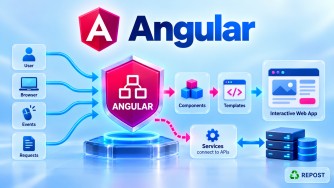


What is Angular Routing?
Angular Routing is the mechanism used to navigate between different components/views in an Angular Single Page Application (SPA) without reloading the entire web page.
For example, suppose your application has these pages:
Home
Products
About
Contact
Each page can be represented by an Angular component and mapped to a URL:
/             → Home
/products     → Products
/about        → About
/contact      → Contact
When the user navigates from:
/productsto:
/contactAngular changes the displayed component on the client side instead of requesting and reloading an entirely new HTML page from the server.
The main routing library is:
@angular/router2. Full Simple Sample Program
Let's create three pages:
Home
About
Contact
Application structure
src/
 └── app/
      ├── app.ts
      ├── app.html
      ├── app.routes.ts
      ├── home.ts
      ├── about.ts
      └── contact.ts
home.ts
import { Component } from '@angular/core';

@Component({
  selector: 'app-home',
  standalone: true,
  template: `
    <h2>Home Page</h2>
    <p>Welcome to our application.</p>
  `
})
export class Home {
}
about.ts
import { Component } from '@angular/core';

@Component({
  selector: 'app-about',
  standalone: true,
  template: `
    <h2>About Page</h2>
    <p>This is the About page.</p>
  `
})
export class About {
}
contact.ts
import { Component } from '@angular/core';

@Component({
  selector: 'app-contact',
  standalone: true,
  template: `
    <h2>Contact Page</h2>
    <p>This is the Contact page.</p>
  `
})
export class Contact {
}
app.routes.ts
import { Routes } from '@angular/router';

import { Home } from './home';
import { About } from './about';
import { Contact } from './contact';

export const routes: Routes = [
  { path: '', component: Home },
  { path: 'about', component: About },
  { path: 'contact', component: Contact }
];
app.ts
import { Component } from '@angular/core';
import { RouterLink, RouterOutlet } from '@angular/router';

@Component({
  selector: 'app-root',
  standalone: true,
  imports: [
    RouterLink,
    RouterOutlet
  ],
  templateUrl: './app.html'
})
export class App {
}
app.html
<h1>My Angular Application</h1>

<nav>
  <a routerLink="/">Home</a> |
  <a routerLink="/about">About</a> |
  <a routerLink="/contact">Contact</a>
</nav>

<hr>

<router-outlet></router-outlet>
app.config.ts
In a modern standalone Angular application, register routing using provideRouter().
import { ApplicationConfig } from '@angular/core';
import { provideRouter } from '@angular/router';

import { routes } from './app.routes';

export const appConfig: ApplicationConfig = {
  providers: [
    provideRouter(routes)
  ]
};
main.ts
import { bootstrapApplication } from '@angular/platform-browser';

import { App } from './app/app';
import { appConfig } from './app/app.config';

bootstrapApplication(App, appConfig)
  .catch(err => console.error(err));
3. Explanation
There are four important parts to understand.
A. Define the Routes
Routes are normally defined in:
app.routes.tsExample:
export const routes: Routes = [
  { path: '', component: Home },
  { path: 'about', component: About },
  { path: 'contact', component: Contact }
];
A route basically tells Angular:
When this URL is requested, display this component.
For example:
| URL | Component |
|---|---|
/ |
Home |
/about |
About |
/contact |
Contact |
The basic syntax is:
{
  path: 'about',
  component: About
}
Here:
path
 ↓
about
 ↓
About Component
4. provideRouter()
Angular needs to know about our route configuration.
In a standalone Angular application, we register the routes using:
provideRouter(routes)Example:
export const appConfig: ApplicationConfig = {
  providers: [
    provideRouter(routes)
  ]
};
So Angular's router now knows:
''        → Home
about     → About
contact   → Contact
5. What is routerLink?
routerLink is used to navigate between Angular routes.
Example:
<a routerLink="/about">About</a>Instead of using a normal link such as:
<a href="/about">About</a>Angular applications normally use:
<a routerLink="/about">About</a>routerLink allows the Angular Router to handle navigation without a normal full-page reload.
For example:
<nav>
  <a routerLink="/">Home</a>
  <a routerLink="/about">About</a>
  <a routerLink="/contact">Contact</a>
</nav>
6. What is <router-outlet>?
<router-outlet> is a placeholder where Angular displays the component that matches the current route.
<router-outlet></router-outlet>Suppose the user visits:
/aboutAngular checks:
{ path: 'about', component: About }and renders the About component inside:
<router-outlet></router-outlet>Conceptually:
App Component
│
├── Navigation
│
│   Home | About | Contact
│
└── <router-outlet>
          │
          └── About Component
If the user then clicks Contact:
/contactAngular replaces the component inside the outlet:
App Component
│
├── Navigation
│
└── <router-outlet>
          │
          └── Contact Component
The entire Angular application does not need to reload.
7. Angular Routing Flow
Suppose the user clicks:
<a routerLink="/about">About</a>The flow is:
User clicks About
       ↓
routerLink requests /about
       ↓
Angular Router checks routes
       ↓
Finds:

{ path: 'about', component: About }

       ↓
Creates/displays About component
       ↓
<router-outlet>
       ↓
About page appears
So the important relationship is:
routerLink
    ↓
Angular Router
    ↓
Routes Configuration
    ↓
Component
    ↓
router-outlet
8. Route with Parameter
Routing can also pass values through the URL.
For example:
/products/10
/products/20
/products/100
Route:
{
  path: 'products/:id',
  component: ProductDetails
}
Here:
:idis a route parameter.
For:
/products/10the value of id is:
10This is commonly used for:
/products/10
/articles/25
/customers/100
/orders/500
9. Wildcard Route
You can also handle invalid URLs.
{
  path: '**',
  component: NotFound
}
For example, if the user enters:
/abcxyzand no matching route exists, Angular can display a 404 / Page Not Found component.
The wildcard route should normally be placed last because Angular processes the route configuration in order.
export const routes: Routes = [
  { path: '', component: Home },
  { path: 'about', component: About },
  { path: 'contact', component: Contact },
  { path: '**', component: NotFound }
];
10. Key Points
- Angular Routing provides navigation in a Single Page Application.
- Routing maps a URL path to an Angular component.
- Routes are commonly configured in
app.routes.ts. Routesrepresents the route configuration.provideRouter(routes)registers routing in a standalone application.routerLinkis used for client-side navigation.<router-outlet>determines where the routed component is displayed.- Route parameters can be defined using syntax such as:
path: 'products/:id'**represents a wildcard route.- Angular routing can support advanced features such as:
- Route parameters
- Query parameters
- Child routes
- Route guards
- Lazy loading
- Redirects
- Multiple/named outlets
- Programmatic navigation
11. Interview Questions and Answers
1. What is Angular Routing?
Angular Routing is the mechanism used to navigate between different components/views in a Single Page Application without performing a normal full-page reload.
2. What is a route?
A route defines the relationship between a URL path and the component Angular should display.
{ path: 'about', component: About }3. What is RouterOutlet?
RouterOutlet is a directive that acts as a placeholder where Angular renders the component associated with the active route.
<router-outlet></router-outlet>4. What is routerLink?
routerLink is a directive used to navigate to another Angular route.
<a routerLink="/about">About</a>5. What does provideRouter() do?
provideRouter() registers the Angular Router and provides the application's route configuration.
provideRouter(routes)It is the standard approach used with standalone Angular applications.
6. What is a route parameter?
A route parameter is a dynamic value included in the URL.
{ path: 'products/:id', component: ProductDetails }Example:
/products/10Here 10 is the value of id.
7. What is a wildcard route?
A wildcard route handles URLs that do not match any previously defined route.
{ path: '**', component: NotFound }It is commonly used for a 404 Page Not Found page.
8. Does Angular routing reload the entire page?
Normally, no. Angular's router performs client-side navigation and changes the routed component while the SPA remains loaded.
Interview Definition
Angular Routing is the mechanism used to navigate between different components in a Single Page Application based on the URL. Routes map URL paths to components,
routerLinkperforms navigation, androuter-outletspecifies where the matched component should be rendered.