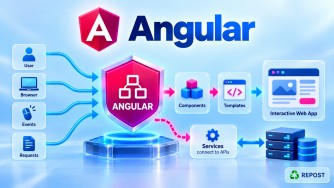


Angular lifecycle hooks execute in a specific sequence from component creation → change detection → component destruction.
The standard order is:
1. ngOnChanges()
       ↓
2. ngOnInit()
       ↓
3. ngDoCheck()
       ↓
4. ngAfterContentInit()
       ↓
5. ngAfterContentChecked()
       ↓
6. ngAfterViewInit()
       ↓
7. ngAfterViewChecked()
       ↓
      ...
       ↓
8. ngOnDestroy()
Easy memory: Changes → Init → Check → Content → View → Destroy
1. ngOnChanges()
Called when Angular sets or changes an input-bound property.
@Input() name = '';

ngOnChanges() {
  console.log('ngOnChanges');
}
It is especially relevant when the component receives data from its parent.
Parent
   ↓
@Input()
   ↓
ngOnChanges()
On initial creation, when inputs exist, it runs before ngOnInit().
2. ngOnInit()
Called once after Angular initializes the component's inputs.
ngOnInit() {
  console.log('ngOnInit');
}
Typically used for component initialization logic.
ngOnChanges()
      ↓
ngOnInit()
3. ngDoCheck()
Called when Angular checks the component during change detection.
ngDoCheck() {
  console.log('ngDoCheck');
}
It allows you to implement custom checking logic.
It can execute many times.
4. ngAfterContentInit()
Called once after Angular initializes projected content.
Projected content means content provided by a parent through:
<ng-content></ng-content>Commonly associated with:
@ContentChild()
@ContentChildren()
Think:
Parent Content
      ↓
<ng-content>
      ↓
ngAfterContentInit()
5. ngAfterContentChecked()
Called after Angular checks the projected content.
ngAfterContentChecked() {
  console.log('Content Checked');
}
It can execute many times.
Remember:
ContentInit     → ONCE
ContentChecked  → MANY
6. ngAfterViewInit()
Called once after Angular initializes the component's view and child views.
Commonly associated with:
@ViewChild()
@ViewChildren()
For example:
@ViewChild('username')
username!: ElementRef;

ngAfterViewInit() {
  this.username.nativeElement.focus();
}
Remember:
@ViewChild
    ↓
View initialized
    ↓
ngAfterViewInit()
7. ngAfterViewChecked()
Called after Angular checks the component's view and child views.
ngAfterViewChecked() {
  console.log('View Checked');
}
It can execute many times.
Remember:
ViewInit     → ONCE
ViewChecked  → MANY
8. ngOnDestroy()
Called once just before Angular destroys the component.
ngOnDestroy() {
  console.log('Component destroyed');
}
Used for cleanup such as:
Clear timers
Unsubscribe when necessary
Remove event listeners
Close WebSockets
Release resources
Full Simple Sample Program
import {
  AfterContentChecked,
  AfterContentInit,
  AfterViewChecked,
  AfterViewInit,
  Component,
  DoCheck,
  Input,
  OnChanges,
  OnDestroy,
  OnInit,
  SimpleChanges
} from '@angular/core';

@Component({
  selector: 'app-user',
  standalone: true,
  template: `
    <h2>User Component</h2>

    <p>{{ name }}</p>
  `
})
export class UserComponent
  implements
    OnChanges,
    OnInit,
    DoCheck,
    AfterContentInit,
    AfterContentChecked,
    AfterViewInit,
    AfterViewChecked,
    OnDestroy {

  @Input() name = '';

  ngOnChanges(changes: SimpleChanges): void {
    console.log('1. ngOnChanges');
  }

  ngOnInit(): void {
    console.log('2. ngOnInit');
  }

  ngDoCheck(): void {
    console.log('3. ngDoCheck');
  }

  ngAfterContentInit(): void {
    console.log('4. ngAfterContentInit');
  }

  ngAfterContentChecked(): void {
    console.log('5. ngAfterContentChecked');
  }

  ngAfterViewInit(): void {
    console.log('6. ngAfterViewInit');
  }

  ngAfterViewChecked(): void {
    console.log('7. ngAfterViewChecked');
  }

  ngOnDestroy(): void {
    console.log('8. ngOnDestroy');
  }
}
Initial Execution
When the component is first created with an input, the console order is:
1. ngOnChanges
2. ngOnInit
3. ngDoCheck
4. ngAfterContentInit
5. ngAfterContentChecked
6. ngAfterViewInit
7. ngAfterViewChecked
Notice that:
ngOnDestroydoesn't run yet because the component still exists.
What Happens During Later Change Detection?
This is important.
The complete initialization sequence does not execute every time.
After initialization, later checks typically involve:
ngOnChanges()             ← if input binding changed
      ↓
ngDoCheck()
      ↓
ngAfterContentChecked()
      ↓
ngAfterViewChecked()
These don't repeat:
ngOnInit()               ❌
ngAfterContentInit()     ❌
ngAfterViewInit()        ❌
because they are initialization hooks.
Finally, Component Is Removed
When Angular destroys the component:
ngOnDestroy()runs.
So the overall picture is:
              COMPONENT CREATED
                     │
                     ▼
               ngOnChanges
                     │
                     ▼
                 ngOnInit
                     │
                     ▼
                 ngDoCheck
                     │
                     ▼
          ngAfterContentInit
                     │
                     ▼
        ngAfterContentChecked
                     │
                     ▼
            ngAfterViewInit
                     │
                     ▼
          ngAfterViewChecked
                     │
                     │
             Component active
                     │
                     ▼
            Change Detection
                     │
                     ▼
                 ngDoCheck
                     │
                     ▼
        ngAfterContentChecked
                     │
                     ▼
          ngAfterViewChecked
                     │
                    ...
                     │
                     ▼
                ngOnDestroy
                     │
                     ▼
             COMPONENT REMOVED
Which Hooks Run Once vs Many Times?
This is a very useful interview table.
| Lifecycle Hook | Frequency | Main Purpose |
|---|---|---|
ngOnChanges() |
When inputs change | React to @Input() changes |
ngOnInit() |
Once | Component initialization |
ngDoCheck() |
Many | Custom checking |
ngAfterContentInit() |
Once | Projected content initialized |
ngAfterContentChecked() |
Many | Projected content checked |
ngAfterViewInit() |
Once | View initialized |
ngAfterViewChecked() |
Many | View checked |
ngOnDestroy() |
Once | Cleanup |
Easy Way to Remember the Order
Break the hooks into five groups:
1. INPUT
   └── ngOnChanges

2. COMPONENT
   ├── ngOnInit
   └── ngDoCheck

3. CONTENT
   ├── ngAfterContentInit
   └── ngAfterContentChecked

4. VIEW
   ├── ngAfterViewInit
   └── ngAfterViewChecked

5. DESTROY
   └── ngOnDestroy
Then remember:
Input → Component → Content → View → Destroy
And inside Content and View:
Init first → Checked second
Key Points
ngOnChanges()comes beforengOnInit()during initial input setup.ngOnInit()runs once.ngDoCheck()can run many times.- Content lifecycle hooks execute before view lifecycle hooks.
ngAfterContentInit()runs once.ngAfterContentChecked()runs repeatedly.ngAfterViewInit()runs once.ngAfterViewChecked()runs repeatedly.ngOnDestroy()runs before component destruction.- Not every component needs to implement every lifecycle hook.
Interview One-Line Answer
Angular lifecycle hook order is
ngOnChanges → ngOnInit → ngDoCheck → ngAfterContentInit → ngAfterContentChecked → ngAfterViewInit → ngAfterViewChecked → ngOnDestroy, with the checking hooks repeating during subsequent change-detection cycles.