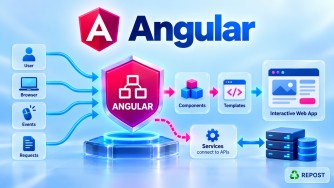


What is Two-Way Data Binding in Angular?
What is Two-Way Data Binding?
Two-way data binding in Angular allows data to flow in both directions between the component (TypeScript) and the template (HTML).
Component → View
Component ← View
Or simply:
Component ↔ ViewThe most common syntax is:
[(ngModel)]="property"Example:
userName = 'Syed';<input [(ngModel)]="userName">
<p>{{ userName }}</p>If userName changes in the component, the textbox is updated. If the user changes the textbox, userName is updated.
Two-Way Binding = Component and View stay synchronized.
Why Do We Need Two-Way Data Binding?
In forms and other interactive UIs, we often need both directions of communication.
Suppose we have:
userName = 'Syed';The component value should initially appear in the textbox:
Component → View
"Syed"     → Textbox
If the user changes Syed to Mohamed, the component should receive the new value:
View → Component
"Mohamed" → userName
Two-way binding handles both operations conveniently.
Purpose
The main purpose of two-way binding is to synchronize a value between the component and the UI.
It is commonly useful for:
- Textboxes
- Textareas
- Select controls
- Checkboxes
- Simple template-driven forms
- Custom components that support two-way binding
For example:
<input [(ngModel)]="name">means changes can flow:
Component
   ↕
 name
   ↕
Textbox
Simple Example
In a standalone component, import FormsModule to use ngModel.
TypeScript
import { Component } from '@angular/core';
import { FormsModule } from '@angular/forms';

@Component({
  selector: 'app-user',
  standalone: true,
  imports: [FormsModule],
  templateUrl: './user.html'
})
export class User {
  userName = 'Syed';
}
HTML
<input [(ngModel)]="userName">

<p>Hello {{ userName }}</p>
Initially:
Component
userName = "Syed"
      ↓
Textbox = "Syed"
If the user enters:
MohamedAngular updates:
userName = 'Mohamed';The <p> also displays:
Hello MohamedHow Does Two-Way Binding Work?
An important concept is that two-way binding essentially combines:
Property Binding + Event BindingConsider:
<input [(ngModel)]="userName">Conceptually, it combines:
<input
  [ngModel]="userName"
  (ngModelChange)="userName = $event">
The first part:
[ngModel]="userName"moves data:
Component → ViewThe second part:
(ngModelChange)="userName = $event"moves changes:
View → ComponentTogether:
[ ] + ( ) = [()]This syntax is commonly called "banana in a box."
[( )]
 ↑ ↑
box
 banana
Example with Multiple Fields
TypeScript
firstName = 'Syed';
lastName = 'Mohamed';
HTML
<label>First Name</label>
<input [(ngModel)]="firstName">

<label>Last Name</label>
<input [(ngModel)]="lastName">

<p>
  Full Name: {{ firstName }} {{ lastName }}
</p>
If the user changes either textbox, the corresponding component property is updated.
Two-Way Binding with Checkbox
isActive = true;<input
type="checkbox"
[(ngModel)]="isActive">
<p>Active: {{ isActive }}</p>If the checkbox is checked:
isActive = trueIf unchecked:
isActive = falseTwo-Way Binding with Select
selectedCity = 'Erode';<select [(ngModel)]="selectedCity">
<option value="Erode">Erode</option>
<option value="Chennai">Chennai</option>
<option value="Coimbatore">Coimbatore</option>
</select>
<p>Selected City: {{ selectedCity }}</p>Changing the selection updates selectedCity.
Modern Angular and Custom Two-Way Binding
Modern Angular also supports convenient two-way binding for component state using model().
For example, a child component can define:
count = model(0);and a parent can bind to it:
<app-counter [(count)]="totalCount"></app-counter>This creates two-way communication:
Parent
  ↕
[(count)]
  ↕
Child
For basic forms, however, [(ngModel)] remains the easiest example for understanding two-way binding.
Advantages
1. Automatic Synchronization
Component and view values remain synchronized.
Component ↔ View2. Less Code
Instead of writing separate property and event bindings:
<input
  [ngModel]="userName"
  (ngModelChange)="userName = $event">
we can write:
<input [(ngModel)]="userName">3. Useful for Forms
It is convenient for simple input controls and template-driven forms.
4. Easy to Understand
The syntax clearly indicates that data can move in both directions.
Disadvantages
1. Data Flow Can Become Harder to Track
With extensive two-way binding, values can change from either the component or the UI.
Component ↔ ViewIn complex applications, this can make state changes harder to reason about.
2. Not Always Necessary
If you only need to display data, use interpolation or property binding instead.
For example:
{{ userName }}There is no reason to use two-way binding if the user cannot modify the value.
3. ngModel Requires Forms Support
When using standalone components, you need:
imports: [FormsModule]to use [(ngModel)].
Key Points
- Two-way binding allows Component ↔ View communication.
- The common syntax is:
[(ngModel)]="property"[()]is called banana-in-a-box syntax.- It conceptually combines property binding and event binding.
- Property binding handles Component → View.
- Event binding handles View → Component.
FormsModuleis required when usingngModel.- It is particularly convenient for template-driven forms.
- Modern Angular also provides
model()for custom component two-way binding.
Easy way to remember
{{ }}  Interpolation       Component → View

[ ]    Property Binding    Component → View

( )    Event Binding       View → Component

[()]   Two-Way Binding     Component ↔ View
Interview Questions and Answers
Q1. What is two-way data binding in Angular?
Answer:
Two-way data binding allows data to flow in both directions between the component and the view.
Component ↔ ViewA common example is:
<input [(ngModel)]="userName">Q2. What is the syntax for two-way binding?
Answer:
[(ngModel)]="property"Example:
<input [(ngModel)]="name">Q3. What does [()] mean?
Answer:[()] represents two-way binding and is commonly called banana-in-a-box syntax.
[ ]  → Property Binding
( )  → Event Binding

[()] → Two-Way Binding
Q4. What is the direction of two-way binding?
Answer:
Component ↔ ViewChanges in the component update the view, and supported changes in the view update the component.
Q5. How does [(ngModel)] work internally?
Answer:
Conceptually, it combines property binding and event binding.
<input [(ngModel)]="userName">is equivalent in concept to:
<input
  [ngModel]="userName"
  (ngModelChange)="userName = $event">
Q6. Which module is required for ngModel?
Answer:FormsModule is required.
In a standalone component:
imports: [FormsModule]Q7. What is the difference between property binding and two-way binding?
Answer:
| Property Binding | Two-Way Binding |
|---|---|
[property]="value" |
[(ngModel)]="value" |
| Component → View | Component ↔ View |
| One-way | Two-way |
| UI receives value | Both sides can synchronize |
Q8. Is ngModel the only way to implement two-way binding?
Answer:
No. [(ngModel)] is a common form-control example. Angular also supports custom two-way binding between components, and modern Angular provides the model() API for this purpose.
count = model(0);Parent:
<app-counter [(count)]="totalCount"></app-counter>