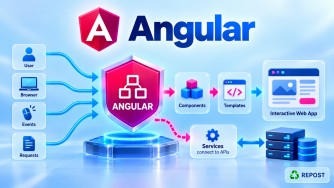


Why Does Angular HttpClient Return Observables?
Angular HttpClient returns RxJS Observables because HTTP requests are asynchronous, and Observables provide Angular with a powerful way to receive, transform, combine, retry, cancel/unsubscribe from, and handle errors from HTTP operations.
For example:
this.http.get<Product[]>('/api/products')returns:
Observable<Product[]>rather than immediately returning:
Product[]because the server response is not available immediately.
1. Full Simple Sample Program
Suppose Angular needs to retrieve products from an ASP.NET Core Web API.
app.config.ts
import { ApplicationConfig } from '@angular/core';
import { provideHttpClient } from '@angular/common/http';

export const appConfig: ApplicationConfig = {
  providers: [
    provideHttpClient()
  ]
};
product.ts
export interface Product {
  id: number;
  name: string;
  price: number;
}
product.service.ts
import { Injectable, inject } from '@angular/core';
import { HttpClient } from '@angular/common/http';
import { Observable } from 'rxjs';

import { Product } from './product';

@Injectable({
  providedIn: 'root'
})
export class ProductService {

  private http = inject(HttpClient);

  private apiUrl = 'https://localhost:7001/api/products';

  getProducts(): Observable<Product[]> {
    return this.http.get<Product[]>(this.apiUrl);
  }
}
product-list.ts
import { Component, OnInit, inject } from '@angular/core';

import { Product } from './product';
import { ProductService } from './product.service';

@Component({
  selector: 'app-product-list',
  standalone: true,
  templateUrl: './product-list.html'
})
export class ProductList implements OnInit {

  private productService = inject(ProductService);

  products: Product[] = [];
  errorMessage = '';

  ngOnInit(): void {

    this.productService.getProducts()
      .subscribe({

        next: (data) => {
          this.products = data;
        },

        error: (error) => {
          console.error(error);
          this.errorMessage = 'Unable to load products';
        },

        complete: () => {
          console.log('Request completed');
        }

      });
  }
}
product-list.html
<h2>Products</h2>

@if (errorMessage) {
  <p>{{ errorMessage }}</p>
}

@for (product of products; track product.id) {

  <div>
    {{ product.name }} - {{ product.price }}
  </div>

}
2. Why Can't HttpClient Simply Return Product[]?
Consider:
getProducts(): Product[] {
  return this.http.get<Product[]>(this.apiUrl);
}
This doesn't work.
Why?
Because the HTTP request takes time.
The sequence is approximately:
Angular
   │
   │ GET /api/products
   ▼
Network
   │
   ▼
ASP.NET Core Web API
   │
   │ Database query
   ▼
SQL Server
   │
   ▼
ASP.NET Core
   │
   │ JSON
   ▼
Network
   │
   ▼
Angular
The response might take:
50 ms
200 ms
1 second
5 seconds
...
JavaScript cannot block the browser waiting for the server.
Therefore Angular needs an asynchronous representation of:
"The products aren't available yet, but they may arrive later."
That representation is:
Observable<Product[]>3. Basic HTTP Observable Flow
When you write:
this.http.get<Product[]>(url)you receive an:
Observable<Product[]>Then:
this.http.get<Product[]>(url)
  .subscribe({
    next: data => console.log(data)
  });
Conceptually:
Component
    │
    │ subscribe()
    ▼
Observable<Product[]>
    │
    │ HTTP GET
    ▼
ASP.NET Core Web API
    │
    │ JSON Response
    ▼
Observable
    │
    │ next(products)
    ▼
Subscriber
The component doesn't wait synchronously.
It subscribes and receives the result when it becomes available.
4. Reason 1 — HTTP Requests Are Asynchronous
This is the fundamental reason.
Suppose:
const products = this.http.get<Product[]>(url);products is not the actual product array.
It is:
Observable<Product[]>The actual products arrive later.
You receive them through:
this.http.get<Product[]>(url)
  .subscribe(data => {

    console.log(data);

  });
5. Reason 2 — Observables Are Lazy
Angular HttpClient Observables are generally cold Observables.
The HTTP request isn't normally sent merely because you created the Observable.
For example:
const products$ =
  this.http.get<Product[]>('/api/products');
At this point you've created the Observable.
The request is triggered when something subscribes:
products$.subscribe(data => {
  console.log(data);
});
Think of it as:
http.get()
    │
    ▼
Observable created
    │
    │
    │ subscribe()
    ▼
HTTP request sent
This gives the consumer control over when the operation is executed.
6. Important: Multiple Subscriptions Can Mean Multiple Requests
Because HttpClient Observables are cold, this matters:
const products$ =
  this.http.get<Product[]>('/api/products');

products$.subscribe();

products$.subscribe();
This can produce:
Subscription #1
      │
      └────► GET /api/products

Subscription #2
      │
      └────► GET /api/products
So:
Each subscription to an
HttpClientObservable can cause a new HTTP request.
This is a very useful interview point.
If you need to share/cached results across subscribers, RxJS provides mechanisms such as shareReplay(), but that should be used intentionally.
7. Reason 3 — Easy Data Transformation
Suppose the Web API returns:
[
  {
    "id": 1,
    "name": "Laptop",
    "price": 75000
  },
  {
    "id": 2,
    "name": "Mouse",
    "price": 1000
  }
]
But you only want expensive products.
You can process the HTTP result with RxJS operators.
import { map, Observable } from 'rxjs';

getExpensiveProducts(): Observable<Product[]> {

  return this.http
    .get<Product[]>(this.apiUrl)
    .pipe(
      map(products =>
        products.filter(product => product.price > 5000)
      )
    );
}
Flow:
HTTP Response
     │
     ▼
Observable<Product[]>
     │
     ▼
    map()
     │
     ▼
Filter Products
     │
     ▼
Observable<Product[]>
     │
     ▼
Component
This composability is a major reason Observables work well for HTTP.
8. Reason 4 — Powerful Error Handling
HTTP requests can fail because of:
400 Bad Request
401 Unauthorized
403 Forbidden
404 Not Found
500 Internal Server Error
Network failure
Timeout
RxJS provides operators such as:
catchError()Example:
import { catchError, Observable, throwError } from 'rxjs';

getProducts(): Observable<Product[]> {

  return this.http
    .get<Product[]>(this.apiUrl)
    .pipe(

      catchError(error => {

        console.error('API Error:', error);

        return throwError(() => error);

      })

    );
}
So the flow becomes:
HTTP Request
     │
     ├──── Success ────► next(data)
     │
     └──── Failure ────► catchError()
9. Reason 5 — Retry Failed Requests
RxJS can retry an operation.
For example:
import { retry } from 'rxjs';

getProducts(): Observable<Product[]> {

  return this.http
    .get<Product[]>(this.apiUrl)
    .pipe(
      retry(2)
    );
}
Conceptually:
GET Products
     │
     ▼
   Failed
     │
     ▼
Retry #1
     │
     ▼
   Failed
     │
     ▼
Retry #2
This can be useful for appropriate transient failures.
However, you should not blindly retry every HTTP error. For example, repeatedly retrying a 400 Bad Request usually makes no sense.
10. Reason 6 — Requests Can Be Cancelled Through Unsubscription
Suppose:
const subscription =
  this.http.get<Product[]>(url)
    .subscribe(data => {
      console.log(data);
    });
You can unsubscribe:
subscription.unsubscribe();For an in-progress HttpClient request, unsubscribing can abort the underlying request.
This is particularly useful for scenarios such as search/autocomplete.
11. Reason 7 — Excellent for Search/Autocomplete
Imagine a user types:
L
La
Lap
Lapt
Laptop
Without careful handling, you might send:
GET /products?search=L
GET /products?search=La
GET /products?search=Lap
GET /products?search=Lapt
GET /products?search=Laptop
RxJS can handle this elegantly.
For example:
this.searchControl.valueChanges
  .pipe(

    debounceTime(300),

    distinctUntilChanged(),

    switchMap(search =>
      this.http.get<Product[]>(
        `/api/products?search=${search}`
      )
    )

  )
  .subscribe(products => {

    this.products = products;

  });
Here:
User types
    │
    ▼
valueChanges
    │
    ▼
debounceTime(300)
    │
    ▼
distinctUntilChanged()
    │
    ▼
switchMap()
    │
    ▼
HTTP Request
switchMap() is especially useful because when a newer search value arrives, it unsubscribes from the previous inner HTTP Observable.
That helps avoid stale search results.
12. Reason 8 — Multiple API Calls Can Be Combined
Suppose your dashboard needs:
Products API
Orders API
Customers API
RxJS can combine them.
For example:
import { forkJoin } from 'rxjs';

loadDashboard() {

  forkJoin({

    products:
      this.http.get('/api/products'),

    orders:
      this.http.get('/api/orders'),

    customers:
      this.http.get('/api/customers')

  })
  .subscribe(result => {

    console.log(result.products);
    console.log(result.orders);
    console.log(result.customers);

  });
}
Flow:
                 ┌──► Products API
                 │
Component ───────┼──► Orders API
                 │
                 └──► Customers API
                         │
                         ▼
                     forkJoin
                         │
                         ▼
                 Combined Result
This is another strength of the Observable model.
13. Reason 9 — Same Reactive Model Across Angular
Angular uses/works with Observables in many places.
For example:
HTTP
this.http.get(...)Reactive forms
this.form.valueChangesRoute parameters
this.route.paramMapCustom application streams
userSubject.asObservable()Therefore developers can use the same RxJS concepts:
Observable
subscribe
pipe
map
filter
switchMap
catchError
...
across different asynchronous operations.
14. Why Not Just Use Promise?
Promises can absolutely represent HTTP operations.
For example:
const response = await fetch('/api/products');But RxJS provides capabilities that fit Angular's reactive programming model particularly well.
| Observable | Promise |
|---|---|
| Can be lazy | Promise execution is eager once created |
| Rich RxJS operators | Smaller built-in composition API |
| Supports unsubscription | No general unsubscribe() |
| Can model multiple values | One eventual settlement |
| Excellent for streams | Primarily single async result |
Works naturally with switchMap etc. |
Requires different patterns |
For a single HTTP request, both abstractions can represent an asynchronous result.
Angular chose Observables because they also integrate naturally with more complex reactive workflows.
15. Important Clarification: HTTP Usually Emits One Response
Earlier we said:
An Observable can emit multiple values.
That's true.
But a normal HttpClient request typically behaves like:
HTTP Observable

        Response
           │
           ▼
      next(data)
           │
           ▼
      complete()
For example:
this.http.get<Product[]>(url)normally emits the response and then completes.
So don't think:
Observable = always multiple valuesInstead:
Observable = capable of representing zero, one, or multiple values.
An HTTP Observable usually emits one response.
16. Important Clarification: Do We Always Need to Unsubscribe from HTTP?
A normal HttpClient request generally:
- sends the request,
- receives the response,
- emits the result,
- completes.
Subscribe
    │
    ▼
HTTP Request
    │
    ▼
Response
    │
    ▼
next(data)
    │
    ▼
complete()
Therefore ordinary finite HTTP calls generally do not create the same long-lived subscription concern as streams such as:
interval()or:
form.valueChangesStill, cancellation and component-lifecycle handling can matter in more complex scenarios.
Key Points
- Angular
HttpClientreturns RxJS Observables. - HTTP communication is asynchronous.
- An
HttpClientObservable represents a response that will arrive later. HttpClientObservables are generally cold/lazy.- Subscribing triggers the request.
- Multiple subscriptions can result in multiple HTTP requests.
- Observables work naturally with RxJS operators.
map()can transform responses.catchError()can handle errors.retry()can retry appropriate failures.switchMap()is extremely useful for dependent HTTP calls and search/autocomplete.forkJoin()can coordinate multiple HTTP requests.- Unsubscribing from an in-progress
HttpClientObservable can cancel the request. - A normal HTTP Observable typically emits one response and completes.
Interview Questions and Answers
1. Why does Angular HttpClient return Observables?
Answer:
Because HTTP requests are asynchronous, and Observables provide a flexible way to receive the response while supporting RxJS operators for transformation, error handling, retrying, cancellation, and composition.
2. What does HttpClient.get() return?
Answer:
It returns an RxJS Observable.
this.http.get<Product[]>(url)returns:
Observable<Product[]>3. Does calling http.get() immediately send the request?
Answer:HttpClient Observables are generally cold/lazy. Creating the Observable doesn't normally execute the request until the Observable is subscribed to.
const products$ = this.http.get<Product[]>(url);

products$.subscribe();
4. What happens if you subscribe twice?
Answer:
Because HttpClient Observables are cold, separate subscriptions can trigger separate HTTP requests.
products$.subscribe();
products$.subscribe();
Potentially:
GET /api/products
GET /api/products
5. How many values does an HTTP Observable normally emit?
Answer:
A normal HttpClient request typically emits the HTTP response and then completes.
next(response)
complete()
6. Can an HTTP Observable be cancelled?
Answer:
Yes. Unsubscribing from an active HttpClient Observable can abort the in-progress request.
7. Why is switchMap() commonly used with HTTP requests?
Answer:switchMap() switches to the latest inner Observable and unsubscribes from the previous one. This makes it useful for search/autocomplete and dependent API calls.
8. Why use Observable instead of Promise for Angular HTTP?
Answer:
Both can represent asynchronous work, but Observables provide RxJS composition, transformation, error handling, unsubscription/cancellation behavior, and integration with Angular's broader reactive programming model.
9. Do we always need to manually unsubscribe from HttpClient?
Answer:
Usually not for a normal one-response HTTP request because it completes after receiving the response. However, cancellation and lifecycle management may still matter in more complex reactive chains.
10. Best short interview answer
Angular
HttpClientreturns Observables because HTTP calls are asynchronous, and Observables provide lazy execution plus powerful RxJS features for transforming, combining, retrying, cancelling, and handling errors in HTTP requests.