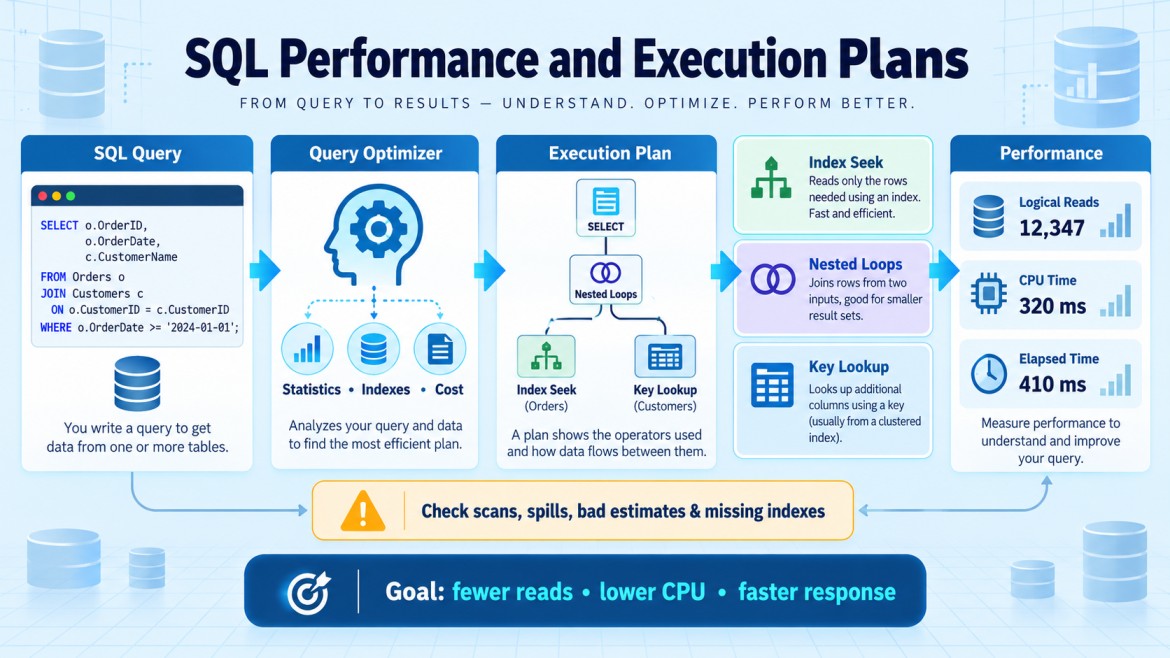


How do SET STATISTICS IO and SET STATISTICS TIME help?
They measure the resources used by a SQL query and help compare performance before and after optimization.
SET STATISTICS IO
Shows how many data pages SQL Server reads.
SET STATISTICS IO ON;

SELECT *
FROM Orders
WHERE CustomerId = 100;

SET STATISTICS IO OFF;
Important output:
-
Logical reads: Pages read from memory
-
Physical reads: Pages read from disk
-
Read-ahead reads: Pages loaded in advance
High logical reads may indicate scans, missing indexes or an inefficient query.
SET STATISTICS TIME
Shows the time used by the query.
SET STATISTICS TIME ON;

SELECT *
FROM Orders
WHERE CustomerId = 100;

SET STATISTICS TIME OFF;
Important output:
-
CPU time: Processor time used
-
Elapsed time: Total time taken, including waits
Key points
-
Results appear in SSMS’s Messages tab.
-
Use them with the actual execution plan.
-
Logical reads are useful when comparing different query versions.
-
Test under similar data, cache and server-load conditions.
-
Do not leave them enabled unnecessarily in application sessions.