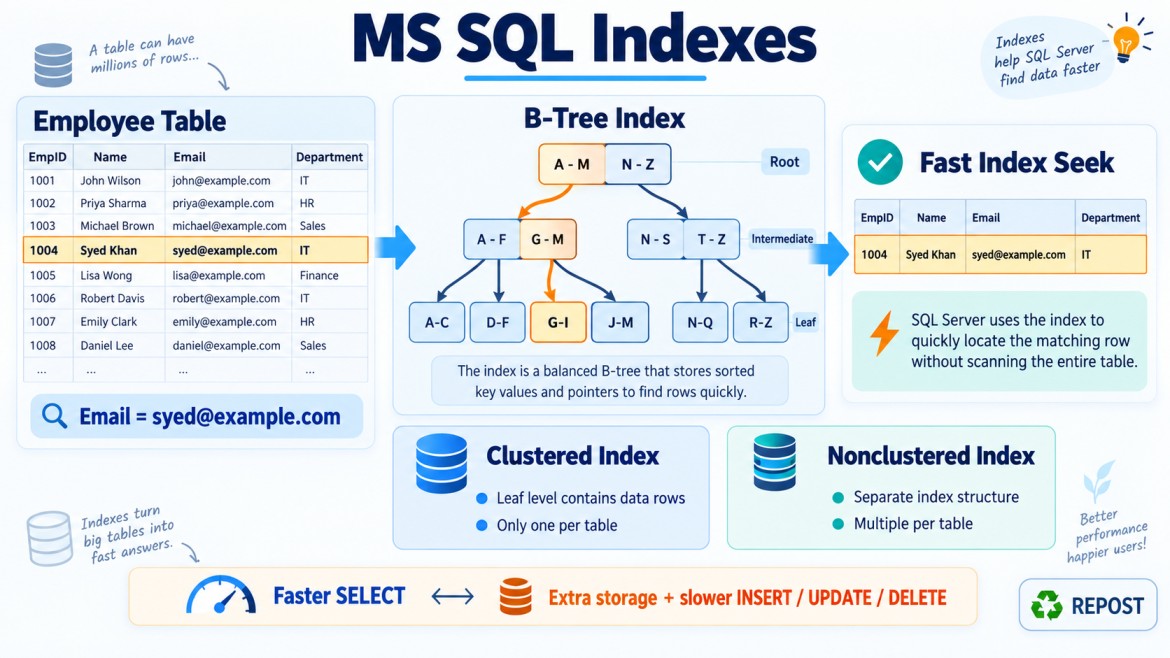


Identifying Missing, Duplicate, and Unused Indexes in SQL Server
SQL Server provides Dynamic Management Views (DMVs), execution plans, and Query Store information to help identify:
-
Missing indexes – indexes that may improve queries.
-
Duplicate or overlapping indexes – indexes that provide similar functionality.
-
Unused indexes – indexes that create maintenance overhead but receive little or no read activity.
These findings are only starting points. Never create or remove an index based only on a DMV result.
1. How to Identify Missing Indexes
A missing index is an index that SQL Server estimates could improve one or more queries.
SQL Server records missing-index suggestions when the optimizer evaluates queries and finds that an additional index might reduce the estimated query cost.
Missing-Index DMV Query
Run this in the required database:
SELECT TOP (50)
    DB_NAME(mid.database_id) AS DatabaseName,
    OBJECT_SCHEMA_NAME(mid.object_id, mid.database_id) AS SchemaName,
    OBJECT_NAME(mid.object_id, mid.database_id) AS TableName,

    migs.user_seeks,
    migs.user_scans,

    migs.avg_total_user_cost,
    migs.avg_user_impact,

    migs.last_user_seek,
    migs.last_user_scan,

    mid.equality_columns,
    mid.inequality_columns,
    mid.included_columns,

    (
        migs.user_seeks +
        migs.user_scans
    )
    * migs.avg_total_user_cost
    * (migs.avg_user_impact / 100.0) AS ImprovementScore
FROM sys.dm_db_missing_index_group_stats AS migs
INNER JOIN sys.dm_db_missing_index_groups AS mig
    ON mig.index_group_handle = migs.group_handle
INNER JOIN sys.dm_db_missing_index_details AS mid
    ON mid.index_handle = mig.index_handle
WHERE mid.database_id = DB_ID()
ORDER BY ImprovementScore DESC;
Important Columns
| Column | Meaning |
|---|---|
equality_columns |
Columns used with =, IN, or equivalent equality conditions |
inequality_columns |
Columns used with ranges such as >, <, BETWEEN |
included_columns |
Columns needed mainly to cover query output |
user_seeks |
Number of user-query seeks that could potentially benefit |
user_scans |
Number of scans that could potentially benefit |
avg_total_user_cost |
Estimated average cost of affected queries |
avg_user_impact |
Estimated percentage improvement |
last_user_seek |
Last time a potentially beneficial seek was recorded |
ImprovementScore |
A calculated prioritization value—not an exact saving |
Constructing a Candidate Index
Suppose the DMV returns:
equality_columns:   [CustomerId], [Status]
inequality_columns: [OrderDate]
included_columns:   [TotalAmount], [ShippingAddress]
A candidate index could be:
CREATE INDEX IX_Orders_Customer_Status_Date
ON dbo.Orders(CustomerId, Status, OrderDate)
INCLUDE (TotalAmount, ShippingAddress);
The usual starting order is:
Equality columns → Inequality columns → Included columnsHowever, the DMV does not reliably tell you the best order among multiple equality columns. You must determine that from:
-
Query patterns
-
Selectivity
-
Existing indexes
-
Join conditions
-
Sort requirements
-
Data distribution
-
Actual execution plans
Missing-Index Suggestions in Execution Plans
Execution plans may display a green message such as:
Missing Index (Impact 91.25)SSMS may generate a suggested statement:
CREATE NONCLUSTERED INDEX [<Name of Missing Index>]
ON dbo.Orders(CustomerId, Status)
INCLUDE (OrderDate, TotalAmount);
Do not create it immediately.
First check:
-
Does a similar index already exist?
-
Can an existing index be modified?
-
Does the suggested index contain too many included columns?
-
Does it support only one rarely executed query?
-
What will be its effect on writes and storage?
-
Does the query itself need to be corrected?
-
Would a filtered index be smaller and more effective?
Limitations of Missing-Index DMVs
Missing-index DMVs have important limitations:
-
Information is cleared after a SQL Server restart.
-
Information may be cleared when a database is detached or taken offline.
-
Statistics are not permanent historical records.
-
Recommendations are based on optimizer estimates.
-
Suggestions may overlap or duplicate one another.
-
They do not fully consider index maintenance cost.
-
They may recommend very wide indexes.
-
They may not recommend the perfect key-column order.
-
They may ignore broader workload requirements.
-
They should not replace execution-plan analysis.
Check the SQL Server start time:
SELECT sqlserver_start_time
FROM sys.dm_os_sys_info;
A low user_seeks value may simply mean SQL Server was restarted recently.
2. How to Identify Duplicate Indexes
Duplicate indexes have the same or very similar key definitions.
Exact duplicates waste:
-
Disk space
-
Buffer-cache memory
-
Backup space
-
Transaction-log space
-
INSERT,UPDATE, andDELETEprocessing -
Index maintenance time
View Existing Index Definitions
SELECT
    s.name AS SchemaName,
    t.name AS TableName,
    i.name AS IndexName,
    i.type_desc AS IndexType,
    i.is_unique,
    i.is_primary_key,
    i.is_unique_constraint,
    i.has_filter,
    i.filter_definition,

    STRING_AGG(
        CASE
            WHEN ic.is_included_column = 0
            THEN
                QUOTENAME(c.name) +
                CASE
                    WHEN ic.is_descending_key = 1
                    THEN ' DESC'
                    ELSE ' ASC'
                END
        END,
        ', '
    ) WITHIN GROUP (ORDER BY ic.key_ordinal) AS KeyColumns,

    STRING_AGG(
        CASE
            WHEN ic.is_included_column = 1
            THEN QUOTENAME(c.name)
        END,
        ', '
    ) WITHIN GROUP (ORDER BY c.column_id) AS IncludedColumns
FROM sys.indexes AS i
INNER JOIN sys.tables AS t
    ON t.object_id = i.object_id
INNER JOIN sys.schemas AS s
    ON s.schema_id = t.schema_id
INNER JOIN sys.index_columns AS ic
    ON ic.object_id = i.object_id
   AND ic.index_id = i.index_id
INNER JOIN sys.columns AS c
    ON c.object_id = ic.object_id
   AND c.column_id = ic.column_id
WHERE i.index_id > 0
  AND i.is_hypothetical = 0
GROUP BY
    s.name,
    t.name,
    i.name,
    i.type_desc,
    i.is_unique,
    i.is_primary_key,
    i.is_unique_constraint,
    i.has_filter,
    i.filter_definition
ORDER BY
    s.name,
    t.name,
    i.name;
Review indexes on the same table and compare:
-
Index type
-
Key columns
-
Key-column order
-
ASCorDESC -
Included columns
-
Uniqueness
-
Filter definition
-
Constraint ownership
Exact Duplicate Example
CREATE INDEX IX_Orders_Customer
ON Orders(CustomerId, OrderDate)
INCLUDE (Status);
CREATE INDEX IX_Orders_Customer_Copy
ON Orders(CustomerId, OrderDate)
INCLUDE (Status);These indexes have the same keys and included columns. Normally, only one is required.
Duplicate with Different Included-Column Order
CREATE INDEX IX_Orders_A
ON Orders(CustomerId)
INCLUDE (OrderDate, Status);
CREATE INDEX IX_Orders_B
ON Orders(CustomerId)
INCLUDE (Status, OrderDate);Included-column order normally does not affect index navigation. These indexes are effectively duplicates if their other properties are identical.
Overlapping Index Example
CREATE INDEX IX_Orders_Customer
ON Orders(CustomerId);
CREATE INDEX IX_Orders_Customer_Date
ON Orders(CustomerId, OrderDate)
INCLUDE (Status, TotalAmount);These are not exact duplicates, but the second index may cover queries supported by the first.
It may be possible to remove the first index, but not automatically.
The smaller index might still be valuable because it:
-
Uses less storage
-
Requires fewer logical reads
-
Fits better in memory
-
Has lower write overhead
-
May provide a better plan for certain queries
Test the complete workload before consolidating overlapping indexes.
Column Order Matters
These are not duplicates:
(CustomerId, OrderDate)(OrderDate, CustomerId)The first supports customer-first searches:
WHERE CustomerId = 101The second supports date-first searches:
WHERE OrderDate >= '2026-01-01'Likewise, mixed sorting directions may matter:
(CustomerId ASC, OrderDate DESC)(CustomerId ASC, OrderDate ASC)Therefore, duplicate detection must not simply compare column names without their position and direction.
Filtered Indexes Are Not Necessarily Duplicates
These indexes serve different subsets:
CREATE INDEX IX_Orders_Pending
ON Orders(OrderDate)
WHERE Status = 'Pending';CREATE INDEX IX_Orders_Completed
ON Orders(OrderDate)
WHERE Status = 'Completed';Although the key column is identical, the filter definitions differ. They are not duplicates.
Unique and Nonunique Indexes Are Different
CREATE UNIQUE INDEX UX_Employees_Email
ON Employees(Email);CREATE INDEX IX_Employees_Email
ON Employees(Email);The unique index enforces a business rule; the nonunique index does not.
The nonunique index may be redundant, but never remove the unique index without understanding its data-integrity purpose.
3. How to Identify Unused Indexes
SQL Server records index activity in:
sys.dm_db_index_usage_statsIt tracks operations such as:
-
User seeks
-
User scans
-
User lookups
-
User updates
Unused-Index Query
SELECT
DB_NAME() AS DatabaseName,
s.name AS SchemaName,
t.name AS TableName,
i.name AS IndexName,
i.type_desc AS IndexType,
COALESCE(ius.user_seeks, 0) AS UserSeeks,
COALESCE(ius.user_scans, 0) AS UserScans,
COALESCE(ius.user_lookups, 0) AS UserLookups,
COALESCE(ius.user_updates, 0) AS UserUpdates,
i.is_unique,
i.is_primary_key,
i.is_unique_constraint,
i.has_filter,
i.filter_definition,
ius.last_user_seek,
ius.last_user_scan,
ius.last_user_lookup,
ius.last_user_update
FROM sys.indexes AS i
INNER JOIN sys.tables AS t
ON t.object_id = i.object_id
INNER JOIN sys.schemas AS s
ON s.schema_id = t.schema_id
LEFT JOIN sys.dm_db_index_usage_stats AS ius
ON ius.database_id = DB_ID()
AND ius.object_id = i.object_id
AND ius.index_id = i.index_id
WHERE i.index_id > 1
AND i.is_hypothetical = 0
AND i.is_primary_key = 0
AND i.is_unique_constraint = 0
AND COALESCE(ius.user_seeks, 0) = 0
AND COALESCE(ius.user_scans, 0) = 0
AND COALESCE(ius.user_lookups, 0) = 0
ORDER BY
COALESCE(ius.user_updates, 0) DESC,
s.name,
t.name,
i.name;This reports nonclustered indexes with no recorded user reads since the usage statistics were last reset.
Indexes with:
UserSeeks = 0
UserScans = 0
UserLookups = 0
UserUpdates = 500,000are strong review candidates because SQL Server is paying the write cost without recording user-read benefits.
They are candidates—not automatic deletion targets.
Understanding Usage Statistics
| Column | Meaning |
|---|---|
user_seeks |
Number of times the index was navigated to locate rows |
user_scans |
Number of index-scan operations |
user_lookups |
Key or RID lookups involving the index |
user_updates |
Insert, update, or delete operations affecting the index |
last_user_seek |
Last recorded user seek |
last_user_scan |
Last recorded user scan |
last_user_lookup |
Last recorded lookup |
last_user_update |
Last recorded modification |
user_updates represents index-maintenance operations, not necessarily the exact number of modified rows.
Why “Unused” Does Not Always Mean Unnecessary
An index may appear unused because:
-
SQL Server was recently restarted.
-
Usage statistics were recently reset.
-
The database was restored, detached, or taken offline.
-
The index supports a monthly or yearly report.
-
The index is used only during month-end processing.
-
The index supports an infrequent but critical query.
-
The index enforces uniqueness.
-
The index supports a foreign-key relationship indirectly.
-
The index is required during disaster recovery or maintenance.
-
The observation period did not cover the full business cycle.
Monitor usage across an appropriate period—for example, through daily, weekly, monthly, and financial-year-end workloads.
Do Not Drop Constraint-Supporting Indexes Carelessly
Indexes may support:
-
Primary keys
-
Unique constraints
-
Foreign-key queries
-
Replication
-
Indexed views
-
Special application processes
-
Critical reporting queries
The usage query excludes primary-key and unique-constraint indexes, but other important indexes still require investigation.
SQL Server does not automatically create an index on a foreign-key column. Such an index may be important for:
-
Joins
-
Parent-row deletions
-
Parent-key updates
-
Referential-integrity checks
An apparently low-use foreign-key index may still prevent expensive child-table scans.
Find Write-Heavy, Read-Light Indexes
A more practical query calculates total reads:
SELECT
s.name AS SchemaName,
t.name AS TableName,
i.name AS IndexName,
COALESCE(ius.user_seeks, 0) AS UserSeeks,
COALESCE(ius.user_scans, 0) AS UserScans,
COALESCE(ius.user_lookups, 0) AS UserLookups,
COALESCE(ius.user_updates, 0) AS UserUpdates,
COALESCE(ius.user_seeks, 0)
+ COALESCE(ius.user_scans, 0)
+ COALESCE(ius.user_lookups, 0) AS TotalReads,
CASE
WHEN
COALESCE(ius.user_seeks, 0)
+ COALESCE(ius.user_scans, 0)
+ COALESCE(ius.user_lookups, 0) = 0
THEN NULL
ELSE
CAST(COALESCE(ius.user_updates, 0) AS DECIMAL(19,2))
/
NULLIF(
COALESCE(ius.user_seeks, 0)
+ COALESCE(ius.user_scans, 0)
+ COALESCE(ius.user_lookups, 0),
0
)
END AS WritesPerRead
FROM sys.indexes AS i
INNER JOIN sys.tables AS t
ON t.object_id = i.object_id
INNER JOIN sys.schemas AS s
ON s.schema_id = t.schema_id
LEFT JOIN sys.dm_db_index_usage_stats AS ius
ON ius.database_id = DB_ID()
AND ius.object_id = i.object_id
AND ius.index_id = i.index_id
WHERE i.index_id > 1
AND i.is_hypothetical = 0
AND i.is_primary_key = 0
AND i.is_unique_constraint = 0
ORDER BY
WritesPerRead DESC,
UserUpdates DESC;A high write-to-read ratio means the index deserves review, but business importance matters more than the ratio alone.
Check Index Size
Large unused indexes offer greater potential savings than tiny indexes.
SELECT
s.name AS SchemaName,
t.name AS TableName,
i.name AS IndexName,
SUM(ps.row_count) AS RowCount,
SUM(ps.used_page_count) AS UsedPages,
CAST(
SUM(ps.used_page_count) * 8.0 / 1024
AS DECIMAL(18,2)
) AS UsedSizeMB
FROM sys.dm_db_partition_stats AS ps
INNER JOIN sys.indexes AS i
ON i.object_id = ps.object_id
AND i.index_id = ps.index_id
INNER JOIN sys.tables AS t
ON t.object_id = i.object_id
INNER JOIN sys.schemas AS s
ON s.schema_id = t.schema_id
WHERE i.index_id > 0
GROUP BY
s.name,
t.name,
i.name
ORDER BY UsedSizeMB DESC;Prioritize indexes that are:
-
Large
-
Write-heavy
-
Rarely read
-
Overlapping with another index
-
Not enforcing a constraint
Query Store for Historical Verification
DMV data is temporary. Query Store can provide persistent information about executed queries and plans when it is enabled.
Check its state:
SELECT
actual_state_desc,
desired_state_desc,
current_storage_size_mb,
max_storage_size_mb
FROM sys.database_query_store_options;Enable it when appropriate:
ALTER DATABASE CurrentDatabase
SET QUERY_STORE = ON;Query Store helps answer:
-
Which queries use a particular index?
-
Did removing or adding an index change query performance?
-
Are important queries executed only monthly?
-
Did execution plans regress after a change?
Execution plans stored in Query Store can be searched for references to an index, although plan XML analysis requires careful querying.
Recommended Review Process
Step 1: Capture Data Over a Representative Period
Collect:
-
Index usage statistics
-
Missing-index recommendations
-
Index sizes
-
Query Store history
-
Important execution plans
The period should include:
-
Normal business days
-
Peak hours
-
Weekly jobs
-
Month-end processes
-
Reporting workloads
-
Maintenance jobs
Step 2: Review Missing Indexes
For every high-value suggestion:
-
Find the query that generated it.
-
Check the actual execution plan.
-
Review existing indexes on the table.
-
Look for overlapping recommendations.
-
Design one consolidated index when possible.
-
Estimate storage and write overhead.
-
Test using production-like data.
Step 3: Review Duplicate Indexes
Compare:
-
Key columns and order
-
Sort direction
-
Included columns
-
Filter definitions
-
Uniqueness
-
Index type
-
Constraint dependency
-
Usage and size
Step 4: Review Unused Indexes
Confirm:
-
The observation period is long enough.
-
The server has not recently restarted.
-
The index is not constraint-related.
-
It is not required by a rare critical process.
-
It overlaps with another index.
-
Query Store shows no important consumer.
Step 5: Test Before Removal
Test in a non-production environment where possible.
Instead of immediately dropping an index, SQL Server supports disabling it:
ALTER INDEX IX_Orders_OldIndex
ON dbo.Orders
DISABLE;However, disabling an index is not always a harmless trial:
-
Queries cannot use it.
-
A disabled clustered index makes the underlying table data inaccessible.
-
Disabling a unique index may affect constraint enforcement.
-
It must be rebuilt before reuse.
For ordinary nonclustered indexes, another safe operational approach is to retain the creation script, drop the index during a controlled window, monitor performance, and recreate it if required.
Example: Consolidating Overlapping Indexes
Suppose these indexes exist:
CREATE INDEX IX_Orders_Customer
ON Orders(CustomerId);CREATE INDEX IX_Orders_Customer_Date
ON Orders(CustomerId, OrderDate);CREATE INDEX IX_Orders_Customer_Date_Status
ON Orders(CustomerId, OrderDate)
INCLUDE (Status, TotalAmount);The third index may cover much of the functionality of the first two.
Possible consolidation:
CREATE INDEX IX_Orders_Customer_Date
ON Orders(CustomerId, OrderDate)
INCLUDE (Status, TotalAmount);Then consider removing the overlapping indexes only after testing.
Keeping the smaller CustomerId index could still be beneficial if it is heavily used and substantially narrower. Consolidation must be based on workload evidence.
Missing Index vs Existing Overlapping Index
Suppose SQL Server recommends:
CREATE INDEX IX_Orders_Missing
ON Orders(CustomerId, Status)
INCLUDE (OrderDate, TotalAmount);
An existing index is:
CREATE INDEX IX_Orders_Customer
ON Orders(CustomerId)
INCLUDE (Status, OrderDate);
Creating another index immediately may be unnecessary.
Possible options include:
-
Add
Statusas a key andTotalAmountas an included column to the existing index. -
Create the new index and remove the old one.
-
Keep both if different query patterns justify them.
-
Use a filtered index if only one status is important.
Evaluate all queries using the existing index before changing it.
Important Permissions
To view all relevant DMV information, additional permissions may be required, depending on the SQL Server version and environment.
Common permissions include:
VIEW SERVER STATEor, in newer environments:
VIEW SERVER PERFORMANCE STATEDatabase-level metadata visibility may also affect the results.
If a query returns incomplete information, permissions should be checked before concluding that no usage or missing-index data exists.
Common Mistakes
Creating Every Missing Index Recommendation
This produces overlapping indexes and increases write overhead.
Dropping an Index Because Reads Equal Zero
The observation window may be incomplete.
Treating Similar Indexes as Exact Duplicates
Key order, direction, filters, uniqueness, and included columns may differ.
Ignoring Small but Critical Queries
A rarely used index may support a time-sensitive business process.
Ignoring Write Costs
Every additional index must be maintained during data modifications.
Trusting Improvement Scores as Exact Values
They are estimates used for prioritization, not guaranteed performance gains.
Ignoring Query Design
A missing-index recommendation may hide:
-
SELECT * -
Non-SARGable conditions
-
Poor joins
-
Implicit conversions
-
Incorrect parameter types
-
Excessive result sets
Correcting the query may be more valuable than adding an index.
Best Practices
-
Use DMVs to find candidates, not make automatic decisions.
-
Maintain historical snapshots because DMV information is temporary.
-
Use Query Store to identify important queries and plan changes.
-
Review missing indexes alongside existing indexes.
-
Consolidate overlapping recommendations when practical.
-
Do not remove primary-key or unique indexes without understanding constraints.
-
Pay special attention to foreign-key indexes.
-
Prioritize large, write-heavy, read-light indexes.
-
Test changes using realistic data and workload.
-
Compare logical reads, CPU time, duration, and execution plans.
-
Change one group of indexes at a time and monitor the result.
-
Keep scripts for recreating indexes that are removed.
Interview Key Points
-
Missing-index DMVs show optimizer-generated suggestions, not guaranteed solutions.
-
Equality columns normally come before inequality columns in a candidate index.
-
Included columns are used primarily to cover query output.
-
Duplicate indexes have identical keys and similar properties.
-
Overlapping indexes share leading keys but are not necessarily duplicates.
-
Key-column order matters; included-column order generally does not.
-
Filter definition, uniqueness, and sort direction must be compared.
-
sys.dm_db_index_usage_statshelps find read-light and write-heavy indexes. -
DMV statistics reset after events such as SQL Server restarts.
-
An unused index may support a rare but critical process.
-
Query Store provides better historical workload evidence.
-
Never automatically create or drop indexes based only on DMV output.