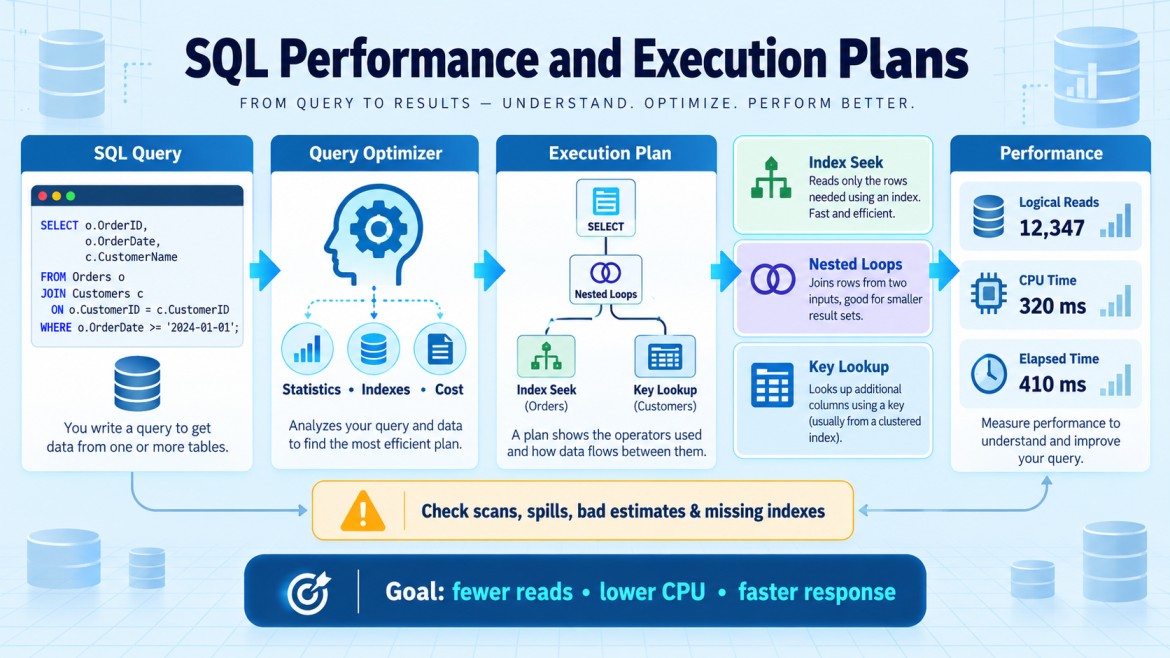


How do you troubleshoot a slow SQL query?
Follow these steps:
-
Reproduce the issue
-
Confirm which query is slow.
-
Check whether it is always slow or only during peak hours.
-
-
Check the actual execution plan
Look for:-
Table or index scans
-
Expensive key lookups
-
Incorrect join types
-
Sort or hash spills
-
Missing-index suggestions
-
Large differences between estimated and actual rows
-
-
Measure resource usage
SET STATISTICS IO ON;
SET STATISTICS TIME ON;
Check logical reads, CPU time and execution time.
-
Check indexes
-
Add useful indexes if required.
-
Remove unnecessary indexes carefully.
-
Avoid missing, duplicate or heavily fragmented indexes.
-
-
Check query conditions
Use SARGable conditions so indexes can be used.
-- Avoid
WHERE YEAR(OrderDate) = 2026

-- Better
WHERE OrderDate >= '20260101'
AND OrderDate < '20270101'-
Check statistics
Outdated statistics can produce a poor execution plan.
UPDATE STATISTICS dbo.Orders;-
Check parameter sniffing
A cached plan created for one parameter may perform badly for another. Test with different parameter values. -
Check blocking and waits
Another transaction may be blocking the query. Also check CPU, memory, disk I/O and tempdb waits. -
Use Query Store
Compare previous and current execution plans to identify plan regression.
Key point
Do not immediately add an index. First identify whether the problem is caused by the query, execution plan, indexes, statistics, blocking, parameter sniffing or server resources.