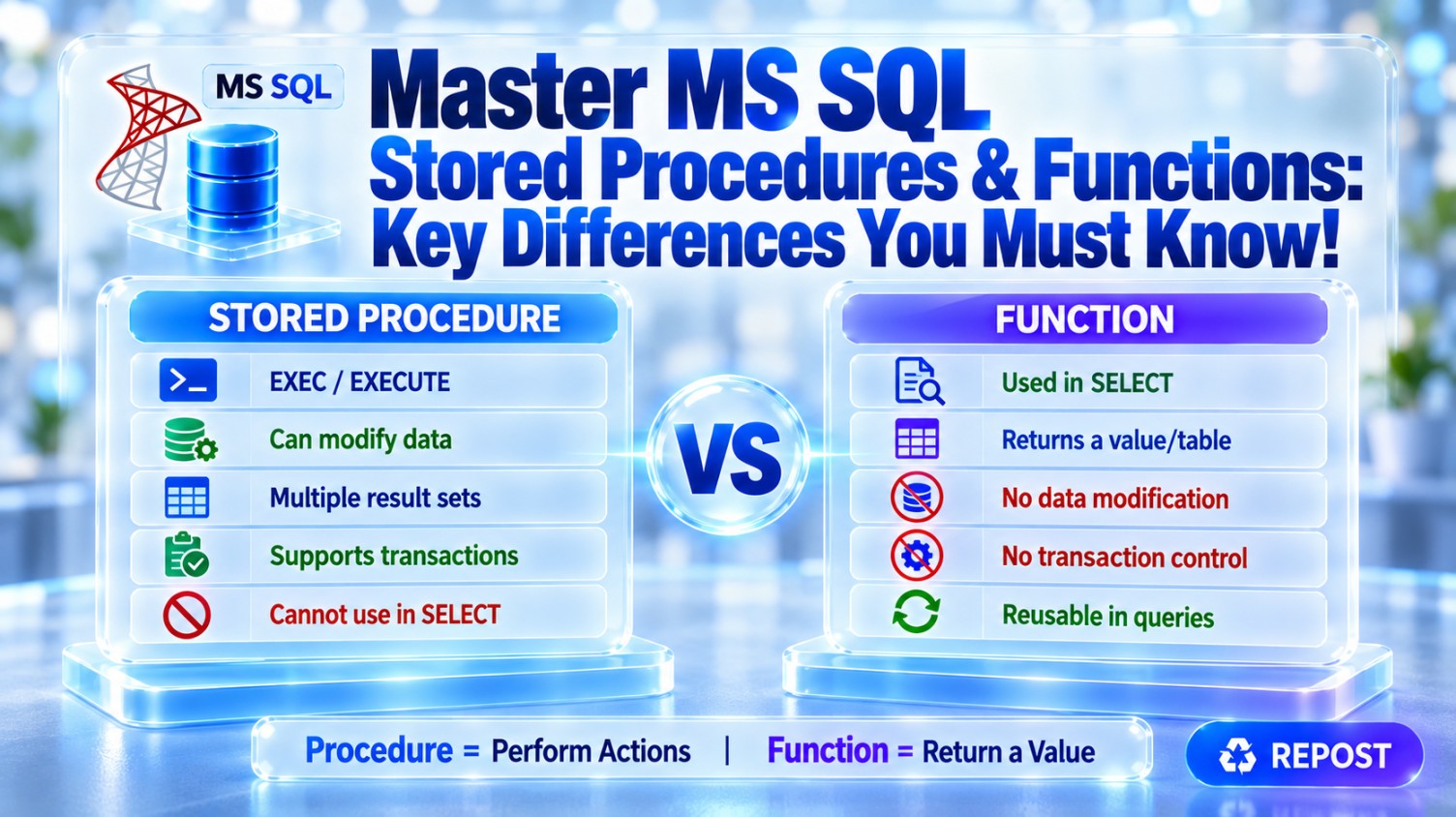


Stored Procedure vs Function in SQL Server
Both stored procedures and functions are reusable database objects. The main difference is:
-
A stored procedure is mainly used to perform operations or business processes.
-
A function is mainly used to calculate and return a value or table.
| Feature | Stored Procedure | Function |
|---|---|---|
| Primary purpose | Perform actions or processes | Calculate and return a value/table |
| Return value | Optional | Mandatory |
| Return types | Result sets, output parameters, return code | Scalar value or table |
Use inside SELECT |
No | Yes |
| Modify table data | Yes | Generally no |
| Transactions | Supports explicit transactions | Cannot manage transactions |
| Error handling | Supports TRY...CATCH and THROW |
Restricted |
| Stored procedure calls | Can call another procedure | Cannot call a stored procedure |
| Parameters | Input and output parameters | Input parameters only |
| Dynamic SQL | Supported | Not supported |
| Temporary tables | Supported | Not supported |
| Execution | EXEC or EXECUTE |
Used within a SQL expression |
| Side effects | Can have side effects | Must avoid side effects |
1. Stored Procedure
A stored procedure can:
-
Read data
-
Insert, update and delete data
-
Execute multiple SQL statements
-
Manage transactions
-
Use temporary tables
-
Execute dynamic SQL
-
Return multiple result sets
Example
CREATE PROCEDURE UpdateEmployeeSalary
    @EmployeeId INT,
    @NewSalary DECIMAL(12,2)
AS
BEGIN
    SET NOCOUNT ON;

    UPDATE Employees
    SET Salary = @NewSalary
    WHERE EmployeeId = @EmployeeId;

    SELECT EmployeeId, EmployeeName, Salary
    FROM Employees
    WHERE EmployeeId = @EmployeeId;
END;
Execution:
EXEC UpdateEmployeeSalary
    @EmployeeId = 101,
    @NewSalary = 75000;
This procedure changes data and then returns employee details.
2. Function
A SQL Server user-defined function must return a value. It is commonly used for reusable calculations or reusable query logic.
Functions are mainly divided into:
-
Scalar-valued functions
-
Inline table-valued functions
-
Multi-statement table-valued functions
Scalar function example
CREATE FUNCTION dbo.CalculateAnnualSalary
(
    @MonthlySalary DECIMAL(12,2)
)
RETURNS DECIMAL(12,2)
AS
BEGIN
    RETURN @MonthlySalary * 12;
END;
It can be called inside a query:
SELECT
    EmployeeName,
    Salary,
    dbo.CalculateAnnualSalary(Salary) AS AnnualSalary
FROM Employees;
Inline table-valued function example
CREATE FUNCTION dbo.GetEmployeesByDepartment
(
    @DepartmentId INT
)
RETURNS TABLE
AS
RETURN
(
    SELECT EmployeeId, EmployeeName, Salary
    FROM Employees
    WHERE DepartmentId = @DepartmentId
);
Usage:
SELECT *
FROM dbo.GetEmployeesByDepartment(10);
Because it returns a table, it can also participate in joins:
SELECT E.EmployeeName, D.DepartmentName
FROM dbo.GetEmployeesByDepartment(10) AS E
JOIN Departments AS D
    ON D.DepartmentId = 10;
Return-value difference
A stored procedure can return data in several ways:
Result set
Output parameter
Integer return status
A function must return either:
Single scalar value
Table
A procedure’s RETURN value should normally represent an integer execution status—not business data.
Data-modification difference
A procedure can modify permanent tables:
UPDATE Employees
SET Salary = Salary + 1000;
A function cannot normally perform operations that create side effects, such as modifying permanent application tables.
This restriction allows functions to be safely used as part of queries.
Calling difference
Stored procedure:
EXEC GetEmployeeById @EmployeeId = 101;Function:
SELECT dbo.CalculateAnnualSalary(50000);A function can be used in places such as:
-
SELECT -
WHERE -
JOINorAPPLY -
ORDER BY -
GROUP BY, subject to expression rules
A stored procedure cannot be used directly inside these query clauses.
Real-world example
Use a stored procedure for completing an order:
Validate stock
Create order
Create order items
Reduce inventory
Commit or roll back transaction
Use a function for calculating or querying:
Calculate tax
Calculate age
Format a reusable value
Return employees for a department
Which one should you use?
Use a stored procedure when you need:
-
INSERT,UPDATEorDELETE -
Multiple operations
-
Transaction management
-
Dynamic SQL
-
Temporary tables
-
Multiple result sets
-
Complex business processes
Use a function when you need:
-
A reusable calculation
-
A value inside a query
-
A parameterized reusable table expression
-
Logic that does not modify permanent database state
Performance note
Functions are not automatically faster than stored procedures.
-
Inline table-valued functions generally perform well because SQL Server can integrate them into the calling query’s execution plan.
-
Scalar functions may become expensive when executed once for every row.
-
Modern SQL Server versions can inline some scalar functions, but only when eligibility conditions are satisfied.
-
Multi-statement table-valued functions can sometimes produce poor row estimates and inefficient plans.
Interview Key Points
-
A function must return a scalar value or table; a procedure does not have to return data.
-
Functions can be used inside SQL queries; procedures are invoked using
EXEC. -
Procedures can modify data and manage transactions.
-
Functions cannot normally modify permanent tables or perform side-effecting operations.
-
Procedures support input and output parameters; functions accept input parameters.
-
Prefer inline table-valued functions for reusable query logic.
-
Use procedures for operations and functions for calculations or composable query results.
Scalar Function vs Table-Valued Function in SQL Server
The main difference is:
-
A scalar function returns one value.
-
A table-valued function (TVF) returns a table containing rows and columns.
| Feature | Scalar Function | Table-Valued Function |
|---|---|---|
| Returns | A single value | A table |
| Example result | 7500.00 |
Multiple employee records |
| Used as | An expression | A table source |
| Typical usage | SELECT, WHERE, ORDER BY |
FROM, JOIN, APPLY |
| Best suited for | Calculations and transformations | Reusable parameterized queries |
| Performance | Can be slow when called per row | Inline TVFs generally perform well |
| Can return multiple rows | No | Yes |
| Can return multiple columns | No | Yes |
1. Scalar Function
A scalar function accepts zero or more parameters and returns exactly one value.
The return value can be a data type such as:
-
INT -
DECIMAL -
VARCHAR -
DATE -
BIT
Example: Calculate annual salary
CREATE FUNCTION dbo.CalculateAnnualSalary
(
    @MonthlySalary DECIMAL(12,2)
)
RETURNS DECIMAL(12,2)
AS
BEGIN
    RETURN @MonthlySalary * 12;
END;
Usage:
SELECT
    EmployeeName,
    Salary,
    dbo.CalculateAnnualSalary(Salary) AS AnnualSalary
FROM Employees;
Possible result:
| EmployeeName | Salary | AnnualSalary |
|---|---|---|
| Ali | 50,000 | 600,000 |
| John | 60,000 | 720,000 |
The function returns one annual-salary value for every input salary.
When should you use it?
Use a scalar function for reusable calculations such as:
-
Calculating tax
-
Calculating age
-
Calculating discounts
-
Converting units
-
Formatting or transforming a value
2. Table-Valued Function
A table-valued function returns a result in table format. It can return multiple rows and columns.
It is used in the FROM clause like a table or view.
SELECT *
FROM dbo.GetEmployeesByDepartment(10);
Unlike a regular view, a table-valued function can accept parameters.
There are two types:
-
Inline table-valued function
-
Multi-statement table-valued function
Inline Table-Valued Function
An inline TVF contains one query and returns its result directly.
CREATE FUNCTION dbo.GetEmployeesByDepartment
(
    @DepartmentId INT
)
RETURNS TABLE
AS
RETURN
(
    SELECT EmployeeId, EmployeeName, Salary
    FROM Employees
    WHERE DepartmentId = @DepartmentId
);
Usage:
SELECT *
FROM dbo.GetEmployeesByDepartment(10);
It can also be joined with other tables:
SELECT E.EmployeeName, D.DepartmentName
FROM dbo.GetEmployeesByDepartment(10) AS E
JOIN Departments AS D
    ON D.DepartmentId = 10;
Advantages of inline TVFs
-
Simple and readable
-
Accept parameters
-
Reusable inside queries
-
Usually provide good performance
-
SQL Server can optimize the function together with the calling query
An inline TVF behaves similarly to a parameterized view.
Multi-Statement Table-Valued Function
A multi-statement TVF declares a table variable, executes multiple statements, and inserts rows into the return table.
CREATE FUNCTION dbo.GetEmployeeSalaryStatus
(
    @DepartmentId INT
)
RETURNS @Result TABLE
(
    EmployeeId INT,
    EmployeeName VARCHAR(100),
    SalaryStatus VARCHAR(20)
)
AS
BEGIN
    INSERT INTO @Result
    SELECT
        EmployeeId,
        EmployeeName,
        CASE
            WHEN Salary >= 75000 THEN 'High'
            ELSE 'Standard'
        END
    FROM Employees
    WHERE DepartmentId = @DepartmentId;

    RETURN;
END;
Usage:
SELECT *
FROM dbo.GetEmployeeSalaryStatus(10);
When is it used?
Use it when:
-
Multiple SQL statements are necessary.
-
Intermediate processing is required.
-
The output table must be populated conditionally.
-
A single query cannot easily express the logic.
However, it can perform worse than an inline TVF because SQL Server has less visibility into its internal logic and may produce inaccurate row estimates.
Important Performance Difference
Scalar function
A scalar function may run once for every row.
SELECT dbo.CalculateAnnualSalary(Salary)
FROM Employees;
For one million employees, the function may introduce substantial per-row overhead.
Some newer SQL Server versions can automatically inline eligible scalar functions, but this does not apply to every function.
For simple calculations, a direct expression is often faster:
SELECT Salary * 12 AS AnnualSalary
FROM Employees;
Inline TVF
SQL Server usually expands an inline TVF into the calling query and optimizes everything as a single execution plan.
SELECT *
FROM dbo.GetEmployeesByDepartment(10);
Therefore, inline TVFs are generally preferred for reusable query logic.
Multi-statement TVF
A multi-statement TVF stores results in an internal table variable. This can cause:
-
Poor cardinality estimates
-
Inefficient join selection
-
Additional processing
-
Performance problems with large result sets
Simple Comparison
Suppose the Employees table contains 100 employees.
A scalar function:
SELECT dbo.CalculateAnnualSalary(Salary)
FROM Employees;
returns one calculated value for each employee.
A TVF:
SELECT *
FROM dbo.GetEmployeesByDepartment(10);
returns a complete table containing employees belonging to department 10.
Which one should you use?
Use a scalar function when:
-
You need one value.
-
The calculation is small and reusable.
-
It will not create expensive row-by-row processing.
Use an inline TVF when:
-
You need multiple rows or columns.
-
You need a parameterized reusable query.
-
The function must be joined with other tables.
-
Performance and optimizer visibility are important.
Use a multi-statement TVF only when:
-
Multiple statements are genuinely required.
-
The logic cannot be expressed cleanly as one query.
-
Its performance has been tested with realistic data volumes.
Interview Key Points
-
A scalar function returns one value.
-
A table-valued function returns a table.
-
A TVF is used in the
FROM,JOIN, orAPPLYclause. -
TVFs can be inline or multi-statement.
-
Inline TVFs generally perform better than multi-statement TVFs.
-
Scalar functions can become slow when executed row by row.
-
Prefer set-based expressions or inline TVFs for large datasets.
Why Can Scalar Functions Reduce Performance?
A scalar user-defined function returns a single value. When used against many rows, SQL Server may execute it once for every row, creating expensive row-by-row processing.
SELECT
    EmployeeName,
    dbo.CalculateTax(Salary) AS Tax
FROM Employees;
If Employees contains one million rows, CalculateTax() may effectively be evaluated one million times.
Main Performance Problems
1. Row-by-row execution
SQL Server works most efficiently with set-based operations. Traditional scalar functions can force repetitive processing.
Row 1 → Execute function
Row 2 → Execute function
Row 3 → Execute function
...
Row 1,000,000 → Execute function
This is commonly described as RBAR: Row By Agonizing Row.
2. Function-call overhead
Every function invocation can involve:
-
Passing parameters
-
Switching into the function
-
Executing its statements
-
Returning the result
This overhead may be small for one row but significant across millions of rows.
3. Serial execution
Traditional scalar UDFs can prevent or restrict parallel execution plans. As a result, SQL Server may use only one CPU core even when the query could otherwise benefit from parallelism.
4. Hidden execution cost
The execution plan might display a simple scalar-function operator without clearly exposing all the work performed inside the function.
For example, the function might contain:
-
Additional queries
-
Conditional logic
-
Multiple statements
-
Access to other tables
This can make the query appear cheaper than it really is and make troubleshooting more difficult.
5. Repeated table access
If the function queries another table, that query may execute repeatedly for every input row.
CREATE FUNCTION dbo.GetDepartmentName
(
    @DepartmentId INT
)
RETURNS NVARCHAR(100)
AS
BEGIN
    DECLARE @Name NVARCHAR(100);

    SELECT @Name = DepartmentName
    FROM Departments
    WHERE DepartmentId = @DepartmentId;

    RETURN @Name;
END;
Usage:
SELECT
    EmployeeName,
    dbo.GetDepartmentName(DepartmentId)
FROM Employees;
With one million employees, SQL Server may repeatedly access Departments. A join is normally more efficient:
SELECT
    E.EmployeeName,
    D.DepartmentName
FROM Employees AS E
JOIN Departments AS D
    ON D.DepartmentId = E.DepartmentId;
6. Can make predicates non-SARGable
Applying a function to an indexed column can prevent efficient index usage.
SELECT *
FROM Orders
WHERE dbo.GetYear(OrderDate) = 2026;
SQL Server may need to evaluate the function for every row and scan the table or index.
A range condition is more efficient:
SELECT *
FROM Orders
WHERE OrderDate >= '20260101'
  AND OrderDate <  '20270101';
This is SARGable and can use an index seek on OrderDate.
Example
Scalar-function approach:
SELECT
    OrderId,
    dbo.CalculateOrderTotal(OrderId)
FROM Orders;
If the function queries OrderItems, SQL Server may repeatedly access OrderItems for every order.
Set-based alternative:
SELECT
    O.OrderId,
    SUM(OI.Quantity * OI.UnitPrice) AS OrderTotal
FROM Orders AS O
JOIN OrderItems AS OI
    ON OI.OrderId = O.OrderId
GROUP BY O.OrderId;
The set-based version lets SQL Server optimize the operation as a whole.
Scalar UDF Inlining
SQL Server 2019 and later can automatically transform some eligible scalar UDFs into relational expressions. This is called Scalar UDF Inlining.
It can provide:
-
Better optimizer visibility
-
Set-based execution
-
Parallel-plan opportunities
-
More accurate costing
-
Reduced function-call overhead
However, not every function qualifies for inlining. Eligibility depends on the function’s construction, database compatibility level, configuration, and query context.
You can check whether a function is considered inlineable:
SELECT
    name,
    is_inlineable
FROM sys.sql_modules
WHERE object_id = OBJECT_ID('dbo.CalculateTax');
Do not assume that every scalar function will be inlined. Verify the actual execution plan and performance.
Better Alternatives
Depending on the requirement, consider:
-
A direct SQL expression
-
JOIN -
CASE -
CROSS APPLY -
An inline table-valued function
-
A computed column
-
Precalculating and storing the value when appropriate
Example using CASE:
SELECT
    EmployeeName,
    CASE
        WHEN Salary > 100000 THEN Salary * 0.20
        ELSE Salary * 0.10
    END AS Tax
FROM Employees;
Interview Key Points
-
Scalar functions may execute once for each row.
-
Repeated calls increase CPU usage and elapsed time.
-
Traditional scalar UDFs can restrict parallelism.
-
Their internal cost may not be clearly visible in execution plans.
-
Applying functions to indexed columns may prevent index seeks.
-
SQL Server 2019+ can inline some scalar UDFs, but not all.
-
Prefer set-based SQL, joins, expressions, or inline TVFs for large datasets.
Temporary Tables vs Table Variables vs CTEs
All three help organize intermediate query logic, but they are designed for different purposes:
-
Temporary table: Stores intermediate data temporarily and works well with larger datasets.
-
Table variable: Holds a usually small temporary result inside a batch, procedure, or function.
-
CTE: Creates a named query expression for one SQL statement; it does not normally store data separately.
Quick Comparison
| Feature | Temporary Table | Table Variable | CTE |
|---|---|---|---|
| Syntax | #TempTable |
@TableVariable |
WITH CTEName AS (...) |
| Physical storage | tempdb |
Primarily tempdb |
Normally not materialized |
| Scope | Session or procedure | Batch, procedure, or function | One following statement |
| Best for | Medium or large intermediate data | Small intermediate data | Query readability and recursion |
| Statistics | Supports column statistics | More limited optimizer information | Uses statistics from underlying tables |
| Indexes | Supports clustered and nonclustered indexes | Indexes mainly through constraints or inline index definitions | Cannot directly create indexes |
| Schema changes | Supports ALTER TABLE |
Cannot normally alter after declaration | Not applicable |
| Reuse | Can be referenced many times in scope | Can be referenced many times in scope | Only within the immediately following statement |
| Transactions | Changes participate fully in transactions | Fewer transaction-related side effects, but not transaction-independent | Follows the underlying query |
| Dynamic SQL visibility | Usually accessible within nested dynamic SQL | Not accessible inside separately executed dynamic SQL | Only part of its statement |
| Stored functions | Not allowed | Allowed | Allowed |
| Recursive queries | No special support | No special support | Supports recursion |
1. Temporary Tables
A temporary table is created using CREATE TABLE and a name beginning with #.
CREATE TABLE #EmployeeSummary
(
    DepartmentId INT,
    EmployeeCount INT,
    TotalSalary DECIMAL(18,2)
);
Insert data:
INSERT INTO #EmployeeSummary
(
    DepartmentId,
    EmployeeCount,
    TotalSalary
)
SELECT
    DepartmentId,
    COUNT(*),
    SUM(Salary)
FROM Employees
GROUP BY DepartmentId;
Use it in later statements:
SELECT D.DepartmentName, E.EmployeeCount, E.TotalSalary
FROM #EmployeeSummary AS E
JOIN Departments AS D
    ON D.DepartmentId = E.DepartmentId;
Delete it explicitly:
DROP TABLE #EmployeeSummary;SQL Server also removes it automatically when its scope or session ends.
Types of Temporary Tables
Local temporary table
CREATE TABLE #Employees
(
    EmployeeId INT
);-
Begins with a single
#. -
Visible only to the current session.
-
Automatically removed when the session ends.
-
A temporary table created inside a stored procedure is normally removed when the procedure finishes.
Global temporary table
CREATE TABLE ##Employees
(
    EmployeeId INT
);-
Begins with
##. -
Can be accessed by other sessions.
-
Removed after the creating session ends and no active session is using it.
-
Should be used carefully because of naming conflicts and shared access.
Advantages
-
Suitable for medium and large intermediate datasets.
-
Supports indexes.
-
SQL Server can create statistics on its columns.
-
Can be reused across multiple statements.
-
Can be altered after creation.
-
Usually produces better execution plans for large or unevenly distributed data.
Create an index:
CREATE INDEX IX_EmployeeSummary_DepartmentId
ON #EmployeeSummary(DepartmentId);
Add a column:
ALTER TABLE #EmployeeSummary
ADD AverageSalary DECIMAL(18,2);
Limitations
-
Creating and populating temporary tables adds
tempdbwork. -
Excessive usage can contribute to
tempdbcontention. -
Additional indexes improve reads but increase insert and update costs.
-
They are not allowed inside user-defined functions.
2. Table Variables
A table variable is declared using DECLARE and a name beginning with @.
DECLARE @EmployeeSummary TABLE
(
    DepartmentId INT PRIMARY KEY,
    EmployeeCount INT,
    TotalSalary DECIMAL(18,2)
);
Insert and query data:
INSERT INTO @EmployeeSummary
(
    DepartmentId,
    EmployeeCount,
    TotalSalary
)
SELECT
    DepartmentId,
    COUNT(*),
    SUM(Salary)
FROM Employees
GROUP BY DepartmentId;

SELECT *
FROM @EmployeeSummary;
Scope
A table variable exists only within the:
-
Current batch
-
Stored procedure
-
Function
It is automatically removed when that scope ends.
DECLARE @Employees TABLE
(
    EmployeeId INT
);

SELECT * FROM @Employees;
A GO statement ends the batch, so the variable cannot be accessed after it.
Advantages
-
Convenient for small intermediate result sets.
-
Automatically cleaned up when the batch or procedure finishes.
-
Can be used inside user-defined functions.
-
Useful when the data is small and the logic is simple.
Limitations
-
Generally provides less statistical information to the optimizer than a temporary table.
-
Can produce poor execution plans when it contains many rows.
-
Cannot normally be changed using
ALTER TABLEafter declaration. -
Indexing options are more restricted.
-
Cannot be accessed from a separately executed dynamic SQL batch.
For example, this will not work because dynamic SQL has a separate scope:
DECLARE @Employees TABLE
(
    EmployeeId INT
);

EXEC sp_executesql N'SELECT * FROM @Employees';
Indexes on Table Variables
Indexes are usually created through constraints:
DECLARE @Employees TABLE
(
    EmployeeId INT PRIMARY KEY,
    Email VARCHAR(200) UNIQUE,
    EmployeeName VARCHAR(100)
);
Modern SQL Server versions also support certain inline index definitions:
DECLARE @Employees TABLE
(
    EmployeeId INT,
    DepartmentId INT,
    INDEX IX_DepartmentId NONCLUSTERED (DepartmentId)
);
Important Performance Note
Historically, SQL Server often estimated that a table variable contained very few rows, which could result in poor join strategies.
Newer SQL Server versions can use table-variable deferred compilation under the appropriate database compatibility level. SQL Server waits until the table variable has been populated before compiling the referencing query, allowing a more realistic initial row estimate.
However:
-
Table variables still do not provide the same statistics capabilities as temporary tables.
-
Deferred compilation does not guarantee an optimal plan.
-
Temporary tables are commonly safer for large or unpredictable datasets.
3. Common Table Expressions
A Common Table Expression, or CTE, is a temporary named result expression created using WITH.
WITH DepartmentSummary AS
(
    SELECT
        DepartmentId,
        COUNT(*) AS EmployeeCount,
        SUM(Salary) AS TotalSalary
    FROM Employees
    GROUP BY DepartmentId
)
SELECT
    D.DepartmentName,
    S.EmployeeCount,
    S.TotalSalary
FROM DepartmentSummary AS S
JOIN Departments AS D
    ON D.DepartmentId = S.DepartmentId;
The CTE exists only for the statement immediately following it.
This is invalid:
WITH DepartmentSummary AS
(
    SELECT DepartmentId, COUNT(*) AS EmployeeCount
    FROM Employees
    GROUP BY DepartmentId
)
SELECT * FROM DepartmentSummary;

SELECT * FROM DepartmentSummary; -- Invalid
Is a CTE stored temporarily?
Usually, no. A CTE is primarily a named query definition.
SQL Server normally expands it into the surrounding query. It does not automatically calculate the result once and store it.
If the same CTE is referenced multiple times, SQL Server may evaluate the underlying logic multiple times, depending on the execution plan.
Advantages
-
Makes complex queries more readable.
-
Breaks a large query into logical sections.
-
Can reference itself for recursive operations.
-
Useful with
SELECT,INSERT,UPDATE,DELETEandMERGE. -
Avoids creating temporary database objects.
Limitations
-
Available for only one following statement.
-
Cannot be directly indexed.
-
Does not automatically improve performance.
-
Repeated references may repeat expensive underlying work.
-
Not ideal when intermediate data must be reused across multiple statements.
Recursive CTE Example
CTEs are especially useful for hierarchical data, such as employee-manager relationships.
WITH EmployeeHierarchy AS
(
    -- Anchor query
    SELECT
        EmployeeId,
        EmployeeName,
        ManagerId,
        0 AS HierarchyLevel
    FROM Employees
    WHERE ManagerId IS NULL

    UNION ALL

    -- Recursive query
    SELECT
        E.EmployeeId,
        E.EmployeeName,
        E.ManagerId,
        H.HierarchyLevel + 1
    FROM Employees AS E
    JOIN EmployeeHierarchy AS H
        ON E.ManagerId = H.EmployeeId
)
SELECT *
FROM EmployeeHierarchy;
Typical use cases include:
-
Organization hierarchies
-
Product categories
-
Folder structures
-
Parent-child relationships
-
Generating sequences
SQL Server’s default recursion limit is 100 levels. It can be changed for a query:
OPTION (MAXRECURSION 500);Use unlimited recursion carefully:
OPTION (MAXRECURSION 0);A logical error could otherwise cause an endless recursive operation.
Performance Comparison
Temporary table
SELECT *
INTO #HighValueOrders
FROM Orders
WHERE TotalAmount > 10000;

CREATE INDEX IX_HighValueOrders_CustomerId
ON #HighValueOrders(CustomerId);
Best when:
-
Many rows are involved.
-
The intermediate result is reused.
-
Indexes are required.
-
Data distribution affects the execution plan.
-
Complex processing requires multiple steps.
Table variable
DECLARE @Status TABLE
(
    StatusId INT PRIMARY KEY,
    StatusName VARCHAR(30)
);
Best when:
-
The dataset is small.
-
The structure is simple.
-
It is used for a short period.
-
It must be used inside a function.
CTE
WITH ActiveCustomers AS
(
    SELECT CustomerId, CustomerName
    FROM Customers
    WHERE IsActive = 1
)
SELECT *
FROM ActiveCustomers;
Best when:
-
The result is required only once.
-
Readability is the main goal.
-
Recursive processing is needed.
-
No intermediate indexes are required.
Important Misconceptions
“Table variables exist only in memory”
This is incorrect. Table variables can also use tempdb. Their name does not mean their data always remains only in RAM.
“CTEs improve performance”
Not necessarily. A CTE mainly improves query organization and readability. Performance depends on the complete execution plan.
“Temporary tables are always faster”
Not always. For a tiny dataset, creating and indexing a temporary table may add unnecessary overhead.
“Table variables do not participate in transactions”
This is misleading. They are not fully independent of transactions. Do not select them merely to avoid rollback or transaction behaviour without testing the exact scenario.
Which One Should You Choose?
| Requirement | Preferred choice |
|---|---|
| Small and simple intermediate data | Table variable |
| Medium or large dataset | Temporary table |
| Data volume is unpredictable | Temporary table |
| Need column statistics | Temporary table |
| Need additional indexes | Temporary table |
| Need to reuse data across statements | Temporary table or table variable |
| Need only to simplify one query | CTE |
| Need recursive processing | Recursive CTE |
| Need usage inside a function | Table variable or CTE |
| Need intermediate data in dynamic SQL | Temporary table |
| Expensive result referenced repeatedly | Temporary table may be better |
Interview Key Points
-
Temporary tables and table variables generally use
tempdb. -
A CTE is normally a named query expression, not stored intermediate data.
-
Temporary tables support statistics and flexible indexing.
-
Table variables are generally suitable for small, predictable datasets.
-
A CTE is available only to the immediately following statement.
-
CTEs support recursive queries.
-
Modern table-variable deferred compilation improves estimation, but it does not make table variables identical to temporary tables.
-
Choose based on row count, reuse, indexing, statistics and query complexity—not only syntax.
What Is a Recursive CTE?
A recursive Common Table Expression (CTE) is a CTE that repeatedly references itself until a termination condition is reached.
It is mainly used to retrieve hierarchical or parent-child data, such as:
-
Employee and manager hierarchy
-
Categories and subcategories
-
Folder structures
-
Organizational charts
-
Bill of materials
-
Graph-like relationships
Basic Structure
A recursive CTE has three important parts:
-
Anchor query – returns the starting row or rows.
-
Recursive query – references the CTE and returns the next level.
-
Termination condition – recursion stops when the recursive query returns no rows.
WITH CTE_Name AS
(
    -- 1. Anchor query
    SELECT ...
    FROM ...
    WHERE ...

    UNION ALL

    -- 2. Recursive query
    SELECT ...
    FROM TableName
    JOIN CTE_Name
        ON ...
)
-- 3. Use the result
SELECT *
FROM CTE_Name;
UNION ALL connects the anchor and recursive parts.
Employee Hierarchy Example
Consider the following table:
CREATE TABLE Employees
(
    EmployeeId INT PRIMARY KEY,
    EmployeeName VARCHAR(100),
    ManagerId INT NULL
);
Sample data:
INSERT INTO Employees
    (EmployeeId, EmployeeName, ManagerId)
VALUES
    (1, 'Rahman', NULL),
    (2, 'Kumar', 1),
    (3, 'John', 1),
    (4, 'Priya', 2),
    (5, 'Arun', 2),
    (6, 'Sara', 4);
The relationship is:
Rahman
├── Kumar
│   ├── Priya
│   │   └── Sara
│   └── Arun
└── John
Recursive CTE Query
WITH EmployeeHierarchy AS
(
    -- Anchor: Start with the top-level employee
    SELECT
        EmployeeId,
        EmployeeName,
        ManagerId,
        0 AS HierarchyLevel
    FROM Employees
    WHERE ManagerId IS NULL

    UNION ALL

    -- Recursive: Find employees reporting to the previous level
    SELECT
        E.EmployeeId,
        E.EmployeeName,
        E.ManagerId,
        H.HierarchyLevel + 1
    FROM Employees AS E
    INNER JOIN EmployeeHierarchy AS H
        ON E.ManagerId = H.EmployeeId
)
SELECT
    EmployeeId,
    EmployeeName,
    ManagerId,
    HierarchyLevel
FROM EmployeeHierarchy
ORDER BY HierarchyLevel, EmployeeId;
Result
| EmployeeId | EmployeeName | ManagerId | HierarchyLevel |
|---|---|---|---|
| 1 | Rahman | NULL |
0 |
| 2 | Kumar | 1 | 1 |
| 3 | John | 1 | 1 |
| 4 | Priya | 2 | 2 |
| 5 | Arun | 2 | 2 |
| 6 | Sara | 4 | 3 |
How It Works
First execution: Anchor query
SELECT ...
FROM Employees
WHERE ManagerId IS NULL;
It returns the top-level employee:
Rahman — Level 0Second execution: First recursive iteration
The recursive query finds employees whose ManagerId is Rahman’s EmployeeId:
Kumar — Level 1
John  — Level 1
Third execution
It finds employees reporting to Kumar and John:
Priya — Level 2
Arun  — Level 2
Fourth execution
It finds employees reporting to Priya and Arun:
Sara — Level 3Termination
No employee reports to Sara, so the recursive query returns no rows and recursion ends.
Finding All Employees Under One Manager
To retrieve only the hierarchy under Kumar:
DECLARE @ManagerId INT = 2;

WITH EmployeeHierarchy AS
(
    SELECT
        EmployeeId,
        EmployeeName,
        ManagerId,
        0 AS HierarchyLevel
    FROM Employees
    WHERE EmployeeId = @ManagerId

    UNION ALL

    SELECT
        E.EmployeeId,
        E.EmployeeName,
        E.ManagerId,
        H.HierarchyLevel + 1
    FROM Employees AS E
    INNER JOIN EmployeeHierarchy AS H
        ON E.ManagerId = H.EmployeeId
)
SELECT *
FROM EmployeeHierarchy;
This returns:
Kumar
Priya
Arun
Sara
The starting manager is included because the anchor query selects Kumar.
Building a Hierarchy Path
A recursive CTE can generate a path showing each employee’s position.
WITH EmployeeHierarchy AS
(
    SELECT
        EmployeeId,
        EmployeeName,
        ManagerId,
        0 AS HierarchyLevel,
        CAST(EmployeeName AS VARCHAR(MAX)) AS HierarchyPath
    FROM Employees
    WHERE ManagerId IS NULL

    UNION ALL

    SELECT
        E.EmployeeId,
        E.EmployeeName,
        E.ManagerId,
        H.HierarchyLevel + 1,
        CAST(
            H.HierarchyPath + ' > ' + E.EmployeeName
            AS VARCHAR(MAX)
        )
    FROM Employees AS E
    INNER JOIN EmployeeHierarchy AS H
        ON E.ManagerId = H.EmployeeId
)
SELECT
    EmployeeName,
    HierarchyLevel,
    HierarchyPath
FROM EmployeeHierarchy;
Possible output:
| EmployeeName | Level | HierarchyPath |
|---|---|---|
| Rahman | 0 | Rahman |
| Kumar | 1 | Rahman > Kumar |
| Priya | 2 | Rahman > Kumar > Priya |
| Sara | 3 | Rahman > Kumar > Priya > Sara |
The data types of matching anchor and recursive columns must be compatible. Explicit CAST is often needed for path columns.
Recursion Limit
SQL Server allows a maximum of 100 recursive levels by default.
If the hierarchy exceeds this limit, SQL Server returns an error.
Change the limit using MAXRECURSION:
WITH EmployeeHierarchy AS
(
    -- Anchor query
    SELECT EmployeeId, EmployeeName, ManagerId
    FROM Employees
    WHERE ManagerId IS NULL

    UNION ALL

    -- Recursive query
    SELECT E.EmployeeId, E.EmployeeName, E.ManagerId
    FROM Employees AS E
    JOIN EmployeeHierarchy AS H
        ON E.ManagerId = H.EmployeeId
)
SELECT *
FROM EmployeeHierarchy
OPTION (MAXRECURSION 500);
Use unlimited recursion carefully:
OPTION (MAXRECURSION 0);0 means there is no recursion limit. Incorrect relationships or circular references could cause a query to run indefinitely.
Preventing Circular References
Assume the data contains an invalid cycle:
Employee 1 reports to Employee 2
Employee 2 reports to Employee 1
The recursion can repeatedly visit the same employees.
One approach is to maintain a visited path:
WITH EmployeeHierarchy AS
(
    SELECT
        EmployeeId,
        EmployeeName,
        ManagerId,
        0 AS HierarchyLevel,
        CAST('/' + CAST(EmployeeId AS VARCHAR(20)) + '/'
             AS VARCHAR(MAX)) AS VisitedPath
    FROM Employees
    WHERE ManagerId IS NULL

    UNION ALL

    SELECT
        E.EmployeeId,
        E.EmployeeName,
        E.ManagerId,
        H.HierarchyLevel + 1,
        CAST(
            H.VisitedPath +
            CAST(E.EmployeeId AS VARCHAR(20)) + '/'
            AS VARCHAR(MAX)
        )
    FROM Employees AS E
    JOIN EmployeeHierarchy AS H
        ON E.ManagerId = H.EmployeeId
    WHERE H.VisitedPath NOT LIKE
          '%/' + CAST(E.EmployeeId AS VARCHAR(20)) + '/%'
)
SELECT *
FROM EmployeeHierarchy;
Good database validation should also prevent invalid hierarchy relationships whenever possible.
Recursive CTE vs Normal CTE
| Normal CTE | Recursive CTE |
|---|---|
| Does not reference itself | References itself |
| Simplifies a query | Traverses hierarchical data |
| Runs as one query expression | Repeats until no rows are returned |
| No anchor/recursive separation required | Requires anchor and recursive members |
Advantages
-
Makes hierarchical queries easier to understand.
-
Avoids manually writing many self-joins.
-
Handles an unknown number of hierarchy levels.
-
Can calculate levels, paths and totals.
-
Keeps the query set-based.
Limitations
-
Incorrect relationships may cause infinite recursion.
-
Deep or large hierarchies can be expensive.
-
The default recursion limit is 100.
-
Debugging complex recursion can be difficult.
-
It may not be suitable for extremely large graph-processing workloads.
-
Proper indexes are necessary for good performance.
For the employee example, index the relationship column:
CREATE INDEX IX_Employees_ManagerId
ON Employees(ManagerId);
Interview Key Points
-
A recursive CTE references itself.
-
It contains an anchor member and a recursive member.
-
The anchor returns the starting rows.
-
The recursive member returns the next hierarchy level.
-
Recursion stops when the recursive member returns no rows.
-
UNION ALLnormally connects the two members. -
SQL Server’s default maximum recursion level is 100.
-
OPTION (MAXRECURSION n)changes the limit. -
Recursive CTEs are commonly used for hierarchical parent-child data.
-
Circular references must be prevented or detected.
What Is a View in SQL Server?
A view is a named SQL query stored in the database. It presents data from one or more tables as if it were a virtual table.
A normal view usually stores only the query definition, not a separate copy of the data. When the view is queried, SQL Server retrieves current data from its underlying tables.
CREATE VIEW dbo.vw_ActiveEmployees
AS
SELECT
    EmployeeId,
    EmployeeName,
    DepartmentId,
    Salary
FROM dbo.Employees
WHERE IsActive = 1;
Use it like a table:
SELECT *
FROM dbo.vw_ActiveEmployees;
Why Do We Need Views?
Views are useful for:
-
Simplifying complex queries
-
Hiding unnecessary or sensitive columns
-
Providing controlled access to data
-
Reusing common query logic
-
Presenting consistent data to applications
-
Abstracting underlying table complexity
-
Combining data from multiple tables
-
Supporting reports and dashboards
Types of Views
SQL Server views can be classified based on their structure and purpose.
1. Simple View
A simple view is generally based on one table and does not contain complex calculations, grouping or aggregation.
CREATE VIEW dbo.vw_EmployeeBasicDetails
AS
SELECT
    EmployeeId,
    EmployeeName,
    DepartmentId
FROM dbo.Employees;
Query:
SELECT *
FROM dbo.vw_EmployeeBasicDetails;
Characteristics
-
Usually based on one table
-
Contains selected columns or filtered rows
-
Does not normally contain aggregation
-
Can often support
INSERT,UPDATEandDELETE -
Easy to understand and maintain
Example of updating through a view
UPDATE dbo.vw_EmployeeBasicDetails
SET EmployeeName = 'Syed'
WHERE EmployeeId = 101;
This updates the underlying Employees table if the view satisfies SQL Server’s update requirements.
2. Complex View
A complex view may contain:
-
Multiple tables
-
Joins
-
Aggregate functions
-
GROUP BY -
Calculated columns
-
Subqueries
-
UNION
CREATE VIEW dbo.vw_DepartmentSummary
AS
SELECT
    D.DepartmentId,
    D.DepartmentName,
    COUNT(E.EmployeeId) AS EmployeeCount,
    AVG(E.Salary) AS AverageSalary
FROM dbo.Departments AS D
LEFT JOIN dbo.Employees AS E
    ON E.DepartmentId = D.DepartmentId
GROUP BY
    D.DepartmentId,
    D.DepartmentName;
Usage:
SELECT *
FROM dbo.vw_DepartmentSummary;
Characteristics
-
Combines data from multiple tables
-
Simplifies complex reporting queries
-
Can contain calculations and aggregations
-
Often read-only for practical purposes
-
May not allow direct data modification
For example, SQL Server cannot directly determine how to update this aggregated column:
UPDATE dbo.vw_DepartmentSummary
SET AverageSalary = 70000;
AverageSalary is calculated, so it cannot be updated directly.
3. Standard or Regular View
A standard view is the normal view created using CREATE VIEW.
CREATE VIEW dbo.vw_HighSalaryEmployees
AS
SELECT
    EmployeeId,
    EmployeeName,
    Salary
FROM dbo.Employees
WHERE Salary >= 100000;
It stores the query definition in the database. It does not normally store a separate physical copy of the result.
Important point
If data changes in the base table, the view returns the updated data:
UPDATE dbo.Employees
SET Salary = 110000
WHERE EmployeeId = 101;
If employee 101 now satisfies the view condition, the employee will appear in the view.
4. Indexed View
An indexed view is a view with a unique clustered index.
Unlike a normal view, its result is physically materialized and maintained by SQL Server.
Step 1: Create a schema-bound view
CREATE VIEW dbo.vw_ProductSalesSummary
WITH SCHEMABINDING
AS
SELECT
    ProductId,
    COUNT_BIG(*) AS OrderCount,
    SUM(Quantity) AS TotalQuantity
FROM dbo.OrderItems
GROUP BY ProductId;
Step 2: Create a unique clustered index
CREATE UNIQUE CLUSTERED INDEX
    IX_vw_ProductSalesSummary_ProductId
ON dbo.vw_ProductSalesSummary(ProductId);
The view becomes an indexed view after the unique clustered index is created.
Advantages
-
Can improve performance for expensive aggregations
-
Useful for repeatedly executed reporting queries
-
Precomputed results are physically stored
-
Additional nonclustered indexes can be created
Limitations
-
Inserts, updates and deletes on base tables become more expensive.
-
SQL Server must maintain the indexed view whenever underlying data changes.
-
Additional storage is required.
-
Several syntax and determinism restrictions apply.
-
Required
SEToptions must be configured correctly. -
Benefits should be verified using actual workloads.
SCHEMABINDING
WITH SCHEMABINDING binds the view to the structure of its underlying objects.
It prevents changes that would invalidate the view, such as dropping a referenced column without first modifying or dropping the view.
Referenced objects must use two-part names:
dbo.OrderItemsnot simply:
OrderItems5. Partitioned View
A partitioned view combines horizontally divided data from multiple tables using UNION ALL.
CREATE VIEW dbo.vw_AllOrders
AS
SELECT OrderId, CustomerId, OrderDate
FROM dbo.Orders2025

UNION ALL

SELECT OrderId, CustomerId, OrderDate
FROM dbo.Orders2026;
Usage:
SELECT *
FROM dbo.vw_AllOrders;
Purpose
It presents multiple tables as one logical table.
Typical scenarios:
-
Year-based data separation
-
Archiving strategies
-
Very large tables
-
Data distributed across multiple servers
Types
-
Local partitioned view: All participating tables are on the same SQL Server instance.
-
Distributed partitioned view: Participating tables are located on different servers.
For efficient partition elimination, the member tables require properly designed and non-overlapping CHECK constraints.
Modern systems commonly use native table partitioning instead, but partitioned views still exist and may be encountered in legacy or specialized designs.
6. System View
System views are provided by SQL Server to expose database and server metadata.
Example:
SELECT *
FROM sys.tables;
Other examples:
SELECT * FROM sys.views;
SELECT * FROM sys.columns;
SELECT * FROM sys.indexes;
SELECT * FROM sys.databases;
Purpose
System views help inspect:
-
Tables and columns
-
Views
-
Indexes
-
Databases
-
Users and permissions
-
Stored procedures and functions
-
SQL Server configuration and activity
Users do not create system views.
7. Updatable View
An updatable view allows data changes through the view.
CREATE VIEW dbo.vw_ActiveEmployeeSalary
AS
SELECT
    EmployeeId,
    EmployeeName,
    Salary,
    IsActive
FROM dbo.Employees
WHERE IsActive = 1;
Update through the view:
UPDATE dbo.vw_ActiveEmployeeSalary
SET Salary = Salary + 5000
WHERE EmployeeId = 101;
The change is applied to the underlying table.
A view is generally easier to update when:
-
It targets one base table.
-
Each view row maps clearly to one table row.
-
It does not use aggregates.
-
It does not use
GROUP BY,DISTINCTorUNION. -
It does not attempt to update calculated columns.
A join view may sometimes be updated, but a modification can affect columns from only one underlying base table at a time, and the mapping must be unambiguous.
8. Non-Updatable View
A view is non-updatable when SQL Server cannot reliably map the requested change to underlying rows.
Examples commonly include views containing:
-
SUM(),AVG(),COUNT()or other aggregates -
GROUP BY -
DISTINCT -
UNION -
Calculated result columns
-
Complex joins with ambiguous mappings
CREATE VIEW dbo.vw_DepartmentSalary
AS
SELECT
    DepartmentId,
    SUM(Salary) AS TotalSalary
FROM dbo.Employees
GROUP BY DepartmentId;
This view can be queried:
SELECT *
FROM dbo.vw_DepartmentSalary;
However, TotalSalary cannot be updated directly because it is calculated from multiple employee rows.
View with WITH CHECK OPTION
Consider this view:
CREATE VIEW dbo.vw_ActiveEmployees
AS
SELECT
    EmployeeId,
    EmployeeName,
    IsActive
FROM dbo.Employees
WHERE IsActive = 1;
The following update could make the row disappear from the view:
UPDATE dbo.vw_ActiveEmployees
SET IsActive = 0
WHERE EmployeeId = 101;
To prevent modifications that cause rows to violate the view condition, use WITH CHECK OPTION:
CREATE OR ALTER VIEW dbo.vw_ActiveEmployees
AS
SELECT
    EmployeeId,
    EmployeeName,
    IsActive
FROM dbo.Employees
WHERE IsActive = 1
WITH CHECK OPTION;
Now SQL Server rejects attempts through the view to change an active employee into an inactive employee.
View with WITH ENCRYPTION
A view definition can be obfuscated using WITH ENCRYPTION:
CREATE VIEW dbo.vw_EmployeeDetails
WITH ENCRYPTION
AS
SELECT
    EmployeeId,
    EmployeeName
FROM dbo.Employees;
However, this is generally discouraged because:
-
It makes maintenance difficult.
-
It is not a strong security mechanism.
-
Losing the original source definition can create recovery problems.
-
Database objects should be protected through permissions and source control.
View vs Table
| Table | View |
|---|---|
| Physically stores data | Normally stores only a query definition |
| Has its own rows | Retrieves rows from underlying objects |
| Can have indexes | Normal views cannot; indexed views can |
| Main source of permanent data | Presents or simplifies existing data |
| Usually directly modifiable | Modifiability depends on the definition |
View vs CTE
| View | CTE |
|---|---|
| Permanent database object | Temporary query expression |
| Reusable by different queries | Available to one following statement |
| Can grant permissions on it | No separate permissions |
| Can become an indexed view | Cannot be directly indexed |
| Cannot accept parameters | Cannot accept parameters |
If parameters are needed, consider an inline table-valued function.
Security Example
Suppose the Employees table contains confidential salary information.
Instead of granting users access to the complete table:
CREATE VIEW dbo.vw_PublicEmployeeDetails
AS
SELECT
    EmployeeId,
    EmployeeName,
    DepartmentId
FROM dbo.Employees;
Grant access only to the view:
GRANT SELECT
ON dbo.vw_PublicEmployeeDetails
TO ReportUser;
The user can see permitted columns without directly accessing Salary.
Security must still be designed carefully, including ownership chaining and direct base-table permissions.
Important Limitations
-
A view cannot accept parameters.
-
ORDER BYis generally not allowed unless used with constructs such asTOP,OFFSET, orFOR XML; even then, the outer query must specifyORDER BYto guarantee final ordering. -
A normal view does not automatically improve performance.
-
Nested views can make queries difficult to understand and optimize.
-
Changes to base-table structures can affect the view.
-
Complex views may not be updatable.
-
SELECT *should generally be avoided in view definitions.
Use explicit columns:
SELECT EmployeeId, EmployeeName
FROM dbo.Employees;
This makes dependencies and the view’s contract clearer.
Interview Key Points
-
A view is a stored query that behaves like a virtual table.
-
A normal view generally stores the query definition, not the result data.
-
Simple views are generally based on one table.
-
Complex views use joins, calculations or aggregations.
-
An indexed view physically stores its indexed result.
-
A partitioned view combines horizontally divided tables using
UNION ALL. -
System views expose SQL Server metadata.
-
Some views allow data modification, while complex or aggregated views often do not.
-
Views improve abstraction, reuse and security, but do not automatically improve performance.
-
Views cannot accept parameters; use an inline table-valued function when parameters are required.
Indexed View in SQL Server
What Is an Indexed View?
An indexed view is a SQL Server view that has a unique clustered index created on it.
A normal view stores only its query definition. An indexed view stores the calculated result physically in the database, similar to a table.
It is also commonly called a materialized view. However, SQL Server uses the term indexed view.
Normal View vs Indexed View
| Normal View | Indexed View |
|---|---|
| Stores only the query definition | Stores the indexed result physically |
| Reads underlying tables during execution | Can read the precomputed result |
| No additional data storage | Requires additional storage |
| No maintenance during base-table changes | Must be maintained during INSERT, UPDATE and DELETE |
Does not require SCHEMABINDING |
Requires SCHEMABINDING |
| Cannot have regular indexes | Can have clustered and nonclustered indexes |
Why Do We Need an Indexed View?
Consider a large OrderItems table containing millions of rows.
A report repeatedly calculates total sales by product:
SELECT
    ProductId,
    COUNT_BIG(*) AS OrderCount,
    SUM(Quantity) AS TotalQuantity,
    SUM(Quantity * UnitPrice) AS TotalAmount
FROM dbo.OrderItems
GROUP BY ProductId;
Every execution may need to read and aggregate many rows.
An indexed view can precompute and physically store this summary. SQL Server maintains the summary whenever OrderItems changes.
It is useful when:
-
Tables contain large amounts of data.
-
The same aggregation is queried frequently.
-
Base data changes less frequently than it is read.
-
Reporting-query performance is important.
-
The cost of maintaining the view is acceptable.
How to Create an Indexed View
Creating an indexed view involves three main steps.
Step 1: Configure the Required SET Options
SET ANSI_NULLS ON;
SET QUOTED_IDENTIFIER ON;
SET ANSI_PADDING ON;
SET ANSI_WARNINGS ON;
SET CONCAT_NULL_YIELDS_NULL ON;
SET ARITHABORT ON;
SET NUMERIC_ROUNDABORT OFF;
These options must have the required values when creating and using the indexed view and when modifying its underlying data.
Step 2: Create a Schema-Bound View
CREATE VIEW dbo.vw_ProductSalesSummary
WITH SCHEMABINDING
AS
SELECT
    ProductId,
    COUNT_BIG(*) AS OrderCount,
    SUM(ISNULL(Quantity, 0)) AS TotalQuantity,
    SUM(
        ISNULL(
            CONVERT(DECIMAL(19,2), Quantity * UnitPrice),
            0
        )
    ) AS TotalAmount
FROM dbo.OrderItems
GROUP BY ProductId;
Important details:
-
WITH SCHEMABINDINGis mandatory. -
Tables must be referenced using two-part names such as
dbo.OrderItems. -
COUNT_BIG(*)is required in an indexed view containingGROUP BY. -
Expressions must satisfy indexed-view determinism and precision requirements.
Step 3: Create a Unique Clustered Index
CREATE UNIQUE CLUSTERED INDEX
    CIX_vw_ProductSalesSummary_ProductId
ON dbo.vw_ProductSalesSummary(ProductId);
After creating the unique clustered index, the view becomes an indexed view.
The index key must uniquely identify every row returned by the view. Here, the view returns one row for each ProductId, so ProductId is unique.
Querying the Indexed View
It can be queried like a table:
SELECT
    ProductId,
    OrderCount,
    TotalQuantity,
    TotalAmount
FROM dbo.vw_ProductSalesSummary
WHERE ProductId = 101;
In environments where the optimizer does not automatically choose the indexed view, or when you need to force direct indexed-view access, NOEXPAND can be used:
SELECT *
FROM dbo.vw_ProductSalesSummary WITH (NOEXPAND)
WHERE ProductId = 101;
NOEXPAND tells SQL Server to use the materialized indexed-view structure instead of expanding the view into its underlying query.
Do not add hints automatically. Compare actual execution plans and performance first.
How Is the Data Maintained?
Suppose a new order item is inserted:
INSERT INTO dbo.OrderItems
(
    OrderId,
    ProductId,
    Quantity,
    UnitPrice
)
VALUES
(
    1001,
    101,
    2,
    500.00
);
SQL Server performs both operations as part of the same transaction:
-
Inserts the row into
OrderItems. -
Updates the relevant indexed-view data.
The view is always synchronized with the base table. Unlike some materialized-view implementations in other databases, it does not require a manually scheduled refresh.
This improves reading speed, but it increases writing cost.
Additional Nonclustered Indexes
The unique clustered index must be created first.
After that, additional nonclustered indexes can be created:
CREATE NONCLUSTERED INDEX
    IX_vw_ProductSalesSummary_TotalAmount
ON dbo.vw_ProductSalesSummary(TotalAmount)
INCLUDE (ProductId, OrderCount);
This may help queries that filter or sort by TotalAmount.
However, every additional index:
-
Requires storage.
-
Increases maintenance work.
-
Adds overhead to base-table modifications.
Role of SCHEMABINDING
SCHEMABINDING connects the view definition to its underlying tables.
CREATE VIEW dbo.vw_ProductSummary
WITH SCHEMABINDING
AS
SELECT ProductId, Quantity
FROM dbo.OrderItems;
While the schema-bound view depends on Quantity, SQL Server prevents incompatible changes such as dropping that column.
ALTER TABLE dbo.OrderItems
DROP COLUMN Quantity;
SQL Server rejects the change until the dependent schema-bound view is changed or removed.
This protects the indexed view from becoming invalid due to schema changes.
Important Requirements
An indexed view must satisfy several rules.
1. The view must use SCHEMABINDING
WITH SCHEMABINDING2. Objects must use two-part names
Correct:
FROM dbo.OrderItemsIncorrect:
FROM OrderItems3. A unique clustered index must be created first
CREATE UNIQUE CLUSTERED INDEX ...Nonclustered indexes can be created only after it.
4. The view must be deterministic
A deterministic expression always returns the same result for the same input.
Generally suitable:
Quantity * UnitPriceNondeterministic:
GETDATE()
NEWID()
RAND()
A view using nondeterministic expressions cannot be indexed.
5. Base objects must be tables in the same database
An indexed view cannot be based on:
-
Temporary tables
-
Table variables
-
Another view
-
Tables in another database
-
Remote tables
6. The owner should be consistent
The view and its referenced tables must meet SQL Server’s ownership requirements, normally by using the same schema owner.
7. COUNT_BIG(*) is required with GROUP BY
Correct:
COUNT_BIG(*) AS RecordCountCOUNT(*) cannot replace it in an indexed aggregate view.
Common Restrictions
Indexed views have many restrictions. Depending on the definition, unsupported constructs include:
-
ORDER BY -
DISTINCT -
TOP -
Common table expressions
-
Derived tables
-
Subqueries
-
UNION,EXCEPTandINTERSECT -
Window functions
-
Self-joins
-
Outer joins
-
Table-valued functions
-
Nondeterministic functions
-
MIN,MAX,AVGand regularCOUNTin indexed aggregate-view definitions -
HAVING
For an average, store the sum and count:
SUM(Salary) AS TotalSalary,
COUNT_BIG(*) AS EmployeeCount
Then calculate the average when querying:
SELECT
    TotalSalary / NULLIF(EmployeeCount, 0) AS AverageSalary
FROM dbo.vw_DepartmentSalarySummary;
Exact eligibility rules are strict, so a view that works as a normal view may fail when its index is created.
Complete Example
Create the base table
CREATE TABLE dbo.OrderItems
(
    OrderItemId INT NOT NULL PRIMARY KEY,
    OrderId INT NOT NULL,
    ProductId INT NOT NULL,
    Quantity INT NOT NULL,
    UnitPrice DECIMAL(12,2) NOT NULL
);
Create the indexed view
SET ANSI_NULLS ON;
SET QUOTED_IDENTIFIER ON;
SET ANSI_PADDING ON;
SET ANSI_WARNINGS ON;
SET CONCAT_NULL_YIELDS_NULL ON;
SET ARITHABORT ON;
SET NUMERIC_ROUNDABORT OFF;
GO

CREATE VIEW dbo.vw_ProductSalesSummary
WITH SCHEMABINDING
AS
SELECT
    ProductId,
    COUNT_BIG(*) AS ItemCount,
    SUM(CONVERT(BIGINT, Quantity)) AS TotalQuantity,
    SUM(
        CONVERT(
            DECIMAL(19,2),
            Quantity * UnitPrice
        )
    ) AS TotalAmount
FROM dbo.OrderItems
GROUP BY ProductId;
GO
Create the required index
CREATE UNIQUE CLUSTERED INDEX
    CIX_vw_ProductSalesSummary_ProductId
ON dbo.vw_ProductSalesSummary(ProductId);
GO
Query the view
SELECT
    ProductId,
    ItemCount,
    TotalQuantity,
    TotalAmount
FROM dbo.vw_ProductSalesSummary WITH (NOEXPAND)
WHERE ProductId = 101;
Advantages
1. Faster aggregation queries
Results such as totals and counts are already maintained.
2. Reduced repeated calculations
SQL Server may avoid repeatedly scanning and aggregating a large base table.
3. Useful for reporting
Frequently accessed summaries can be retrieved quickly.
4. Supports additional indexes
After creating the unique clustered index, nonclustered indexes can support other query patterns.
5. Always synchronized
SQL Server automatically maintains the view within the same transaction as base-table changes.
Disadvantages
1. Slower write operations
Every base-table change may also update the indexed view.
Base-table INSERT
        ↓
Update clustered view index
        ↓
Update additional view indexes
This can increase the cost of:
-
INSERT -
UPDATE -
DELETE -
Bulk data loading
2. Additional storage
The indexed result and its indexes require disk space.
3. Strict definition rules
Many SQL constructs are not supported.
4. Maintenance complexity
Developers must consider:
-
Required
SEToptions -
Schema dependencies
-
Index maintenance
-
Deployment ordering
-
Write-performance impact
5. Not always selected by the optimizer
The optimizer might decide that accessing the base table is cheaper. Actual plans should be checked.
Indexed View vs Normal View vs Summary Table
| Feature | Normal View | Indexed View | Summary Table |
|---|---|---|---|
| Stores result physically | No | Yes | Yes |
| Automatically synchronized | Not applicable | Yes | Usually requires custom refresh logic |
| Read performance | Depends on base query | Can be faster | Usually fast |
| Write overhead | No extra index maintenance | Can be significant | Depends on refresh method |
| Definition restrictions | Relatively few | Many | Fully customizable |
| Data freshness | Current | Current | Depends on refresh schedule |
When Should You Use It?
Consider an indexed view when:
-
The same expensive query runs frequently.
-
The query performs large aggregations or repeated joins.
-
Reads are much more frequent than writes.
-
Faster reporting is important.
-
The view meets SQL Server’s indexing requirements.
-
Testing confirms a measurable performance improvement.
Avoid or reconsider it when:
-
The base tables receive frequent writes.
-
Data is bulk-loaded regularly.
-
The query is rarely executed.
-
The view returns nearly the same detail as the base table.
-
A normal index on the base table solves the problem.
-
The maintenance cost is greater than the read benefit.
Interview Key Points
-
An indexed view is a view with a unique clustered index.
-
The indexed result is physically stored.
-
WITH SCHEMABINDINGis mandatory. -
A unique clustered index must be created first.
-
COUNT_BIG(*)is required when an indexed view usesGROUP BY. -
SQL Server automatically keeps it synchronized with the base tables.
-
It can speed up frequently used aggregations.
-
It increases
INSERT,UPDATEandDELETEcosts. -
Indexed views require additional storage and strict
SEToptions. -
Always verify the benefit using realistic data and actual execution plans.
Can a View Accept Parameters?
No. A SQL Server view cannot directly accept parameters.
This is invalid:
CREATE VIEW dbo.vw_EmployeesByDepartment
    @DepartmentId INT  -- Not allowed
AS
SELECT *
FROM dbo.Employees
WHERE DepartmentId = @DepartmentId;
A view is a stored SELECT query with a fixed definition. Unlike stored procedures and functions, it has no parameter list.
How Can We Filter a View?
Create a general view and apply the condition while querying it:
CREATE VIEW dbo.vw_ActiveEmployees
AS
SELECT
    EmployeeId,
    EmployeeName,
    DepartmentId,
    Salary
FROM dbo.Employees
WHERE IsActive = 1;
Pass the value to the outer query:
DECLARE @DepartmentId INT = 10;

SELECT *
FROM dbo.vw_ActiveEmployees
WHERE DepartmentId = @DepartmentId;
Although the parameter is used in the outer query, it is not passed to the view.
SQL Server can often push the filter into the underlying query and produce an efficient execution plan, especially when an appropriate index exists:
CREATE INDEX IX_Employees_DepartmentId
ON dbo.Employees(DepartmentId);
Alternative 1: Inline Table-Valued Function
When a reusable query must accept parameters, an inline table-valued function is usually the closest alternative.
It behaves like a parameterized view.
CREATE FUNCTION dbo.GetEmployeesByDepartment
(
    @DepartmentId INT
)
RETURNS TABLE
AS
RETURN
(
    SELECT
        EmployeeId,
        EmployeeName,
        DepartmentId,
        Salary
    FROM dbo.Employees
    WHERE DepartmentId = @DepartmentId
      AND IsActive = 1
);
Usage:
SELECT *
FROM dbo.GetEmployeesByDepartment(10);
It can also be joined with other tables:
SELECT
    E.EmployeeName,
    D.DepartmentName
FROM dbo.GetEmployeesByDepartment(10) AS E
JOIN dbo.Departments AS D
    ON D.DepartmentId = E.DepartmentId;
Why is an inline TVF preferred?
-
Accepts parameters
-
Returns a table
-
Can be used in
FROM,JOINandAPPLY -
Supports reusable query logic
-
SQL Server can usually optimize it together with the calling query
Alternative 2: Stored Procedure
Use a stored procedure when you need parameters and want to execute an operation or return a result set.
CREATE PROCEDURE dbo.GetEmployeesByDepartment
    @DepartmentId INT
AS
BEGIN
    SET NOCOUNT ON;

    SELECT
        EmployeeId,
        EmployeeName,
        DepartmentId,
        Salary
    FROM dbo.Employees
    WHERE DepartmentId = @DepartmentId
      AND IsActive = 1;
END;
Usage:
EXEC dbo.GetEmployeesByDepartment
    @DepartmentId = 10;
A stored procedure is suitable when you need:
-
Multiple SQL statements
-
Data modification
-
Transactions
-
Dynamic SQL
-
Temporary tables
-
Multiple result sets
-
Input and output parameters
However, its result cannot be directly joined like a view or table-valued function:
-- Invalid
SELECT *
FROM dbo.GetEmployeesByDepartment(10);
Alternative 3: Filter the View from the Application
The application can query a normal view with a parameterized condition.
C# example
int departmentId = 10;

var employees = await dbContext.ActiveEmployees
    .Where(e => e.DepartmentId == departmentId)
    .ToListAsync();
The generated SQL can apply the condition to the view:
SELECT *
FROM dbo.vw_ActiveEmployees
WHERE DepartmentId = @DepartmentId;
The application should use parameterized queries rather than building SQL strings.
Comparison
| Feature | View | Inline TVF | Stored Procedure |
|---|---|---|---|
| Accepts parameters | No | Yes | Yes |
| Returns tabular data | Yes | Yes | Yes |
Can be used in SELECT/FROM |
Yes | Yes | No |
| Can be joined directly | Yes | Yes | No |
| Can modify data | Sometimes through an updatable view | No permanent-table modifications | Yes |
| Supports dynamic SQL | No | No | Yes |
| Supports multiple result sets | No | No | Yes |
| Best use | Reusable fixed query | Parameterized reusable query | Operations and complex processing |
Simple Decision
Use a view when:
You need a reusable query without parameters.Use an inline table-valued function when:
You need a reusable query that accepts parameters.Use a stored procedure when:
You need parameters, multiple operations, transactions or data modification.Interview Key Points
-
SQL Server views cannot accept parameters.
-
Filter a view by applying a parameterized
WHEREcondition in the outer query. -
Use an inline table-valued function when a parameterized view-like object is required.
-
Use a stored procedure for complex processing and data modifications.
-
Inline TVFs can participate directly in
JOIN,FROMandAPPLY; stored procedures cannot. -
Do not use dynamic SQL merely to imitate a parameterized view.
What Does WITH SCHEMABINDING Do?
WITH SCHEMABINDING binds a view or function to the schema of its referenced database objects.
It prevents changes to underlying tables that would break the bound view or function.
Simple Example
Create a table
CREATE TABLE dbo.Employees
(
    EmployeeId INT PRIMARY KEY,
    EmployeeName VARCHAR(100),
    Salary DECIMAL(12,2)
);
Create a schema-bound view
CREATE VIEW dbo.vw_EmployeeSalary
WITH SCHEMABINDING
AS
SELECT
    EmployeeId,
    EmployeeName,
    Salary
FROM dbo.Employees;
Notice that the table uses its two-part name:
dbo.EmployeesWhat Does SQL Server Prevent?
The view depends on the Salary column. Therefore, SQL Server prevents this operation:
ALTER TABLE dbo.Employees
DROP COLUMN Salary;
SQL Server returns an error because dropping Salary would break the schema-bound view.
To drop that column, you must first:
-
Alter or drop the dependent view.
-
Drop the column.
-
Recreate the view if required.
What Changes Are Still Allowed?
Schema binding does not completely lock the table.
You can usually make changes that do not invalidate the bound object. For example, adding an unrelated column is generally allowed:
ALTER TABLE dbo.Employees
ADD Email VARCHAR(200);
You can also modify the table’s data:
UPDATE dbo.Employees
SET Salary = 75000
WHERE EmployeeId = 101;
Schema binding protects the schema dependency, not the table’s data.
Without SCHEMABINDING
A regular view does not protect its referenced table structure in the same way:
CREATE VIEW dbo.vw_EmployeeNames
AS
SELECT
    EmployeeId,
    EmployeeName
FROM dbo.Employees;
Schema changes can cause a normal view to become invalid or produce metadata-related problems.
With schema binding, SQL Server checks the dependency before permitting the incompatible schema change.
Why Is It Required for Indexed Views?
An indexed view physically stores its indexed result.
CREATE VIEW dbo.vw_ProductSummary
WITH SCHEMABINDING
AS
SELECT
    ProductId,
    COUNT_BIG(*) AS ItemCount
FROM dbo.OrderItems
GROUP BY ProductId;
SQL Server must guarantee that the underlying table structure cannot change in a way that makes the stored result invalid.
Therefore, WITH SCHEMABINDING is mandatory before creating an index on a view:
CREATE UNIQUE CLUSTERED INDEX
    CIX_vw_ProductSummary_ProductId
ON dbo.vw_ProductSummary(ProductId);
Important Requirements
1. Use two-part object names
Correct:
FROM dbo.Employees;Incorrect:
FROM Employees;The schema name must be specified.
2. Referenced objects must be in the same database
A schema-bound view cannot normally reference objects from another database.
Not allowed:
FROM HRDatabase.dbo.Employees;Schema-bound objects also cannot reference remote server objects.
3. Avoid SELECT *
This is not allowed in a schema-bound view:
CREATE VIEW dbo.vw_Employees
WITH SCHEMABINDING
AS
SELECT *
FROM dbo.Employees;
Every column must be listed explicitly:
CREATE VIEW dbo.vw_Employees
WITH SCHEMABINDING
AS
SELECT
    EmployeeId,
    EmployeeName,
    Salary
FROM dbo.Employees;
This establishes clear column-level dependencies.
4. Referenced objects must be eligible
Schema-bound definitions cannot depend on unsupported objects, such as:
-
Temporary tables
-
Tables in another database
-
Remote tables
-
Objects that cannot themselves participate in schema binding
5. Deterministic expressions matter for indexing
A schema-bound view is not automatically an indexed view. To create an index, its expressions must also satisfy indexed-view requirements.
For example, nondeterministic expressions such as this are unsuitable:
GETDATE()They may return different results even when the underlying row has not changed.
SCHEMABINDING with Functions
It can also be used with user-defined functions:
CREATE FUNCTION dbo.CalculateAnnualSalary
(
    @MonthlySalary DECIMAL(12,2)
)
RETURNS DECIMAL(12,2)
WITH SCHEMABINDING
AS
BEGIN
    RETURN @MonthlySalary * 12;
END;
For a function that references tables:
CREATE FUNCTION dbo.GetEmployeeCount()
RETURNS INT
WITH SCHEMABINDING
AS
BEGIN
    DECLARE @Count INT;

    SELECT @Count = COUNT(*)
    FROM dbo.Employees;

    RETURN @Count;
END;
SQL Server prevents incompatible changes to referenced objects while the function exists.
For scalar functions, schema binding may also help SQL Server determine function properties such as determinism and data-access behaviour. It does not by itself guarantee better performance.
Schema Binding vs Data Binding
Schema binding protects the structure:
Table name
Column names
Referenced data types
Required object dependencies
It does not:
-
Prevent
INSERT,UPDATEorDELETE -
Freeze the data
-
Prevent all changes to the table
-
Automatically create an index
-
Automatically improve query performance
-
Secure the data from unauthorized users
Permissions must still be configured separately.
Advantages
-
Prevents accidental breaking schema changes.
-
Maintains reliable object dependencies.
-
Is required for indexed views.
-
Helps ensure dependent views and functions remain valid.
-
Forces explicit schema-qualified object names and column lists.
Disadvantages
-
Makes schema changes less flexible.
-
Dependent objects must be changed or removed first.
-
Deployment scripts require careful sequencing.
-
It does not provide a performance benefit by itself.
SCHEMABINDING vs Indexed View
WITH SCHEMABINDING view |
Indexed view |
|---|---|
| Protects the view’s dependencies | Physically stores indexed results |
| Does not store view results | Stores data through its indexes |
| Does not automatically improve performance | Can improve some read queries |
| Does not require an index | Requires a unique clustered index |
| Is the first requirement for an indexed view | Builds upon schema binding |
Interview Key Points
-
WITH SCHEMABINDINGbinds a view or function to its underlying object schema. -
It prevents incompatible schema changes that would break the bound object.
-
It does not prevent data modifications.
-
Two-part names such as
dbo.Employeesare required. -
SELECT *is not allowed in schema-bound views. -
Referenced objects must be in the same database.
-
It is mandatory for indexed views.
-
Schema binding alone does not store data or improve performance.
-
To change a protected column, first alter or remove the dependent schema-bound object.
Returning Data from a Stored Procedure
A SQL Server stored procedure can return information in three main ways:
-
Return status code using
RETURN -
Output parameters using
OUTPUT -
Result sets using
SELECT
Each serves a different purpose.
| Method | Best used for | Returns |
|---|---|---|
RETURN |
Execution status | One integer |
OUTPUT parameter |
Individual values | One or more scalar values |
SELECT result set |
Records or tabular data | Rows and columns |
1. Return Status Code
The RETURN statement returns a single integer to indicate whether the procedure succeeded or failed.
Typical convention:
0  = Success
1  = Validation failure
2  = Record not found
-1 = Unexpected error
Example
CREATE PROCEDURE dbo.UpdateEmployeeSalary
    @EmployeeId INT,
    @NewSalary DECIMAL(12,2)
AS
BEGIN
    SET NOCOUNT ON;

    IF @NewSalary <= 0
        RETURN 1; -- Invalid salary

    IF NOT EXISTS
    (
        SELECT 1
        FROM dbo.Employees
        WHERE EmployeeId = @EmployeeId
    )
        RETURN 2; -- Employee not found

    UPDATE dbo.Employees
    SET Salary = @NewSalary
    WHERE EmployeeId = @EmployeeId;

    RETURN 0; -- Success
END;
Capture the return status
DECLARE @Status INT;

EXEC @Status = dbo.UpdateEmployeeSalary
    @EmployeeId = 101,
    @NewSalary = 75000;

SELECT @Status AS StatusCode;
Possible output:
StatusCode
----------
0
Important Points
-
RETURNcan return only anINT. -
A procedure can return only one status code.
-
Use it for execution status—not for returning business data.
-
If no explicit
RETURNis used and execution completes normally, SQL Server commonly returns0.
Incorrect usage:
RETURN 'Employee updated'; -- Invalid
RETURN 75000.50;           -- Converted to INT or unsuitable
For messages, amounts, dates or other business values, use output parameters or result sets.
2. Output Parameters
An output parameter returns one scalar value to the caller. A procedure can have multiple output parameters.
Output parameters can return values such as:
-
Record count
-
Generated ID
-
Total amount
-
Status message
-
Date
-
Calculated value
Example
CREATE PROCEDURE dbo.GetDepartmentSummary
    @DepartmentId INT,
    @EmployeeCount INT OUTPUT,
    @TotalSalary DECIMAL(18,2) OUTPUT
AS
BEGIN
    SET NOCOUNT ON;

    SELECT
        @EmployeeCount = COUNT(*),
        @TotalSalary = COALESCE(SUM(Salary), 0)
    FROM dbo.Employees
    WHERE DepartmentId = @DepartmentId;
END;
Execute and capture output values
DECLARE @Count INT;
DECLARE @SalaryTotal DECIMAL(18,2);

EXEC dbo.GetDepartmentSummary
    @DepartmentId = 10,
    @EmployeeCount = @Count OUTPUT,
    @TotalSalary = @SalaryTotal OUTPUT;

SELECT
    @Count AS EmployeeCount,
    @SalaryTotal AS TotalSalary;
The OUTPUT keyword must appear in both places:
Procedure declaration
@EmployeeCount INT OUTPUTProcedure execution
@EmployeeCount = @Count OUTPUTIf OUTPUT is omitted during execution, the procedure may run, but the caller will not receive the final value.
Returning a Newly Generated ID
CREATE PROCEDURE dbo.CreateEmployee
    @EmployeeName VARCHAR(100),
    @DepartmentId INT,
    @Salary DECIMAL(12,2),
    @NewEmployeeId INT OUTPUT
AS
BEGIN
    SET NOCOUNT ON;

    INSERT INTO dbo.Employees
    (
        EmployeeName,
        DepartmentId,
        Salary
    )
    VALUES
    (
        @EmployeeName,
        @DepartmentId,
        @Salary
    );

    SET @NewEmployeeId = CONVERT(INT, SCOPE_IDENTITY());

    RETURN 0;
END;
Execution:
DECLARE @EmployeeId INT;
DECLARE @Status INT;

EXEC @Status = dbo.CreateEmployee
    @EmployeeName = 'Syed',
    @DepartmentId = 10,
    @Salary = 75000,
    @NewEmployeeId = @EmployeeId OUTPUT;

SELECT
    @Status AS StatusCode,
    @EmployeeId AS NewEmployeeId;
Use SCOPE_IDENTITY() rather than @@IDENTITY, because @@IDENTITY could return a value generated by a trigger.
3. Result Sets
A result set is returned using a normal SELECT statement.
It is appropriate when returning:
-
Multiple rows
-
Multiple columns
-
Employee lists
-
Orders
-
Reports
-
Search results
Example
CREATE PROCEDURE dbo.GetEmployeesByDepartment
    @DepartmentId INT
AS
BEGIN
    SET NOCOUNT ON;

    SELECT
        EmployeeId,
        EmployeeName,
        Salary
    FROM dbo.Employees
    WHERE DepartmentId = @DepartmentId
    ORDER BY EmployeeName;
END;
Execution:
EXEC dbo.GetEmployeesByDepartment
    @DepartmentId = 10;
Possible result:
| EmployeeId | EmployeeName | Salary |
|---|---|---|
| 101 | Arun | 65,000 |
| 102 | Priya | 72,000 |
| 103 | Syed | 75,000 |
A result set is not the same as a return status. The application reads the rows through a data reader, dataset or ORM.
Returning Multiple Result Sets
A procedure can return multiple result sets by using multiple SELECT statements.
CREATE PROCEDURE dbo.GetDepartmentDetails
    @DepartmentId INT
AS
BEGIN
    SET NOCOUNT ON;

    -- Result set 1
    SELECT
        DepartmentId,
        DepartmentName
    FROM dbo.Departments
    WHERE DepartmentId = @DepartmentId;

    -- Result set 2
    SELECT
        EmployeeId,
        EmployeeName,
        Salary
    FROM dbo.Employees
    WHERE DepartmentId = @DepartmentId;

    -- Result set 3
    SELECT
        COUNT(*) AS EmployeeCount,
        COALESCE(SUM(Salary), 0) AS TotalSalary
    FROM dbo.Employees
    WHERE DepartmentId = @DepartmentId;
END;
Execution:
EXEC dbo.GetDepartmentDetails
    @DepartmentId = 10;
This returns:
-
Department information
-
Employee list
-
Department summary
Applications must process the result sets in the order returned.
Returning All Three from One Procedure
A procedure can return a status code, output parameters and result sets together.
CREATE PROCEDURE dbo.GetEmployeeDetails
    @EmployeeId INT,
    @Message NVARCHAR(200) OUTPUT,
    @DepartmentName VARCHAR(100) OUTPUT
AS
BEGIN
    SET NOCOUNT ON;

    IF NOT EXISTS
    (
        SELECT 1
        FROM dbo.Employees
        WHERE EmployeeId = @EmployeeId
    )
    BEGIN
        SET @Message = N'Employee not found.';
        SET @DepartmentName = NULL;

        RETURN 1;
    END;

    SELECT
        @DepartmentName = D.DepartmentName
    FROM dbo.Employees AS E
    INNER JOIN dbo.Departments AS D
        ON D.DepartmentId = E.DepartmentId
    WHERE E.EmployeeId = @EmployeeId;

    SET @Message = N'Employee retrieved successfully.';

    -- Result set
    SELECT
        E.EmployeeId,
        E.EmployeeName,
        E.Salary,
        D.DepartmentName
    FROM dbo.Employees AS E
    INNER JOIN dbo.Departments AS D
        ON D.DepartmentId = E.DepartmentId
    WHERE E.EmployeeId = @EmployeeId;

    RETURN 0;
END;
Execute it
DECLARE @ReturnStatus INT;
DECLARE @Message NVARCHAR(200);
DECLARE @Department VARCHAR(100);

EXEC @ReturnStatus = dbo.GetEmployeeDetails
    @EmployeeId = 101,
    @Message = @Message OUTPUT,
    @DepartmentName = @Department OUTPUT;

SELECT
    @ReturnStatus AS ReturnStatus,
    @Message AS Message,
    @Department AS DepartmentName;
The procedure returns:
-
ReturnStatusthroughRETURN -
Messagethrough an output parameter -
DepartmentNamethrough an output parameter -
Employee details through a result set
Handling Errors
For expected business conditions, return a status and message:
IF NOT EXISTS
(
    SELECT 1
    FROM dbo.Employees
    WHERE EmployeeId = @EmployeeId
)
BEGIN
    SET @Message = N'Employee not found.';
    RETURN 1;
END;
For unexpected database errors, use TRY...CATCH and THROW:
CREATE PROCEDURE dbo.UpdateEmployee
    @EmployeeId INT,
    @Salary DECIMAL(12,2),
    @Message NVARCHAR(200) OUTPUT
AS
BEGIN
    SET NOCOUNT ON;
    SET XACT_ABORT ON;

    BEGIN TRY
        UPDATE dbo.Employees
        SET Salary = @Salary
        WHERE EmployeeId = @EmployeeId;

        IF @@ROWCOUNT = 0
        BEGIN
            SET @Message = N'Employee not found.';
            RETURN 1;
        END;

        SET @Message = N'Employee updated successfully.';
        RETURN 0;
    END TRY
    BEGIN CATCH
        SET @Message = ERROR_MESSAGE();
        THROW;
    END CATCH;
END;
THROW sends the actual SQL error to the caller. A return code alone should not hide serious database errors.
Calling from ADO.NET
using var connection = new SqlConnection(connectionString);
using var command = new SqlCommand(
    "dbo.GetEmployeeDetails",
    connection);

command.CommandType = CommandType.StoredProcedure;

command.Parameters.Add(
    new SqlParameter("@EmployeeId", SqlDbType.Int)
    {
        Value = 101
    });

var messageParameter =
    command.Parameters.Add(
        "@Message",
        SqlDbType.NVarChar,
        200);

messageParameter.Direction = ParameterDirection.Output;

var departmentParameter =
    command.Parameters.Add(
        "@DepartmentName",
        SqlDbType.VarChar,
        100);

departmentParameter.Direction = ParameterDirection.Output;

var returnParameter =
    command.Parameters.Add(
        "@ReturnStatus",
        SqlDbType.Int);

returnParameter.Direction = ParameterDirection.ReturnValue;

await connection.OpenAsync();

using var reader = await command.ExecuteReaderAsync();

while (await reader.ReadAsync())
{
    int employeeId = reader.GetInt32(
        reader.GetOrdinal("EmployeeId"));

    string employeeName = reader.GetString(
        reader.GetOrdinal("EmployeeName"));
}

await reader.CloseAsync();

int status = (int)returnParameter.Value;
string message = messageParameter.Value?.ToString() ?? "";
string department = departmentParameter.Value?.ToString() ?? "";
Output and return-value parameters should be read after the data reader has been closed or fully consumed.
For multiple result sets:
do
{
    while (await reader.ReadAsync())
    {
        // Process the current result set
    }
}
while (await reader.NextResultAsync());
Which Method Should You Use?
Use RETURN for:
-
Success or failure status
-
Small integer status codes
-
Procedure execution outcome
RETURN 0;Use output parameters for:
-
Generated identity value
-
Record count
-
Total amount
-
Short status message
-
One or more individual scalar values
@NewOrderId INT OUTPUTUse result sets for:
-
Lists of records
-
Reports
-
Multiple rows and columns
-
Data consumed by an application
SELECT OrderId, OrderDate, TotalAmount
FROM dbo.Orders;
Interview Key Points
-
RETURNsends one integer status code. -
Capture it using
EXEC @Status = ProcedureName. -
Output parameters return one or more scalar values.
-
OUTPUTmust be specified in both the procedure definition and execution. -
SELECTreturns tabular result sets. -
A procedure can return multiple result sets.
-
A procedure can use all three techniques together.
-
Use
SCOPE_IDENTITY()to capture an identity created in the current scope. -
Use
THROWfor genuine SQL errors rather than hiding them behind return codes. -
SET NOCOUNT ONprevents row-count messages from interfering with client processing.
How Do You Implement Dynamic SQL Safely?
Dynamic SQL is SQL code constructed and executed at runtime.
It is useful when parts of a query must change dynamically, such as:
-
Table or column names
-
Sorting columns
-
Optional filters
-
Pivot columns
-
Administrative scripts
The main danger is SQL injection. Implement it safely by:
-
Using
sp_executesql -
Passing data as parameters
-
Validating dynamic object names against an allowlist
-
Protecting identifiers with
QUOTENAME() -
Avoiding direct concatenation of user input
Unsafe Dynamic SQL
CREATE PROCEDURE dbo.SearchEmployeesUnsafe
    @EmployeeName NVARCHAR(100)
AS
BEGIN
    DECLARE @Sql NVARCHAR(MAX);

    SET @Sql =
        N'SELECT EmployeeId, EmployeeName, Salary
          FROM dbo.Employees
          WHERE EmployeeName = '''
        + @EmployeeName + N'''';

    EXEC(@Sql);
END;
Normal execution:
EXEC dbo.SearchEmployeesUnsafe
    @EmployeeName = N'Syed';
An attacker could supply malicious input:
Syed'; DROP TABLE dbo.Employees; --The input becomes part of the executable SQL text. Escaping quotes manually is fragile and is not the correct primary defence.
Safe Method: sp_executesql
Keep the SQL structure separate from the parameter values.
CREATE PROCEDURE dbo.SearchEmployees
    @EmployeeName NVARCHAR(100)
AS
BEGIN
    SET NOCOUNT ON;

    DECLARE @Sql NVARCHAR(MAX);

    SET @Sql = N'
        SELECT
            EmployeeId,
            EmployeeName,
            Salary
        FROM dbo.Employees
        WHERE EmployeeName = @Name;';

    EXEC sys.sp_executesql
        @Sql,
        N'@Name NVARCHAR(100)',
        @Name = @EmployeeName;
END;
Here, @EmployeeName is treated as data, not as executable SQL.
sp_executesql structure
EXEC sys.sp_executesql
    @SqlStatement,
    @ParameterDefinitions,
    @ParameterValues;
Example:
DECLARE @Sql NVARCHAR(MAX);
DECLARE @DepartmentId INT = 10;

SET @Sql = N'
    SELECT EmployeeId, EmployeeName
    FROM dbo.Employees
    WHERE DepartmentId = @DeptId;';

EXEC sys.sp_executesql
    @Sql,
    N'@DeptId INT',
    @DeptId = @DepartmentId;
Multiple Parameters
CREATE PROCEDURE dbo.SearchEmployees
    @DepartmentId INT,
    @MinimumSalary DECIMAL(12,2)
AS
BEGIN
    SET NOCOUNT ON;

    DECLARE @Sql NVARCHAR(MAX) = N'
        SELECT
            EmployeeId,
            EmployeeName,
            DepartmentId,
            Salary
        FROM dbo.Employees
        WHERE DepartmentId = @DeptId
          AND Salary >= @MinSalary;';

    EXEC sys.sp_executesql
        @Sql,
        N'@DeptId INT, @MinSalary DECIMAL(12,2)',
        @DeptId = @DepartmentId,
        @MinSalary = @MinimumSalary;
END;
Parameter data types should match the underlying column types. Mismatched types can cause implicit conversions and reduce index usage.
Dynamic Optional Filters
Dynamic SQL is useful when filters are optional.
CREATE PROCEDURE dbo.SearchEmployees
    @DepartmentId INT = NULL,
    @MinimumSalary DECIMAL(12,2) = NULL,
    @EmployeeName NVARCHAR(100) = NULL
AS
BEGIN
    SET NOCOUNT ON;

    DECLARE @Sql NVARCHAR(MAX) = N'
        SELECT
            EmployeeId,
            EmployeeName,
            DepartmentId,
            Salary
        FROM dbo.Employees
        WHERE 1 = 1';

    IF @DepartmentId IS NOT NULL
        SET @Sql += N'
          AND DepartmentId = @DeptId';

    IF @MinimumSalary IS NOT NULL
        SET @Sql += N'
          AND Salary >= @MinSalary';

    IF @EmployeeName IS NOT NULL
        SET @Sql += N'
          AND EmployeeName LIKE @NamePattern';

    EXEC sys.sp_executesql
        @Sql,
        N'@DeptId INT,
          @MinSalary DECIMAL(12,2),
          @NamePattern NVARCHAR(102)',
        @DeptId = @DepartmentId,
        @MinSalary = @MinimumSalary,
        @NamePattern = N'%' + @EmployeeName + N'%';
END;
The query structure is built dynamically, but all user values remain parameters.
Dynamic Table or Column Names
SQL parameters can represent data values, but they cannot replace identifiers such as:
-
Table names
-
Column names
-
Schema names
-
ASCorDESC -
SQL keywords
This does not work:
DECLARE @ColumnName SYSNAME = N'EmployeeName';

SELECT @ColumnName
FROM dbo.Employees;
It returns the text EmployeeName; it does not dynamically select that column.
Safe approach
-
Check the requested identifier against an allowlist.
-
Use
QUOTENAME().
CREATE PROCEDURE dbo.GetEmployeeColumn
    @ColumnName SYSNAME
AS
BEGIN
    SET NOCOUNT ON;

    IF @ColumnName NOT IN
    (
        N'EmployeeId',
        N'EmployeeName',
        N'DepartmentId',
        N'Salary'
    )
    BEGIN
        THROW 50001, 'Invalid column name.', 1;
    END;

    DECLARE @Sql NVARCHAR(MAX);

    SET @Sql = N'
        SELECT ' + QUOTENAME(@ColumnName) + N'
        FROM dbo.Employees;';

    EXEC sys.sp_executesql @Sql;
END;
If @ColumnName is EmployeeName, QUOTENAME() produces:
[EmployeeName]Important
QUOTENAME() helps delimit an identifier, but it should not replace validation. Use both:
Allowlist validation + QUOTENAME()Safe Dynamic Sorting
Unsafe
SET @Sql = N'
    SELECT *
    FROM dbo.Employees
    ORDER BY ' + @SortColumn + N' ' + @SortDirection;
Both values could contain malicious SQL.
Safe
CREATE PROCEDURE dbo.GetEmployeesSorted
    @SortColumn SYSNAME = N'EmployeeName',
    @SortDirection VARCHAR(4) = 'ASC'
AS
BEGIN
    SET NOCOUNT ON;

    IF @SortColumn NOT IN
    (
        N'EmployeeId',
        N'EmployeeName',
        N'Salary'
    )
        SET @SortColumn = N'EmployeeName';

    SET @SortDirection = UPPER(@SortDirection);

    IF @SortDirection NOT IN ('ASC', 'DESC')
        SET @SortDirection = 'ASC';

    DECLARE @Sql NVARCHAR(MAX);

    SET @Sql = N'
        SELECT
            EmployeeId,
            EmployeeName,
            Salary
        FROM dbo.Employees
        ORDER BY '
        + QUOTENAME(@SortColumn)
        + N' '
        + @SortDirection
        + N';';

    EXEC sys.sp_executesql @Sql;
END;
The column and direction are concatenated only after strict allowlist validation.
Safe Dynamic Table Name
CREATE PROCEDURE dbo.GetArchivedOrders
    @Year INT
AS
BEGIN
    SET NOCOUNT ON;

    IF @Year NOT BETWEEN 2020 AND 2026
        THROW 50001, 'Invalid archive year.', 1;

    DECLARE @TableName SYSNAME =
        N'Orders' + CONVERT(VARCHAR(4), @Year);

    DECLARE @Sql NVARCHAR(MAX) =
        N'SELECT OrderId, CustomerId, OrderDate
          FROM dbo.' + QUOTENAME(@TableName) + N';';

    EXEC sys.sp_executesql @Sql;
END;
The year is validated, and the generated table name is protected using QUOTENAME().
If possible, avoid accepting an arbitrary table name directly from a user.
Safe LIKE Search
Parameterize the pattern:
DECLARE @Sql NVARCHAR(MAX) = N'
    SELECT EmployeeId, EmployeeName
    FROM dbo.Employees
    WHERE EmployeeName LIKE @Pattern;';

EXEC sys.sp_executesql
    @Sql,
    N'@Pattern NVARCHAR(102)',
    @Pattern = N'%' + @EmployeeName + N'%';
Do not concatenate the value:
-- Unsafe
SET @Sql = N'
    WHERE EmployeeName LIKE ''%'
    + @EmployeeName
    + N'%''';
If %, _ and [ must be treated literally, escape those wildcard characters and specify an ESCAPE character.
Safely Passing Multiple Values
Avoid building an IN list through string concatenation:
-- Unsafe
SET @Sql =
    N'SELECT * FROM dbo.Employees
      WHERE DepartmentId IN (' + @Ids + N')';
Safer choices include:
-
Table-valued parameters
-
A validated temporary table
-
OPENJSON()with a parameterized JSON value -
STRING_SPLIT()followed by strict type conversion and validation
Example using JSON
DECLARE @DepartmentIds NVARCHAR(MAX) = N'[10,20,30]';

DECLARE @Sql NVARCHAR(MAX) = N'
    SELECT E.EmployeeId, E.EmployeeName
    FROM dbo.Employees AS E
    WHERE E.DepartmentId IN
    (
        SELECT DepartmentId
        FROM OPENJSON(@Ids)
        WITH (DepartmentId INT ''$'')
    );';

EXEC sys.sp_executesql
    @Sql,
    N'@Ids NVARCHAR(MAX)',
    @Ids = @DepartmentIds;
The JSON document is still passed as a parameter.
Output Parameter from Dynamic SQL
Variables declared outside dynamic SQL are not automatically available inside it. Pass them explicitly.
DECLARE @Sql NVARCHAR(MAX);
DECLARE @DepartmentId INT = 10;
DECLARE @EmployeeCount INT;

SET @Sql = N'
    SELECT @Count = COUNT(*)
    FROM dbo.Employees
    WHERE DepartmentId = @DeptId;';

EXEC sys.sp_executesql
    @Sql,
    N'@DeptId INT, @Count INT OUTPUT',
    @DeptId = @DepartmentId,
    @Count = @EmployeeCount OUTPUT;

SELECT @EmployeeCount AS EmployeeCount;
OUTPUT must be specified in both the parameter definition and the call.
Temporary Tables and Dynamic SQL
A temporary table created outside dynamic SQL can normally be accessed inside it:
CREATE TABLE #EmployeeIds
(
    EmployeeId INT
);

DECLARE @Sql NVARCHAR(MAX) = N'
    INSERT INTO #EmployeeIds(EmployeeId)
    SELECT EmployeeId
    FROM dbo.Employees
    WHERE DepartmentId = @DeptId;';

EXEC sys.sp_executesql
    @Sql,
    N'@DeptId INT',
    @DeptId = 10;

SELECT *
FROM #EmployeeIds;
A table variable is not visible inside a separately executed dynamic SQL batch:
DECLARE @EmployeeIds TABLE
(
    EmployeeId INT
);

-- @EmployeeIds is not visible inside this dynamic batch
EXEC sys.sp_executesql
    N'SELECT * FROM @EmployeeIds;';
EXEC() vs sp_executesql
EXEC() |
sp_executesql |
|---|---|
| Often encourages string concatenation | Supports parameterized queries |
| Higher SQL injection risk if misused | Safer when properly parameterized |
| Limited parameter support | Supports input and output parameters |
| Plan reuse may be limited | Better opportunity for plan reuse |
| Suitable for some administrative statements | Preferred for application queries |
EXEC() itself is not automatically insecure. The risk comes from concatenating untrusted input. However, sp_executesql is normally preferred.
Complete Safe Example
CREATE PROCEDURE dbo.SearchEmployeesSafely
    @DepartmentId INT = NULL,
    @MinimumSalary DECIMAL(12,2) = NULL,
    @SortColumn SYSNAME = N'EmployeeName',
    @SortDirection VARCHAR(4) = 'ASC'
AS
BEGIN
    SET NOCOUNT ON;

    -- Validate dynamic identifier
    IF @SortColumn NOT IN
    (
        N'EmployeeId',
        N'EmployeeName',
        N'DepartmentId',
        N'Salary'
    )
        THROW 50001, 'Invalid sorting column.', 1;

    -- Validate SQL keyword
    SET @SortDirection = UPPER(@SortDirection);

    IF @SortDirection NOT IN ('ASC', 'DESC')
        THROW 50002, 'Invalid sorting direction.', 1;

    DECLARE @Sql NVARCHAR(MAX) = N'
        SELECT
            EmployeeId,
            EmployeeName,
            DepartmentId,
            Salary
        FROM dbo.Employees
        WHERE 1 = 1';

    IF @DepartmentId IS NOT NULL
        SET @Sql += N'
          AND DepartmentId = @DeptId';

    IF @MinimumSalary IS NOT NULL
        SET @Sql += N'
          AND Salary >= @MinSalary';

    SET @Sql += N'
        ORDER BY '
        + QUOTENAME(@SortColumn)
        + N' '
        + @SortDirection
        + N';';

    EXEC sys.sp_executesql
        @Sql,
        N'@DeptId INT,
          @MinSalary DECIMAL(12,2)',
        @DeptId = @DepartmentId,
        @MinSalary = @MinimumSalary;
END;
Execution:
EXEC dbo.SearchEmployeesSafely
    @DepartmentId = 10,
    @MinimumSalary = 50000,
    @SortColumn = N'Salary',
    @SortDirection = 'DESC';
Additional Security Practices
1. Use least-privilege permissions
The application database account should receive only the permissions it requires.
SQL injection becomes more dangerous when the application account has permissions such as:
-
db_owner -
ALTER -
DROP -
Unrestricted access to sensitive tables
2. Validate input by meaning
Check values against expected business rules:
IF @DepartmentId <= 0
    THROW 50003, 'Invalid department ID.', 1;
Validation complements parameterization; it does not replace it.
3. Use Unicode strings
Use NVARCHAR and prefix dynamic strings with N:
DECLARE @Sql NVARCHAR(MAX);

SET @Sql = N'SELECT ...';
4. Do not expose detailed SQL errors
Log detailed database errors securely, but return controlled error messages to the application user.
5. Print SQL only for troubleshooting
During development:
SELECT @Sql AS GeneratedSql;Do not log sensitive parameter values such as passwords, tokens or personal information.
6. Avoid dynamic SQL when it is unnecessary
Static SQL is usually simpler, easier to secure and easier to maintain.
Common Mistakes
-- Unsafe: concatenating a value
SET @Sql = N'WHERE EmployeeName = '''
           + @EmployeeName + N'''';
-- Unsafe: trusting a column name
SET @Sql = N'ORDER BY ' + @SortColumn;-- Unsafe: using QUOTENAME without allowlist validation
SET @Sql = N'SELECT '
+ QUOTENAME(@UserInput)
+ N' FROM dbo.Employees';-- Unsafe: application-side string building
"SELECT * FROM Employees WHERE Name = '" + name + "'"Interview Key Points
-
Use
sp_executesqlinstead of concatenating data into SQL text. -
Pass user-supplied values as strongly typed parameters.
-
Parameters cannot represent table names, column names or SQL keywords.
-
Validate identifiers against an allowlist and protect them with
QUOTENAME(). -
Validate
ASCandDESCexplicitly. -
Use table-valued parameters, JSON or validated tables for multiple values.
-
Match parameter data types and lengths with underlying columns.
-
Apply least-privilege database permissions.
-
Parameterization prevents values from being interpreted as SQL code.
-
Use dynamic SQL only when the query structure genuinely needs to change.
Difference Between EXEC() and sp_executesql
Both EXEC() and sp_executesql execute dynamic SQL in SQL Server.
The main difference is:
-
EXEC()usually executes a completed SQL string. -
sp_executesqlsupports strongly typed parameters, output parameters and better execution-plan reuse.
Quick Comparison
| Feature | EXEC() |
sp_executesql |
|---|---|---|
| Executes dynamic SQL | Yes | Yes |
| Parameterized values | Not directly | Yes |
| SQL injection protection | Risky with concatenation | Safer when parameterized correctly |
| Input parameters | No direct support | Yes |
| Output parameters | No direct support | Yes |
| Execution-plan reuse | Less reliable with changing text | Better when statement text remains unchanged |
| Dynamic object names | Supported through concatenation | Also requires validated concatenation |
| Recommended for application queries | Usually no | Yes |
| Syntax | Simpler | More structured |
1. EXEC() or EXECUTE()
EXEC() executes a SQL string.
DECLARE @Sql NVARCHAR(MAX);

SET @Sql = N'
    SELECT EmployeeId, EmployeeName
    FROM dbo.Employees;';

EXEC(@Sql);
EXECUTE() is the complete form:
EXECUTE(@Sql);Dynamic value using EXEC()
DECLARE @DepartmentId INT = 10;
DECLARE @Sql NVARCHAR(MAX);

SET @Sql = N'
    SELECT EmployeeId, EmployeeName
    FROM dbo.Employees
    WHERE DepartmentId = '
    + CONVERT(NVARCHAR(20), @DepartmentId)
    + N';';

EXEC(@Sql);
This works, but the value is inserted directly into the SQL string.
With string values, developers often concatenate quotes:
DECLARE @EmployeeName NVARCHAR(100) = N'Syed';
DECLARE @Sql NVARCHAR(MAX);

SET @Sql = N'
    SELECT EmployeeId, EmployeeName
    FROM dbo.Employees
    WHERE EmployeeName = '''
    + @EmployeeName
    + N''';';

EXEC(@Sql);
This approach is unsafe when the value comes from a user.
SQL Injection Risk with EXEC()
Suppose an attacker submits:
Syed'; DROP TABLE dbo.Employees; --After concatenation, the SQL can become:
SELECT EmployeeId, EmployeeName
FROM dbo.Employees
WHERE EmployeeName = 'Syed';

DROP TABLE dbo.Employees; --';
The user input has become executable SQL.
EXEC() is not inherently insecure. The danger comes from concatenating untrusted input into the statement. However, its common string-building style makes mistakes more likely.
2. sp_executesql
sp_executesql executes a Unicode SQL statement with separately defined parameters.
DECLARE @Sql NVARCHAR(MAX);
DECLARE @DepartmentId INT = 10;

SET @Sql = N'
    SELECT EmployeeId, EmployeeName
    FROM dbo.Employees
    WHERE DepartmentId = @DeptId;';

EXEC sys.sp_executesql
    @Sql,
    N'@DeptId INT',
    @DeptId = @DepartmentId;
The SQL text and data value are kept separate.
@DepartmentId is treated as data and cannot change the SQL structure.
General Syntax
EXEC sys.sp_executesql
    @Statement,
    @ParameterDefinitions,
    @ParameterValues;
Example:
EXEC sys.sp_executesql
    N'SELECT *
      FROM dbo.Employees
      WHERE DepartmentId = @DeptId;',
    N'@DeptId INT',
    @DeptId = 10;
Parameterization Difference
Using EXEC()
SET @Sql = N'
    SELECT *
    FROM dbo.Employees
    WHERE DepartmentId = '
    + CONVERT(NVARCHAR(20), @DepartmentId);

EXEC(@Sql);
The parameter value becomes part of the SQL text.
The generated statements differ:
WHERE DepartmentId = 10WHERE DepartmentId = 20Using sp_executesql
SET @Sql = N'
    SELECT *
    FROM dbo.Employees
    WHERE DepartmentId = @DeptId;';

EXEC sys.sp_executesql
    @Sql,
    N'@DeptId INT',
    @DeptId = 10;
The statement text remains unchanged:
WHERE DepartmentId = @DeptIdOnly the parameter value changes.
Execution-Plan Reuse
SQL Server caches compiled execution plans.
With concatenated EXEC() strings
SELECT * FROM dbo.Employees WHERE DepartmentId = 10;
SELECT * FROM dbo.Employees WHERE DepartmentId = 20;
Because the statement texts are different, SQL Server may compile and cache separate plans.
With sp_executesql
SELECT *
FROM dbo.Employees
WHERE DepartmentId = @DeptId;
The statement remains the same for all department IDs. SQL Server has a better opportunity to reuse the same cached plan.
Benefits can include:
-
Reduced compilation overhead
-
Less plan-cache pollution
-
More consistent performance
However, plan reuse can also lead to parameter sniffing when different parameter values require different plans.
Input Parameters
sp_executesql supports multiple typed input parameters:
DECLARE @Sql NVARCHAR(MAX) = N'
    SELECT
        EmployeeId,
        EmployeeName,
        Salary
    FROM dbo.Employees
    WHERE DepartmentId = @DeptId
      AND Salary >= @MinimumSalary;';

EXEC sys.sp_executesql
    @Sql,
    N'@DeptId INT,
      @MinimumSalary DECIMAL(12,2)',
    @DeptId = 10,
    @MinimumSalary = 50000;
With EXEC(), these values are commonly concatenated into the SQL text.
Output Parameters
sp_executesql can return scalar values through output parameters.
DECLARE @Sql NVARCHAR(MAX);
DECLARE @EmployeeCount INT;

SET @Sql = N'
    SELECT @Count = COUNT(*)
    FROM dbo.Employees
    WHERE DepartmentId = @DeptId;';

EXEC sys.sp_executesql
    @Sql,
    N'@DeptId INT, @Count INT OUTPUT',
    @DeptId = 10,
    @Count = @EmployeeCount OUTPUT;

SELECT @EmployeeCount AS EmployeeCount;
OUTPUT must appear in:
-
The parameter definition
-
The parameter assignment
EXEC() does not directly provide this structured dynamic-SQL parameter mechanism.
Variable Scope
Dynamic SQL executes in a separate batch scope.
This does not work with either method:
DECLARE @DepartmentId INT = 10;
EXEC(N'
SELECT *
FROM dbo.Employees
WHERE DepartmentId = @DepartmentId;
');The variable is declared outside the dynamic batch, so it is not visible inside it.
With sp_executesql, pass it explicitly:
DECLARE @DepartmentId INT = 10;
EXEC sys.sp_executesql
N'SELECT *
FROM dbo.Employees
WHERE DepartmentId = @DeptId;',
N'@DeptId INT',
@DeptId = @DepartmentId;Variables declared inside dynamic SQL are also not directly visible outside that dynamic batch. Use output parameters when a value must be returned.
Dynamic Table and Column Names
Parameters represent values—not object names.
This does not work:
DECLARE @ColumnName SYSNAME = N'EmployeeName';
EXEC sys.sp_executesql
N'SELECT @Column FROM dbo.Employees;',
N'@Column SYSNAME',
@Column = @ColumnName;It returns the string value EmployeeName; it does not select the column.
Identifiers must be inserted into the SQL text after strict validation.
DECLARE @ColumnName SYSNAME = N'EmployeeName';
IF @ColumnName NOT IN
(
N'EmployeeId',
N'EmployeeName',
N'Salary'
)
THROW 50001, 'Invalid column name.', 1;
DECLARE @Sql NVARCHAR(MAX);
SET @Sql = N'
SELECT ' + QUOTENAME(@ColumnName) + N'
FROM dbo.Employees;';
EXEC sys.sp_executesql @Sql;For identifiers, use:
Allowlist validation + QUOTENAME()Both EXEC() and sp_executesql require string construction when the SQL structure itself must change.
Result Sets
Both methods can return result sets.
EXEC()
EXEC(N'
SELECT EmployeeId, EmployeeName
FROM dbo.Employees;
');sp_executesql
EXEC sys.sp_executesql
N'SELECT EmployeeId, EmployeeName
FROM dbo.Employees;';The important advantage of sp_executesql is parameter handling, not result-set capability.
When Is EXEC() Useful?
EXEC() may be suitable for:
-
Executing a stored procedure
-
Simple administrative dynamic statements
-
Statements with no user-supplied data
-
Fully controlled SQL strings
Calling a procedure:
EXEC dbo.GetEmployeeById
@EmployeeId = 101;This is normal stored-procedure execution and should not be confused with dynamic string execution:
EXEC(@Sql);An administrative example:
DECLARE @Sql NVARCHAR(MAX) =
N'ALTER INDEX ALL
ON dbo.Employees
REBUILD;';
EXEC(@Sql);Because the statement is fixed and contains no untrusted input, parameterization adds little value.
When Should You Use sp_executesql?
Prefer it when:
-
Values are supplied at runtime.
-
Input comes from an application or user.
-
Input or output parameters are needed.
-
The same query runs with different values.
-
Execution-plan reuse is desirable.
-
Dynamic filtering is required.
Example:
DECLARE @Sql NVARCHAR(MAX) = N'
SELECT *
FROM dbo.Employees
WHERE DepartmentId = @DeptId;';
EXEC sys.sp_executesql
@Sql,
N'@DeptId INT',
@DeptId = @DepartmentId;Important Limitation
Using sp_executesql does not automatically make a query safe.
This is still unsafe:
DECLARE @Sql NVARCHAR(MAX);
SET @Sql = N'
SELECT *
FROM dbo.Employees
WHERE EmployeeName = '''
+ @EmployeeName
+ N''';';
EXEC sys.sp_executesql @Sql;The input was concatenated before execution.
Safe version:
DECLARE @Sql NVARCHAR(MAX) = N'
SELECT *
FROM dbo.Employees
WHERE EmployeeName = @Name;';
EXEC sys.sp_executesql
@Sql,
N'@Name NVARCHAR(100)',
@Name = @EmployeeName;Safety comes from proper parameterization, not merely from calling sp_executesql.
Final Comparison Example
EXEC() approach
DECLARE @DepartmentId INT = 10;
DECLARE @Sql NVARCHAR(MAX);
SET @Sql = N'
SELECT *
FROM dbo.Employees
WHERE DepartmentId = '
+ CONVERT(NVARCHAR(20), @DepartmentId);
EXEC(@Sql);sp_executesql approach
DECLARE @DepartmentId INT = 10;
DECLARE @Sql NVARCHAR(MAX);
SET @Sql = N'
SELECT *
FROM dbo.Employees
WHERE DepartmentId = @DeptId;';
EXEC sys.sp_executesql
@Sql,
N'@DeptId INT',
@DeptId = @DepartmentId;The second approach is preferred because it separates the SQL statement from its value.
Interview Key Points
-
Both can execute dynamic SQL.
-
EXEC()commonly executes one completed SQL string. -
sp_executesqlsupports typed input and output parameters. -
Parameterized
sp_executesqlreduces SQL injection risk. -
It provides better opportunities for plan reuse when the SQL text remains unchanged.
-
sp_executesqlis not safe if untrusted values are still concatenated. -
Object names cannot be passed as parameters.
-
Validate dynamic identifiers against an allowlist and use
QUOTENAME(). -
Use
EXEC()for fixed or controlled statements. -
Prefer parameterized
sp_executesqlfor application-level dynamic queries.
How Do You Prevent SQL Injection in Dynamic SQL?
SQL injection occurs when untrusted input is concatenated into a SQL statement and becomes executable SQL code.
The safest approach is:
-
Use
sp_executesql. -
Pass all data values as parameters.
-
Never concatenate user values into SQL text.
-
Validate dynamic identifiers using an allowlist.
-
Use
QUOTENAME()for valid table and column names. -
Use least-privilege database permissions.
Unsafe Dynamic SQL
CREATE PROCEDURE dbo.SearchEmployeeUnsafe
@EmployeeName NVARCHAR(100)
AS
BEGIN
DECLARE @Sql NVARCHAR(MAX);
SET @Sql = N'
SELECT EmployeeId, EmployeeName, Salary
FROM dbo.Employees
WHERE EmployeeName = '''
+ @EmployeeName
+ N''';';
EXEC(@Sql);
END;An attacker could provide:
Syed' OR 1 = 1 --The generated query becomes:
SELECT EmployeeId, EmployeeName, Salary
FROM dbo.Employees
WHERE EmployeeName = 'Syed' OR 1 = 1 --';Because 1 = 1 is always true, all employee records may be returned.
1. Use Parameterized sp_executesql
Keep the SQL structure and data values separate.
CREATE PROCEDURE dbo.SearchEmployeeSafe
@EmployeeName NVARCHAR(100)
AS
BEGIN
SET NOCOUNT ON;
DECLARE @Sql NVARCHAR(MAX) = N'
SELECT
EmployeeId,
EmployeeName,
Salary
FROM dbo.Employees
WHERE EmployeeName = @Name;';
EXEC sys.sp_executesql
@Sql,
N'@Name NVARCHAR(100)',
@Name = @EmployeeName;
END;Now the input is treated as a value, not executable SQL.
Even if the user enters:
Syed' OR 1 = 1 --SQL Server searches for an employee whose actual name equals that complete text. It does not execute the injected condition.
2. Never Concatenate User Values
Avoid this:
SET @Sql = N'
SELECT *
FROM dbo.Employees
WHERE DepartmentId = '
+ CONVERT(NVARCHAR(20), @DepartmentId);Use this:
SET @Sql = N'
SELECT *
FROM dbo.Employees
WHERE DepartmentId = @DeptId;';
EXEC sys.sp_executesql
@Sql,
N'@DeptId INT',
@DeptId = @DepartmentId;This applies to:
-
Strings
-
Numbers
-
Dates
-
Boolean values
-
Search patterns
-
GUIDs
Numbers are also untrusted input when received as text from an application.
3. Match Parameter Data Types
Use the same type and length as the underlying column.
DECLARE @Sql NVARCHAR(MAX) = N'
SELECT *
FROM dbo.Employees
WHERE EmployeeId = @Id
AND JoiningDate >= @FromDate;';
EXEC sys.sp_executesql
@Sql,
N'@Id INT, @FromDate DATE',
@Id = @EmployeeId,
@FromDate = @JoiningDate;Strong typing:
-
Rejects invalid values
-
Avoids manual formatting
-
Prevents values from changing the SQL structure
-
Reduces implicit-conversion problems
-
Can improve index usage
4. Validate Dynamic Identifiers
SQL parameters cannot represent identifiers such as:
-
Table names
-
Column names
-
Schema names
-
Sort directions
This does not dynamically select a column:
SELECT @ColumnName
FROM dbo.Employees;It returns the parameter value as text.
When an identifier must be dynamic:
-
Validate it against an allowlist.
-
Use
QUOTENAME().
CREATE PROCEDURE dbo.GetEmployeeData
@ColumnName SYSNAME
AS
BEGIN
SET NOCOUNT ON;
IF @ColumnName NOT IN
(
N'EmployeeId',
N'EmployeeName',
N'DepartmentId',
N'Salary'
)
THROW 50001, 'Invalid column name.', 1;
DECLARE @Sql NVARCHAR(MAX);
SET @Sql = N'
SELECT '
+ QUOTENAME(@ColumnName)
+ N'
FROM dbo.Employees;';
EXEC sys.sp_executesql @Sql;
END;If the input is EmployeeName, QUOTENAME() produces:
[EmployeeName]Important
QUOTENAME() protects identifier boundaries, but strict allowlist validation is still required.
Use:
Allowlist validation + QUOTENAME()5. Validate Dynamic Sorting
ASC and DESC cannot be passed as SQL parameters because they are keywords.
CREATE PROCEDURE dbo.GetEmployeesSorted
@SortColumn SYSNAME = N'EmployeeName',
@SortDirection VARCHAR(4) = 'ASC'
AS
BEGIN
SET NOCOUNT ON;
IF @SortColumn NOT IN
(
N'EmployeeId',
N'EmployeeName',
N'Salary'
)
THROW 50001, 'Invalid sort column.', 1;
SET @SortDirection = UPPER(@SortDirection);
IF @SortDirection NOT IN ('ASC', 'DESC')
THROW 50002, 'Invalid sort direction.', 1;
DECLARE @Sql NVARCHAR(MAX);
SET @Sql = N'
SELECT
EmployeeId,
EmployeeName,
Salary
FROM dbo.Employees
ORDER BY '
+ QUOTENAME(@SortColumn)
+ N' '
+ @SortDirection
+ N';';
EXEC sys.sp_executesql @Sql;
END;Both concatenated parts are strictly validated before being added.
6. Parameterize LIKE Searches
Unsafe:
SET @Sql = N'
WHERE EmployeeName LIKE ''%'
+ @EmployeeName
+ N'%''';Safe:
DECLARE @Sql NVARCHAR(MAX) = N'
SELECT EmployeeId, EmployeeName
FROM dbo.Employees
WHERE EmployeeName LIKE @SearchPattern;';
EXEC sys.sp_executesql
@Sql,
N'@SearchPattern NVARCHAR(102)',
@SearchPattern = N'%' + @EmployeeName + N'%';The wildcard pattern is created as parameter data, not as SQL text.
If %, _ and [ should be treated literally, escape the wildcard characters and use an ESCAPE clause.
7. Avoid Concatenated IN Lists
Unsafe:
DECLARE @Ids NVARCHAR(MAX) = N'10,20,30';
SET @Sql = N'
SELECT *
FROM dbo.Employees
WHERE DepartmentId IN ('
+ @Ids
+ N');';An attacker could change the content of @Ids into executable SQL.
Safer options include:
-
Table-valued parameters
-
JSON parameter with
OPENJSON() -
Temporary tables
-
STRING_SPLIT()with strict type conversion
Safe JSON example
DECLARE @DepartmentIds NVARCHAR(MAX) = N'[10,20,30]';
DECLARE @Sql NVARCHAR(MAX) = N'
SELECT
E.EmployeeId,
E.EmployeeName
FROM dbo.Employees AS E
WHERE E.DepartmentId IN
(
SELECT DepartmentId
FROM OPENJSON(@Ids)
WITH (DepartmentId INT ''$'')
);';
EXEC sys.sp_executesql
@Sql,
N'@Ids NVARCHAR(MAX)',
@Ids = @DepartmentIds;The complete JSON document is supplied as a parameter and its values are converted to INT.
8. Use Table-Valued Parameters
For .NET applications, a table-valued parameter is a clean way to send a list of typed values.
Create the table type
CREATE TYPE dbo.IntIdList AS TABLE
(
Id INT PRIMARY KEY
);Procedure
Dynamic SQL is not even necessary for this requirement:
CREATE PROCEDURE dbo.GetEmployeesByDepartments
@DepartmentIds dbo.IntIdList READONLY
AS
BEGIN
SET NOCOUNT ON;
SELECT
E.EmployeeId,
E.EmployeeName,
E.DepartmentId
FROM dbo.Employees AS E
INNER JOIN @DepartmentIds AS D
ON D.Id = E.DepartmentId;
END;Whenever static SQL can solve the requirement, prefer it over dynamic SQL.
9. Use Least-Privilege Permissions
The application account should have only the required permissions.
Avoid granting:
db_owner
ALTER
CONTROL
DROP
Unrestricted access to all tablesPrefer granting permission to specific procedures:
GRANT EXECUTE
ON dbo.SearchEmployeeSafe
TO ApplicationUser;Least privilege does not prevent injection by itself, but it limits the damage if another security control fails.
10. Validate Input in the Application and Database
Application validation:
if (departmentId <= 0)
{
return BadRequest("Invalid department ID.");
}Database validation:
IF @DepartmentId <= 0
THROW 50003, 'Invalid department ID.', 1;Validation is useful for enforcing business rules, but it is not a replacement for parameterization.
Use both:
Input validation + parameterized SQL11. Do Not Rely Only on Escaping Quotes
This approach is fragile:
SET @EmployeeName =
REPLACE(@EmployeeName, '''', '''''');Escaping quotes may reduce risk in one context, but:
-
It is easy to implement incorrectly.
-
Different SQL contexts require different handling.
-
It does not safely handle identifiers.
-
Future changes can reintroduce vulnerabilities.
Use proper parameters instead.
12. Stored Procedures Are Not Automatically Safe
This procedure is vulnerable even though it is a stored procedure:
CREATE PROCEDURE dbo.SearchUnsafe
@Name NVARCHAR(100)
AS
BEGIN
DECLARE @Sql NVARCHAR(MAX);
SET @Sql = N'
SELECT *
FROM dbo.Employees
WHERE EmployeeName = '''
+ @Name
+ N'''';
EXEC(@Sql);
END;A stored procedure prevents injection only when it uses values safely.
Safe version:
EXEC sys.sp_executesql
N'SELECT *
FROM dbo.Employees
WHERE EmployeeName = @Name;',
N'@Name NVARCHAR(100)',
@Name = @Name;Complete Safe Example
CREATE PROCEDURE dbo.SearchEmployeesSafely
@DepartmentId INT = NULL,
@EmployeeName NVARCHAR(100) = NULL,
@MinimumSalary DECIMAL(12,2) = NULL,
@SortColumn SYSNAME = N'EmployeeName',
@SortDirection VARCHAR(4) = 'ASC'
AS
BEGIN
SET NOCOUNT ON;
-- Validate identifier
IF @SortColumn NOT IN
(
N'EmployeeId',
N'EmployeeName',
N'DepartmentId',
N'Salary'
)
THROW 50001, 'Invalid sort column.', 1;
-- Validate keyword
SET @SortDirection = UPPER(@SortDirection);
IF @SortDirection NOT IN ('ASC', 'DESC')
THROW 50002, 'Invalid sort direction.', 1;
DECLARE @Sql NVARCHAR(MAX) = N'
SELECT
EmployeeId,
EmployeeName,
DepartmentId,
Salary
FROM dbo.Employees
WHERE 1 = 1';
IF @DepartmentId IS NOT NULL
SET @Sql += N'
AND DepartmentId = @DeptId';
IF @EmployeeName IS NOT NULL
SET @Sql += N'
AND EmployeeName LIKE @NamePattern';
IF @MinimumSalary IS NOT NULL
SET @Sql += N'
AND Salary >= @MinSalary';
SET @Sql += N'
ORDER BY '
+ QUOTENAME(@SortColumn)
+ N' '
+ @SortDirection
+ N';';
EXEC sys.sp_executesql
@Sql,
N'@DeptId INT,
@NamePattern NVARCHAR(102),
@MinSalary DECIMAL(12,2)',
@DeptId = @DepartmentId,
@NamePattern =
CASE
WHEN @EmployeeName IS NULL THEN NULL
ELSE N'%' + @EmployeeName + N'%'
END,
@MinSalary = @MinimumSalary;
END;Safe execution
EXEC dbo.SearchEmployeesSafely
@DepartmentId = 10,
@EmployeeName = N'Syed',
@MinimumSalary = 50000,
@SortColumn = N'Salary',
@SortDirection = 'DESC';Defence-in-Depth Checklist
| Protection | Purpose |
|---|---|
sp_executesql |
Supports proper parameterization |
| Strongly typed parameters | Keeps values separate from SQL code |
| Allowlist | Restricts identifiers and keywords |
QUOTENAME() |
Safely delimits validated identifiers |
| Least privilege | Limits potential damage |
| Application validation | Rejects invalid business input early |
| Database validation | Protects against direct database calls |
| Secure error handling | Avoids exposing database details |
| Monitoring and logging | Helps detect suspicious activity |
Interview Key Points
-
Never concatenate untrusted values into dynamic SQL.
-
Use
sp_executesqlwith strongly typed parameters. -
sp_executesqlis safe only when values are actually parameterized. -
Parameters cannot replace table names, column names or SQL keywords.
-
Use allowlist validation and
QUOTENAME()for dynamic identifiers. -
Validate
ASCandDESCexplicitly. -
Use table-valued parameters, JSON or typed tables for lists.
-
Stored procedures are not automatically protected from SQL injection.
-
Use least-privilege database accounts.
-
Prefer static SQL whenever dynamic SQL is unnecessary.