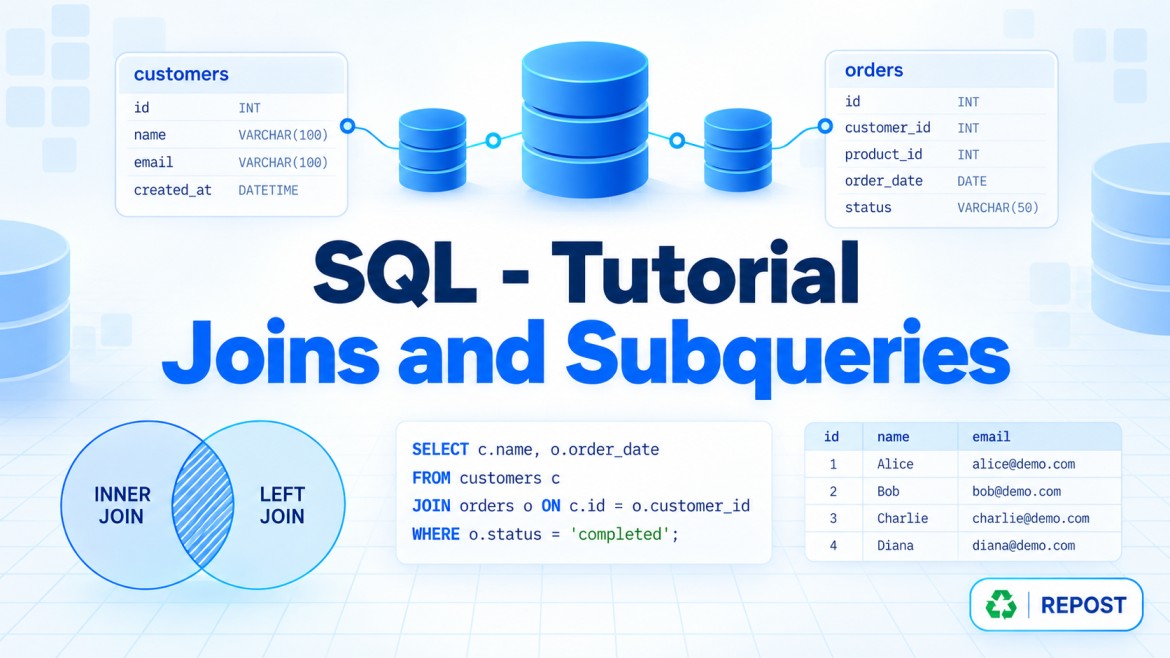


SQL Server Joins
A JOIN combines rows from two or more tables using a related column.
Assume these tables:
Employees
| EmployeeId | EmployeeName | DepartmentId | ManagerId |
|---|---|---|---|
| 1 | Arun | 10 | NULL |
| 2 | Banu | 20 | 1 |
| 3 | Charles | 10 | 1 |
| 4 | Divya | NULL | 2 |
Departments
| DepartmentId | DepartmentName |
|---|---|
| 10 | IT |
| 20 | HR |
| 30 | Finance |
1. INNER JOIN
What is it?
INNER JOIN returns only the rows that have matching values in both tables.
Usage
Use it when you need:
-
Employees who belong to a valid department
-
Orders that have a valid customer
-
Products that have a matching category
Example
SELECT
    E.EmployeeName,
    D.DepartmentName
FROM Employees E
INNER JOIN Departments D
    ON E.DepartmentId = D.DepartmentId;
Result
| EmployeeName | DepartmentName |
|---|---|
| Arun | IT |
| Banu | HR |
| Charles | IT |
Divya is excluded because she has no department. Finance is excluded because it has no employee.
Key points
-
Returns only matching rows.
-
Unmatched rows from both tables are excluded.
-
JOINandINNER JOINmean the same thing.
FROM Employees E
JOIN Departments D
    ON E.DepartmentId = D.DepartmentId
2. LEFT JOIN
Also called LEFT OUTER JOIN.
What is it?
LEFT JOIN returns:
-
All rows from the left table
-
Matching rows from the right table
-
NULLfor right-table columns when no match exists
Usage
Use it when you need:
-
All employees, including those without a department
-
All customers, including those without orders
-
All products, including products that were never sold
Example
SELECT
    E.EmployeeName,
    D.DepartmentName
FROM Employees E
LEFT JOIN Departments D
    ON E.DepartmentId = D.DepartmentId;
Result
| EmployeeName | DepartmentName |
|---|---|
| Arun | IT |
| Banu | HR |
| Charles | IT |
| Divya | NULL |
Finding unmatched rows
To find employees without a department:
SELECT
    E.EmployeeId,
    E.EmployeeName
FROM Employees E
LEFT JOIN Departments D
    ON E.DepartmentId = D.DepartmentId
WHERE D.DepartmentId IS NULL;
Key points
-
All rows from the left table are preserved.
-
Unmatched right-side columns contain
NULL. -
Table order is important.
-
Commonly used for finding missing or optional relationships.
3. RIGHT JOIN
Also called RIGHT OUTER JOIN.
What is it?
RIGHT JOIN returns:
-
All rows from the right table
-
Matching rows from the left table
-
NULLfor left-table columns when no match exists
Usage
Use it when you need:
-
All departments, including departments without employees
-
All categories, including categories without products
-
All customers, including customers without orders, when customers are on the right
Example
SELECT
    E.EmployeeName,
    D.DepartmentName
FROM Employees E
RIGHT JOIN Departments D
    ON E.DepartmentId = D.DepartmentId;
Result
| EmployeeName | DepartmentName |
|---|---|
| Arun | IT |
| Charles | IT |
| Banu | HR |
| NULL | Finance |
Key points
-
All rows from the right table are preserved.
-
Unmatched left-side columns contain
NULL. -
It is logically the reverse of a
LEFT JOIN. -
Many developers prefer rewriting it as a
LEFT JOINfor readability.
Equivalent query:
SELECT
    E.EmployeeName,
    D.DepartmentName
FROM Departments D
LEFT JOIN Employees E
    ON D.DepartmentId = E.DepartmentId;
4. FULL JOIN
Also called FULL OUTER JOIN.
What is it?
FULL JOIN returns:
-
Matching rows from both tables
-
Unmatched rows from the left table
-
Unmatched rows from the right table
Usage
Use it when you need:
-
A complete comparison of two tables
-
Records missing from either table
-
Data reconciliation between two systems
-
Old and new dataset comparisons
Example
SELECT
    E.EmployeeName,
    D.DepartmentName
FROM Employees E
FULL OUTER JOIN Departments D
    ON E.DepartmentId = D.DepartmentId;
Result
| EmployeeName | DepartmentName |
|---|---|
| Arun | IT |
| Charles | IT |
| Banu | HR |
| Divya | NULL |
| NULL | Finance |
Finding unmatched rows from either table
SELECT
    E.EmployeeName,
    D.DepartmentName
FROM Employees E
FULL OUTER JOIN Departments D
    ON E.DepartmentId = D.DepartmentId
WHERE E.EmployeeId IS NULL
   OR D.DepartmentId IS NULL;
Key points
-
Includes all rows from both tables.
-
Unmatched columns are returned as
NULL. -
Useful for comparison and reconciliation.
-
It can produce a large result set.
5. CROSS JOIN
What is it?
CROSS JOIN returns every possible combination of rows from both tables.
It is also called a Cartesian product.
If:
-
Table A contains 4 rows
-
Table B contains 3 rows
The result contains:
4 × 3 = 12 rowsUsage
Use it for:
-
Generating all product and colour combinations
-
Combining all employees with all available shifts
-
Generating test data
-
Creating date, branch or category combinations
Example
Assume these tables:
Colours
| Colour |
|---|
| Black |
| White |
Sizes
| Size |
|---|
| Small |
| Medium |
| Large |
SELECT
    C.Colour,
    S.Size
FROM Colours C
CROSS JOIN Sizes S;
Result
| Colour | Size |
|---|---|
| Black | Small |
| Black | Medium |
| Black | Large |
| White | Small |
| White | Medium |
| White | Large |
Key points
-
It does not normally use an
ONcondition. -
Every row is combined with every other row.
-
Result count is:
Rows in Table A × Rows in Table B-
Use carefully because it can generate a very large result.
6. SELF JOIN
What is it?
A self join joins a table with itself.
It is not a separate JOIN keyword. We use an existing join such as INNER JOIN or LEFT JOIN with two different aliases for the same table.
Usage
Use it when rows in the same table are related, such as:
-
Employee and manager
-
Parent and child category
-
Customer and referring customer
-
Current record and previous record
Example: Employee and manager
The ManagerId column refers to another employee in the same Employees table.
SELECT
    E.EmployeeName AS Employee,
    M.EmployeeName AS Manager
FROM Employees E
LEFT JOIN Employees M
    ON E.ManagerId = M.EmployeeId;
Here:
-
Erepresents the employee. -
Mrepresents the manager. -
Both aliases refer to the same table.
Result
| Employee | Manager |
|---|---|
| Arun | NULL |
| Banu | Arun |
| Charles | Arun |
| Divya | Banu |
Why use LEFT JOIN here?
Arun does not have a manager. A LEFT JOIN includes Arun and displays the manager as NULL.
Using INNER JOIN would exclude employees who do not have managers:
SELECT
    E.EmployeeName AS Employee,
    M.EmployeeName AS Manager
FROM Employees E
INNER JOIN Employees M
    ON E.ManagerId = M.EmployeeId;
Key points
-
The same table is referenced more than once.
-
Different aliases are mandatory for clarity.
-
A self join can use
INNER,LEFTor other join types. -
Commonly used for hierarchical relationships.
-
For multi-level hierarchies, a recursive CTE may be more suitable.
Quick Comparison
| Join | Matching rows | Unmatched left rows | Unmatched right rows |
|---|---|---|---|
INNER JOIN |
✅ | ❌ | ❌ |
LEFT JOIN |
✅ | ✅ | ❌ |
RIGHT JOIN |
✅ | ❌ | ✅ |
FULL JOIN |
✅ | ✅ | ✅ |
CROSS JOIN |
Every combination | Not applicable | Not applicable |
| Self join | Depends on join type | Depends | Depends |
Important Interview Points
-
The
ONclause defines how tables are related. -
INNER JOINreturns only matching data. -
LEFT JOINis commonly used to retain all primary-table records. -
RIGHT JOINcan usually be rewritten as aLEFT JOIN. -
FULL JOINreturns matched and unmatched records from both sides. -
CROSS JOINproduces a Cartesian product. -
A self join joins a table to itself using aliases.
-
One-to-many joins can return multiple rows for one left-side record.
-
SQL Server optimizes joins based on indexes, statistics and data size.
-
Indexing join columns can improve performance.
-
Be careful when filtering outer joins in the
WHEREclause because it can change their behaviour.
For example, this can effectively behave like an INNER JOIN:
SELECT
    E.EmployeeName,
    D.DepartmentName
FROM Employees E
LEFT JOIN Departments D
    ON E.DepartmentId = D.DepartmentId
WHERE D.DepartmentName = 'IT';
To preserve unmatched employees, place the condition inside ON:
SELECT
    E.EmployeeName,
    D.DepartmentName
FROM Employees E
LEFT JOIN Departments D
    ON E.DepartmentId = D.DepartmentId
   AND D.DepartmentName = 'IT';