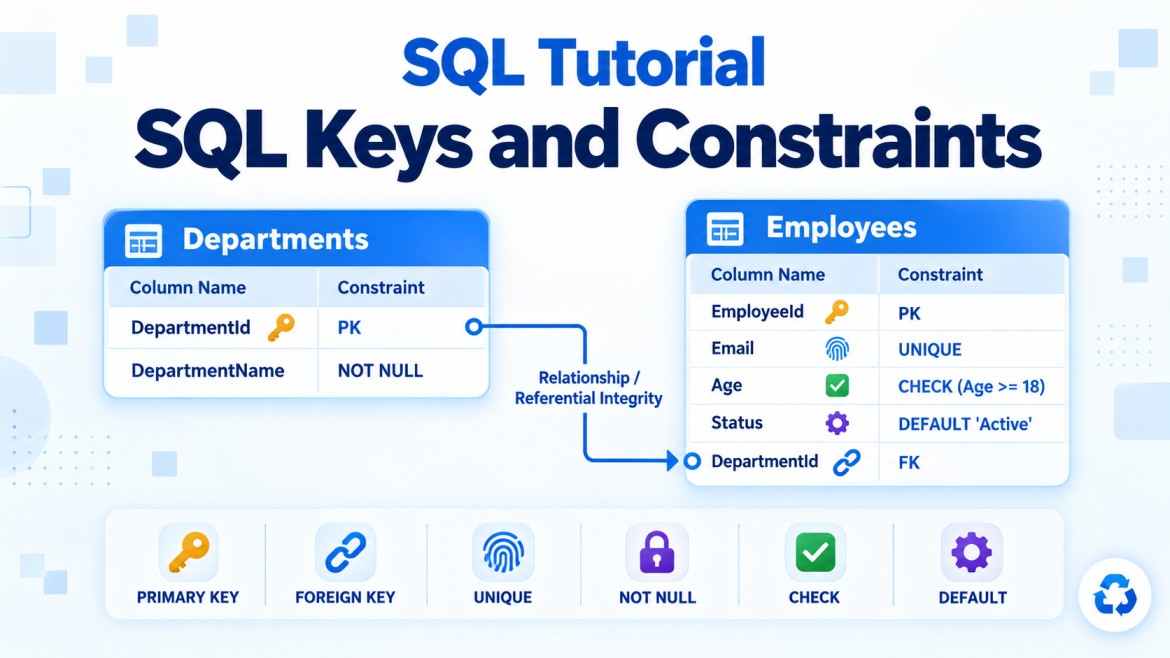


Cascading Update and Cascading Delete in SQL Server
Cascading update and cascading delete are referential actions defined on a foreign-key relationship.
They tell SQL Server what to do with child records when the referenced key in the parent table is updated or deleted.
Departments (Parent)
        ↓
Employees (Child)
If Employees.DepartmentId references Departments.DepartmentId, SQL Server must preserve that relationship when the department is changed or deleted.
1. Cascading Delete
What is cascading delete?
Cascading delete means:
When a parent record is deleted, SQL Server automatically deletes all related child records.
It is configured using:
ON DELETE CASCADEWhy do we need it?
Without cascading delete, the application must manually delete child records before deleting their parent.
For example:
Orders
  └── OrderItems
When an order is deleted, its order items usually have no meaning without that order.
Without cascade:
DELETE FROM OrderItems
WHERE OrderId = 101;

DELETE FROM Orders
WHERE OrderId = 101;
With cascade:
DELETE FROM Orders
WHERE OrderId = 101;
SQL Server automatically deletes the related order items.
Cascading-delete example
Parent table
CREATE TABLE Orders
(
    OrderId INT PRIMARY KEY,
    OrderDate DATE NOT NULL,
    CustomerName VARCHAR(100) NOT NULL
);
Child table
CREATE TABLE OrderItems
(
    OrderItemId INT PRIMARY KEY,
    OrderId INT NOT NULL,
    ProductName VARCHAR(100) NOT NULL,
    Quantity INT NOT NULL,

    CONSTRAINT FK_OrderItems_Orders
        FOREIGN KEY (OrderId)
        REFERENCES Orders(OrderId)
        ON DELETE CASCADE
);
ON DELETE CASCADE is defined on the child table’s foreign-key constraint.
Insert sample data
INSERT INTO Orders
    (OrderId, OrderDate, CustomerName)
VALUES
    (101, '2026-09-17', 'Arun');
INSERT INTO OrderItems
(OrderItemId, OrderId, ProductName, Quantity)
VALUES
(1, 101, 'Laptop', 1),
(2, 101, 'Mouse', 2),
(3, 101, 'Keyboard', 1);Before deleting:
Orders
| OrderId | CustomerName |
|---|---|
| 101 | Arun |
OrderItems
| OrderItemId | OrderId | ProductName |
|---|---|---|
| 1 | 101 | Laptop |
| 2 | 101 | Mouse |
| 3 | 101 | Keyboard |
Delete the parent
DELETE FROM Orders
WHERE OrderId = 101;
SQL Server automatically performs the equivalent child deletion:
DELETE FROM OrderItems
WHERE OrderId = 101;
After the operation:
-
Order
101is deleted. -
All three related order items are deleted.
-
No orphaned order items remain.
Multi-level cascading delete
Cascade can continue through multiple relationships:
Customers
   └── Orders
          └── OrderItems
If both relationships use ON DELETE CASCADE, deleting a customer can delete:
-
The customer
-
All the customer’s orders
-
All items belonging to those orders
DELETE FROM Customers
WHERE CustomerId = 1;
This is convenient but potentially dangerous because one statement can delete a large amount of data.
2. Cascading Update
What is cascading update?
Cascading update means:
When a referenced key value in the parent table changes, SQL Server automatically updates the matching foreign-key values in child tables.
It is configured using:
ON UPDATE CASCADEWhy do we need it?
Without cascading update, changing a referenced parent key may violate the foreign-key relationship.
Consider:
Departments
DepartmentId = 10

Employees
DepartmentId = 10
If the parent key changes from 10 to 20, child records would still point to 10, which no longer exists.
With ON UPDATE CASCADE, SQL Server automatically changes the child values to 20.
Cascading-update example
CREATE TABLE Departments
(
    DepartmentId INT PRIMARY KEY,
    DepartmentName VARCHAR(100) NOT NULL
);
CREATE TABLE Employees
(
EmployeeId INT PRIMARY KEY,
EmployeeName VARCHAR(100) NOT NULL,
DepartmentId INT NOT NULL,
CONSTRAINT FK_Employees_Departments
FOREIGN KEY (DepartmentId)
REFERENCES Departments(DepartmentId)
ON UPDATE CASCADE
);Insert sample data
INSERT INTO Departments
VALUES (10, 'Information Technology');
INSERT INTO Employees
VALUES
(1, 'Arun', 10),
(2, 'Bala', 10),
(3, 'Kumar', 10);Before the update:
Departments
| DepartmentId | DepartmentName |
|---|---|
| 10 | Information Technology |
Employees
| EmployeeId | EmployeeName | DepartmentId |
|---|---|---|
| 1 | Arun | 10 |
| 2 | Bala | 10 |
| 3 | Kumar | 10 |
Update the parent key
UPDATE Departments
SET DepartmentId = 20
WHERE DepartmentId = 10;
Because of ON UPDATE CASCADE, SQL Server automatically updates the children:
Departments
| DepartmentId | DepartmentName |
|---|---|
| 20 | Information Technology |
Employees
| EmployeeId | EmployeeName | DepartmentId |
|---|---|---|
| 1 | Arun | 20 |
| 2 | Bala | 20 |
| 3 | Kumar | 20 |
Complete Combined Example
A foreign key can contain both cascading actions:
CREATE TABLE Departments
(
    DepartmentId INT PRIMARY KEY,
    DepartmentName VARCHAR(100) NOT NULL
);

CREATE TABLE Employees
(
    EmployeeId INT PRIMARY KEY,
    EmployeeName VARCHAR(100) NOT NULL,
    DepartmentId INT NOT NULL,

    CONSTRAINT FK_Employees_Departments
        FOREIGN KEY (DepartmentId)
        REFERENCES Departments(DepartmentId)
        ON UPDATE CASCADE
        ON DELETE CASCADE
);
This means:
-
Changing
Departments.DepartmentIdautomatically updatesEmployees.DepartmentId. -
Deleting a department automatically deletes its employees.
Default Behavior Without Cascade
If cascading actions are not specified, SQL Server uses NO ACTION by default.
FOREIGN KEY (DepartmentId)
REFERENCES Departments(DepartmentId)
This is effectively:
FOREIGN KEY (DepartmentId)
REFERENCES Departments(DepartmentId)
ON UPDATE NO ACTION
ON DELETE NO ACTION
If employees reference department 10, this fails:
DELETE FROM Departments
WHERE DepartmentId = 10;
This also fails:
UPDATE Departments
SET DepartmentId = 20
WHERE DepartmentId = 10;
SQL Server blocks both operations to protect referential integrity.
Referential Actions
SQL Server supports four main foreign-key actions.
| Action | Parent deleted or updated | Effect on child rows |
|---|---|---|
NO ACTION |
Operation attempted | Blocks the operation if children exist |
CASCADE |
Parent changes | Deletes or updates related children |
SET NULL |
Parent changes | Sets child foreign key to NULL |
SET DEFAULT |
Parent changes | Assigns the child column’s default value |
ON DELETE SET NULL
Instead of deleting child rows, SQL Server can remove their parent reference.
CREATE TABLE Employees
(
    EmployeeId INT PRIMARY KEY,
    EmployeeName VARCHAR(100) NOT NULL,
    DepartmentId INT NULL,

    CONSTRAINT FK_Employees_Departments
        FOREIGN KEY (DepartmentId)
        REFERENCES Departments(DepartmentId)
        ON DELETE SET NULL
);
If department 10 is deleted:
DELETE FROM Departments
WHERE DepartmentId = 10;
The employees remain, but their department becomes NULL.
| EmployeeId | EmployeeName | DepartmentId |
|---|---|---|
| 1 | Arun | NULL |
| 2 | Bala | NULL |
The foreign-key column must allow NULL.
ON DELETE SET DEFAULT
SQL Server can assign a default parent value instead:
CREATE TABLE Employees
(
    EmployeeId INT PRIMARY KEY,
    EmployeeName VARCHAR(100) NOT NULL,
    DepartmentId INT NOT NULL
        CONSTRAINT DF_Employees_Department DEFAULT 1,

    CONSTRAINT FK_Employees_Departments
        FOREIGN KEY (DepartmentId)
        REFERENCES Departments(DepartmentId)
        ON DELETE SET DEFAULT
);
Department 1 might represent:
Unassigned DepartmentIt must exist in the parent table:
INSERT INTO Departments
VALUES (1, 'Unassigned');
If another department is deleted, its employees are reassigned to department 1.
If the default value does not exist in the parent table, the deletion fails because it would violate the foreign key.
When Should You Use Cascading Delete?
Cascading delete is appropriate when child records have no independent meaning without the parent.
Good examples:
-
Order → Order items
-
Invoice → Invoice lines
-
Shopping cart → Cart items
-
Blog post → Comments, depending on business rules
-
Temporary batch → Batch details
Delete order
   └── Delete its order items
When Should You Avoid Cascading Delete?
Avoid or carefully evaluate it when:
-
Child records must be retained for auditing.
-
Records contain financial or legal history.
-
Soft deletion is used.
-
A parent has thousands or millions of children.
-
Several levels of relationships are involved.
-
Accidental deletion would cause major data loss.
-
The child has meaning independently of the parent.
Risky example:
Delete Department
   └── Delete Employees
          └── Delete Salaries
                 └── Delete Attendance
For a department deletion, employees usually should be transferred, deactivated or set to an unassigned department—not permanently deleted.
When Should You Use Cascading Update?
Cascading update is useful when:
-
A business key is referenced and may change.
-
A department code or product code can be corrected.
-
A natural key is used in relationships.
-
Child references must follow changes automatically.
Example:
DepartmentCode: IT01 → TECH01With ON UPDATE CASCADE, all referencing rows receive TECH01.
Why Is Cascading Update Less Common?
Modern database designs generally use stable surrogate keys:
EmployeeId INT IDENTITY PRIMARY KEYIdentity values normally do not change. Therefore, cascading update is rarely required for surrogate primary keys.
Instead of referencing a changeable value:
DepartmentCode = ITapplications commonly reference a stable value:
DepartmentId = 10The description or code can change without affecting relationships:
UPDATE Departments
SET DepartmentCode = 'TECH'
WHERE DepartmentId = 10;
Because DepartmentId did not change, no cascading update is necessary.
Cascading Actions Are Atomic
The parent operation and its cascaded changes are part of the same transaction.
If any part fails:
-
The parent operation is rolled back.
-
Cascaded child operations are also rolled back.
-
The database does not remain partially updated.
Example:
BEGIN TRANSACTION;

DELETE FROM Orders
WHERE OrderId = 101;

ROLLBACK TRANSACTION;
The rollback restores both:
-
The order
-
All order items deleted by the cascade
Performance Considerations
Cascading operations can affect many rows.
For better performance, consider indexing foreign-key columns:
CREATE INDEX IX_OrderItems_OrderId
ON OrderItems(OrderId);
This helps SQL Server locate related child records efficiently.
Before deleting a parent, check how many child records will be affected:
SELECT COUNT(*) AS RelatedItemCount
FROM OrderItems
WHERE OrderId = 101;
For very large data sets, controlled batch deletion may be safer than one large cascading operation.
Multiple Cascade Paths
SQL Server can reject a foreign-key design when it creates cycles or multiple cascade paths.
For example, if the same table can be reached through two cascading relationship paths:
Company
 ├── Departments ──→ Employees
 └─────────────────→ Employees
SQL Server may report:
Introducing FOREIGN KEY constraint may cause cycles
or multiple cascade paths.
Possible solutions include:
-
Use
NO ACTIONon one relationship. -
Perform the operation explicitly in application code.
-
Use a stored procedure.
-
Redesign the table relationships.
-
Use a carefully designed trigger when appropriate.
Finding Cascading Foreign Keys
You can inspect foreign keys using:
SELECT
    fk.name AS ForeignKeyName,
    OBJECT_NAME(fk.parent_object_id) AS ChildTable,
    OBJECT_NAME(fk.referenced_object_id) AS ParentTable,
    fk.delete_referential_action_desc AS DeleteAction,
    fk.update_referential_action_desc AS UpdateAction
FROM sys.foreign_keys AS fk;
Example output:
| ForeignKeyName | ChildTable | ParentTable | DeleteAction | UpdateAction |
|---|---|---|---|---|
| FK_OrderItems_Orders | OrderItems | Orders | CASCADE | NO_ACTION |
Adding Cascade to Existing Tables
You generally need to drop and recreate the foreign-key constraint.
ALTER TABLE OrderItems
DROP CONSTRAINT FK_OrderItems_Orders;
Then recreate it:
ALTER TABLE OrderItems
ADD CONSTRAINT FK_OrderItems_Orders
    FOREIGN KEY (OrderId)
    REFERENCES Orders(OrderId)
    ON DELETE CASCADE
    ON UPDATE CASCADE;
Before adding the constraint, existing child values must match valid parent values.
Cascading Delete vs Soft Delete
Cascading delete
Physically removes records:
DELETE FROM Orders
WHERE OrderId = 101;
Soft delete
Keeps the records but marks them as deleted:
UPDATE Orders
SET IsDeleted = 1
WHERE OrderId = 101;
Database foreign-key cascading does not automatically propagate a soft-delete update unless it is implemented through application logic, a stored procedure or another controlled mechanism.
For audit-heavy systems, soft deletion is often preferred.
Comparison
| Feature | Cascading Update | Cascading Delete |
|---|---|---|
| Syntax | ON UPDATE CASCADE |
ON DELETE CASCADE |
| Triggering event | Parent key is updated | Parent row is deleted |
| Child-table action | Foreign-key values are updated | Related child rows are deleted |
| Common usage | Changeable natural/business keys | Dependent child records |
| Frequency | Less common | More common |
| Main risk | Large automatic updates | Accidental mass deletion |
| Alternative | NO ACTION, SET NULL, SET DEFAULT |
NO ACTION, SET NULL, SET DEFAULT |
Key Points
-
Cascading actions are configured on foreign-key constraints.
-
ON DELETE CASCADEdeletes related child rows when the parent is deleted. -
ON UPDATE CASCADEupdates child foreign-key values when the referenced parent key changes. -
NO ACTIONis the default behavior in SQL Server. -
Cascade operations preserve referential integrity automatically.
-
Cascading delete should be used only when the child cannot exist meaningfully without the parent.
-
Cascading update is less common because primary keys should normally be stable.
-
Cascade operations can affect multiple levels of related tables.
-
All cascading changes participate in the same transaction.
-
Indexing foreign-key columns can improve cascade performance.
-
SQL Server may reject cycles or multiple cascading paths.
-
Use special care with financial, audit and historical records.
-
Test the number of affected child rows before executing major parent deletions.
Interview Answer
Cascading update and cascading delete are foreign-key actions that maintain referential integrity automatically.
ON UPDATE CASCADEupdates matching foreign-key values in child tables when the referenced parent key changes.ON DELETE CASCADEautomatically deletes related child rows when the parent row is deleted. Cascading delete is useful for fully dependent records such as order items, while cascading update is less common because primary keys should normally remain stable. Both must be used carefully because a single parent operation can affect many related records.