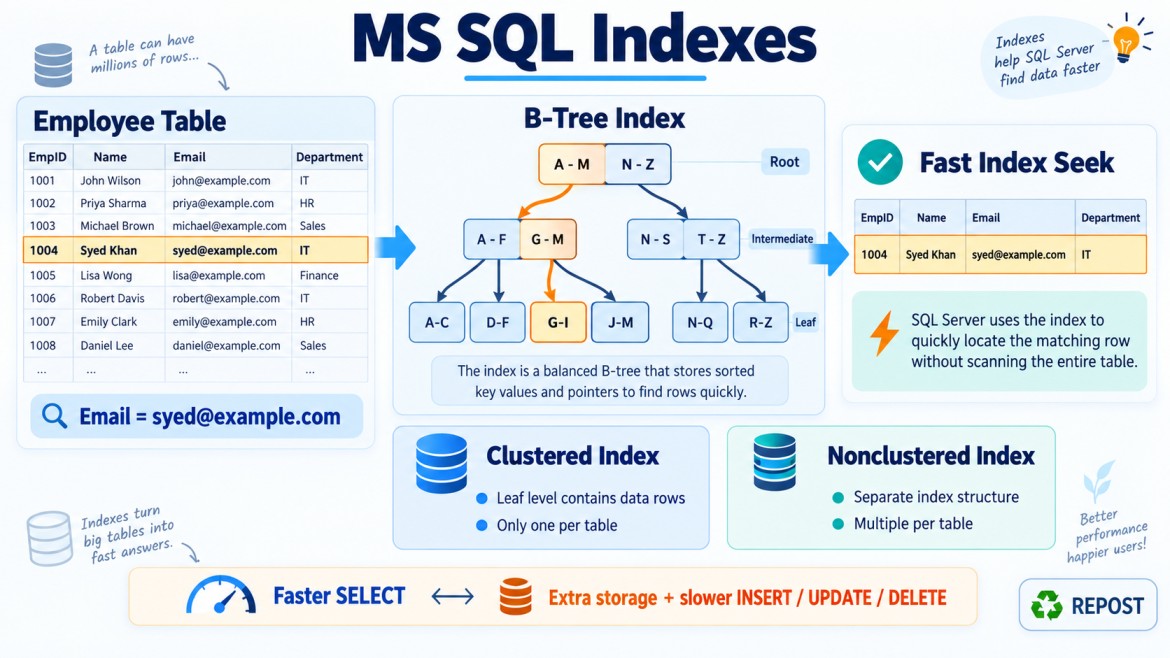


What Are Columnstore Indexes?
A columnstore index stores table data by column instead of storing complete rows together.
Traditional clustered and nonclustered indexes are called rowstore indexes because their data is organized row by row.
Columnstore indexes are designed mainly for:
-
Data warehouses
-
Reporting systems
-
Analytical queries
-
Large aggregations
-
Queries that scan millions of rows
-
Operational analytics on large transactional tables
They provide strong data compression and high performance for analytical workloads.
Rowstore vs Columnstore Storage
Consider the following data:
| OrderId | Product | Quantity | Amount |
|---|---|---|---|
| 1 | Laptop | 2 | 100000 |
| 2 | Mobile | 5 | 75000 |
| 3 | Monitor | 3 | 45000 |
Rowstore format
A rowstore stores all columns of each row together:
1, Laptop, 2, 100000
2, Mobile, 5, 75000
3, Monitor, 3, 45000
This is efficient when the application retrieves complete rows:
SELECT *
FROM Sales
WHERE OrderId = 2;
Columnstore format
A columnstore stores values from each column together:
OrderId  : 1, 2, 3
Product  : Laptop, Mobile, Monitor
Quantity : 2, 5, 3
Amount   : 100000, 75000, 45000
This is efficient when a query reads only a few columns across many rows:
SELECT Product, SUM(Amount)
FROM Sales
GROUP BY Product;
SQL Server can read mainly the Product and Amount columns instead of reading every column from the table.
Why Are Columnstore Indexes Required?
Analytical queries typically:
-
Process millions or billions of rows
-
Read only a few columns
-
Perform aggregations
-
Group large amounts of data
-
Calculate totals, averages and counts
-
Apply filters over large date ranges
Example:
SELECT
    ProductId,
    SUM(Quantity) AS TotalQuantity,
    SUM(SalesAmount) AS TotalSales
FROM Sales
WHERE OrderDate >= '2026-01-01'
GROUP BY ProductId;
A rowstore may read complete rows, including columns not required by the query.
A columnstore can read only:
-
ProductId -
Quantity -
SalesAmount -
OrderDate
This can substantially reduce data reads and improve performance.
How Does a Columnstore Index Work?
A columnstore index organizes data using several important structures:
-
Rowgroups
-
Column segments
-
Delta store
-
Delete bitmap
-
Dictionaries and compression metadata
1. Rowgroups
Rows are divided into groups called rowgroups.
A compressed rowgroup can contain up to approximately 1,048,576 rows.
Conceptually:
Table
  ├── Rowgroup 1
  ├── Rowgroup 2
  ├── Rowgroup 3
  └── Rowgroup 4
Each rowgroup is then separated into individual column segments.
2. Column Segments
Within each rowgroup, values from each column are stored separately.
Rowgroup 1
  ├── OrderId segment
  ├── ProductId segment
  ├── OrderDate segment
  ├── Quantity segment
  └── SalesAmount segment
If a query requires only ProductId and SalesAmount, SQL Server may avoid reading the other column segments.
This is known as column elimination.
3. Segment Elimination
SQL Server stores metadata such as minimum and maximum values for column segments.
Suppose rowgroups contain these date ranges:
| Rowgroup | Minimum date | Maximum date |
|---|---|---|
| 1 | 2024-01-01 | 2024-12-31 |
| 2 | 2025-01-01 | 2025-12-31 |
| 3 | 2026-01-01 | 2026-12-31 |
Query:
SELECT SUM(SalesAmount)
FROM Sales
WHERE OrderDate >= '2026-01-01';
SQL Server may skip rowgroups 1 and 2 and scan only rowgroup 3.
This is called segment elimination.
It is similar in purpose to partition elimination, but it works through columnstore segment metadata.
4. Delta Store
New rows are not always written directly into compressed columnstore rowgroups.
Smaller sets of recently inserted rows can first be stored in a rowstore structure called the delta store.
New rows
   ↓
Delta store
   ↓
Tuple Mover
   ↓
Compressed columnstore rowgroup
A background process called the Tuple Mover eventually compresses eligible closed delta rowgroups into columnstore format.
Bulk-loading sufficiently large batches can often create compressed rowgroups more efficiently.
5. Deleted Rows
Rows in compressed rowgroups are not always physically removed immediately when deleted.
SQL Server tracks deleted rows so they are excluded from query results. Over time, many deleted rows can reduce columnstore efficiency.
Index reorganization or rebuilding may help compact rowgroups and remove deleted-row overhead when justified.
Why Is Columnstore Fast?
1. Reads only required columns
If a table contains 30 columns and a query uses only three, SQL Server may read only those three column segments.
2. High compression
Similar values are stored together, allowing SQL Server to compress data efficiently.
For example:
DepartmentId:
10, 10, 10, 10, 20, 20, 20
Repeated and similar values compress well.
Compression provides:
-
Reduced disk space
-
Reduced memory usage
-
Fewer page reads
-
Faster scans
3. Batch-mode processing
Rowstore execution often processes one row at a time.
Columnstore workloads commonly use batch mode, which processes groups of rows together.
Row mode:   one row → one row → one row
Batch mode: group of rows → group of rows
Batch mode is highly efficient for:
-
Aggregations
-
Joins
-
Filters
-
Sorting
-
Large scans
Modern SQL Server can use batch mode in some rowstore plans too, but columnstore indexes remain strongly associated with batch-mode analytical processing.
4. Segment elimination
SQL Server can skip rowgroups that cannot contain matching values.
5. Aggregate pushdown
Some aggregations and predicates can be processed close to the compressed storage layer, reducing the amount of data passed through the execution plan.
Types of Columnstore Indexes
SQL Server provides two main columnstore index types:
-
Clustered columnstore index
-
Nonclustered columnstore index
1. Clustered Columnstore Index
A clustered columnstore index, or CCI, stores the entire table primarily in columnstore format.
CREATE CLUSTERED COLUMNSTORE INDEX CCI_Sales
ON Sales;
The table no longer uses a traditional clustered rowstore index as its main storage structure.
Suitable for
-
Fact tables
-
Data warehouses
-
Historical sales data
-
Telemetry data
-
Log and event data
-
Large reporting tables
-
Large analytical datasets
Example
CREATE TABLE SalesFact
(
    SalesId       BIGINT,
    ProductId     INT,
    CustomerId    INT,
    OrderDate     DATE,
    Quantity      INT,
    SalesAmount   DECIMAL(18,2)
);
Create the clustered columnstore index:
CREATE CLUSTERED COLUMNSTORE INDEX CCI_SalesFact
ON SalesFact;
Analytical query:
SELECT
    ProductId,
    SUM(Quantity) AS TotalQuantity,
    SUM(SalesAmount) AS TotalSales
FROM SalesFact
WHERE OrderDate >= '2026-01-01'
GROUP BY ProductId;
This query can benefit from compression, segment elimination and batch-mode execution.
2. Nonclustered Columnstore Index
A nonclustered columnstore index, or NCCI, is created on selected columns while the table retains its existing rowstore structure.
CREATE NONCLUSTERED COLUMNSTORE INDEX NCCI_Orders_Analytics
ON Orders
(
    CustomerId,
    ProductId,
    OrderDate,
    Quantity,
    TotalAmount
);
The table can continue using its rowstore indexes for transactional queries while reporting queries use the columnstore index.
Suitable for operational analytics
An application may have:
-
Frequent transactional operations
-
Point lookups
-
Inserts and updates
-
Real-time dashboards and reports
Rowstore indexes support transactional operations:
SELECT *
FROM Orders
WHERE OrderId = 1001;
The nonclustered columnstore index supports analytics:
SELECT
    ProductId,
    SUM(TotalAmount)
FROM Orders
WHERE OrderDate >= '2026-01-01'
GROUP BY ProductId;
This combination is sometimes called real-time operational analytics.
Clustered vs Nonclustered Columnstore Index
| Feature | Clustered columnstore | Nonclustered columnstore |
|---|---|---|
| Abbreviation | CCI | NCCI |
| Main table storage | Columnstore | Existing rowstore remains |
| Columns included | Entire supported table structure | Selected columns |
| Best use | Data warehouse and analytics | Analytics on transactional tables |
| Compression | Very high | High for indexed columns |
| Point lookups | Usually not its primary strength | Rowstore indexes can handle them |
| Additional storage | Becomes primary storage | Additional copy of selected columns |
Columnstore vs Traditional Rowstore Index
| Feature | Rowstore index | Columnstore index |
|---|---|---|
| Storage | Row by row | Column by column |
| Best workload | OLTP | OLAP and analytics |
| Point lookup | Excellent | Usually less suitable alone |
| Small updates | Excellent | Supported, but not its main strength |
| Large scans | Can be expensive | Excellent |
| Aggregations | Good with suitable indexes | Excellent on large datasets |
| Compression | Moderate | Usually very high |
| Data access | Often reads complete row structure | Reads selected columns |
| Processing | Commonly row mode | Commonly batch mode |
When Should Columnstore Indexes Be Used?
1. Large fact tables
Typical examples include:
-
Sales facts
-
Financial transactions
-
Website events
-
Application logs
-
IoT measurements
-
Telemetry
-
Call records
-
Historical records
These tables often contain millions or billions of rows.
2. Queries that scan many rows
Example:
SELECT
    YEAR(OrderDate) AS SalesYear,
    SUM(SalesAmount) AS TotalSales
FROM SalesFact
GROUP BY YEAR(OrderDate);
The query scans and aggregates a large amount of data, which is well suited to columnstore.
3. Queries that use only a few columns
Suppose a table has 50 columns, but a report uses only:
OrderDate
ProductId
SalesAmount
Columnstore can read only the required column segments instead of reading all 50 columns.
4. Aggregation-heavy workloads
Columnstore indexes are excellent for:
SUM()
COUNT()
AVG()
MIN()
MAX()
GROUP BY
Example:
SELECT
    RegionId,
    ProductId,
    SUM(SalesAmount) AS TotalSales
FROM SalesFact
GROUP BY RegionId, ProductId;
5. Data warehouse workloads
Columnstore indexes are commonly used for:
-
Star schemas
-
Fact tables
-
Reporting databases
-
Business intelligence
-
Dashboard queries
-
Historical trend analysis
Dimension tables may still use traditional rowstore indexes, especially when they are relatively small.
6. Data requiring high compression
Columnstore is valuable when:
-
Storage consumption is high.
-
Similar values repeat frequently.
-
Memory efficiency is important.
-
Large historical tables must be retained.
The actual compression ratio depends on the data and its ordering.
7. Operational analytics
A nonclustered columnstore index can support reporting on an active OLTP table.
CREATE NONCLUSTERED COLUMNSTORE INDEX NCCI_Orders_Reporting
ON Orders
(
    OrderDate,
    CustomerId,
    ProductId,
    Quantity,
    TotalAmount
);
Transactional queries can continue using rowstore indexes, while dashboards use the columnstore copy.
When Should Columnstore Indexes Generally Not Be Used?
1. Small tables
Small tables usually do not benefit enough to justify a columnstore index.
The overhead may be greater than the performance improvement.
2. Single-row lookups
Example:
SELECT *
FROM Orders
WHERE OrderId = 1001;
A traditional rowstore index is usually more suitable:
CREATE UNIQUE INDEX IX_Orders_OrderId
ON Orders(OrderId);
3. Highly transactional workloads
Tables with continuous small:
-
Inserts
-
Updates
-
Deletes
-
Point lookups
may perform better primarily with rowstore indexes.
Columnstore supports data modification, but heavy singleton modifications can cause:
-
Delta-store activity
-
Deleted-row accumulation
-
Additional maintenance
-
Compression inefficiency
A nonclustered columnstore index may still be appropriate if analytical queries are also important, but testing is essential.
4. Queries frequently returning complete individual rows
Example:
SELECT *
FROM Customers
WHERE CustomerId = 100;
This workload is naturally row-oriented.
5. Tables with very few rows
Columnstore achieves its major benefits through:
-
Large compressed rowgroups
-
Batch processing
-
Large scans
-
Compression
Small datasets may not produce optimal rowgroups or meaningful benefits.
Example: Sales Data Warehouse
Create a fact table
CREATE TABLE SalesFact
(
    SalesId       BIGINT,
    ProductId     INT,
    CustomerId    INT,
    RegionId      INT,
    OrderDate     DATE,
    Quantity      INT,
    SalesAmount   DECIMAL(18,2)
);
Create a clustered columnstore index
CREATE CLUSTERED COLUMNSTORE INDEX CCI_SalesFact
ON SalesFact;
Analytical query
SELECT
    RegionId,
    ProductId,
    SUM(Quantity) AS TotalQuantity,
    SUM(SalesAmount) AS TotalSales
FROM SalesFact
WHERE OrderDate >= '2026-01-01'
GROUP BY RegionId, ProductId;
The columnstore index can provide:
-
Column elimination
-
Segment elimination
-
Compression
-
Batch-mode processing
-
Efficient aggregation
Example: Transactional Table with Analytics
Suppose Orders is an OLTP table:
CREATE TABLE Orders
(
    OrderId      BIGINT PRIMARY KEY,
    CustomerId   INT,
    ProductId    INT,
    OrderDate    DATETIME2,
    Quantity     INT,
    TotalAmount  DECIMAL(18,2),
    Status       VARCHAR(20)
);
The application performs transactional lookups:
SELECT *
FROM Orders
WHERE OrderId = 10001;
It also runs dashboard reports:
SELECT
    ProductId,
    SUM(Quantity) AS TotalQuantity,
    SUM(TotalAmount) AS TotalAmount
FROM Orders
WHERE OrderDate >= DATEADD(DAY, -30, SYSDATETIME())
GROUP BY ProductId;
Add a nonclustered columnstore index:
CREATE NONCLUSTERED COLUMNSTORE INDEX NCCI_Orders_Analytics
ON Orders
(
    ProductId,
    OrderDate,
    Quantity,
    TotalAmount
);
Now:
-
The primary-key rowstore index supports individual order retrieval.
-
The columnstore index supports large dashboard aggregations.
Loading Data Efficiently
Columnstore performs best when data is loaded in sufficiently large batches.
Example:
INSERT INTO SalesFact
(
    SalesId,
    ProductId,
    CustomerId,
    RegionId,
    OrderDate,
    Quantity,
    SalesAmount
)
SELECT
    SalesId,
    ProductId,
    CustomerId,
    RegionId,
    OrderDate,
    Quantity,
    SalesAmount
FROM StagingSales;
Large batches can produce better-compressed rowgroups and reduce delta-store pressure.
Very small batches may remain in the delta store until SQL Server later compresses them.
Checking Rowgroup Health
Use this dynamic management view:
SELECT
    OBJECT_NAME(object_id) AS TableName,
    index_id,
    row_group_id,
    state_desc,
    total_rows,
    deleted_rows,
    size_in_bytes
FROM sys.dm_db_column_store_row_group_physical_stats
WHERE object_id = OBJECT_ID('dbo.SalesFact');
Important rowgroup states include:
-
OPEN– Accepting rows in the delta store -
CLOSED– Full delta rowgroup waiting for compression -
COMPRESSED– Stored in columnstore format -
TOMBSTONE– Removed rowgroup awaiting cleanup
Important values include:
-
Total rows
-
Deleted rows
-
Rowgroup state
-
Compressed size
Columnstore Maintenance
Reorganize
ALTER INDEX CCI_SalesFact
ON SalesFact
REORGANIZE;
Depending on the index state and SQL Server behavior, reorganizing can help:
-
Compress eligible delta rowgroups
-
Merge smaller compressed rowgroups
-
Remove deleted-row overhead when possible
Use:
ALTER INDEX CCI_SalesFact
ON SalesFact
REORGANIZE
WITH (COMPRESS_ALL_ROW_GROUPS = ON);
This requests compression of eligible open and closed delta rowgroups.
Rebuild
ALTER INDEX CCI_SalesFact
ON SalesFact
REBUILD;
A rebuild recreates the columnstore index and can improve compression and rowgroup organization, but it requires more:
-
CPU
-
Memory
-
I/O
-
Transaction-log space
-
Maintenance time
Maintenance should be based on rowgroup quality and measured query performance.
Advantages of Columnstore Indexes
-
Very high compression
-
Faster analytical queries
-
Efficient large-table scans
-
Reads only required columns
-
Batch-mode execution
-
Segment elimination
-
Fast aggregations
-
Reduced storage requirements
-
Reduced memory and I/O consumption
-
Excellent for data warehouses
-
Supports operational analytics through NCCI
Limitations and Trade-Offs
-
Not ideal as the only access path for frequent point lookups
-
Can add overhead to transactional writes
-
Small loads may remain in delta stores
-
Deleted rows may accumulate
-
Poor rowgroup quality reduces performance
-
Nonclustered columnstore indexes require additional storage
-
Not every data type or table design is equally suitable
-
Maintenance and loading strategies require planning
-
Performance benefits may be limited on small tables
Key Design Guidelines
-
Use clustered columnstore indexes for large analytical or fact tables.
-
Use nonclustered columnstore indexes when OLTP tables also need real-time analytics.
-
Keep rowstore indexes for frequent point lookups where appropriate.
-
Load data in reasonably large batches when possible.
-
Design queries to enable segment elimination.
-
Monitor rowgroup size and deleted-row percentage.
-
Avoid adding a columnstore index merely because a table is large.
-
Test both read improvement and write overhead.
-
Confirm batch mode and segment elimination using the Actual Execution Plan.
-
Review SQL Server version and edition support before implementation.
Key Points
-
A columnstore index stores data by column rather than by row.
-
It is designed mainly for analytical and reporting workloads.
-
A clustered columnstore index stores the whole table primarily in columnstore format.
-
A nonclustered columnstore index stores selected columns alongside an existing rowstore table.
-
Columnstore indexes provide high compression.
-
They commonly use batch-mode execution.
-
Column elimination reduces unnecessary reads.
-
Segment elimination skips rowgroups that cannot contain matching values.
-
Delta stores temporarily hold some newly inserted rows.
-
Columnstore is excellent for large scans and aggregations.
-
Traditional rowstore indexes are usually better for point lookups and highly transactional workloads.
-
Columnstore and rowstore indexes can be combined for operational analytics.
Interview Answer
A columnstore index stores values by column rather than storing complete rows together. It provides high compression, reads only the required columns, supports segment elimination and commonly enables batch-mode processing. It should be used primarily for large analytical, data-warehouse and reporting workloads involving scans and aggregations over millions of rows. A clustered columnstore index is suitable for large fact tables, while a nonclustered columnstore index is useful when a transactional rowstore table also needs real-time analytical reporting.