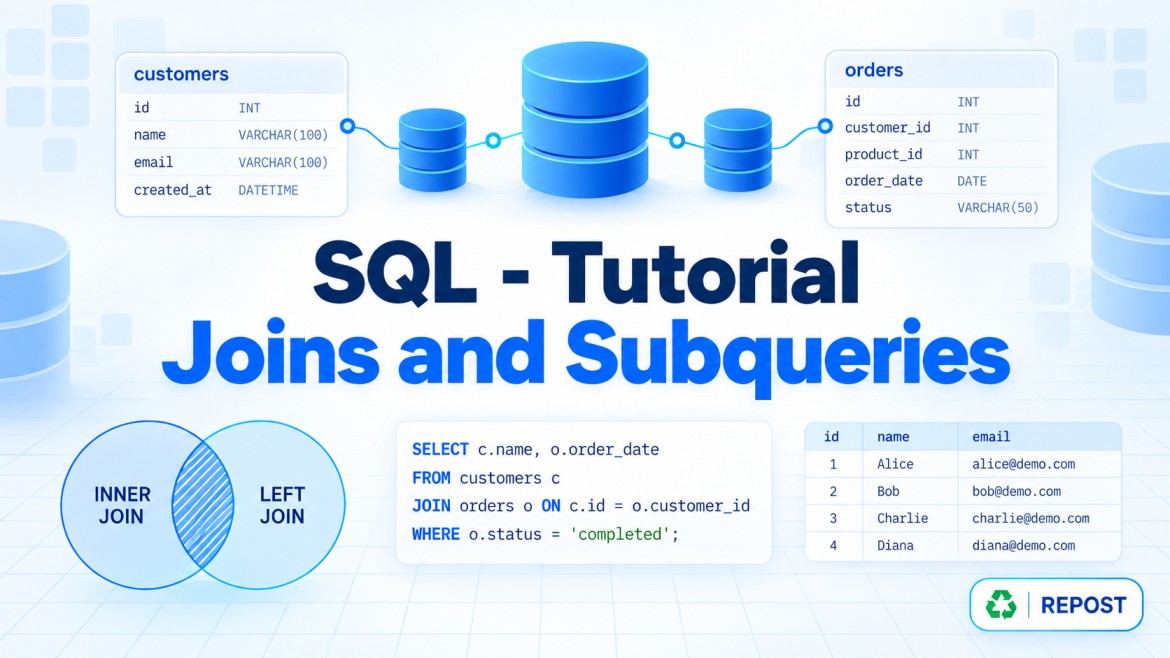


CROSS APPLY and OUTER APPLY in SQL Server
APPLY combines a left-side table with a table expression that is evaluated using values from each left-side row.
It is commonly used with:
-
Correlated subqueries
-
Table-valued functions
-
TOP,ORDER BYand aggregation -
JSON and XML functions
-
Expressions that return multiple columns
There are two types:
-
CROSS APPLY -
OUTER APPLY
Example tables
Customers
| CustomerId | CustomerName |
|---|---|
| 1 | Arun |
| 2 | Banu |
| 3 | Charles |
Orders
| OrderId | CustomerId | OrderDate | Amount |
|---|---|---|---|
| 101 | 1 | 2026-01-10 | 5,000 |
| 102 | 1 | 2026-03-15 | 8,000 |
| 103 | 2 | 2026-02-20 | 4,000 |
Charles has not placed any orders.
1. CROSS APPLY
What is it?
CROSS APPLY evaluates the right-side query for each row of the left table.
It returns a left-side row only when the right-side query returns at least one row.
Its behaviour is similar to an INNER JOIN.
Syntax
SELECT columns
FROM LeftTable L
CROSS APPLY
(
    -- Query that can reference L
) R;
Example: Find each customer’s latest order
SELECT
    C.CustomerId,
    C.CustomerName,
    LatestOrder.OrderId,
    LatestOrder.OrderDate,
    LatestOrder.Amount
FROM Customers C
CROSS APPLY
(
    SELECT TOP (1)
        O.OrderId,
        O.OrderDate,
        O.Amount
    FROM Orders O
    WHERE O.CustomerId = C.CustomerId
    ORDER BY O.OrderDate DESC
) AS LatestOrder;
Result
| CustomerId | CustomerName | OrderId | OrderDate | Amount |
|---|---|---|---|---|
| 1 | Arun | 102 | 2026-03-15 | 8,000 |
| 2 | Banu | 103 | 2026-02-20 | 4,000 |
Charles is excluded because the right-side query returns no order for him.
How it works
For Arun:
WHERE O.CustomerId = 1Arun’s latest order is returned.
For Banu:
WHERE O.CustomerId = 2Banu’s latest order is returned.
For Charles:
WHERE O.CustomerId = 3No row is returned, so CROSS APPLY excludes Charles.
Usage
Use CROSS APPLY when:
-
The right-side query depends on the current left-side row.
-
Only left rows with a matching result should be returned.
-
You need the top record per group.
-
You call a table-valued function for each row.
-
You need to reuse calculated expressions.
2. OUTER APPLY
What is it?
OUTER APPLY also evaluates the right-side query for every left-side row.
However, it returns all rows from the left table, even when the right-side query returns nothing.
When no result exists, right-side columns contain NULL.
Its behaviour is similar to a LEFT JOIN.
Example: Latest order for every customer
SELECT
    C.CustomerId,
    C.CustomerName,
    LatestOrder.OrderId,
    LatestOrder.OrderDate,
    LatestOrder.Amount
FROM Customers C
OUTER APPLY
(
    SELECT TOP (1)
        O.OrderId,
        O.OrderDate,
        O.Amount
    FROM Orders O
    WHERE O.CustomerId = C.CustomerId
    ORDER BY O.OrderDate DESC
) AS LatestOrder;
Result
| CustomerId | CustomerName | OrderId | OrderDate | Amount |
|---|---|---|---|---|
| 1 | Arun | 102 | 2026-03-15 | 8,000 |
| 2 | Banu | 103 | 2026-02-20 | 4,000 |
| 3 | Charles | NULL | NULL | NULL |
Charles is preserved, but the order columns are NULL.
CROSS APPLY vs OUTER APPLY
| Feature | CROSS APPLY |
OUTER APPLY |
|---|---|---|
| Similar to | INNER JOIN |
LEFT JOIN |
| Returns matching left rows | Yes | Yes |
| Returns left rows without a result | No | Yes |
| Right-side values when no match | Row excluded | NULL |
| Right side can reference left columns | Yes | Yes |
| Common usage | Only rows with results | All rows, including those without results |
Why use APPLY instead of a normal JOIN?
A normal JOIN connects tables using an ON condition:
SELECT
    C.CustomerName,
    O.OrderId
FROM Customers C
INNER JOIN Orders O
    ON O.CustomerId = C.CustomerId;
This returns every matching order. It does not directly select the latest order for each customer.
With APPLY, the right-side query can:
-
Reference the current customer
-
Sort that customer’s orders
-
Select only the latest order
CROSS APPLY
(
    SELECT TOP (1) ...
    FROM Orders O
    WHERE O.CustomerId = C.CustomerId
    ORDER BY O.OrderDate DESC
)
This makes APPLY particularly useful for correlated TOP N queries.
Example: Top two orders for each customer
APPLY can return more than one row for each left-side row.
SELECT
    C.CustomerName,
    RecentOrders.OrderId,
    RecentOrders.OrderDate,
    RecentOrders.Amount
FROM Customers C
CROSS APPLY
(
    SELECT TOP (2)
        O.OrderId,
        O.OrderDate,
        O.Amount
    FROM Orders O
    WHERE O.CustomerId = C.CustomerId
    ORDER BY O.OrderDate DESC
) AS RecentOrders;
Each customer can appear up to two times.
For deterministic results, add a unique tie-breaker:
ORDER BY O.OrderDate DESC, O.OrderId DESCThis prevents unpredictable selection when two orders have the same date.
Using APPLY with a table-valued function
Assume this function returns orders for a particular customer:
CREATE FUNCTION dbo.GetCustomerOrders
(
    @CustomerId INT
)
RETURNS TABLE
AS
RETURN
(
    SELECT
        OrderId,
        OrderDate,
        Amount
    FROM Orders
    WHERE CustomerId = @CustomerId
);
Using CROSS APPLY
SELECT
    C.CustomerName,
    O.OrderId,
    O.OrderDate,
    O.Amount
FROM Customers C
CROSS APPLY dbo.GetCustomerOrders(C.CustomerId) O;
Only customers whose function call returns orders are included.
Using OUTER APPLY
SELECT
    C.CustomerName,
    O.OrderId,
    O.OrderDate,
    O.Amount
FROM Customers C
OUTER APPLY dbo.GetCustomerOrders(C.CustomerId) O;
All customers are included. Customers without orders receive NULL in the order columns.
Using APPLY for calculations
APPLY can calculate values and make them available to the main query.
SELECT
    P.ProductName,
    P.Price,
    C.GSTAmount,
    C.TotalAmount
FROM Products P
CROSS APPLY
(
    SELECT
        P.Price * 0.18 AS GSTAmount,
        P.Price + (P.Price * 0.18) AS TotalAmount
) C;
This is useful when calculations would otherwise be repeated several times.
A second APPLY can use the output from the first:
SELECT
    P.ProductName,
    P.Price,
    Tax.GSTAmount,
    Total.TotalAmount
FROM Products P
CROSS APPLY
(
    SELECT P.Price * 0.18 AS GSTAmount
) Tax
CROSS APPLY
(
    SELECT P.Price + Tax.GSTAmount AS TotalAmount
) Total;
For very simple calculations, a normal expression may be clearer. APPLY becomes useful when calculations are complex or reused.
Finding customers without orders
OUTER APPLY can be used to preserve all customers and then find those without a result:
SELECT
    C.CustomerId,
    C.CustomerName
FROM Customers C
OUTER APPLY
(
    SELECT TOP (1)
        O.OrderId
    FROM Orders O
    WHERE O.CustomerId = C.CustomerId
) O
WHERE O.OrderId IS NULL;
For a simple existence check, however, NOT EXISTS is usually clearer:
SELECT
    C.CustomerId,
    C.CustomerName
FROM Customers C
WHERE NOT EXISTS
(
    SELECT 1
    FROM Orders O
    WHERE O.CustomerId = C.CustomerId
);
Filtering: inside vs outside APPLY
This is similar to filtering an outer join.
Condition inside OUTER APPLY
SELECT
    C.CustomerName,
    O.OrderId,
    O.Amount
FROM Customers C
OUTER APPLY
(
    SELECT TOP (1)
        O.OrderId,
        O.Amount
    FROM Orders O
    WHERE O.CustomerId = C.CustomerId
      AND O.Amount >= 5000
    ORDER BY O.OrderDate DESC
) O;
All customers remain. Customers without a qualifying order get NULL.
Condition outside OUTER APPLY
SELECT
    C.CustomerName,
    O.OrderId,
    O.Amount
FROM Customers C
OUTER APPLY
(
    SELECT TOP (1)
        O.OrderId,
        O.Amount
    FROM Orders O
    WHERE O.CustomerId = C.CustomerId
    ORDER BY O.OrderDate DESC
) O
WHERE O.Amount >= 5000;
The final WHERE removes rows whose right-side values are NULL. Therefore, customers without a qualifying result are excluded.
APPLY vs JOIN vs correlated subquery
| Feature | APPLY |
JOIN |
Correlated subquery |
|---|---|---|---|
| Right side can reference left row | Yes | Through the ON condition |
Yes |
| Returns multiple right-side columns | Yes | Yes | A scalar subquery returns one value |
Supports correlated TOP and ORDER BY |
Convenient | Usually needs another technique | Possible but may require repetition |
| Calls a table-valued function per row | Yes | Limited depending on correlation | Not ideal |
| Can return multiple rows per left row | Yes | Yes | Depends on usage |
| Preserves unmatched left rows | OUTER APPLY |
LEFT JOIN |
Depends on query |
Performance considerations
APPLY does not always mean SQL Server physically executes the right-side query separately for every row. The optimizer may transform it into a more efficient execution plan.
However, performance can suffer when:
-
The left table contains many rows.
-
The right-side query scans a large table repeatedly.
-
Correlation columns are not indexed.
-
A multi-statement table-valued function is used.
-
The query performs expensive sorting for each left row.
For the latest-order example, a useful index could be:
CREATE INDEX IX_Orders_CustomerId_OrderDate
ON Orders (CustomerId, OrderDate DESC)
INCLUDE (OrderId, Amount);
This helps SQL Server quickly find the latest order for each customer.
Always inspect the actual execution plan for performance-sensitive queries.
Key points
-
APPLYevaluates a table expression using values from the current left-side row. -
CROSS APPLYexcludes left rows when the right side returns nothing. -
OUTER APPLYpreserves all left rows and returnsNULLfor missing right-side data. -
CROSS APPLYis similar to anINNER JOIN. -
OUTER APPLYis similar to aLEFT JOIN. -
APPLYis especially useful forTOP N per group. -
It is commonly used with inline table-valued functions.
-
The right side may return zero, one or multiple rows.
-
Use a deterministic
ORDER BYwithTOP. -
Index the correlated and ordering columns for better performance.
-
Use
EXISTSorNOT EXISTSwhen you only need an existence check.
Interview answer
“CROSS APPLY and OUTER APPLY evaluate a correlated table expression or table-valued function for each row of the left table. CROSS APPLY returns only left rows that produce a result, similar to an inner join. OUTER APPLY preserves every left row and returns NULL when the right side produces no result, similar to a left join. They are particularly useful for top-N-per-group queries and correlated table-valued functions.”